Modern enterprise networks face a constant barrage of threats, from ransomware and data exfiltration to insider attacks and zero-day exploits. Protecting against these threats requires more than a single firewall or antivirus solution. It demands a layered architecture of specialized tools, each focused on a specific aspect of threat detection, prevention, or response.
But security tools can only protect what they can see. Without complete visibility into your network traffic, even the most advanced security platforms have blind spots that attackers can and will exploit. This guide explains the key categories of network security solutions, how they work together, and why the visibility infrastructure underpinning them is just as critical as the tools themselves.
Why Network Security Requires a Layered Approach
No single security solution protects against every threat. Attackers use a wide variety of techniques, including phishing, credential theft, lateral movement, and encrypted command-and-control channels, that each require different detection methods. A layered security architecture addresses this by stacking multiple specialized tools, each covering gaps the others may miss.
The Limitations of Perimeter-Only Security
For many years, organizations relied primarily on firewalls to establish a secure perimeter around their networks. The assumption was straightforward: keep threats out, and your internal network is safe. That model has broken down fundamentally in the modern era.
Today's networks are highly distributed. Users connect from home offices and mobile devices, applications run across hybrid cloud environments, and third-party vendors require access to internal systems. The traditional perimeter is no longer a clean boundary. Threats that slip past the perimeter, whether through phishing, stolen credentials, or supply chain attacks, can move laterally through internal networks largely undetected.
What a Layered Security Architecture Looks Like
Effective network security requires tools operating across multiple layers:
- Prevention: Firewalls, Intrusion Prevention Systems (IPS), and web filtering stop known threats before they can execute
- Detection: Intrusion Detection Systems (IDS), Security Information and Event Management (SIEM) platforms, and network detection and response tools identify suspicious activity in real time
- Response: Incident response platforms, endpoint detection tools, and forensic analysis capabilities enable rapid containment and investigation
- Compliance and audit: Packet capture, data masking, and logging infrastructure provide the evidence trails required by regulatory frameworks
Deploying tools across all of these layers creates redundancy. If one tool misses a threat, another has the opportunity to catch it.
Core Network Security Tool Categories
Understanding what each tool category does, and what it requires to function effectively, helps you build an architecture where every component adds genuine value.
Firewalls and Next-Generation Firewalls
A firewall is the most fundamental layer of network security. Traditional firewalls filter traffic based on IP addresses, ports, and protocols. Next-Generation Firewalls (NGFWs) go further, adding application awareness, deep packet inspection, and integrated threat intelligence.
NGFWs can identify and control traffic at the application layer, blocking specific applications regardless of the port they use. They can also decrypt and inspect Transport Layer Security (TLS) traffic, which is critical given that the vast majority of internet traffic is now encrypted.
Key capabilities of modern firewalls include:
- Stateful inspection: Tracking active connections to distinguish legitimate return traffic from unsolicited inbound connections
- Application identification: Recognizing applications by behavior, not just port numbers
- TLS inspection: Decrypting and inspecting encrypted traffic for threats
- Threat intelligence integration: Using known malicious IP and domain lists to block connections to attacker infrastructure
- User identity awareness: Applying policies based on user identity rather than IP address alone
Intrusion Detection and Prevention Systems
Intrusion Detection Systems (IDS) and Intrusion Prevention Systems (IPS) monitor network traffic for patterns that match known attack signatures or anomalous behaviors indicative of a compromise. An IDS alerts your security team when it detects a threat. An IPS goes a step further by actively blocking malicious traffic in real time.
IDS and IPS tools are typically deployed out-of-band (IDS) or inline (IPS). Inline IPS appliances sit directly in the traffic path, which means they need a reliable traffic feed and, critically, need to stay online. If an inline security appliance fails, it can take down the network link it protects. This is where bypass TAPs play a vital role, automatically rerouting traffic around a failed appliance to maintain network continuity.
SIEM Platforms
A Security Information and Event Management (SIEM) platform aggregates log and event data from across your infrastructure, including firewalls, endpoints, servers, and network devices, and correlates it to identify patterns that indicate a threat. Where individual tools detect specific events, a SIEM provides the broader context needed to understand an attack's full scope.
Modern SIEM platforms often incorporate User and Entity Behavior Analytics (UEBA), which baselines normal behavior for users and systems and alerts when deviations occur. This capability is particularly effective at detecting insider threats and compromised credentials that don't trigger signature-based detection.
Network Detection and Response
Network Detection and Response (NDR) tools analyze raw network traffic to detect threats that other tools miss. Unlike endpoint detection tools, NDR has visibility into lateral movement between systems, encrypted channel abuse, and data exfiltration, all areas where attackers increasingly operate.
NDR effectiveness depends entirely on receiving a complete, accurate copy of network traffic. Tools that receive incomplete or sampled traffic miss the very behaviors they're designed to detect.
Packet Capture and Forensic Analysis
When an incident occurs, your ability to investigate it quickly depends on having a complete record of what happened on the network. Packet capture tools record raw traffic for retrospective analysis, enabling security teams to reconstruct attack timelines, identify compromised systems, and establish what data may have been accessed or exfiltrated.
Forensic-grade packet capture requires a lossless, unmodified traffic feed. Any packet loss or modification compromises the integrity of the evidence and can undermine legal or regulatory defensibility.
The Role of Network Visibility Infrastructure
All of the security tools described above share one fundamental requirement: they need complete, accurate access to network traffic. This is where many organizations quietly fail. They invest in powerful security tools but connect them in ways that create blind spots, bottlenecks, or reliability problems.
Why Direct Connections Don't Scale
The simplest approach to connecting a security tool to network traffic is to plug it directly into a switch mirror port, also known as a Switch Port Analyzer (SPAN) port. SPAN ports copy traffic from one or more ports or VLANs and send it to a monitoring port. For basic use cases and small networks, they work adequately.
However, SPAN ports have significant limitations in production environments:
- Packet loss under load: Switches prioritize production traffic. When buffers fill, SPAN traffic is dropped first, creating gaps in your monitoring data
- Limited port availability: Most switches offer only one or two SPAN sessions, which quickly becomes a constraint as you add monitoring tools
- No physical layer visibility: SPAN ports don't capture physical errors, which can be critical for troubleshooting and certain types of attack detection
- Performance impact: High-volume SPAN sessions can degrade switch performance, creating a trade-off between monitoring coverage and network health
These limitations are why 90% of organizations in high-compliance industries choose network TAPs over SPAN ports as their primary traffic access method.
Network TAPs: The Foundation of Reliable Visibility
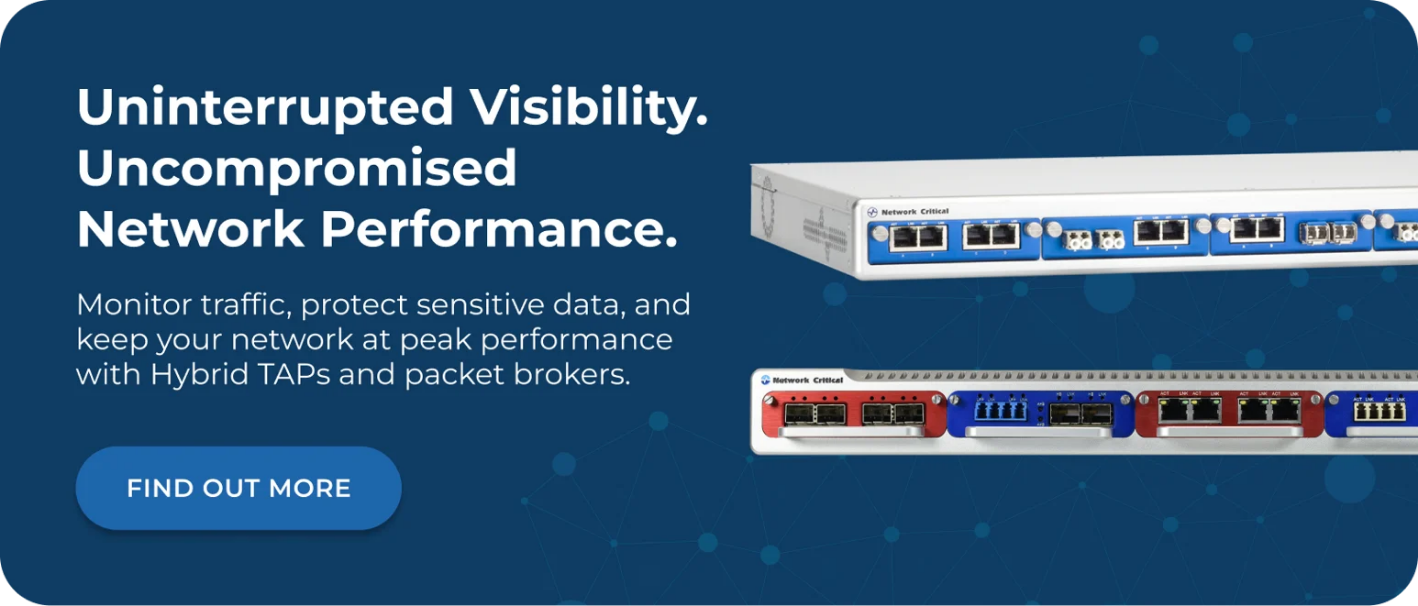
A network test access point (TAP) provides a dedicated, passive copy of network traffic without touching the production data path. Unlike SPAN ports, TAPs deliver 100% of traffic including physical layer errors, with zero packet loss and no impact on network performance.
Network TAPs come in several varieties to suit different network types and deployment scenarios:
- Passive fiber TAPs: Operate entirely without power, using optical splitting to copy light from fiber cables. They have no IP or MAC address, making them invisible to the network and to potential attackers. No power means no failure point
- Ethernet TAPs: Connect to copper network links and provide full-duplex traffic copies to monitoring tools. The SmartNA series supports speeds from 1Gbps with modular, hot-swappable configurations
- Bypass TAPs: Combine traffic access with inline tool protection. They continuously test inline security appliances using heartbeat signals and automatically reroute traffic if an appliance fails, ensuring network continuity
Because TAPs are physically separate from the production network and have no addressable presence on it, they add no attack surface. A security device that can't be seen can't be targeted.
Network Packet Brokers: Intelligent Traffic Distribution
As networks grow and the number of security tools increases, simply tapping links isn't enough. You need a way to aggregate traffic from multiple sources, filter it, and distribute the right traffic to the right tools. This is the function of a network packet broker.
A network packet broker sits between your TAPs and your security tools, performing several critical functions:
- Aggregation: Combining traffic from multiple TAPs and SPAN ports into consolidated feeds, reducing the number of connections each tool requires
- Filtering: Applying rules to strip out irrelevant traffic, so each tool receives only the data it needs to analyze effectively
- Load balancing: Distributing high-volume traffic flows across multiple instances of the same tool to prevent bottlenecks and ensure processing keeps pace with line rate
- Deduplication: Removing duplicate packets that occur when traffic crosses multiple tapped links, reducing tool processing overhead
- Header stripping: Removing encapsulation headers that tools may not be able to process
- Data masking: Redacting sensitive fields such as credit card numbers or personally identifiable information before traffic reaches tools that don't require that data
The SmartNA-PortPlus series provides these capabilities in a scalable 1RU chassis, supporting speeds from 1G to 100G with a non-blocking 1.8 Tbps architecture. For environments requiring even greater throughput, the SmartNA-PortPlus HyperCore delivers visibility at speeds up to 400G with 25.6 Tbps system throughput.
Connecting Security Tools Effectively
Building a visibility architecture that serves your security tools well requires careful planning. The goal is to ensure every tool receives the traffic it needs, at line rate, without gaps, and without affecting network performance.
Designing for Coverage
Start by mapping your network topology against your security tool requirements. Identify every link that carries traffic relevant to each tool and ensure those links are tapped. Common coverage gaps include:
- East-west traffic: Traffic moving laterally between servers in the data center, which never crosses the perimeter but is where attackers move after initial compromise
- Out-of-band management networks: Networks used to manage routers, switches, and other infrastructure that are often unmonitored
- Remote and branch office links: Wide area network links that may bypass centralized monitoring infrastructure
- Virtual and cloud environments: Traffic within virtualized infrastructure that doesn't traverse physical network hardware
Avoiding Tool Overload
Security tools have processing limits. When they receive more traffic than they can handle, they either drop packets or queue them, introducing delays. Both outcomes degrade security effectiveness. A well-configured network packet broker addresses this by filtering traffic before it reaches tools, ensuring each tool only processes what it can act on.
For example, an IDS focused on detecting malware command-and-control traffic doesn't need visibility into internal file server backup operations. Filtering that traffic out at the broker level frees the IDS to dedicate its processing capacity to the flows that matter.
Maintaining Inline Tool Availability
Inline security tools, including IPS appliances, SSL inspection devices, and web proxies, sit directly in the network data path. If they fail or require maintenance, they can interrupt production traffic. This is an unacceptable risk in environments where network availability is critical.
Bypass TAPs solve this by continuously monitoring inline tools with heartbeat signals. If a tool stops responding, the bypass TAP automatically routes traffic around it, maintaining network connectivity while your team addresses the issue. When the tool comes back online, the bypass TAP restores the inline connection without manual intervention.
Compliance and Regulatory Considerations
Many industries operate under regulatory frameworks that require specific security controls and the ability to demonstrate compliance through auditable evidence. Network visibility infrastructure plays a direct role in meeting these requirements.
What Regulators Typically Require
Depending on your industry and geography, you may be subject to frameworks including:
- PCI DSS: The Payment Card Industry Data Security Standard (PCI DSS) requires monitoring of all access to cardholder data environments and the ability to detect and respond to unauthorized access
- HIPAA: The Health Insurance Portability and Accountability Act (HIPAA) mandates audit controls and the ability to monitor access to protected health information
- GDPR: The General Data Protection Regulation (GDPR) requires organizations to demonstrate that personal data is protected and that access is controlled and logged
- SOX: The Sarbanes-Oxley Act (SOX) requires IT controls over financial systems and the ability to audit access and changes
Building a Legally Defensible Evidence Trail
When regulators or auditors ask for evidence of compliance, you need a complete, unmodified record of network activity. SPAN ports are inadequate for this purpose because they drop packets under load, creating gaps in the record. TAP-based capture provides a legally defensible, complete data stream that can withstand scrutiny.
Data masking capabilities within a network packet broker also support compliance by ensuring that sensitive data fields are redacted before reaching tools or storage systems that don't require that level of detail. This reduces the scope of compliance assessments while maintaining full visibility for security operations.
Zero Trust and the Future of Network Security
The zero trust security model has gained significant adoption as organizations recognize that perimeter-based security is no longer sufficient. Zero trust operates on the principle that no user, device, or application should be trusted by default, regardless of its network location. Every access request must be verified before being granted.
Zero Trust Requires Comprehensive Visibility
Implementing zero trust effectively requires visibility into every access request and every data flow. You can't enforce a policy you can't see. Network TAPs and packet brokers provide the comprehensive traffic access that zero trust monitoring tools need to validate compliance with policies and detect violations.
The INVIKTUS system from Network Critical extends this principle to the visibility infrastructure itself. INVIKTUS has no IP or MAC address, making it completely invisible to the network and undetectable by attackers. Operating on a zero-trust foundation, it validates all users, applications, and devices before granting access, adding a powerful low-level security layer that protects the networks that carry your most sensitive traffic.
Encryption Visibility
Encrypted traffic now accounts for the vast majority of internet traffic, and attackers increasingly use encryption to hide malicious activity. This creates a challenge: the encryption that protects legitimate communications also conceals threats.
Addressing this requires either TLS inspection capabilities within security tools or an architecture that decrypts traffic once and distributes it to multiple tools without needing each tool to handle decryption independently. A network packet broker can serve this distribution function efficiently, ensuring decrypted traffic reaches the tools that need it without duplicating decryption overhead.
Frequently Asked Questions
What Is the Difference Between a Network TAP and a SPAN Port?
A network TAP is a dedicated hardware device that creates a passive, lossless copy of network traffic. A SPAN port is a feature of a network switch that mirrors traffic to a monitoring port. TAPs deliver 100% of traffic with zero packet loss and no impact on network performance. SPAN ports can drop packets under load, are limited in number, and don't capture physical layer errors. For production security monitoring, TAPs provide a far more reliable and complete traffic access method.
How Does a Network Packet Broker Improve Security Tool Performance?
A network packet broker optimizes the traffic each security tool receives by aggregating feeds from multiple sources, filtering out irrelevant traffic, removing duplicate packets, and load balancing high-volume flows across tool clusters. This ensures tools receive only the traffic they need to analyze, at a volume they can process without dropping packets, which directly improves detection accuracy and reduces false positives.
What Happens If an Inline Security Tool Fails?
Without bypass protection, an inline security tool failure can bring down the network link it protects. Bypass TAPs prevent this by using heartbeat monitoring to continuously test inline appliances. If a tool fails or is taken offline for maintenance, the bypass TAP automatically reroutes traffic around it, maintaining network availability until the tool is restored.
Do Network TAPs Work with All Security Tools?
Yes. Network TAPs are passive infrastructure that copies traffic and delivers it as a standard network feed. They're compatible with any tool that accepts a standard Ethernet or fiber connection, including IDS/IPS systems, SIEM feeds, packet capture appliances, NDR tools, and forensic analysis platforms. The SmartNA-XL supports passive, active, and bypass TAP modules in a single chassis, providing flexibility for diverse tool environments.
How Do I Know If My Security Tools Have Visibility Gaps?
The most reliable way to assess visibility coverage is to map your network topology against your current monitoring infrastructure. Identify every link carrying traffic relevant to your security tools and determine how each link is currently accessed. Links accessed by SPAN ports should be evaluated for packet loss under load. Unmonitored links, particularly east-west data center traffic and management networks, represent immediate gaps that need to be addressed.
How Network Critical Can Help
Building a security architecture that gives your tools the visibility they need requires purpose-built hardware designed specifically for reliable, lossless traffic access. Network Critical has provided network visibility infrastructure to enterprises, carriers, and government organizations worldwide since 1997, helping teams achieve complete traffic coverage without compromising network performance or reliability.
Our range of network TAPs delivers guaranteed, lossless packet capture across speeds from 1Gbps to 400Gbps. Whether you need passive fiber solutions that require zero power, ethernet tapping with advanced aggregation, or bypass protection for inline security tools, the SmartNA family covers every deployment scenario in compact, modular 1RU and 2RU chassis. The SmartNA-PortPlus and SmartNA-PortPlus HyperCore add full packet broker functionality, giving you intelligent aggregation, filtering, load balancing, and deduplication in the same platform.
Managing complex visibility configurations is straightforward with Drag-n-Vu, our drag-and-drop network management interface that lets administrators configure filters and port mappings without specialist engineering skills. Whether you're building new security visibility infrastructure or addressing gaps in an existing architecture, our team can help you design a solution that ensures every security tool sees everything it needs to see.