







September 8, 2025
| 11:05 am
Executive Overview
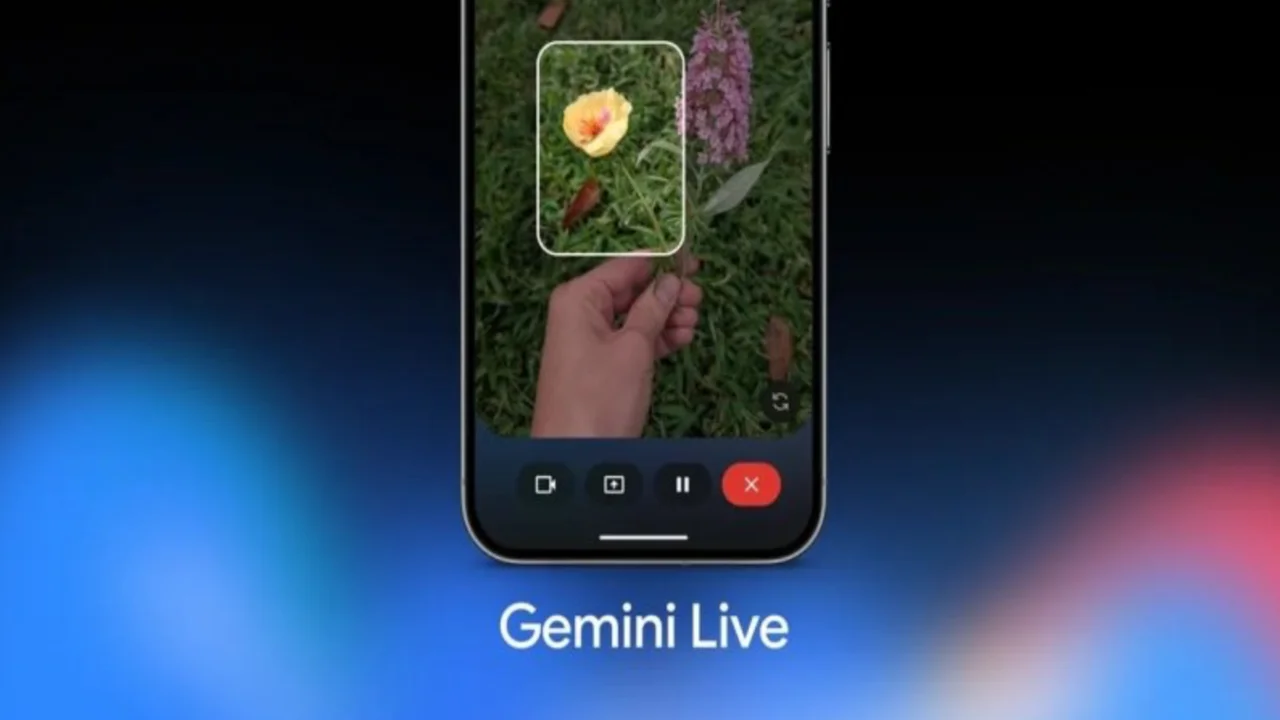
Google has unveiled a notable upgrade to Gemini Live: the assistant can recognize what your smartphone camera is capturing and provide real-time, on-screen guidance. It identifies objects, highlights the right element, and responds without perceptible lag. The feature appears first on the newly announced Pixel 10 line and is scheduled to reach other Android devices later this month, followed by iOS within a few weeks.
What’s New—and Why It Matters
From Hearing to Seeing
For years, voice assistants depended on what you told them. Now Gemini Live can also use what you show it. Point your camera at a scene—tools on a workbench, kitchen utensils, similar-looking components—and ask a question. The assistant analyzes the frame and visually marks the relevant item so you are not guessing which screwdriver, button, or cable it means. Immediate. Unambiguous. Practical.
Real Examples, Everyday Gains
- Choosing the right tool: Not sure which bit fits a Torx screw? Pan slowly; Gemini Live highlights the correct head.
- Finding the needed accessory: Cable chaos on your desk? Ask for “USB-C,” and follow the on-screen pointer.
- Task walkthroughs: Adjusting a latch, pressing the right button on a router, or aligning a camera mount—Gemini Live dims distractions and calls out the exact target.
Rollout and Timing
- Article publication: August 22, 2025.
- Devices: Starts with Pixel 10 (announced the same week), then Android more broadly “later this month,” and iOS“within weeks,” with phased availability by region and account type.
Deeper Integration Across the Phone
Acting in Your Core Apps
Gemini Live is learning to coordinate with system apps such as Phone, Messages, and Clock. Consider a familiar scenario: you’re discussing directions, realize you will be late, and say so. The assistant can draft—and send—the “running a few minutes behind” message to the chosen contact, hands-free. Less hopping between apps. Fewer taps. More done.
What Changes for Users?
- Fewer context switches: Stay in the camera view; get guidance overlaid there.
- Lower cognitive load: You no longer translate your visual scene into words. The system reads the scene directly.
- Closer to “do-this-for-me”: With messaging and phone functions in the loop, Live moves from advice toward action.
Speech That Matches the Moment
Updated Audio Model
Google also announced an enhanced audio model for Gemini Live. It better captures intonation, rhythm, and pitch—and can alter its delivery to match context. Prefer brisk answers? Slow and measured? Users will be able to adjust the pace. The result: spoken guidance that sounds more like a considerate human helper than a rigid voice bot.
Expressive Modes and Storytelling
Ask Gemini Live to retell a story “dramatically” or to channel a historical figure’s voice, and it will attempt a richer, more engaging narration—while keeping instructions clear when you switch back to practical tasks. Versatile? Absolutely. Useful? In the right moment, yes.
How It Compares (At a Glance)
Then vs. Now
- Before: Voice-only; you described objects verbally and hoped the assistant inferred correctly.
- Now: Camera-aware; Live points at the exact object on your screen, reducing misinterpretation and follow-up prompts.
Typical Voice Assistants vs. Visual Guidance
- Traditional approach: “Which button is the reset?” → lengthy back-and-forth.
- Gemini Live approach: Show the device; Live highlights that button. Less friction; faster results. (Comparative analysis based on the feature set described.)
Practical Guidance for First-Time Use
Quick Start
- Open Gemini Live on your phone.
- Tap the camera icon to share your view.
- Ask targeted questions: “Which bit for this screw?” “Point to the stainless-steel pot.”
- Keep the frame steady; follow the overlay cues; ask follow-ups without closing the camera.
Tips for Best Results
- Be specific about your goal: “Under $150,” “rain-ready,” “fits M2 threads.”
- Mind privacy: Camera sharing may use cloud processing—avoid capturing sensitive material.
- Lighting helps: Clear, even light improves recognition and the accuracy of highlights. (Practical advice aligned with the feature announcement.)
Availability and Caveats
Staggered Release
Visual guidance launches first on Pixel 10, reaches other Android devices by the end of the month, and comes to iOS in the following weeks. Exact timing, supported languages, and permissions may vary by region and account type (personal vs. work/school).
Who Benefits Most?
- Shoppers and DIYers: Quick comparisons and precise pointers.
- Learners and tinkerers: Step-by-step object identification in physical tasks.
- Busy users on the go: One sentence to Live; one sent message; one less worry.
Conclusion
A small icon. A big shift. By letting Gemini Live see what you see—and by projecting its understanding onto your screen—Google narrows the gap between intention and action. The combination of visual overlays, app integrations, and a more expressive audio model makes assistance not only faster but clearer, too. Pixel 10 owners go first; everyone else follows shortly after. Watch this space—literally.