





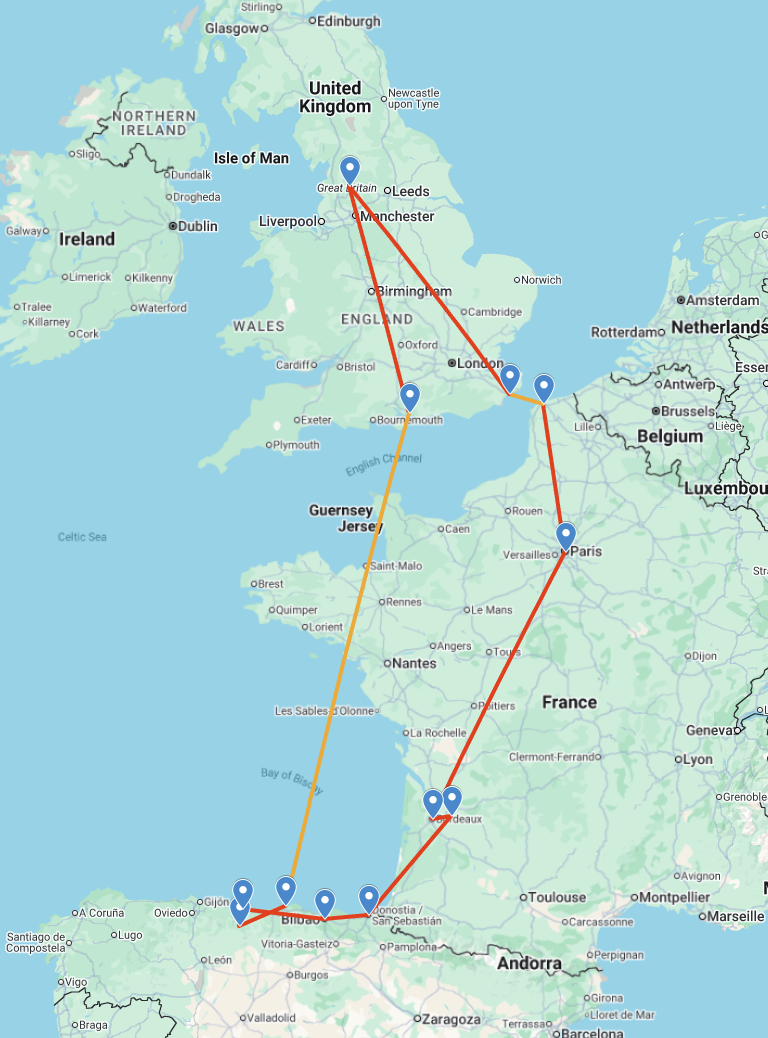
I recently went on an epic road trip around Europe, covering 1,645 miles (2,647 km), and we took in some amazing sights and locations. As a tech geek, I was worried about my connectivity on the trip, so before we set off, I came up with a plan!
Did we really need this?
On a more serious note, we all like to have connectivity, but I am also responsible for running my own company, Report URI, which has other staff members. I wanted to make sure that I had at least somewhat reliable connectivity whilst I was away as, anyone running their own company can confirm, you're never really 'not working' when everything falls to you.

Of course we could get an eSIM for my phone, and then I could tether, but my wife would also need connectivity, so that's another eSIM, and then on the longer stints in the car it'd be nice to give my son some connectivity too... It was quickly looking like it wouldn't be practical, and there were also concerns about the times we wouldn't have any cellular connectivity too.
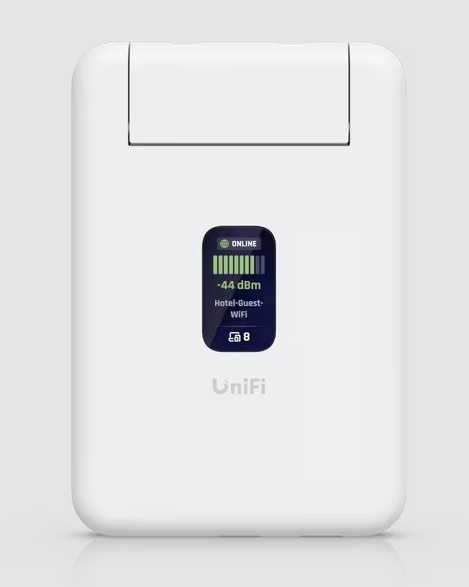
The two devices we bought for the trip
Being quite the fan of Ubiquiti kit, I wanted to try out the Unifi Travel Router. This is a tiny device that can connect to an external Wi-Fi network and then broadcast your usual home Wi-Fi networks for all of your devices to connect to. Super handy because all of my devices then just connect to my home network without any configuring or joining the hotel Wi-Fi, and, the UTR can VPN me home so all of my usual devices and services are available if I want them.
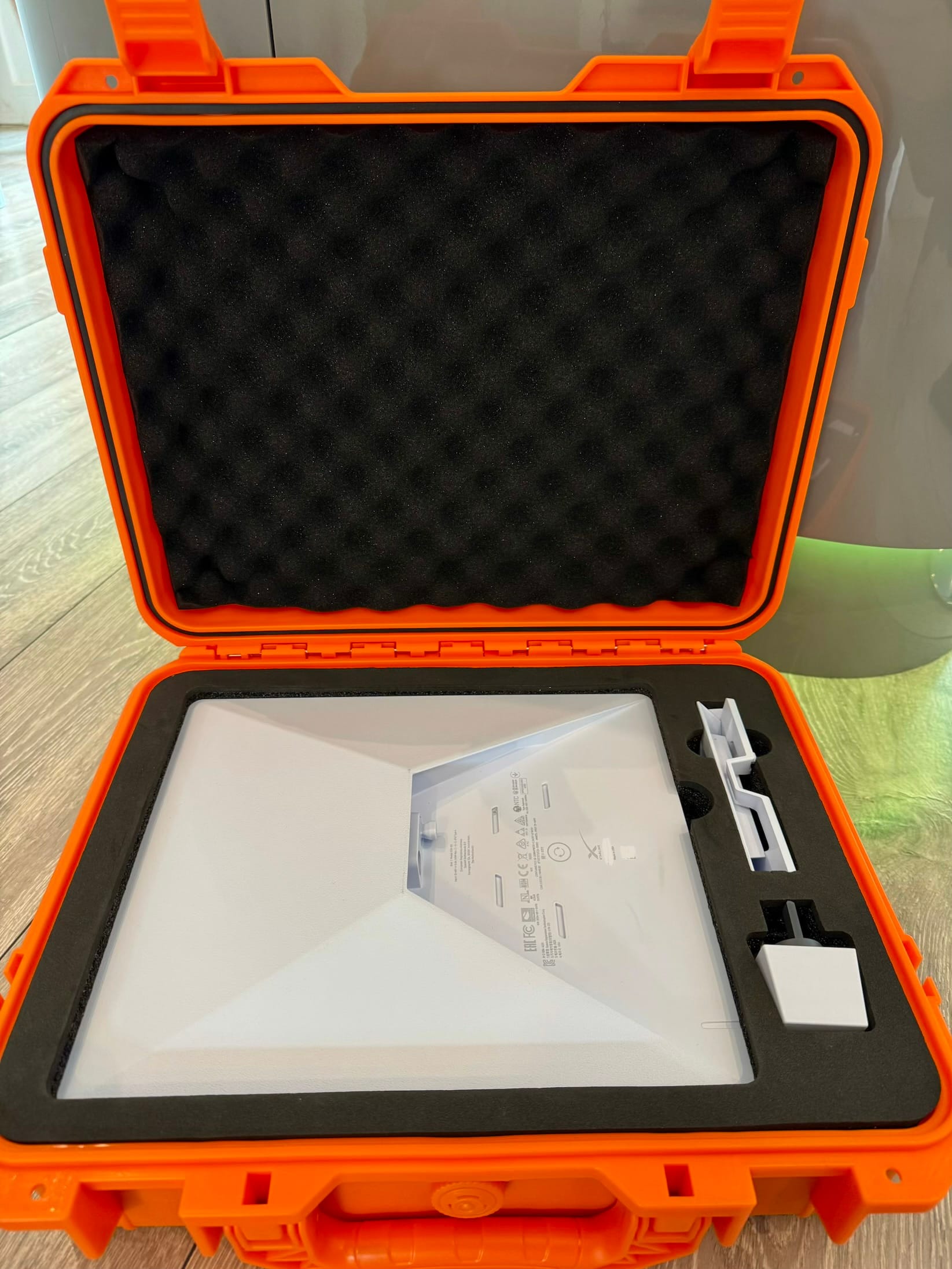
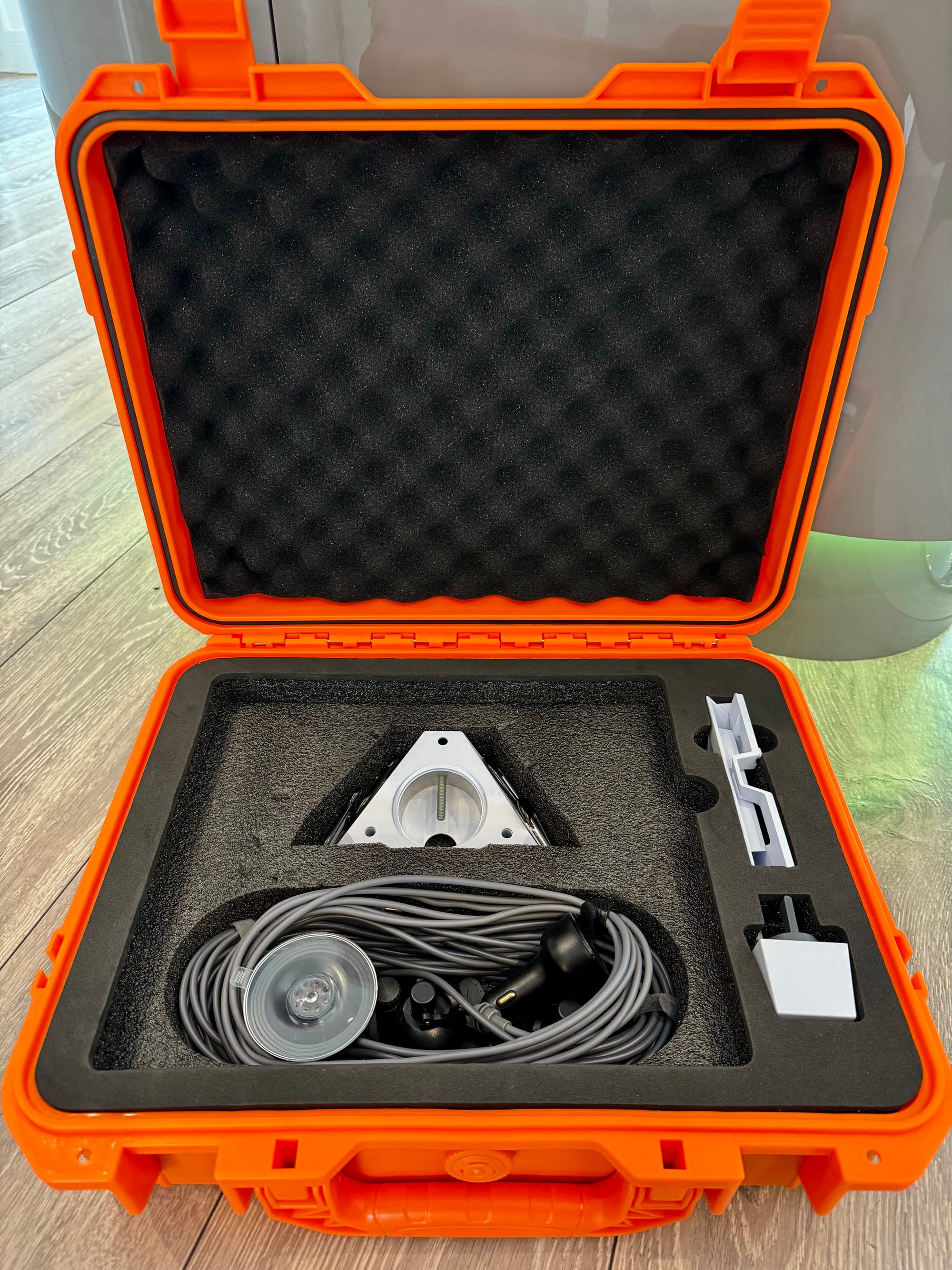
The other bit of kit I purchased was a Starlink Mini. I got mine from a local electronics retailer that had a deal on, and I'm sure you can find a suitable retailer in your area. I also bought a carry case from Amazon along with some accessories to mount it to the panoramic glass roof in the Porsche, and a 12V 'cigarette' socket adapter that could provide the higher power the Starlink needs from the car. Note: the USB-C ports in your car might not provide enough power for the Starlink, mine didn't, hence the 12V adapter.
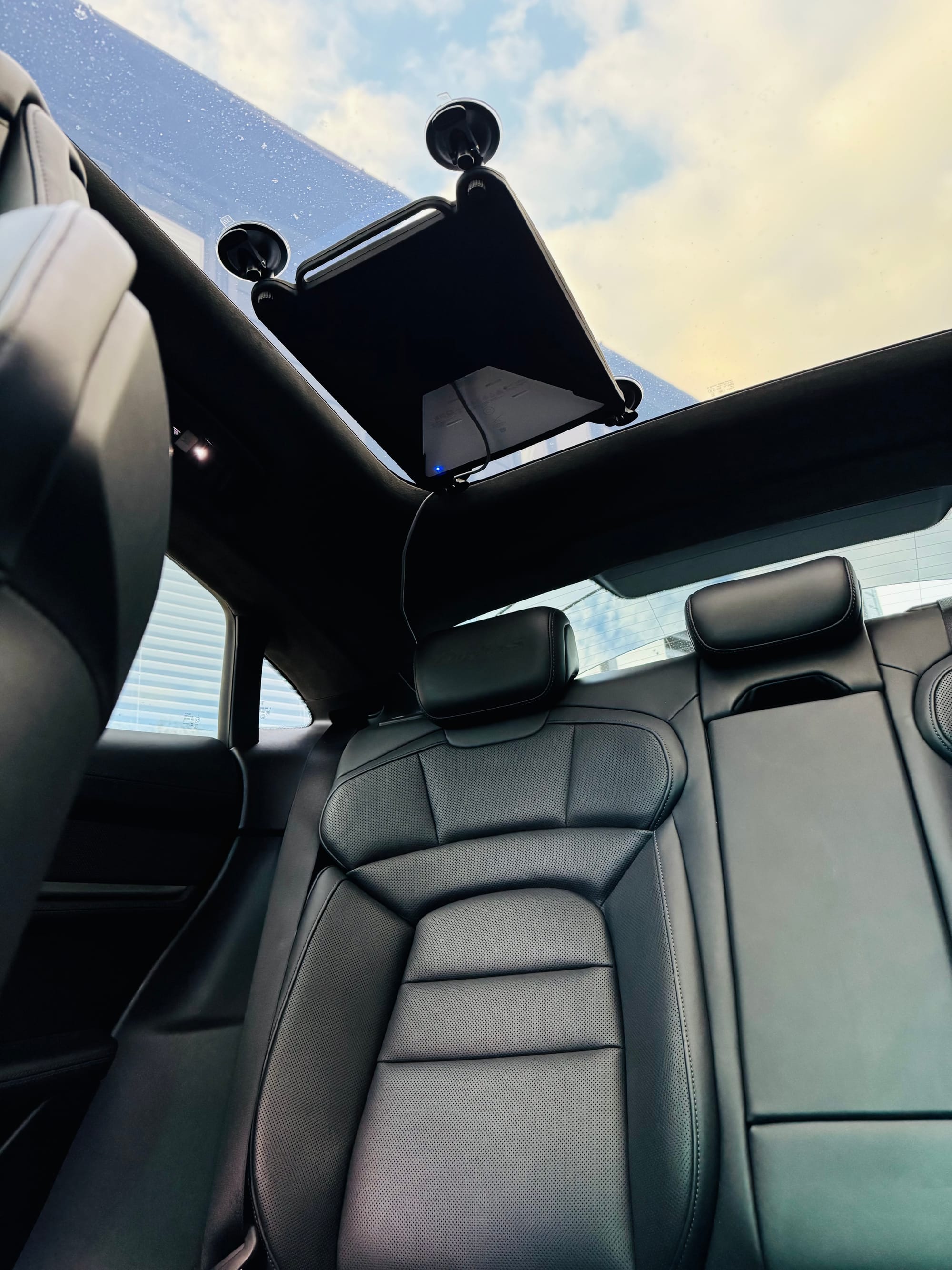
It's quite a nice setup, out of the way, and it automatically powers up when the car turns on with no effort from us. There's also a nice feature of being able to leave the 12V power source in the boot (trunk, for the Americans) turned on for a period of time after you leave the car and lock it, so we can keep connectivity in the general vicinity before it powers down.
How well did the UniFi Travel Router work?
We used the UTR on our first day of the trip as we drove a few hundred miles to the south coast of England to take the ferry to Spain on the Portsmouth to Santander route. The Wi-Fi on the ferry is not free, and I didn't fancy paying for a whole bunch of devices either. Instead, I could buy a Wi-Fi pass, join the UTR to the ferry Wi-Fi and then the UTR will broadcast our usual Wi-Fi network for all of our devices! I had Wi-Fi on my phone, my laptop, my wife had it on her devices and my son had it on his. This saving alone paid for ~50% of the cost of the UTR itself! We didn't have a balcony or any external area we could place the Starlink, and the window in our room was tiny, but the UTR worked out great for the two nights on the ferry. It was a similar story in every hotel and Airbnb we stayed in for the whole trip. Rather than arrive at a hotel and have to go through the Wi-Fi joining process on a whole bunch of devices, I would just power up the UTR, join it to the Wi-Fi, and all of our devices would automatically connect to our normal home Wi-Fi. This was a very nice convenience feature.
One unexpected benefit of the UTR came in a hotel with poor Wi-Fi signal. At the end of the room with the seats and desk, there was a single bar of signal, nothing worked and it dropped regularly. By the door to the hallway, signal was great, but you can't sit there with your laptop and do emails! I took a phone charger to power the USB-C UTR, plugged it in by the door and it had a good signal. It then broadcast our usual Wi-Fi network into the room and everyone had great Wi-Fi, problem solved!
Overall, I'd say the UTR is definitely worth it. I didn't use the VPN feature much, it wasn't what I needed or wanted from it, but I did test it out and it worked perfectly. The convenience of joining a single device to an external Wi-Fi network and then having all of your devices automatically connect is really nice, and the portability of it allows you to move it around for the best signal strength. If you're having to pay for Wi-Fi somewhere, it's a no-brainer. (The UTR can also do Ethernet backhaul, but I never needed to try that out)
How well did the Starlink Mini work?
We set everything up with the Starlink Mini before we left home so as soon as we hit the road, we were on the built-in Wi-Fi network on all of our devices. In many ways, that's all I have to say about the Starlink... We plugged it in, set it up, mounted it, and that's it. It just worked. Every single day, every single time. The damn thing is annoyingly flawless.
I'm not one for hype or fanfare, but I feel like Starlink will be a transformational technology. It doesn't matter where you are, as long as you can see the sky, you're connected. On some of the mountain roads and coastal roads we took on the trip, we had no phone service at all. Genuinely zero. We were still fully connected thanks to the Starlink. Even with the multiple speed tests we did at various locations, we were always seeing 100Mbps+, and we even did some high speed tests at ̶2̶0̶0̶k̶m̶/h̶ 140km/h. It turns out how fast you're moving is kind of irrelevant because the satellite you're connected to is going at 27,600 km/h, so you're basically not moving as far as it's concerned.
The only thing I had to make a change for was that I normally do wireless Apple CarPlay, but I had to switch to wired Apple CarPlay so my phone could connect to the Starlink Wi-Fi network for data instead of the Porsche Wi-Fi for CarPlay. That's it. It was awesome to be able to have stable voice calls, stable video calls, large attachments are no issue, you just use your devices like normal without any consideration for data or connectivity.
They're the ultimate combo
You might not be planning your own road trip, and I can definitely see how each of these devices has its own benefits that would justify buying either of them in isolation. The UTR isn't much bigger than a credit card and ~1cm thick, but provides huge value and benefits. The Starlink is a different beast in the physical dimensions, but it's now going to form part of our regular travel kit. Since the European road trip, we've already used it on two more trips including a long weekend in a remote Scottish location, and during a race weekend in the paddock when we're uploading and downloading huge video and telemetry files and the Wi-Fi at the race track just can't provide reliable or high-speed connectivity.
Hopefully that gives a nice summary of the benefits of these two devices, but if you want it in a single sentence for each:
The Starlink will give you connectivity where you otherwise have none.
The UTR will make whatever connectivity you have behave like you're at home.
Have you enjoyed this post or found it helpful?
☕️ Consider buying me a coffee to say thanks!
🔔 Subscribe for free notifications when I publish!
🤩 Become a member and support my content!
Tags: Ubiquiti, UniFi, Travel Router, Starlink