












Okta Identity Engine offers admins the ability to vary authentication flows to applications based on everything from group membership, device management, device posture, network zones, risk evaluation, user behaviour and more.
Generally speaking, the more context evaluated at the point of access, the better the security outcome. That’s what this whole zero trust journey is about: all the stars should align before a legitimate user can access a sensitive resource.
The flip-side of this is that it can be tempting to write a large number of distinct rules. It’s for this reason Okta recommends grouping apps and other resources by authentication assurance level (AAL): applying the most stringent set of rules to all apps designated as AAL3, another ruleset for all AAL2 apps, another for AAL1 etc. These standards exist to dramatically simplify life as an admin.
But if your rules do wind up being - well, unruly - there is always the possibility of an unexpected access scenario that didn’t present itself during testing. In Okta Identity Engine, rules are evaluated according to priority. During sign-on, the rule at the top of your list is evaluated first, and if the request doesn’t meet that rule, the next rule in line is evaluated, and so forth.
If an access request doesn’t meet any of the rules, it usually falls to the Default “Catch-All” rule. The Default Catch-All rule in most scenarios will allow access if primary authentication (such as a password or access to an email inbox) is satisfied. This is the default setting to avoid locking legitimate admins/users out while the org is being configured.
But once you’re up and running, you should think about a “deny by default” approach.
A well-established production workforce org should configure the catch-all rule (or create a new catch-all rule, if necessary*), that explicitly denies access.

That’s it. No other conditions. If a legitimate user falls through the cracks of the expected authentication context, that’s where they should land.
Given the potential disruption this might cause to users, it’s prudent to write a report, detection or workflow that notifies admins of the catch-all being triggered.
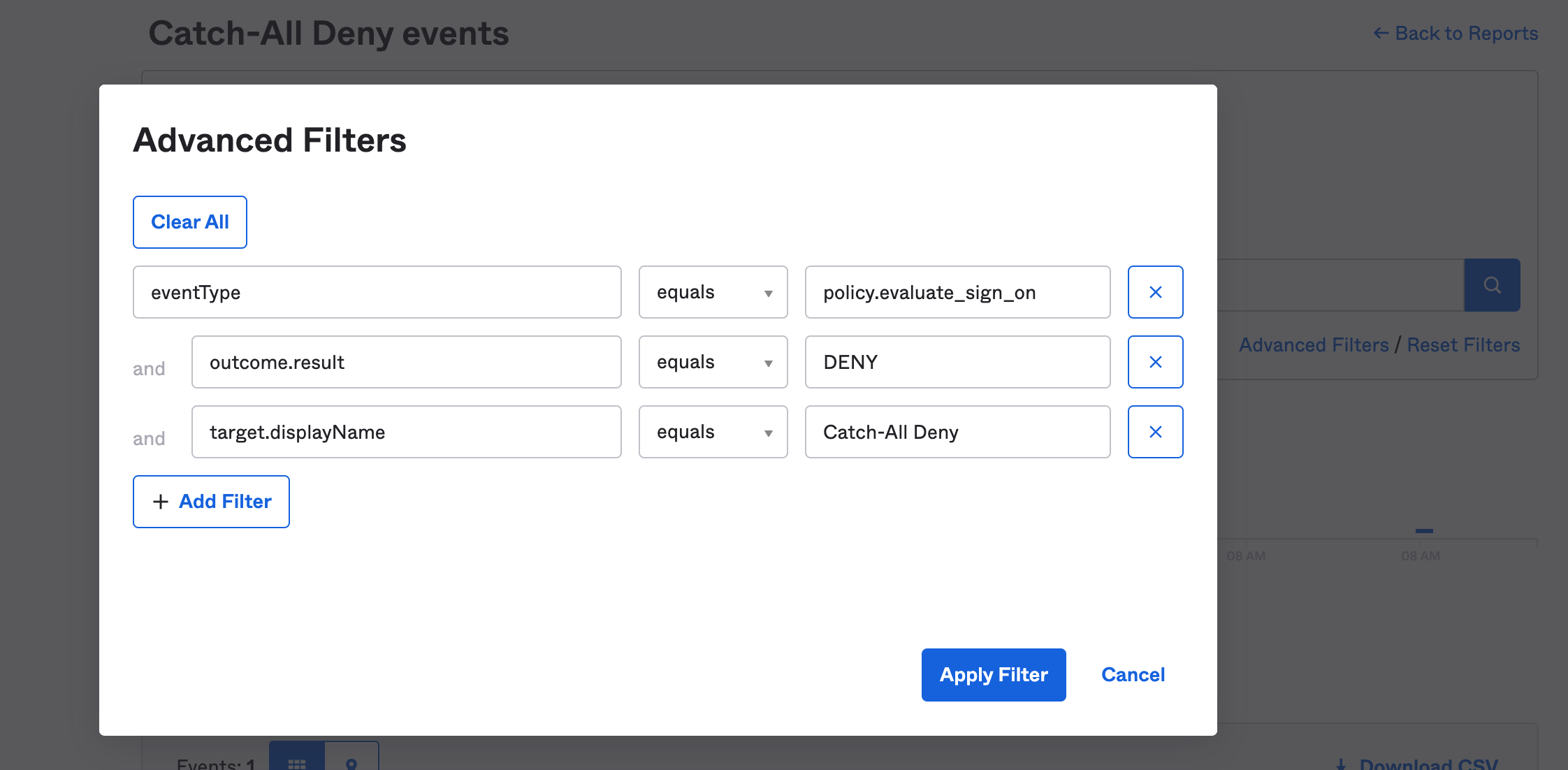
You first need a query that identifies Policy Evaluation events that resulted in “DENY”, with the ID or DisplayName of your Catch-All Deny rule as a target. In my test org, the query would be:
eventType eq "policy.evaluate_sign_on" and outcome.result eq "DENY" and target.displayName eq "Catch-All Deny"
For what it's worth, I used an Advanced Filter in System Log to create this query. Once I validated it was matching on my test events, I saved it as a permanent report under Reports in the Okta Admin console.
Ideally, you want to be notified when a request matches this rule. Unfortunately, there isn’t a Okta Card in Workflows or Event Hook built to trigger a Workflow every time a specific policy is evaluated (there isn’t a pre-built Okta card or Event Hook for policy.evaluate_sign_on events). So your options for notifying admins are to:
check the Reports page on a regular basis (very manual),
add the rule to your SIEM (close to real-time) or
use a Scheduled Flow in Okta Workflows to check for these events at regular intervals.
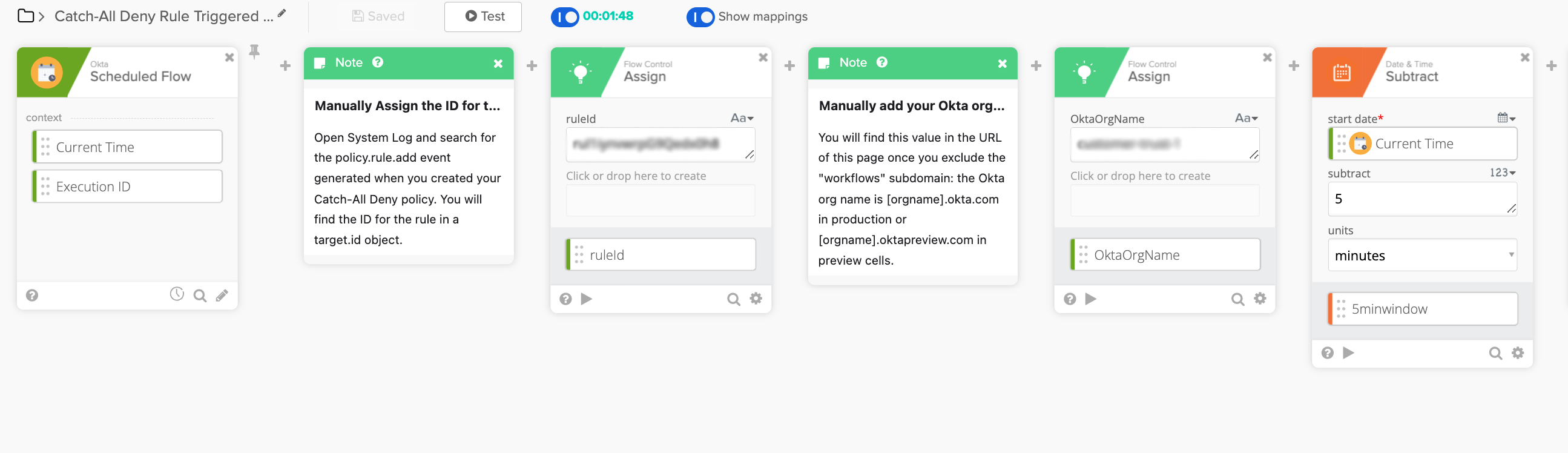
Below is a sample workflow I produced to illustrate the third option. To configure the Workflow, the admin first schedules the flow, enters the Target ID for the Catch-All Deny Policy Rule and enters the Okta Org name. The last bit of configuration required is a “Subtract” card that needs to be set to the same interval as the flow schedule.
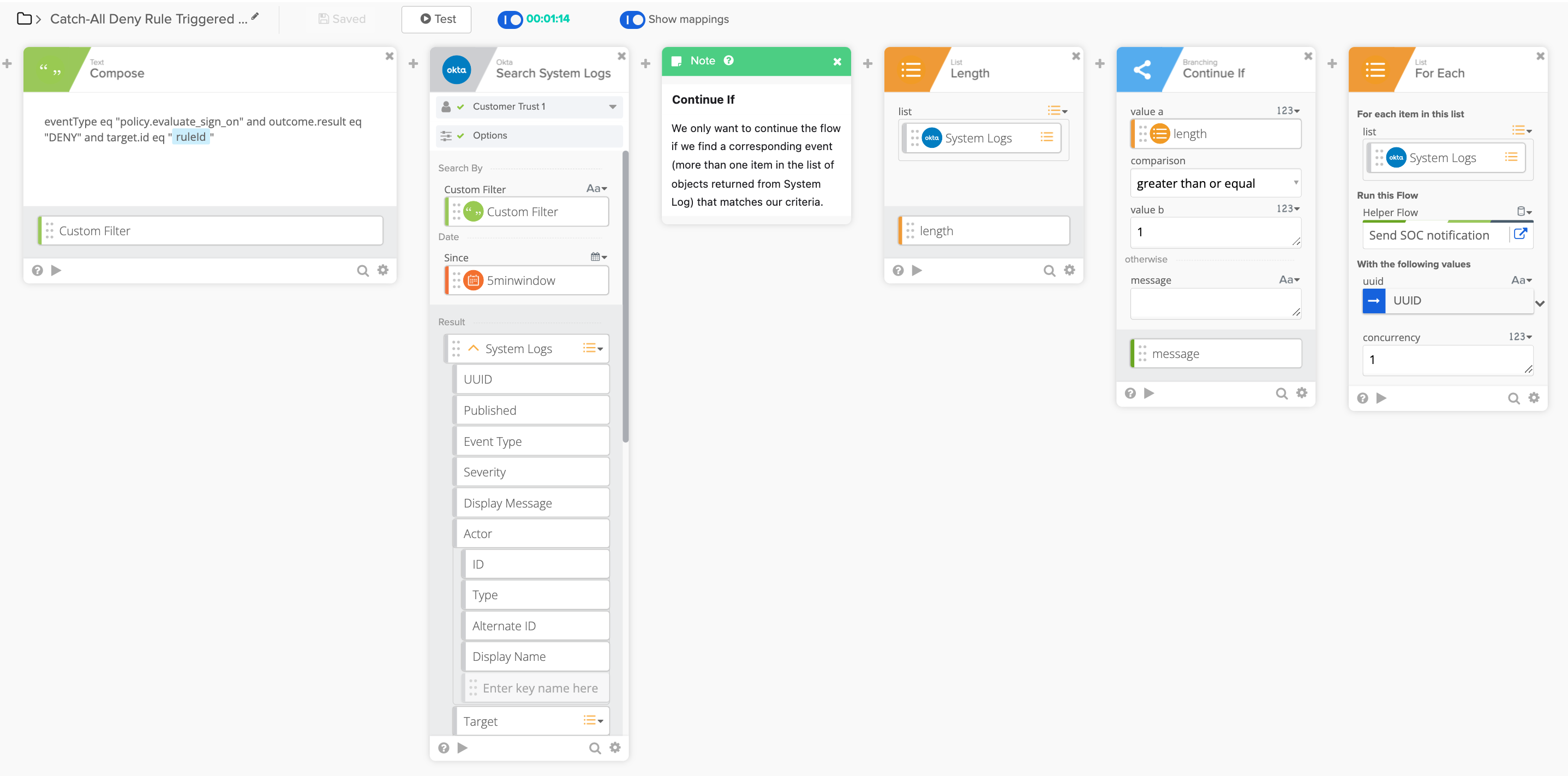
The flow then queries Okta System Log for DENY events that triggered our catch-all deny rule. We only continue to process the flow if one or more of these events are returned. For each event returned, we call a helper flow that sends a notification to the SOC.
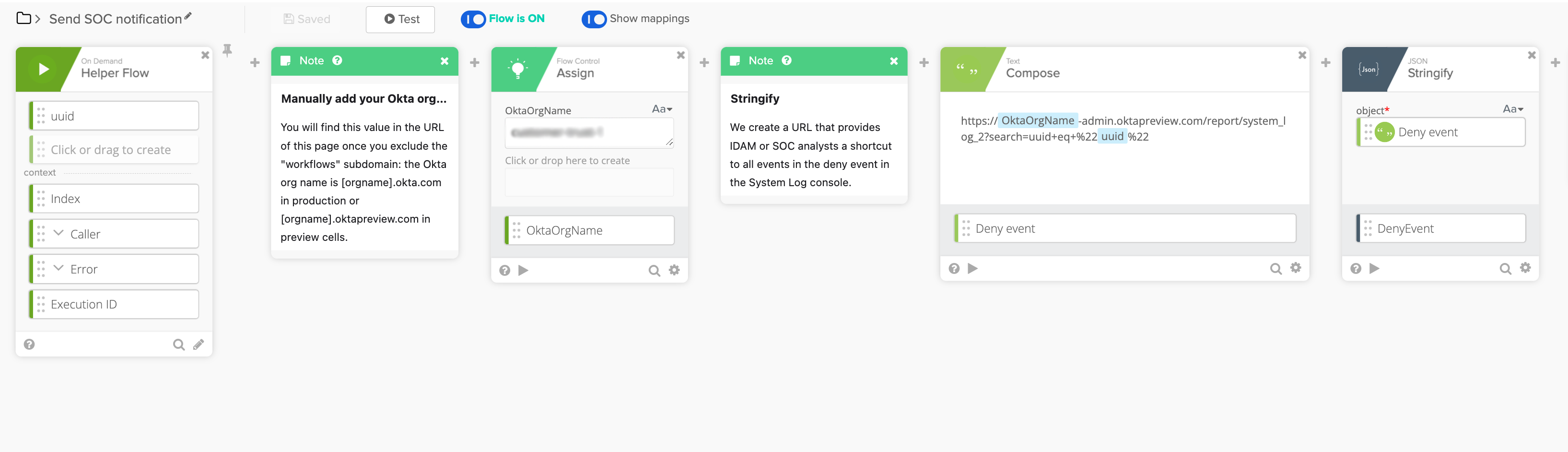
The helper flow, listed below, creates a URL for the SOC alert, which provides analysts a one-click access to the event in the System Log of the Admin Console.
I’m using Slack to notify admins, you could substitute the same card with an action from the pre-built connectors for Teams, Jira, PagerDuty, ServiceNow, Gmail, Office365 and more.
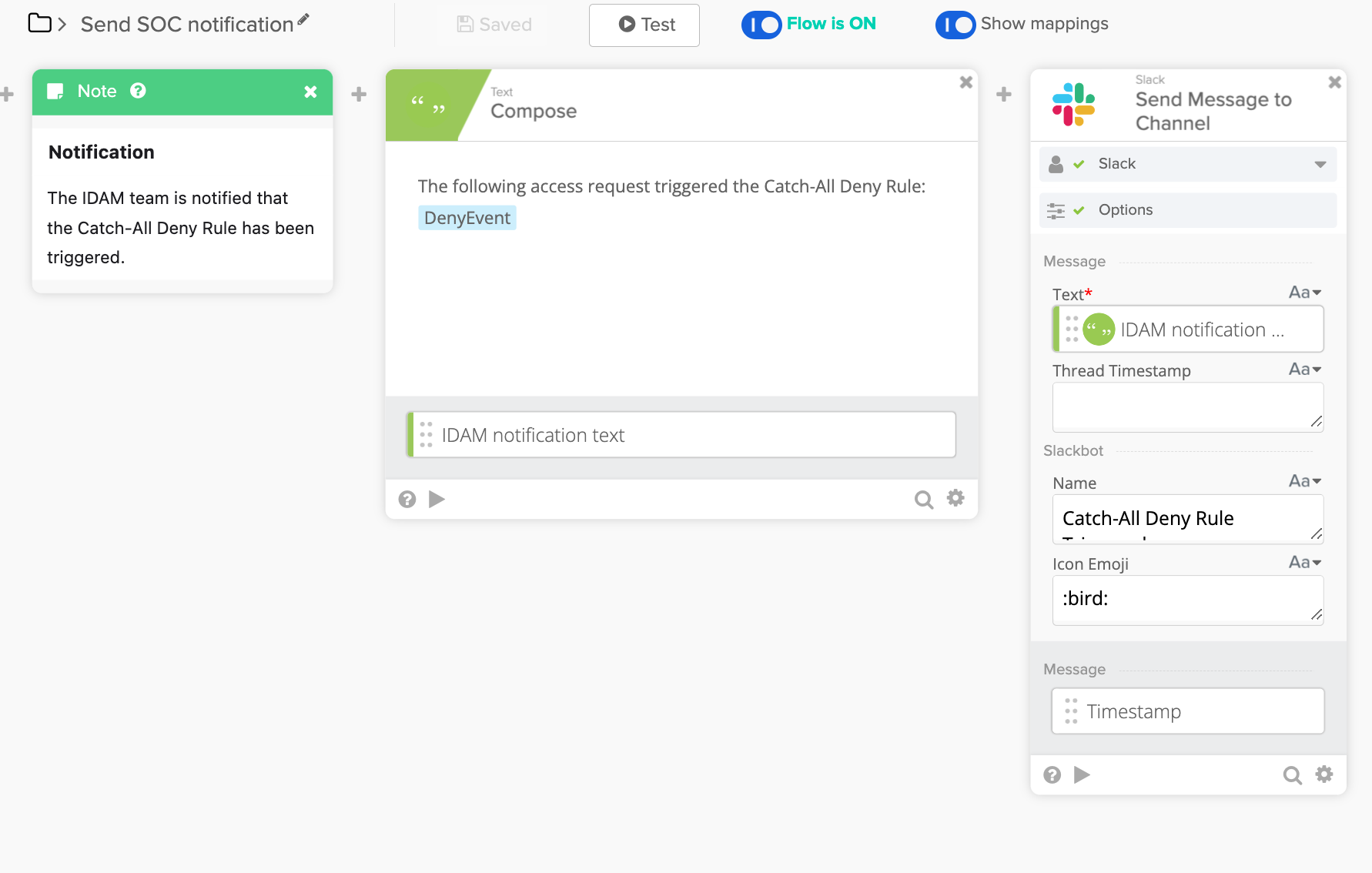
Here’s my sample alert:
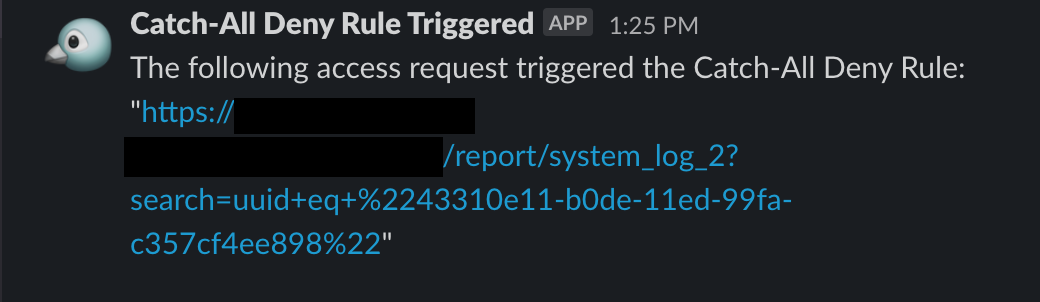
When the analyst clicks on the link and they’re taken straight to the System Log console with the Unique ID for the deny event already populated.
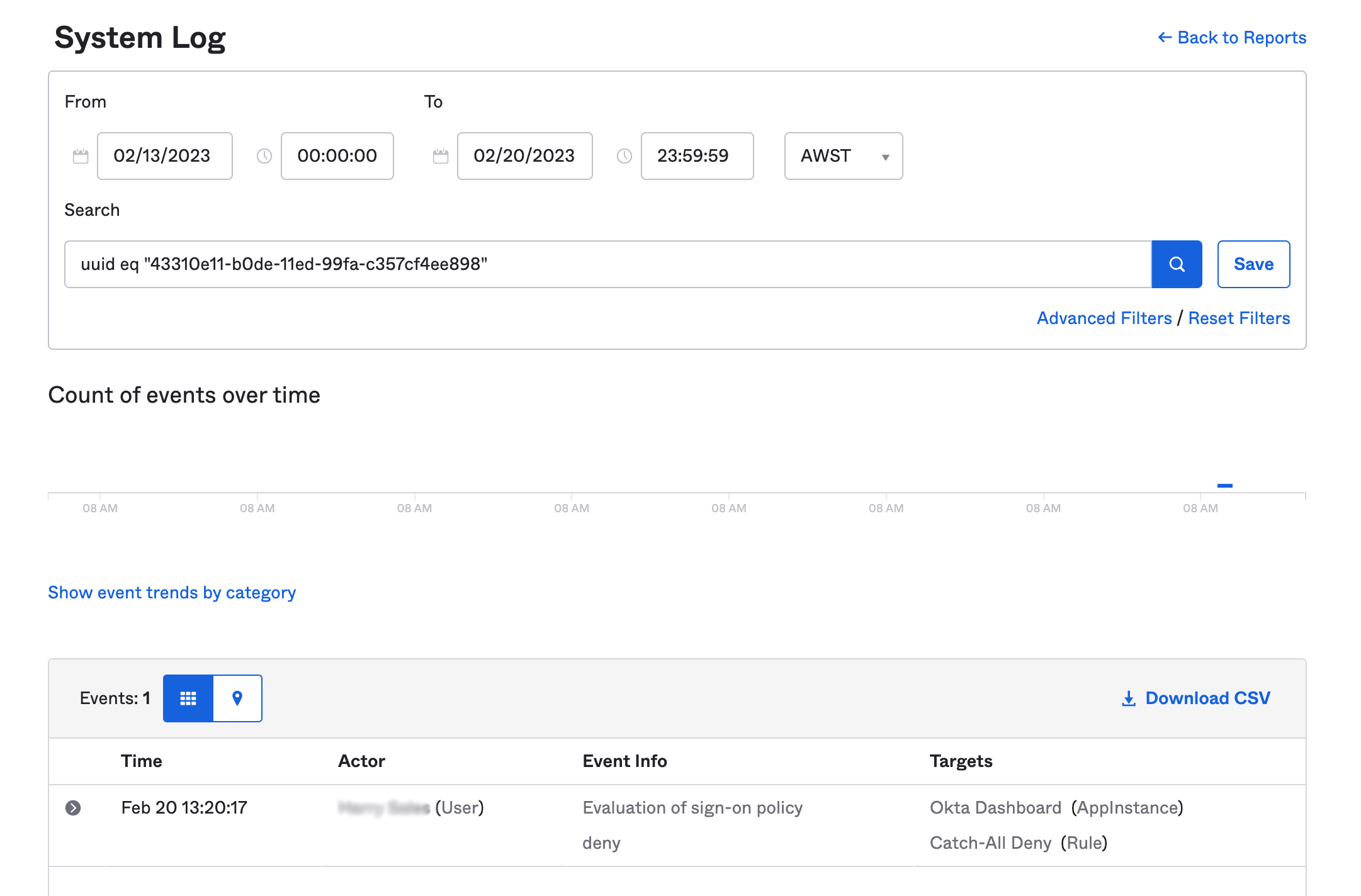
As previously discussed, there are some constraints that limit the ability to identify denied requests in real-time in anything other than a SIEM (check out Log Streaming, now in GA!).
If you require real-time feedback on the impact of a change immediately after you've made it you might also consider introducing what I (somewhat clumsily) call a temporary “Canary Rule” that allows user access after any MFA.
This rule would be one higher than your lowest ranked policy (the Catch-All “Deny Access” rule) but one lower than the rules that govern expected access conditions.
This rule has to be able to authenticate legitimate users, with a simple policy rule: “allow access with any two factor types”.
To be clear, this canary is a rule that should never be met if your policies are tuned correctly. It exists only to alert your IDAM team whenever a user that is more than likely legitimate attempted to access your apps outside of expected policy conditions. Ideally the rule should only be enabled for a short period of time after policy conditions are changed, and disabled once you’re confident that your rule set is meeting all the expected conditions.
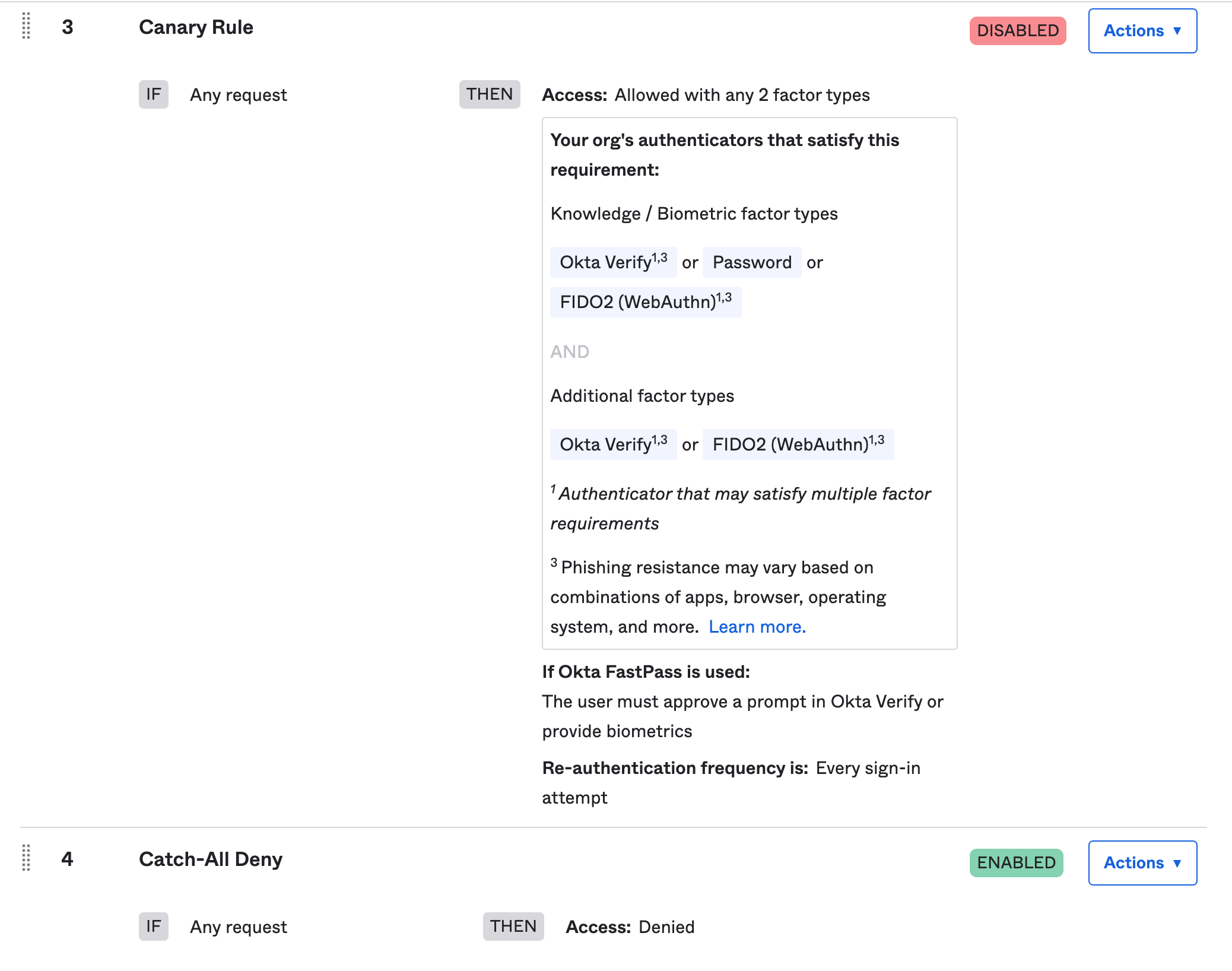
Implementing a canary rule doesn’t negate the need for thorough testing in your preview environment or adhering to change management processes. It’s just an additional method of gaining confidence that a recent change in production is delivering the expected results.
When a user attempts to sign-in and the Canary policy rule is evaluated, there should be a policy evaluation event with the ID and displayName associated with the canary policy in the target object.
So in my test org this could be either of the following:
eventType eq "policy.evaluate_sign_on" and target.id eq "[redacted string]"
eventType eq "policy.evaluate_sign_on" and target.displayName eq "Canary Rule"
While you could use a scheduled flow for this (as I did for the Catch-All Deny workflow), but with a bit of sticky tape and elastic bands I built a PoC that triggers at the start of every user session, and finds a corresponding policy evaluation event that meets some specific conditions. Where they match, the flow continues and prepares a Slack notification that provides analysts a link to the entire user session in System Log:
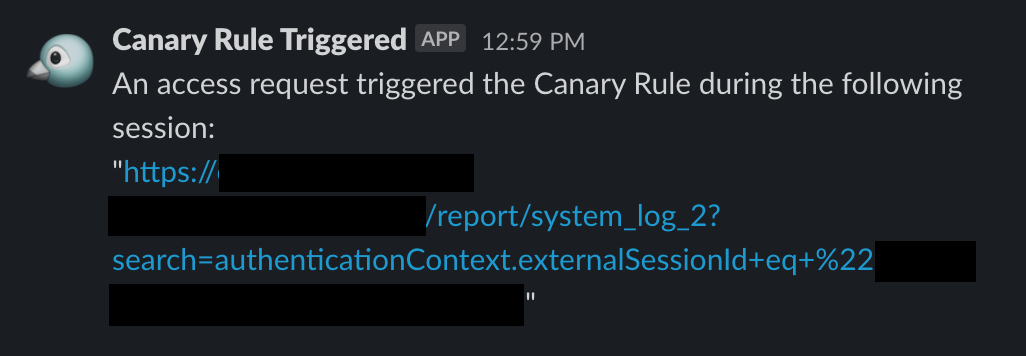
So that's it! I hope you're left understanding the two distinct use cases I've presented here:
A Catch-All Deny should be permanent. Queries for denied requests should be accessible via a Report or a scheduled flow.
A Canary Rule should be temporary, and attempts only to help IDAM analysts identify gaps in their policies. Queries for denied requests should be accessible via a Report and there are numerous ways to write workflows, given it creates authentication events.
I'm keen to hear your feedback!
* If you find that a default catch-all rule isn’t editable, create a new “Deny by Default” rule and order it above the default rule.
Brett Winterford is Vice President of Okta Threat Intelligence. Okta Threat Intelligence delivers timely, highly relevant and actionable insights about the threat environment, with a focus on identity-based threats. Brett was previously the regional Chief Security Officer for Okta in the Asia Pacific and Japan, and advised business and technology leaders in the region on all things identity.
Prior to Okta, Brett held a senior security leadership role at Symantec, and helmed security research, awareness and education at Commonwealth Bank. Brett is also an award-winning journalist, editor-in-chief of iTnews Australia and a contributor to the Risky Business podcast and newsletter, to ZDNet, the Australian Financial Review and the Sydney Morning Herald.
此内容由惯性聚合(RSS阅读器)自动聚合整理,仅供阅读参考。 原文来自 — 版权归原作者所有。