








一、云标记
云注释的作用,主要是用于图纸修订提示使用的,所有云注释的核心要基于一个修订,其基本逻辑如下:

创建一个修订
private Revision AddNewRevision(Document document, string description, string issuedBy, string issuedTo, int sequenceNumber, DateTime date)
{
    Revision newRevision = Revision.Create(document);
    newRevision.Description = description;
    newRevision.IssuedBy = issuedBy;
    newRevision.IssuedTo = issuedTo;
    newRevision.NumberType = RevisionNumberType.Alphanumeric;
    newRevision.RevisionDate = date.ToShortDateString();
    return newRevision;
}
根据修订,创建一个云标记
private void CreateRevisionCloudInActiveView(Document document, Revision revision, IList<Curve> curves)
{
    using (Transaction newRevisionCloud = new Transaction(document, "Create Revision Cloud"))
    {
        newRevisionCloud.Start();
        // Can only create revision cloud for revision that is not issued
        if (revision.Issued == false)
        {
            RevisionCloud.Create(document, document.ActiveView, revision.Id, curves);
            newRevisionCloud.Commit();
        }
        else
        {
            newRevisionCloud.RollBack();
        }
    }
}
二、隔热层
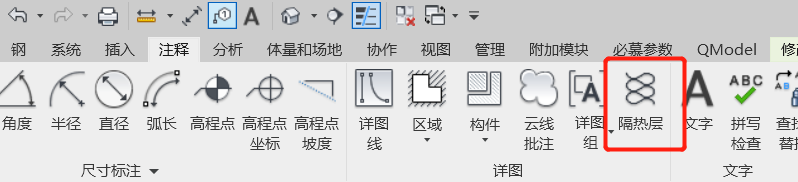
隔热层其实是详图线的一种类别,其创建方法和详图线一样,可以设置图形样式和类别,实现隔热层显示
  private static void createDetailLine(Document doc, XYZ endpoint, XYZ startpoint, GraphicsStyle gs, out DetailLine modeline)
        {
            Transaction trans = new Transaction(doc);
            trans.Start("creatDetailLine");
            //DetailLine line = locationCurve.Curve as DetailLine;
            Line line = Line.CreateBound(startpoint, endpoint);
            modeline = doc.Create.NewDetailCurve(doc.ActiveView, line) as DetailLine;
            Parameter tp = modeline.LookupParameter("线样式");
            tp.Set(gs.Id);
            trans.Commit();
        }
三、标记
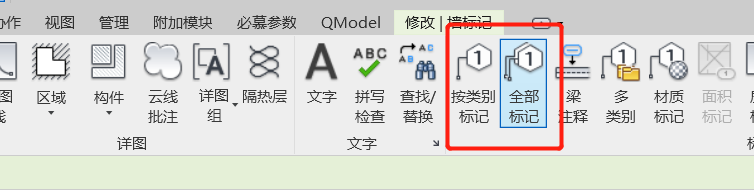
实现对指定的类别进行标记,在revit操作中分为类别标记和全部标记,其使用的对象是一样的,只是批量操作的功能区别,最终是创建与元素关联的IndependentTag 对象,包按类别标记、全部标记、多类别标记、材质标记和空间标记等
private IndependentTag CreateIndependentTag(Autodesk.Revit.DB.Document document, Wall wall)
{
    // make sure active view is not a 3D view
    Autodesk.Revit.DB.View view = document.ActiveView;

    // define tag mode and tag orientation for new tag
    TagMode tagMode = TagMode.TM_ADDBY_CATEGORY;
    TagOrientation tagorn = TagOrientation.Horizontal;

    // Add the tag to the middle of the wall
    LocationCurve wallLoc = wall.Location as LocationCurve;
    XYZ wallStart = wallLoc.Curve.GetEndPoint(0);
    XYZ wallEnd = wallLoc.Curve.GetEndPoint(1);
    XYZ wallMid = wallLoc.Curve.Evaluate(0.5, true);
    Reference wallRef = new Reference(wall);

    IndependentTag newTag = IndependentTag.Create(document, view.Id,  wallRef, true, tagMode, tagorn, wallMid);
    if (null == newTag)
    {
        throw new Exception("Create IndependentTag Failed.");
    }

    // newTag.TagText is read-only, so we change the Type Mark type parameter to
    // set the tag text.  The label parameter for the tag family determines
    // what type parameter is used for the tag text.

    WallType type = wall.WallType;

    Parameter foundParameter = type.LookupParameter("Type Mark");
    bool result = foundParameter.Set("Hello");

    // set leader mode free
    // otherwise leader end point move with elbow point

    newTag.LeaderEndCondition = LeaderEndCondition.Free;
    XYZ elbowPnt = wallMid + new XYZ(5.0, 5.0, 0.0);
    newTag.LeaderElbow = elbowPnt;
    XYZ headerPnt = wallMid + new XYZ(10.0, 10.0, 0.0);
    newTag.TagHeadPosition = headerPnt;

    return newTag;
}
此内容由惯性聚合(RSS阅读器)自动聚合整理,仅供阅读参考。 原文来自 — 版权归原作者所有。