惯性聚合 高效追踪和阅读你感兴趣的博客、新闻、科技资讯
阅读原文 在惯性聚合中打开

推荐订阅源

Attack and Defense Labs
T
Threatpost
C
Cybersecurity and Infrastructure Security Agency CISA
H
Hackread – Cybersecurity News, Data Breaches, AI and More
I
Intezer
C
Cyber Attacks, Cyber Crime and Cyber Security
The Register - Security
量子位
Security Latest
Security Latest
奇客Solidot–传递最新科技情报
奇客Solidot–传递最新科技情报
大猫的无限游戏
大猫的无限游戏
小众软件
小众软件
Exploit-DB.com RSS Feed
C
CXSECURITY Database RSS Feed - CXSecurity.com
MyScale Blog
MyScale Blog
J
Java Code Geeks
Apple Machine Learning Research
Google DeepMind News
WordPress大学
WordPress大学
Spread Privacy
Spread Privacy
Jina AI
Jina AI
博客园 - 【当耐特】
P
Palo Alto Networks Blog
Last Week in AI
Last Week in AI
SecWiki News
SecWiki News
Threat Intelligence Blog | Flashpoint
cs.AI updates on arXiv.org
G
GRAHAM CLULEY
宝玉的分享
宝玉的分享
Hacker News - Newest:
Hacker News - Newest: "LLM"
T
The Blog of Author Tim Ferriss
V
Vulnerabilities – Threatpost
有赞技术团队
有赞技术团队
T
Tor Project blog
H
Hacker News: Front Page
A
Arctic Wolf
NISL@THU
NISL@THU
A
About on SuperTechFans
云风的 BLOG
云风的 BLOG
Engineering at Meta
Engineering at Meta
V
V2EX
N
News and Events Feed by Topic
Webroot Blog
Webroot Blog
Know Your Adversary
Know Your Adversary
P
Privacy International News Feed
I
InfoQ
D
Docker
L
LINUX DO - 最新话题
K
KPMG report finds enterprise disconnect between AI and its ROI | CIO
U
Unit 42

博客园 - Hm

敏捷开发中asp.net mvc3编写的正确顺序 WF4.0入门系列2——用代码创建一个简单的工作流 WF4.0入门系列 C#解析xml代码 - Hm - 博客园 什么是依赖注入 找不到可安装的ISAM错误 - Hm - 博客园 ASP.NET下用相对路径访问ACCESS数据解决方案 使vs2008支持extjs智能提示功能 VS2005文件自动定位功能 微软VSTS 2005 试用版注册为正式版的方法 敏捷开发感悟 敏捷开发笔记(二) 敏捷开发笔记(一) VS 2008 and .NET 3.5 Beta 2 发布了 得到本机的IP地址和MAC地址的工具类 动态权限树控件 DWR简介 WebWork Processors Then and Now
WF4.0入门系列1——创建一个简单的工作流
Hm · 2011-08-21 · via 博客园 - Hm

WF4.0入门系列1——创建一个简单的工作流

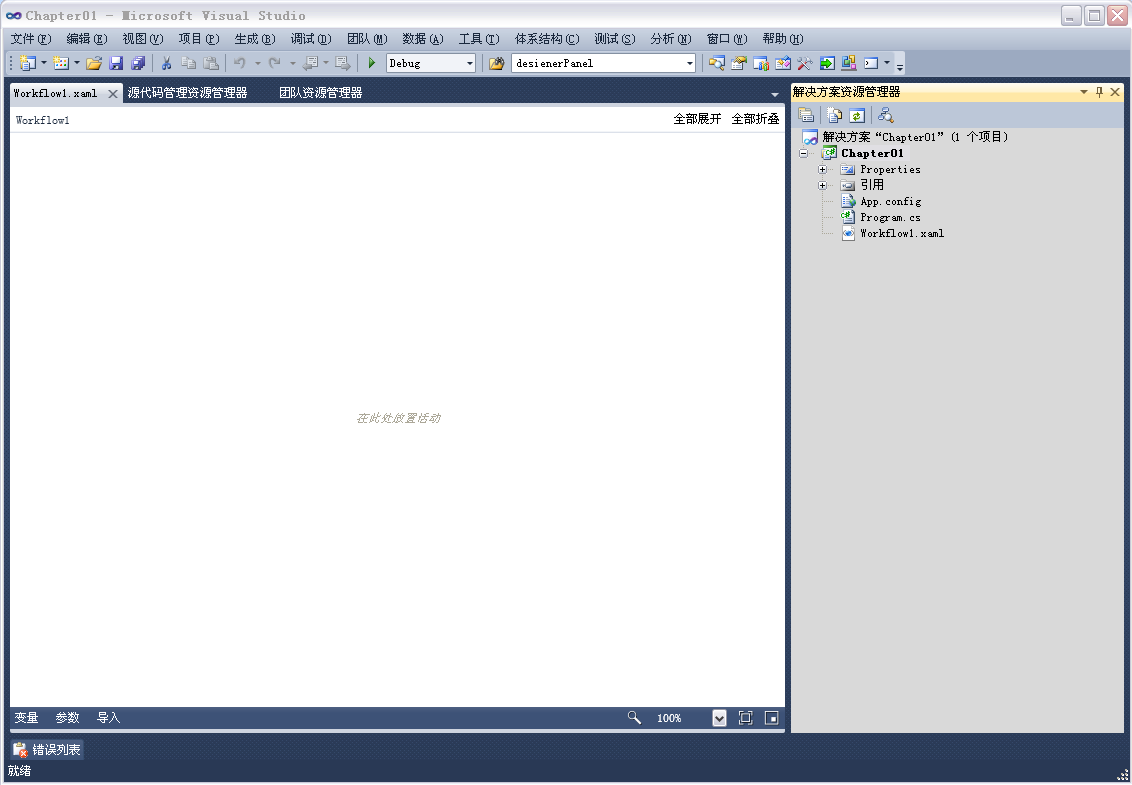
打开VS2010,选择文件-新建-项目,选择Workflow 工作流台应用程序,在名称处输入chapter01,选择合适的位置,这里默认,单击确定。


Vs2010会默认创建一解决方案并打开一个workflow1.xaml的文件。如下图 
 

从工具箱——控制流程拖拉一个sequence,基元拖拉一个WriteLine.显示如下图
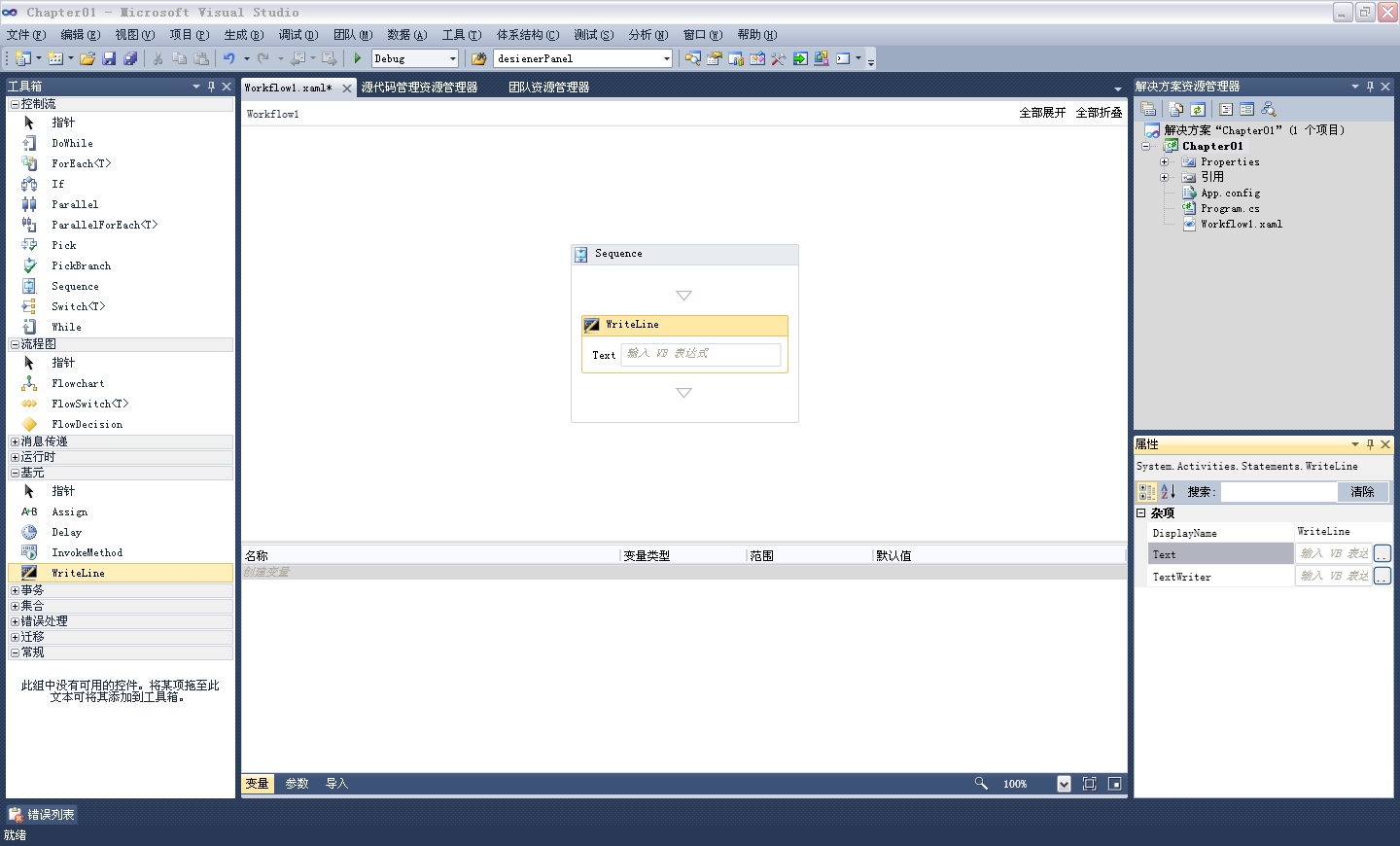
 

选择WriteLine右键属性,设置Text"Hello XikeSoft"

打开program.cs文件,添加如下语句

Console.WriteLine("按任意键结束");

Console.ReadLine();


F5,运行,显示效果如下