









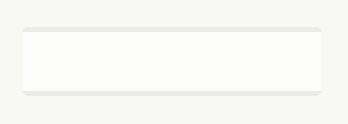
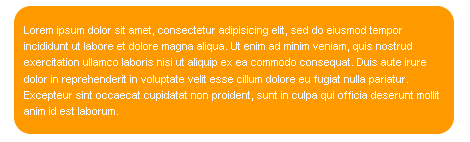
Rounded corners without images
<div id=”container”>
<b class=”rtop”>
<b class=”r1″></b> <b class=”r2″></b> <b class=”r3″></b> <b class=”r4″></b>
</b>
<!–content goes here –>
<b class=”rbottom”>
<b class=”r4″></b> <b class=”r3″></b> <b class=”r2″></b> <b class=”r1″></b>
</b>
</div>
.rtop, .rbottom
{display:block}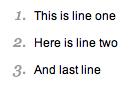
Style your order list
<ol>
<li>
<p>This is line one</p>
</li>
<li>
<p>Here is line two</p>
</li>
<li>
<p>And last line</p>
</li>
</ol>
ol
{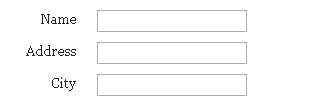
Tableless forms
<form>
<label for=”name”>Name</label>
<input id=”name” name=”name”><br>
<label for=”address”>Address</label>
<input id=”address” name=”address”><br>
<label for=”city”>City</label>
<input id=”city” name=”city”><br>
</form>
label,input
{label
{br
{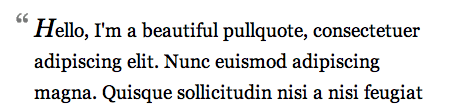
Double blockquote
blockquote:first-letter {
background: url(images/open-quote.gif) no-repeat left top;
padding-left: 18px;
font: italic 1.4em Georgia, “Times New Roman”, Times, serif;
}
Double blockquote
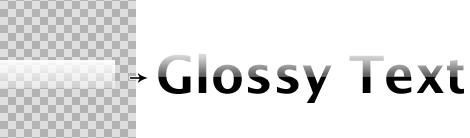
<h1><span></span>CSS Gradient Text</h1>
h1
{
<!–[if lt IE 7]>
<style>
h1 span

Vertical centering with line-height
div{
height:100px;
}
div *{
margin:0;
}
div p{
line-height:100px;
}
<p>Content here</p>
Rounded corners with images
<div class=”roundcont”>
<div class=”roundtop”>
<img src=”tl.gif” alt=”"
width=”15″ height=”15″ class=”corner”
style=”display: none” />
</div>
CONTENT
<div class=”roundbottom”>
<img src=”bl.gif” alt=”"
width=”15″ height=”15″ class=”corner”
style=”display: none” />
</div>
</div>
.roundcont
{.roundcont p
{.roundtop
{.roundbottom
{img.corner
{<img src="image.gif" class="class1 class2" alt="" />
.class1
{ border:2px solid #666; }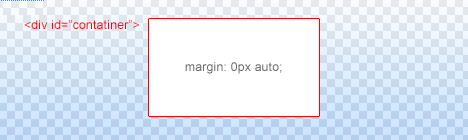
Center horizontally
<div id=”container”></div>
#container {
margin:0px auto;
}
CSS Drop Caps
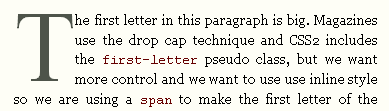
<p class=”introduction”> This paragraph has the class “introduction”. If your browser supports the pseudo-class “first-letter”, the first letter will be a drop-cap. </p>
p.introduction:first-letter
{a{
white-space:nowrap;
}
#main
{html{
overflow:-moz-scrollbars-vertical;
}
textarea
{此内容由惯性聚合(RSS阅读器)自动聚合整理,仅供阅读参考。 原文来自 — 版权归原作者所有。