惯性聚合 高效追踪和阅读你感兴趣的博客、新闻、科技资讯
阅读原文 在惯性聚合中打开

推荐订阅源

酷 壳 – CoolShell
酷 壳 – CoolShell
T
Threatpost
Latest news
Latest news
N
News | PayPal Newsroom
Threat Intelligence Blog | Flashpoint
Help Net Security
Help Net Security
D
Darknet – Hacking Tools, Hacker News & Cyber Security
AI
AI
Simon Willison's Weblog
TaoSecurity Blog
TaoSecurity Blog
The Last Watchdog
The Last Watchdog
L
LINUX DO - 热门话题
Google DeepMind News
T
Threat Research - Cisco Blogs
O
OpenAI News
钛媒体:引领未来商业与生活新知
钛媒体:引领未来商业与生活新知
T
The Exploit Database - CXSecurity.com
NISL@THU
NISL@THU
Application and Cybersecurity Blog
S
Securelist
小众软件
小众软件
cs.CL updates on arXiv.org
Martin Fowler
Martin Fowler
S
SegmentFault 最新的问题
Cisco Talos Blog
Cisco Talos Blog
云风的 BLOG
云风的 BLOG
AWS News Blog
AWS News Blog
GbyAI
GbyAI
N
News and Events Feed by Topic
cs.CV updates on arXiv.org
美团技术团队
Engineering at Meta
Engineering at Meta
A
About on SuperTechFans
博客园 - 三生石上(FineUI控件)
S
Schneier on Security
博客园 - 聂微东
V2EX - 技术
V2EX - 技术
T
Troy Hunt's Blog
SecWiki News
SecWiki News
S
Secure Thoughts
B
Blog RSS Feed
Hugging Face - Blog
Hugging Face - Blog
WordPress大学
WordPress大学
腾讯CDC
H
Heimdal Security Blog
Exploit-DB.com RSS Feed
Apple Machine Learning Research
月光博客
月光博客
www.infosecurity-magazine.com
P
Privacy International News Feed

博客园 - springsnow

npoi读取word 内容控件 Vue3中 watch、watchEffect 详解 如何使用 Vue SFC Playground toRefs学习 Vue3中如何响应式解构 props useTemplateRef使用 以后台方式启动RealVNC VS中配置AnkhSVN源代码比较文件排列方式 使用VSCode撰写和发布博客园文章 DBever导入越南文Excel 复制对象中的一部分属性给另一个对象(对象部分属性解构到新对象) 使用metaWebBlog接口实现博客文章同步 .Net Core3.1上用EFCore的反向工程生成 水淼·文件批量处理器 如何高效的在博客园上编写MD格式的博客(插件pycnblog,推荐) 自动备份软件 —— Syncovery 7.98s Pro、Enterprise VMware 第三方百度网盘客户端 PanDownload、速盘、panlight 本地电脑视频播放器推荐PotPlayer、KMPlayer
在VS2022和VS2012共存的电脑上安装VS212扩展注意事项
springsnow · 2024-03-14 · via 博客园 - springsnow

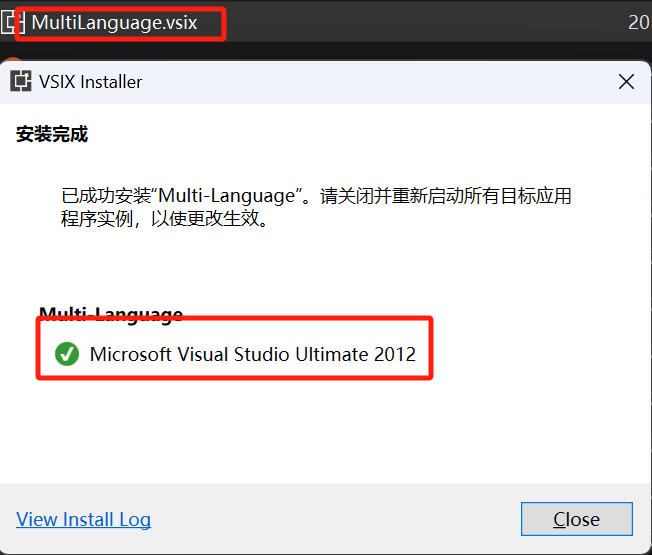
1、下载一个专用于VS2012的扩展文件,直接双击下载的扩展文件安装后,显示安装成功。

1710422372248

但是你可能会发现在VS2022,VS2012中都找不到此扩展。这就要求必须用VS2022的命令将其卸载,然后再用VS2012进行安装。

2、用VS2022的命令卸载

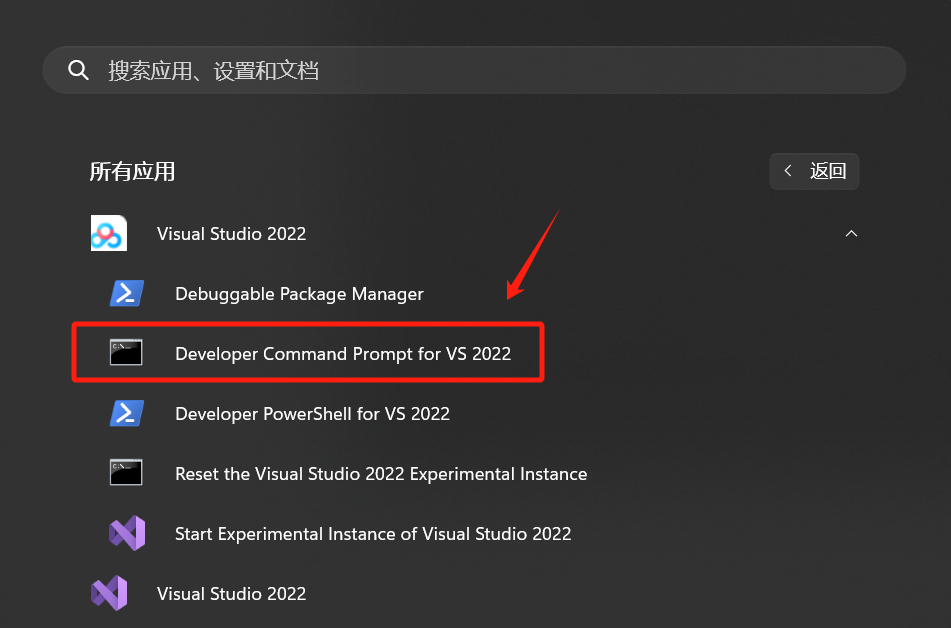
打开VS2022开发工具

1710421767853

先找出此扩展的vsixid:

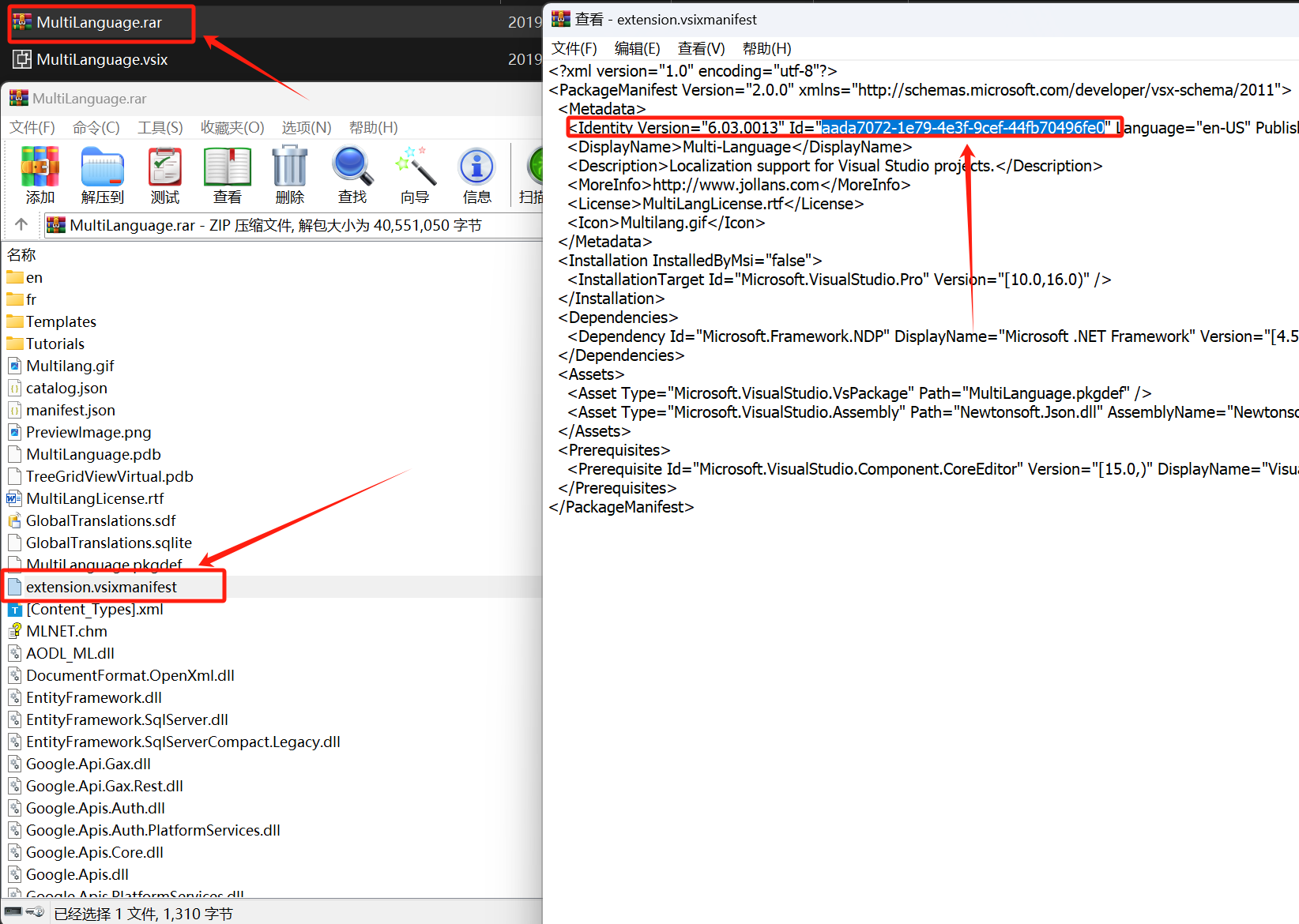
将原扩展文件改后缀成压缩文件,然后,您可以打开它并在其中找到一个 extension.vsixmanifest 文件。这是一个 XML 文件,如果打开它,您将看到一个节点。如下所示:<Identity Id="guid"... />``guid 。是您在 VSIXInstaller.exe 命令中使用的 vsixid,
1710421922067

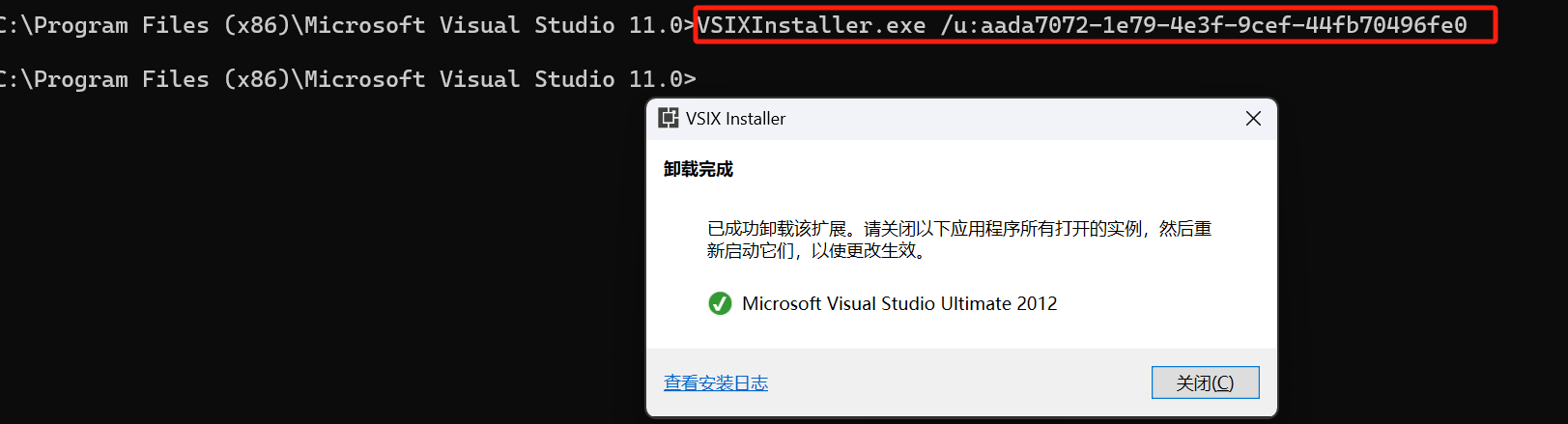
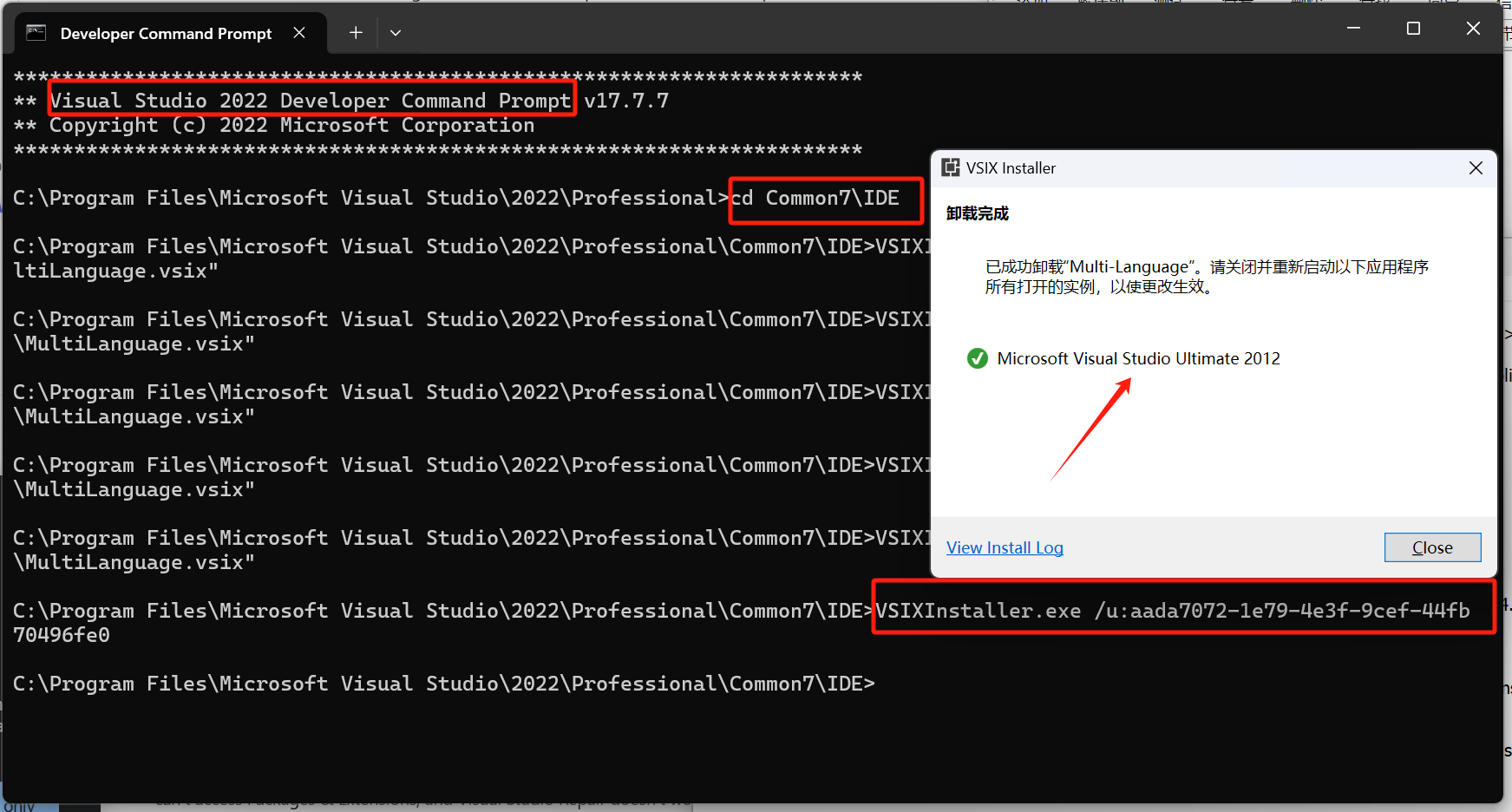
根据找到的vsixid,进行卸载。输入命令:

vsixinstaller /u:VSIXInstaller.exe /u:aada7072-1e79-4e3f-9cef-44fb70496fe0
1710421570708

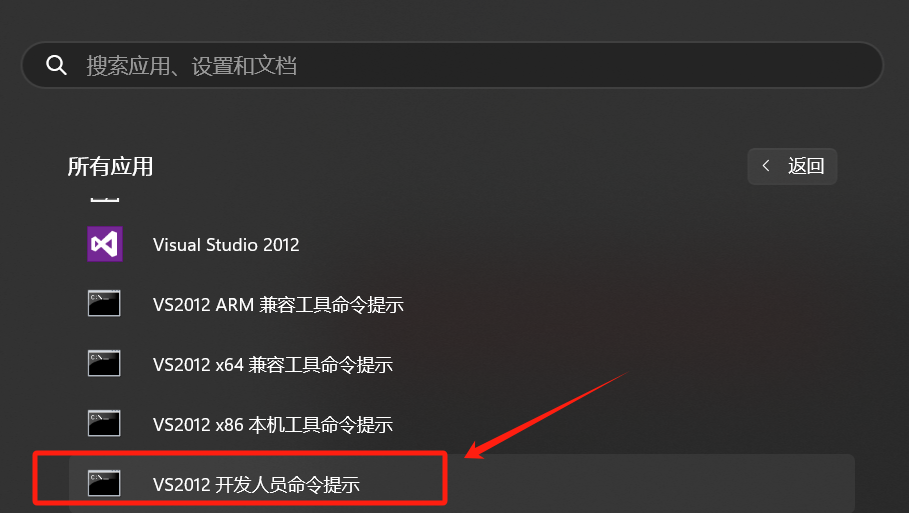
tips:可能还需要使用VS2012卸载一次。

1710423063908

3、使用VS2012重新安装

1710422767210

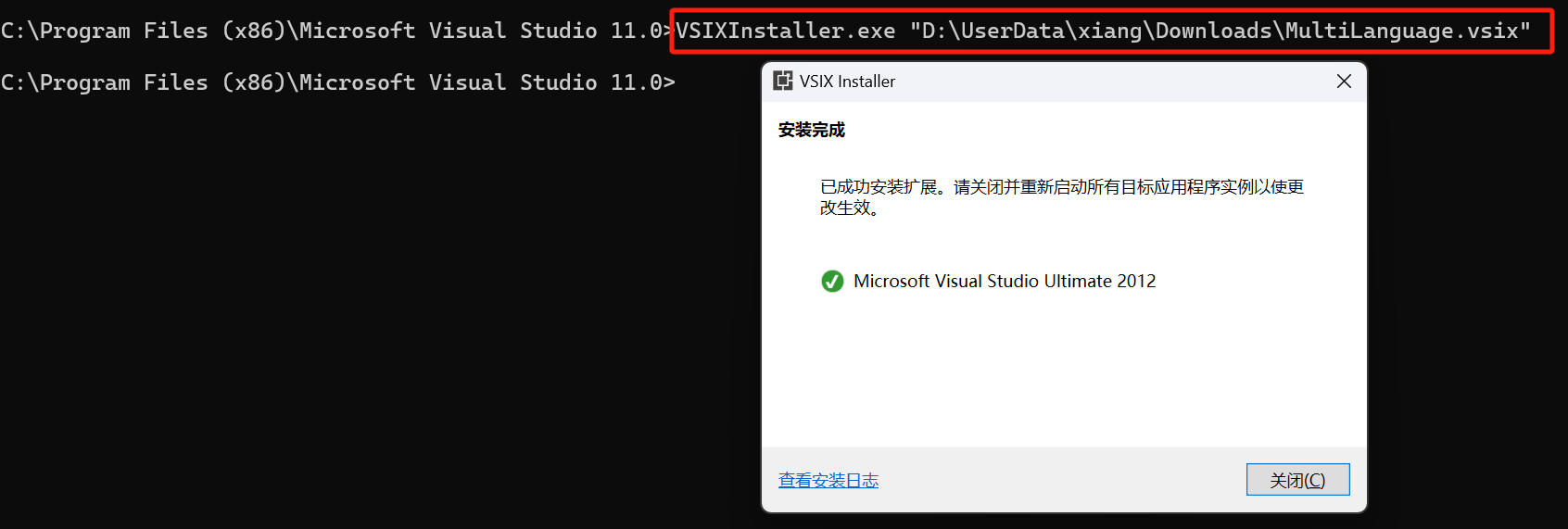
输入以下命令进行安装

VSIXInstaller.exe "XXX\MultiLanguage.vsix"
1710423299430

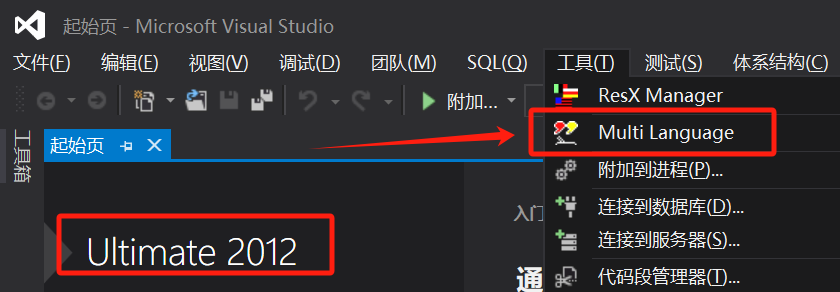
扩展安装成功。

1710423394653