


Prior to organizations, projects and billing within Pinecone could only be owned and managed by a single user. But when responsibilities change, you may want more than one user to manage projects and billing so operations continue to run smoothly. Or as new projects arise, you may want additional users to make contributions or test out a new application.
With organizations, teams can easily define roles to manage access and billing for a set of projects. Every project is assigned to an organization with an organization owner, and all projects within an organization have the same billing method. In addition, a project’s users can easily transfer ownership amongst themselves and consolidate usage across projects within an organization for billing purposes. Users and teams can now collaborate across projects in a way that works best for them.
As of today, organizations are available to all users and support four predefined roles: Organization Owner, Organization User, Project Owner, and Project User. Note that all existing users and projects have been assigned to an organization by default.
To get started with organizations, navigate to “Settings” in the left-hand menu of the Pinecone Console, then click on “Organization” to see your current organization. You can then set the desired plan type and billing method using the “Billing” tab under the organization view.
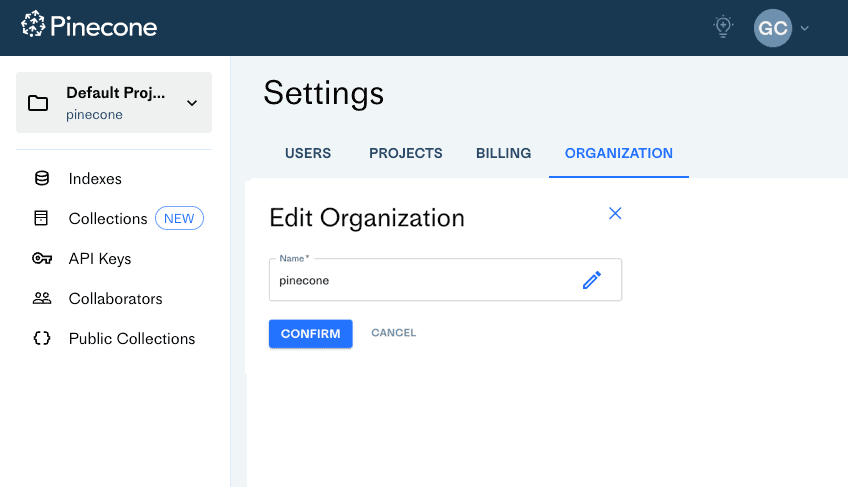
If you are a project or organization owner, you can also add users to organizations and projects with a few easy steps:
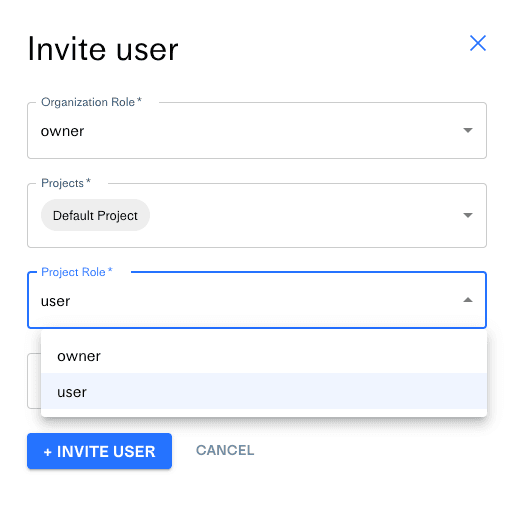
Each role has a different level of access - at both an organization and project level. Note that everyone within an organization is an organization user by default.
Learn more about this feature and how to get started in our documentation.
此内容由惯性聚合(RSS阅读器)自动聚合整理,仅供阅读参考。 原文来自 — 版权归原作者所有。