






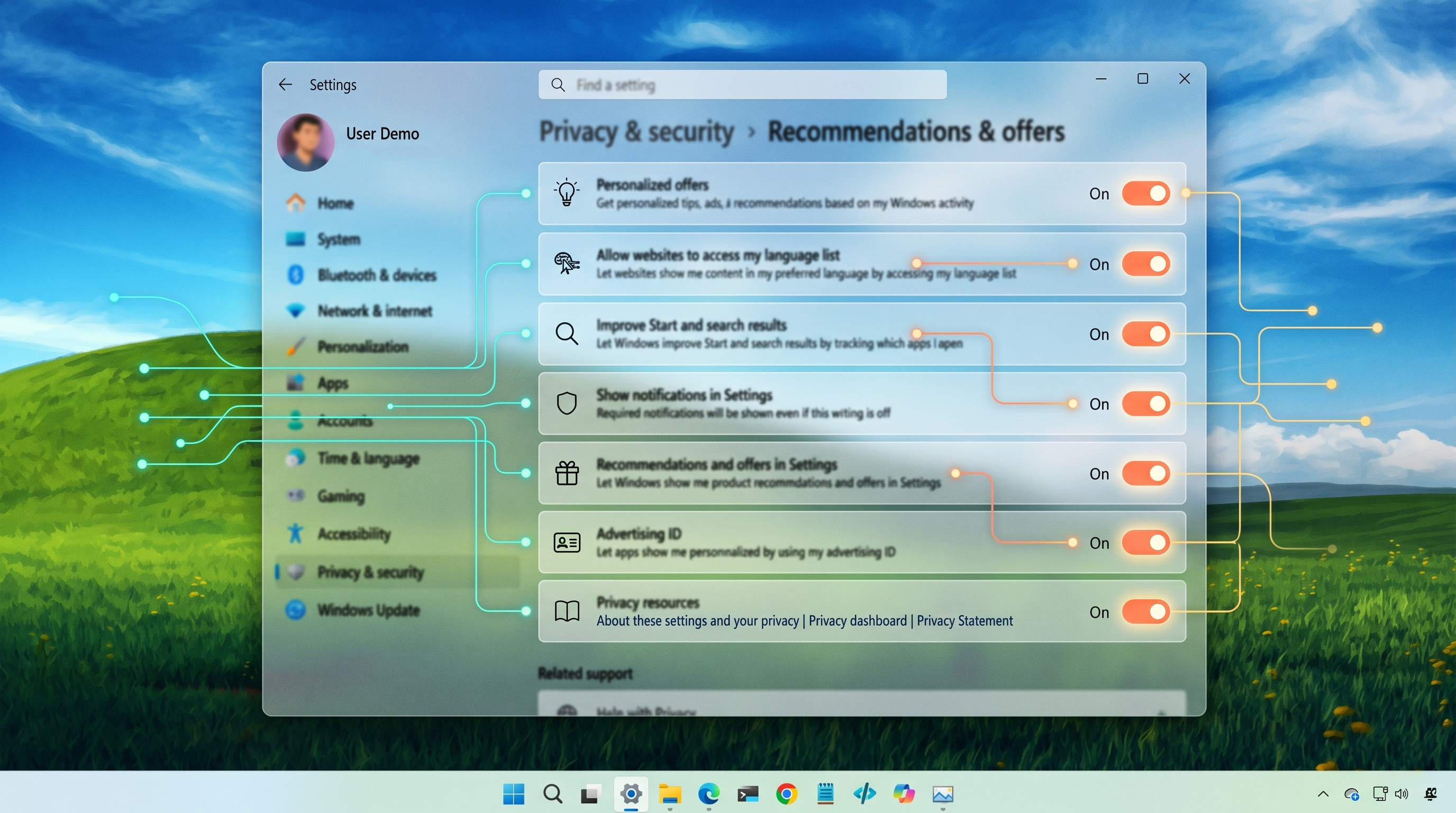
 The 14 worst default configurations on Windows 11
(Image credit: Future | Windows Central | Edited with Gemini)
The 14 worst default configurations on Windows 11
(Image credit: Future | Windows Central | Edited with Gemini)
Out of the box, Windows 11 looks polished and modern, but many of its default choices steer the system toward background services, recommendations, and cloud integration rather than straightforward user control.
That design makes setup feel seamless for some, but it also enables telemetry, promotional prompts, automatic background processes, and forced sign‑in flows that can clutter the Start menu, drain resources, and erode privacy.
Article continues below
Windows 11 includes several default settings that can affect performance, privacy, and usability. Some are useful for convenience, but others may not suit every user. Here are the key ones worth changing and why.
By default, the Start menu blends local search results with web suggestions powered by Bing. Instead of prioritizing apps, files, and settings, it often surfaces online content.
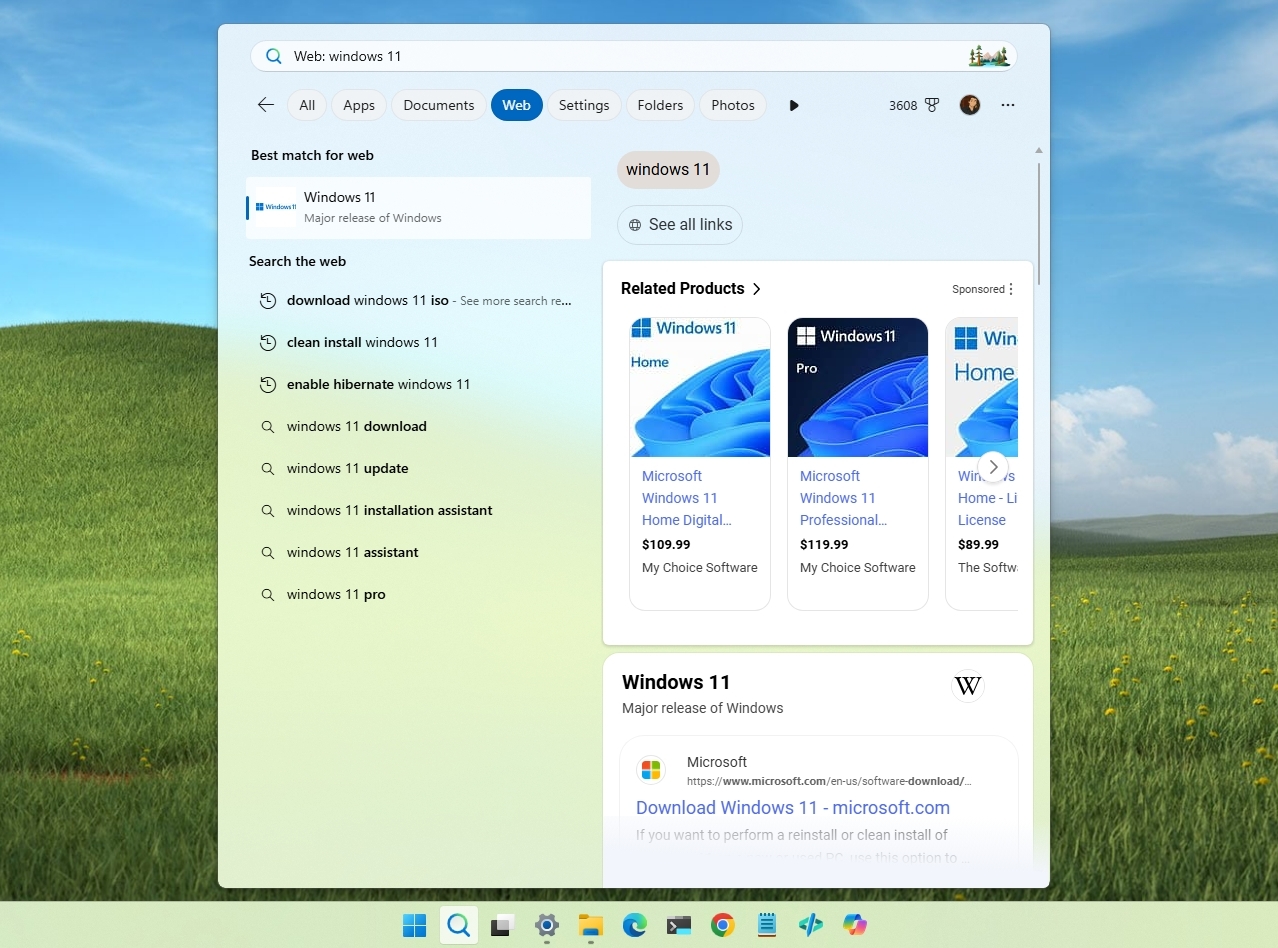
This can slow down search and reduce accuracy when you are trying to find something locally.
What to do:
You can always disable this feature in Settings > Privacy & security > Search by turning off the "Show search highlights" toggle switch.
On Windows 11, the Start menu is supposed to be a fast, distraction-free launcher for apps and files. Instead, the "Recommended" section introduces a layer of content that mixes genuinely useful items with suggestions and promotions.
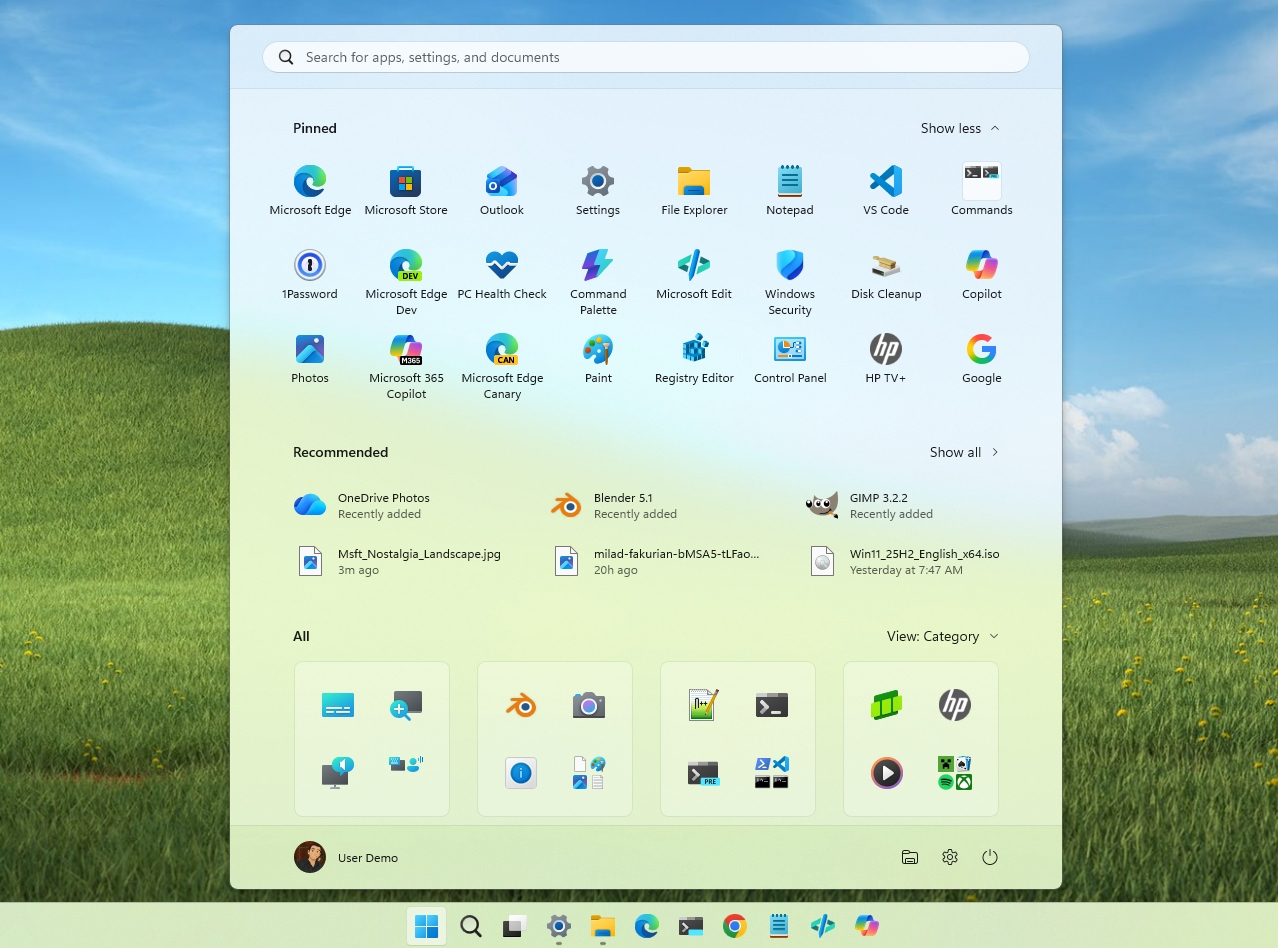
At its core, this section pulls from recent files, recently installed apps, and system activity to surface what Microsoft believes you may want next. In practice, it often goes beyond that role. It can highlight apps you didn't explicitly install, suggest Microsoft services, and occasionally surface promotional content tied to the broader ecosystem.
What to do:
In the operating system, it's now possible to turn off these recommendations or the feature entirely. In Settings > Personalization > Start, turn off the "Show recommendations for tips, shortcuts, new apps, and more" toggle.
If you want to completely hide the "Recommended" section from the Start menu, turn off all the options under the "Recommended" settings in the Start page.
Windows 11 enables diagnostic data collection by default, gathering information such as usage patterns, device performance, and system activity.
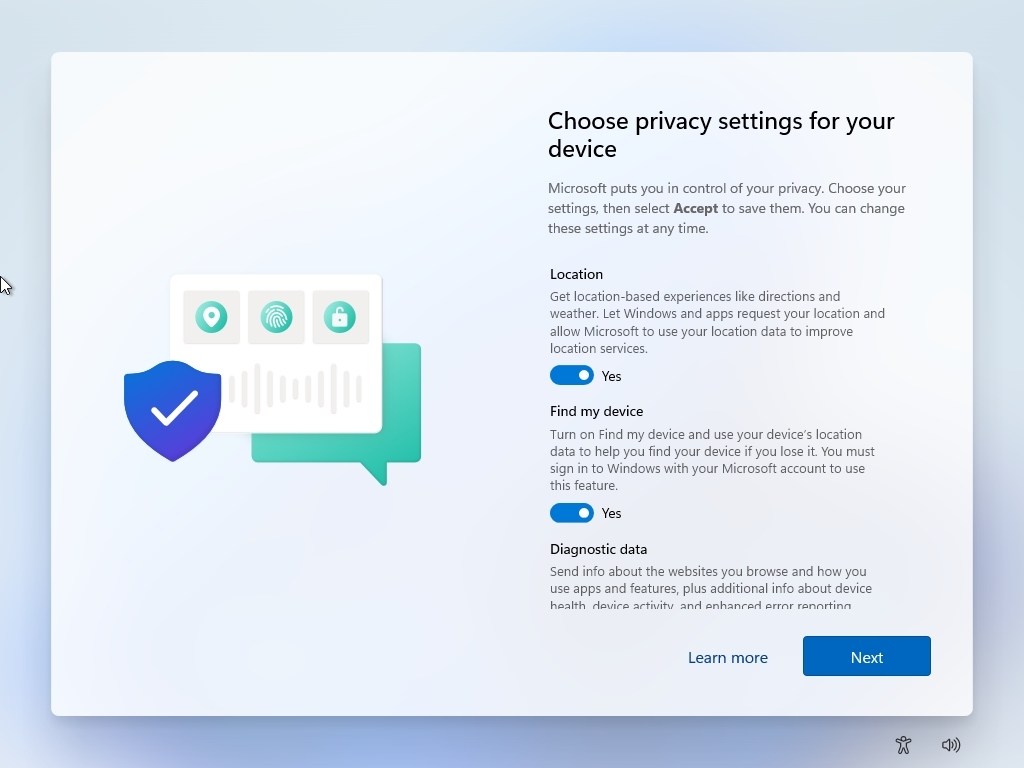
During setup, most privacy-related options are already turned on, requiring users to actively opt out rather than opt in. From a user perspective, this approach feels unbalanced, as the default configuration appears to prioritize Microsoft's data collection over user control.
Another concern is that the operating system does not provide a way to fully disable telemetry. While users can limit the level of diagnostic data, some data collection remains mandatory. Over time, the company has improved transparency, but the exact scope and granularity of the data being sent can still feel unclear to many users.
This combination of default opt-in behavior, limited control, and lack of clarity contributes to ongoing privacy concerns, making it one of the more controversial default configurations on Windows 11.
What to do:
If you continued with the default settings during the initial setup, you can switch to required diagnostic data only and disable optional telemetry, inking, typing, and tailored experiences in Settings > Privacy & security > Recommendations & offers.
Also, in Settings > Privacy & security > Diagnostics & feedback, you can turn off the "Send optional diagnostic data" option to send only the data required to operate the system.
After system updates or restarts, Windows 11 may display full-screen "Let's finish setting up your device" prompts encouraging you to complete setup for services such as Microsoft 365, OneDrive, or Xbox Game Pass.
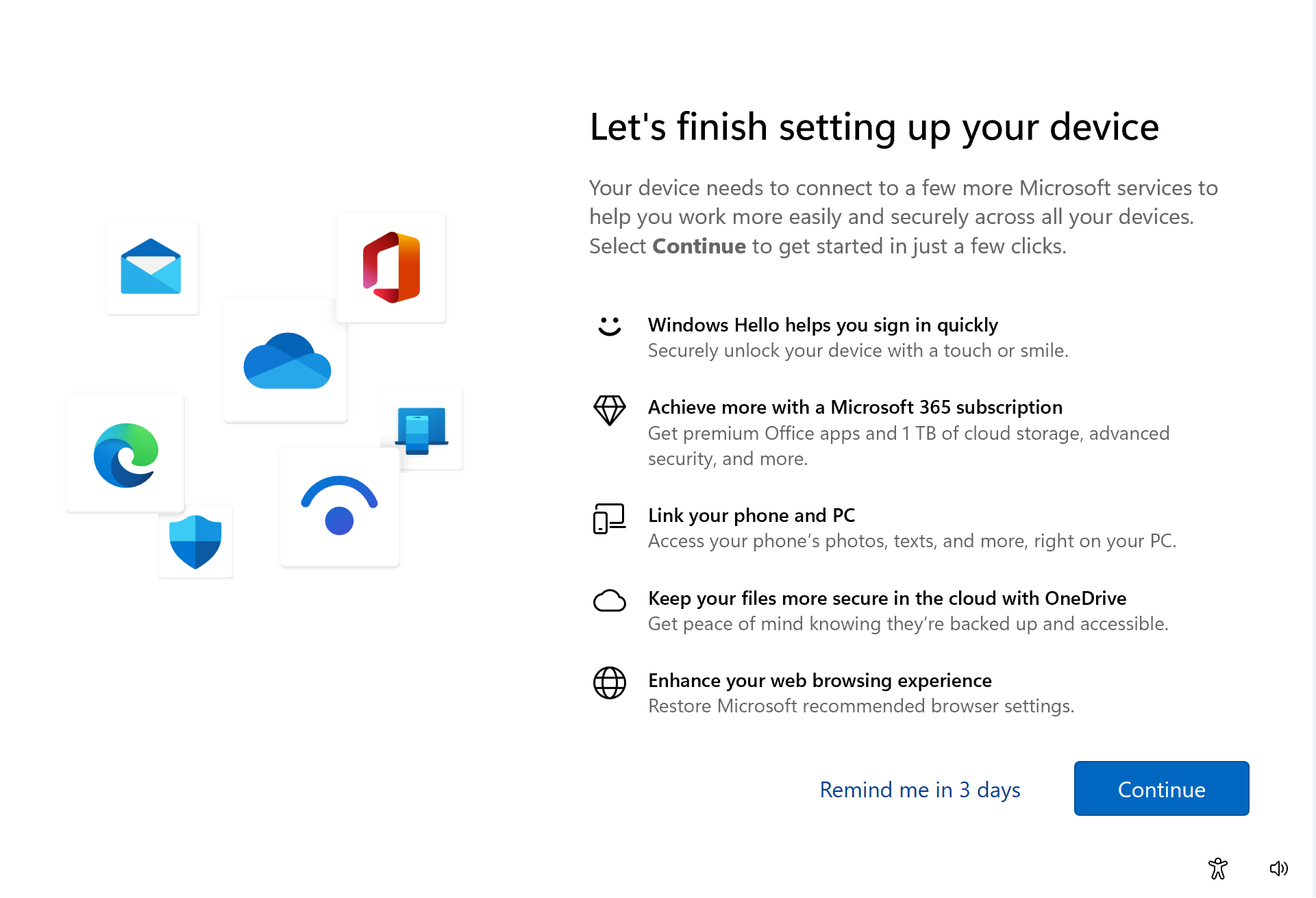
While positioned as helpful reminders, these prompts often appear long after the initial setup is complete. By that point, the device is already fully functional, which makes the messaging feel less like guidance and more like an attempt to drive adoption of Microsoft services.
The main issue is the level of interruption. These prompts take over the screen, breaking the normal workflow and forcing the user to either engage or explicitly skip. For a feature that is not essential to system operation, the delivery feels overly aggressive, especially when it appears repeatedly after updates.
What to do:
If you have had enough of these prompts, you can disable this page from Settings > System > Notifications > Additional settings, and clear the "Suggest ways to get the most out of Windows and finish setting up this device" toggle.
Out of the box, Windows 11 enables several Taskbar features, including Widgets and Copilot. While each of these tools can be useful in specific scenarios, having them all pinned clutters the experience unnecessarily, turning what should be a clean and focused interface into something cluttered.
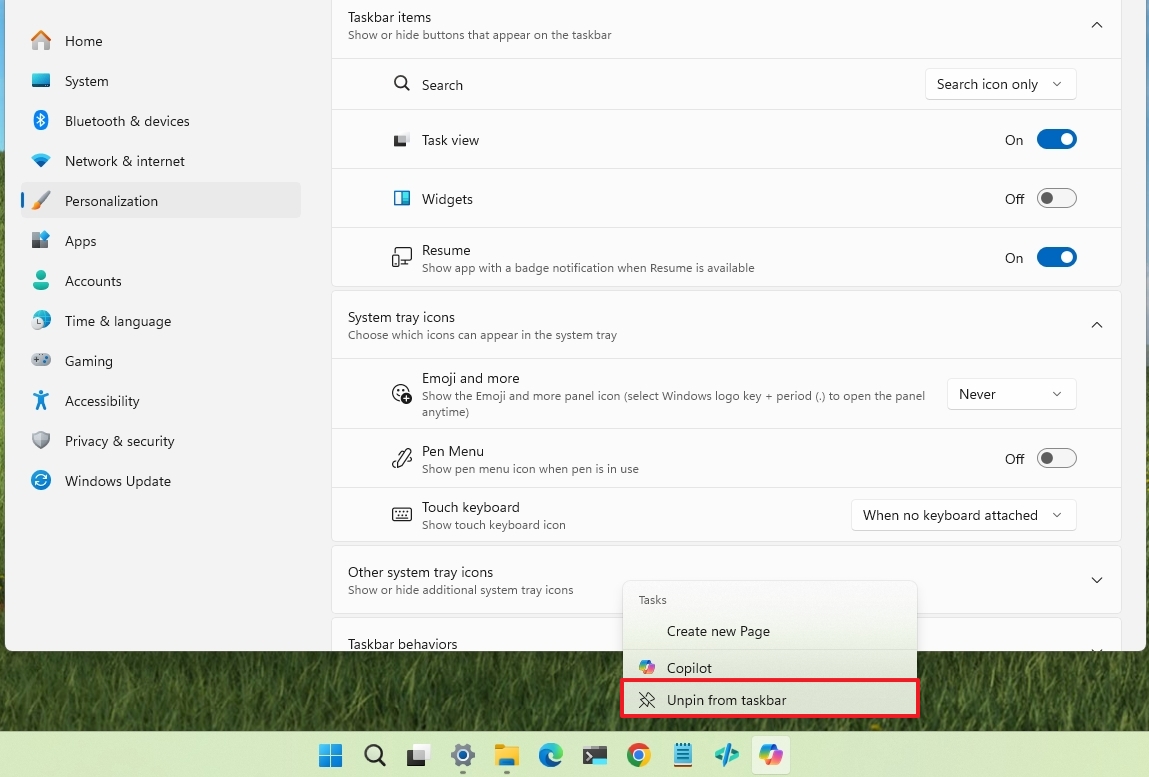
There is also the question of relevance. Not every user needs quick access to Widgets or AI assistance at all times, yet they are presented as core parts of the experience. This default approach assumes a one-size-fits-all workflow, rather than letting users opt into features based on their needs.
In practice, this configuration creates a busier, less efficient Taskbar that prioritizes feature visibility over usability. For many users, disabling these extras results in a cleaner, faster, and more predictable desktop experience.
What to do:
You can always ditch Widgets, Copilot, and other unused icons, right-click the icon in the Taskbar, and choose the "Unpin from taskbar" option. If you want even more space, you can show only the Windows Search icon instead of the bar from Settings > Personalization > Taskbar.
Windows 11 strongly pushes users to sign in with a Microsoft account during setup. What used to be a straightforward option to create a local account has become restrictive over time, making it feel less like a choice and more like a default requirement.
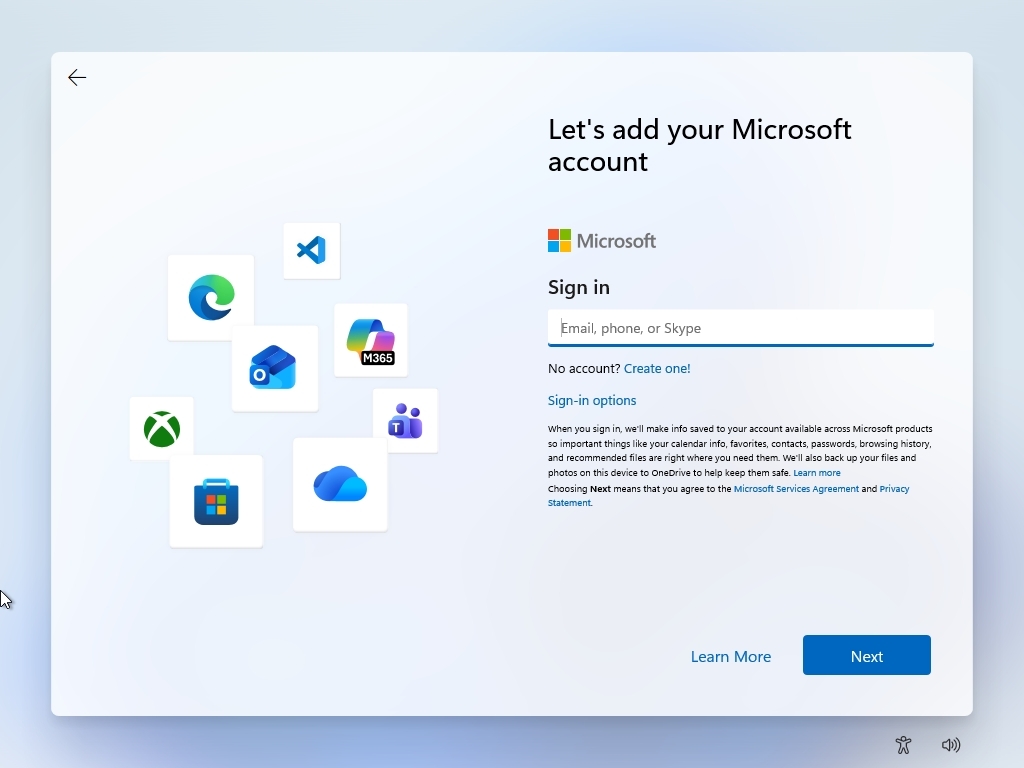
This approach changes the nature of the operating system from a standalone experience to one tied to an online identity. While an online account enables features like sync, app purchases, and cross-device integration, not every user needs or wants those capabilities. For many, a local account is sufficient and offers a more straightforward experience.
What to do:
If you want to bypass the Microsoft account requirement, you'll have to use a workaround. Otherwise, you will need to complete the setup process using an email address, or you'll have to go through the regular setup, then create a local account, and switch.
Out of the box, Windows 11 includes a range of preinstalled apps and Start menu shortcuts, many of which promote Microsoft services or partner applications. These can include utilities, games, and productivity tools that are not always relevant to the user's needs.
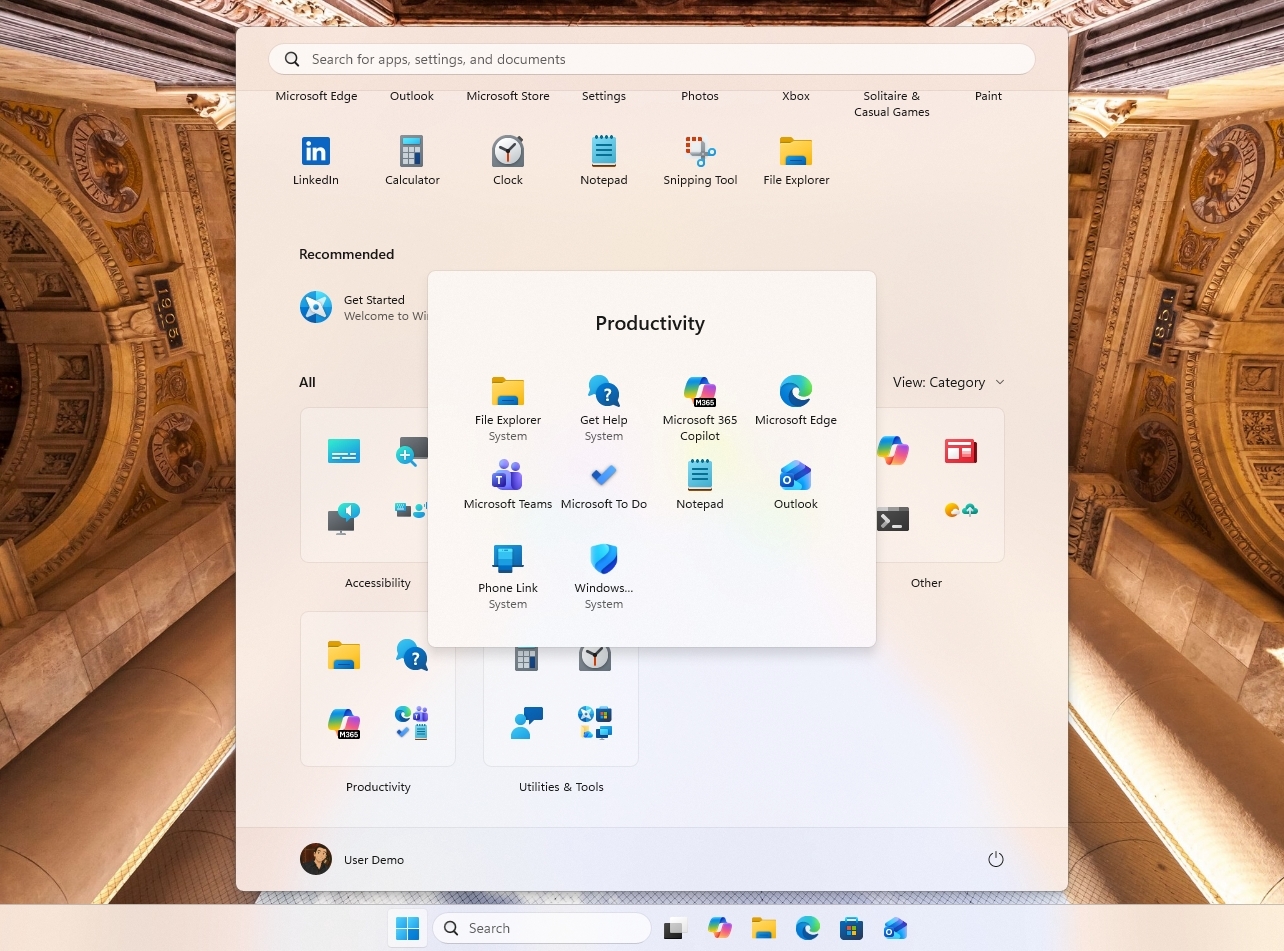
While some of these apps may be useful in specific scenarios, the default selection often feels excessive. It adds visual clutter to the Start menu and introduces software that many users never intend to open or use.
The issue is not just the presence of extra apps, but the assumption behind them. Instead of starting with a clean and minimal system, Windows 11 ships with a curated set of software that reflects Microsoft's ecosystem priorities rather than the user's preferences.
What to do:
You don't have any other choice but to uninstall them manually from Settings > Apps > Installed apps.
If we talk about Windows Update, we stumble upon at least two default behaviors that can be frustrating.
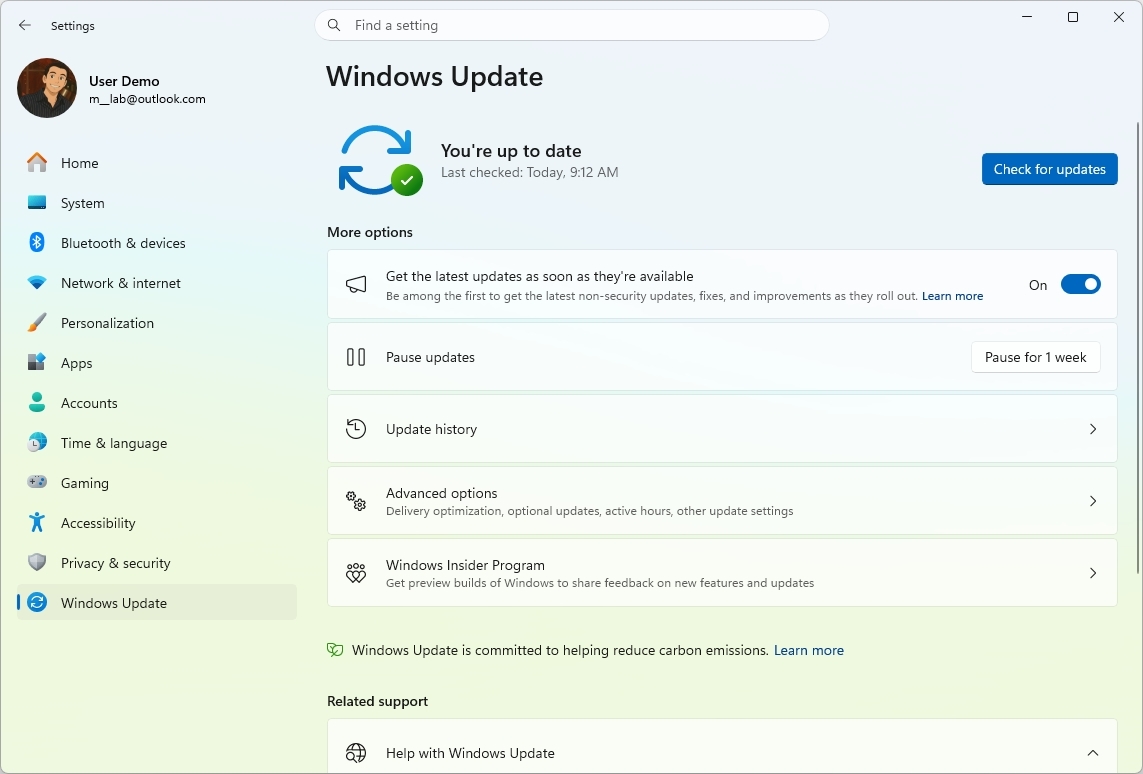
First, system updates are automatic and mandatory, and although they are necessary to patch security vulnerabilities, improve performance, and add new features, they can also cause unwanted issues.
Second, since updates are automatic, the computer also needs to restart to apply the changes, and while this process usually happens outside active hours, if you're not careful, this can also cause unexpected downtime during automatic schedule restarts.
What to do:
Microsoft has already confirmed that it is planning to address this problem, but it's unclear when users will have the option to pause updates for a longer period.
In the meantime, you can proactively schedule restarts in Settings > Windows Update whenever a new update is ready, or use workarounds to turn off the update mechanism.
On Windows 11, device encryption is enabled automatically during setup, with recovery keys often saved to a connected Microsoft account. This ensures that data is protected if the device is lost or stolen and, in principle, strengthens security by default.
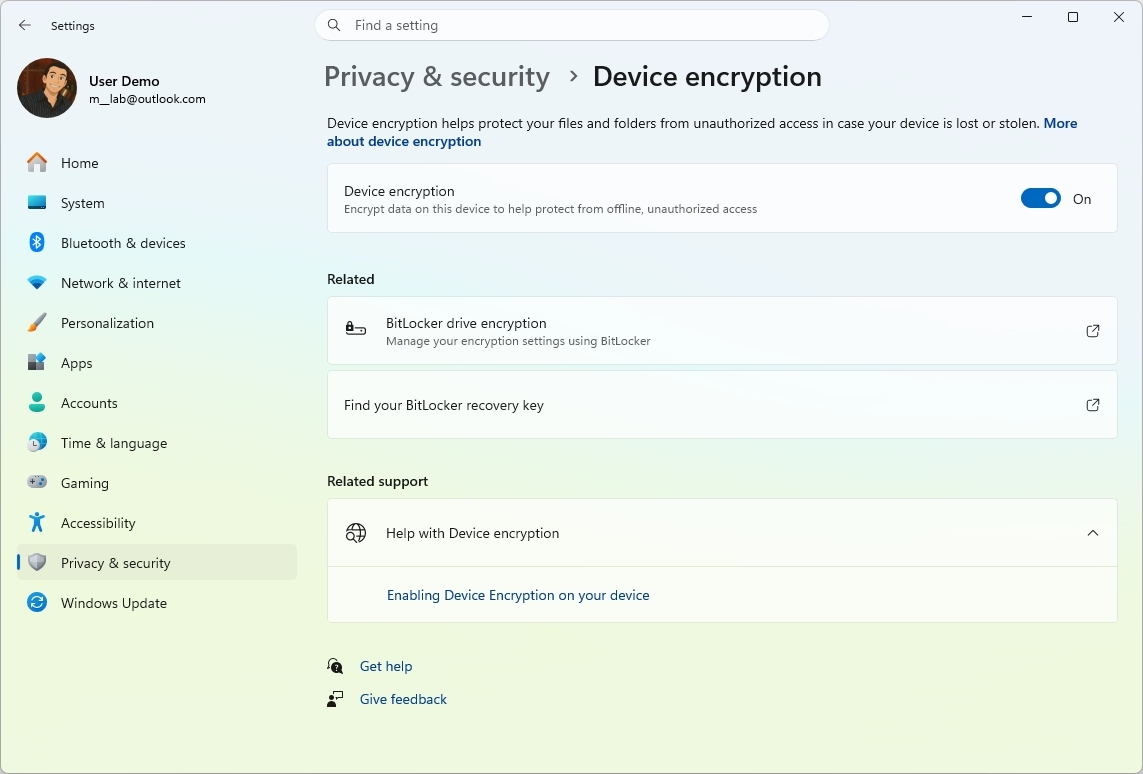
However, the way recovery keys are handled can raise concerns, making it not the best default behavior. In most cases, users are not clearly prompted to choose where the recovery key is stored or how it is managed. Instead, it is quietly backed up to the cloud as part of the account setup process.
The main risk arises if users lose access to their accounts. Without the recovery key, access to encrypted data can become difficult or even impossible to restore without the original password. For users who assume everything is stored locally, this dependency is not always obvious during setup.
A more balanced approach would be clearer upfront control over where recovery keys are stored, along with stronger prompts to create offline backups. This would preserve security benefits while reducing reliance on a single account-based recovery path.
What to do:
For users who want better control, it is important to manually back up the recovery key offline and review encryption settings in Settings > Privacy & security > Device encryption to ensure they understand how their data is protected and recoverable.
If you don't want to depend on Microsoft to store the key for your personal files, you'll have to disable encryption and delete the recovery key from your account. You can always use third-party encryption tools to protect your data.
Windows 11 includes a "Find my device" feature that tracks your computer's location to help recover it if lost or stolen. While useful in specific scenarios, enabling this capability requires ongoing location tracking in the background.
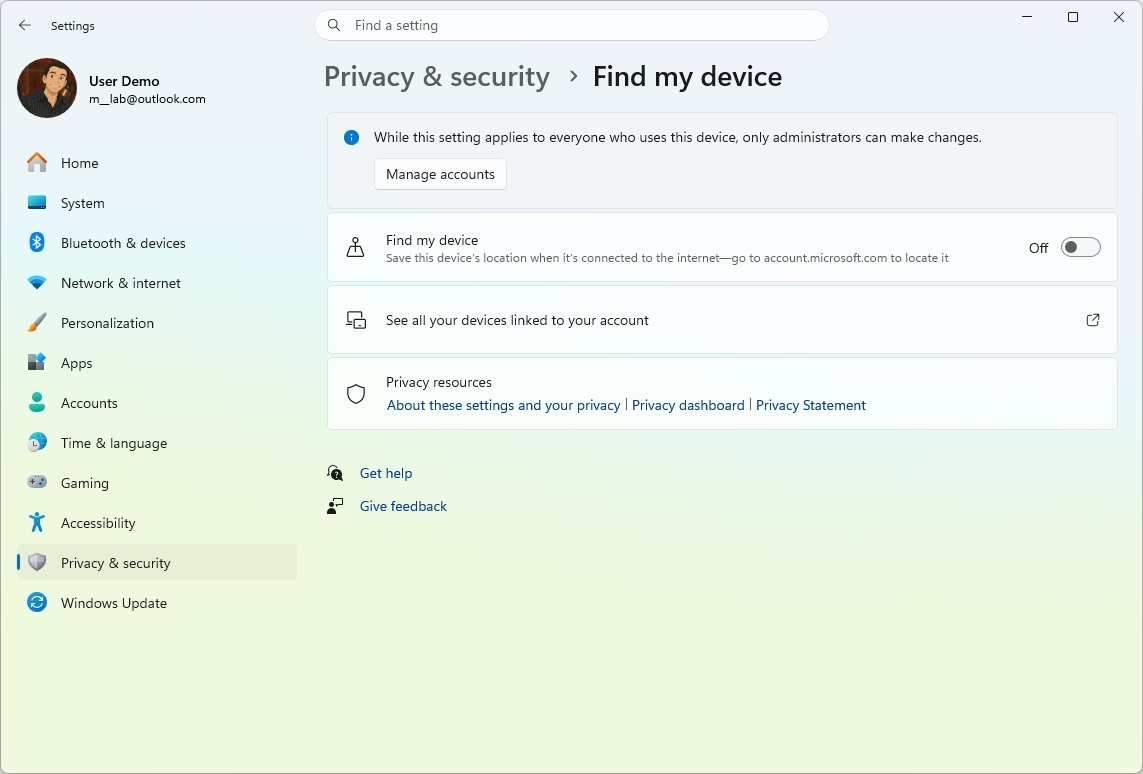
The problem is that this is positioned as enabled or encouraged by default, even though most desktop and laptop users will never need device recovery. For a feature that is rarely used, it introduces continuous location monitoring, which many would consider unnecessary by default.
This creates a poor balance between security and privacy. Instead of letting users opt in when needed, the system encourages a configuration that collects location data proactively. For users who keep their devices in predictable environments, like a home or office, the benefit is minimal while the privacy trade-off remains constant.
There is also a clarity issue. Users may enable location services during setup without fully understanding that it powers ongoing tracking features like Find my device. This lack of clear intent makes the default feel less user-driven and more system-driven.
What to do:
If you don't need the device recovery feature, you can turn it off during initial setup or, after installation, from Settings > Privacy & security > Find my device.
By default, Windows 11 hides file extensions in File Explorer and the desktop. While this design aims to keep things visually clean, it creates unnecessary configuration issues.
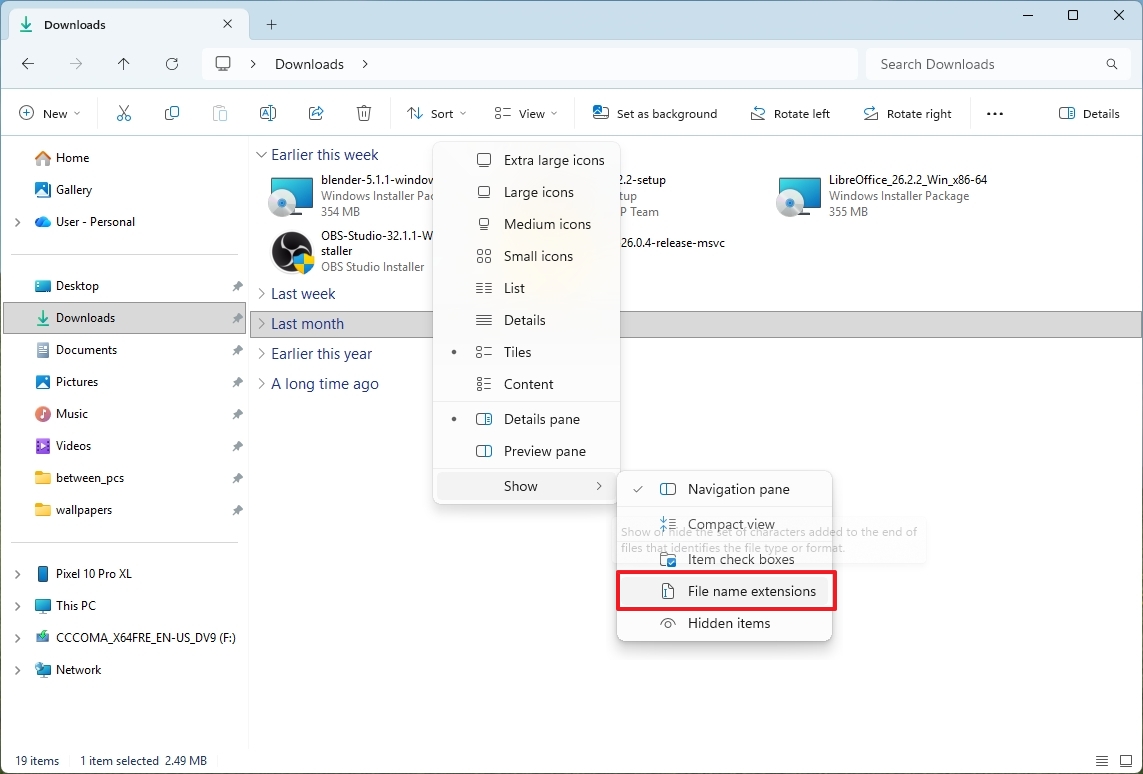
First, it hurts usability. File extensions are essential for understanding file types, especially when working with multiple formats. If you don't see them, tasks like renaming, converting, or troubleshooting files become more confusing and error-prone.
Second, it can also cause security problems. For instance, if file extensions are hidden, it makes it significantly easier to disguise malicious files. A file named document.pdf.exe can appear as document.pdf, making it look harmless when it is actually an executable. This small visual change removes a critical layer of awareness that users rely on to identify potentially dangerous files.
What to do:
You can always show file extensions from File Explorer > View > Show > File name extensions.
Windows 11 introduced a redesigned right-click context menu that prioritizes simplicity and visual consistency. However, this redesign comes at the cost of functionality, as many advanced or legacy options are no longer immediately visible.
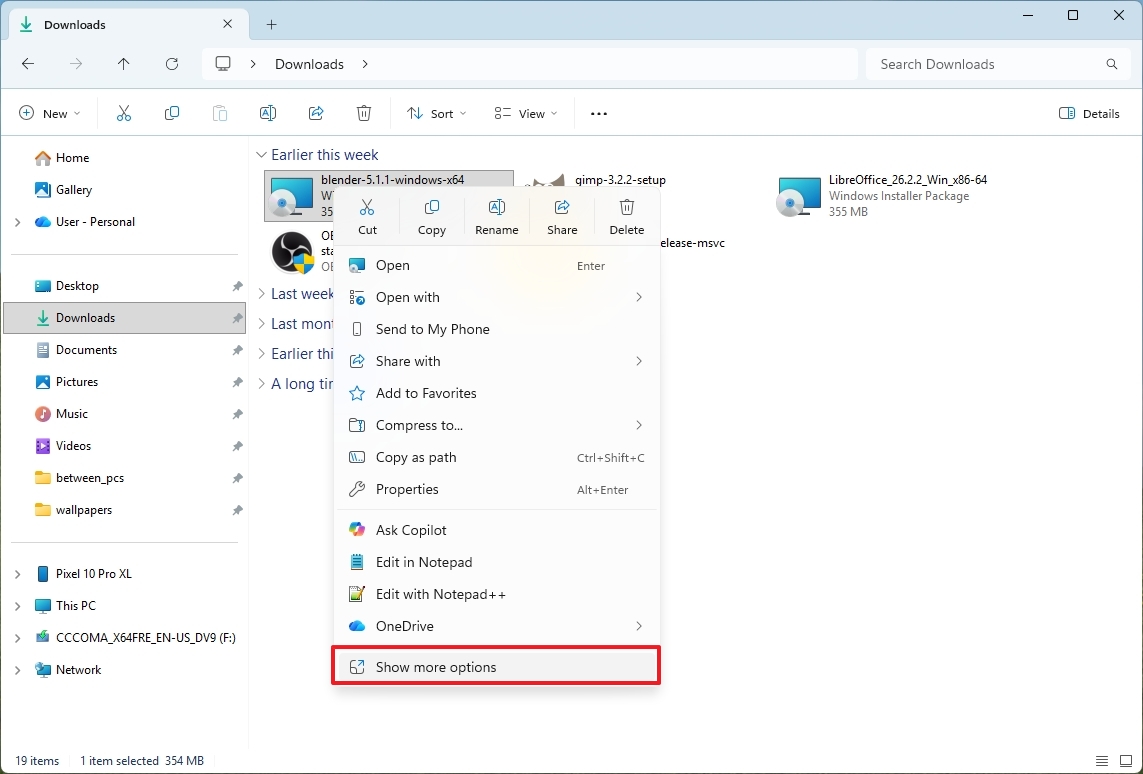
Instead of showing the full set of actions directly, the system hides them behind a "Show more options" entry. This extra step forces users to open a secondary menu to access tools that were instantly available in previous versions.
The main issue is the trade-off itself. While the simplified menu is cleaner for casual use, it removes depth from a core interaction model that the operating system has relied on for decades. Right-click menus are meant to be fast, context-rich, and highly functional. Splitting them into two layers disrupts that expectation.
It also creates inconsistency. Some modern apps use the new menu, while others still rely on legacy entries that only appear in the expanded view. This split behavior makes the experience feel fragmented and less predictable.
Microsoft has been working to improve this area, gradually adding a better organization for items. However, it's unclear when these improvements will be made available to everyone.
What to do:
You can always use the "Shift + Right-click" shortcut to open the legacy menu. Other than using the shortcut, you'll need to use workarounds to switch from the modern to the legacy context menu.
I've already covered the issues with the Start menu and the unnecessary prompts that appear after updates or restarts, but Microsoft's use of advertising runs much deeper than that.

Windows 11 includes promotional content across multiple parts of the operating system, ranging from the Out-of-box Experience (OOBE) to everyday interfaces like the Start menu, Settings app, and notifications. These often highlight Microsoft services such as Microsoft 365, Xbox Game Pass, and OneDrive.
While these prompts are positioned as suggestions to improve the user experience, they effectively turn key parts of the operating system into promotional surfaces. During setup, users are frequently encouraged to subscribe to services before they have even finished configuring their device.
The issue becomes more noticeable after setup. The Start menu may surface suggested apps or services, the Settings app can display service recommendations, and system notifications may include tips or offers tied to Microsoft products. Instead of focusing purely on system control and configuration, these areas also serve as discovery channels for paid or cloud-based services.
It also impacts trust and user perception. When an operating system includes persistent promotional elements throughout its interface, it can feel less neutral and more like marketing, especially for users who expect it to function purely as a productivity platform.
This is considered one of the worst default behaviors because it spreads advertising-like content across multiple system touchpoints, increasing visual clutter and reducing the focus on user-driven tasks.
What to do:
While you cannot fully disable all promotional content on Windows 11, you can reduce its presence by adjusting system settings to limit suggestions, tips, and recommendations.
When writing this piece, I performed a clean installation of Windows 11 in a virtual machine to review the default configuration. To my surprise, even without launching Microsoft Edge for the first time, background processes related to the browser were already running during startup. These components are designed to speed up Edge launch time and support web-related features.
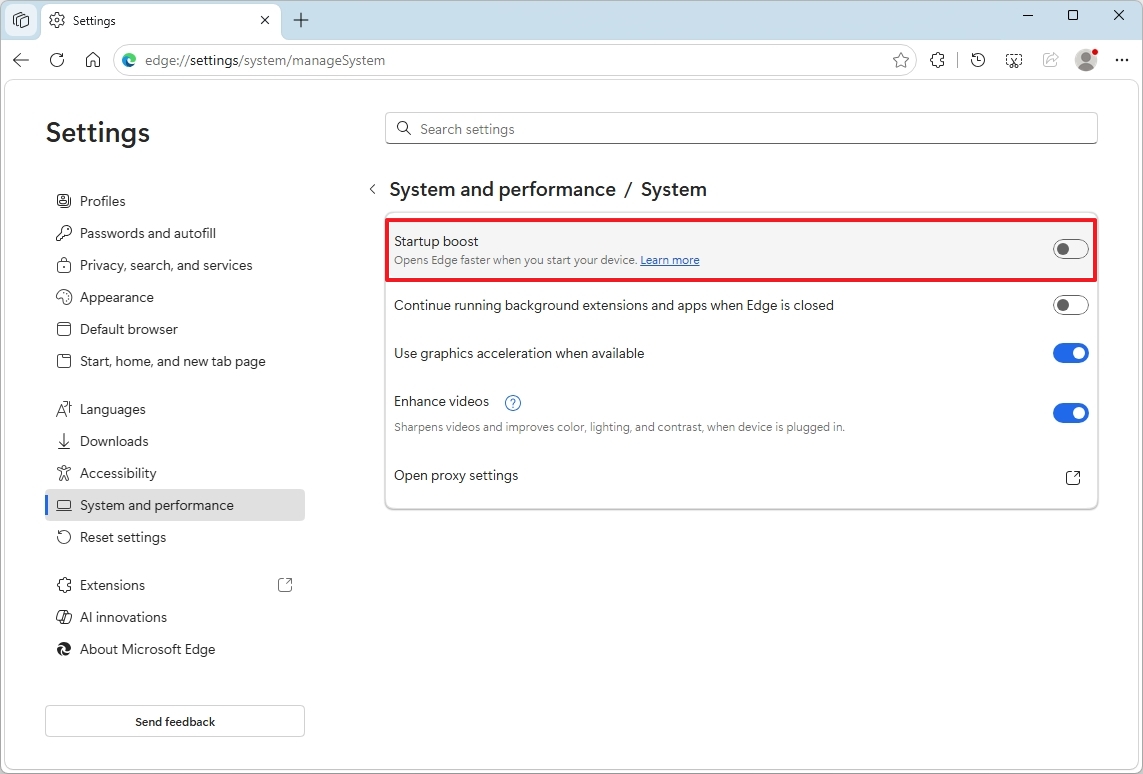
The issue is not that Edge exists, but that it is partially initialized without any user action. This means system resources (roughly 300MB in my test environment) are used immediately at boot for a browser that some users may never open. On lower-end systems, this can contribute to slower startup times and unnecessary background activity.
This makes it one of the more criticized default behaviors because it adds background load, reduces startup efficiency, and assumes usage patterns that may not match the user's actual preferences.
What to do:
If you want to turn off this behavior, you'll have to launch the browser and, after completing the initial wizard, go to Microsoft Edge > Settings > System & performance > System and turn off the "Startup boost" toggle switch.
Windows 11 delivers a modern and connected experience out of the box, but many of its default settings lean too heavily toward services, automation, and recommendations instead of user control.
Individually, some of these features make sense. Diagnostic data helps improve reliability, automatic updates keep systems secure, and service integrations can be useful in the right context. However, when combined, these default settings create an experience that can feel cluttered, overly persistent, and, at times, disconnected from how many people actually use their computers.
The bigger issue is not any single setting, but the overall direction. A lot of the defaults assume users want that deeper integration with Microsoft services, constant suggestions, and background activity running from the moment the system starts. For users who prefer a simpler, more predictable environment, this approach requires extra effort just to get the operating system into a comfortable state.
But there is some good news since Windows 11 remains highly configurable. If you dive into the settings, you can significantly reduce distractions, limit unnecessary background activity, and regain most of the control over privacy and performance.
What are some of the default settings you don't like on Windows 11? Let me know in the comments!
Explore more in-depth how-to guides, troubleshooting advice, and essential tips to get the most out of Windows 11 and 10. Start browsing here:

Join us on Reddit at r/WindowsCentral to share your insights and discuss our latest news, reviews, and more.
Mauro Huculak has been a Windows How-To Expert contributor for WindowsCentral.com for nearly a decade and has over 22 years of combined experience in IT and technical writing. He holds various professional certifications from Microsoft, Cisco, VMware, and CompTIA and has been recognized as a Microsoft MVP for many years.
You must confirm your public display name before commenting
Please logout and then login again, you will then be prompted to enter your display name.
此内容由惯性聚合(RSS阅读器)自动聚合整理,仅供阅读参考。 原文来自 — 版权归原作者所有。