







Lenovo's Yoga Slim 7x (Gen 11) attempts to balance price, performance, and premium features, and indeed, its $1,199.99 starting price before any discounts should turn some heads.
It's built around the latest Qualcomm Snapdragon X2 System-on-Chip (SoC), and it's the first Windows on ARM laptop that I've actually spent weeks using full-time for writing, heavy browsing, photo editing, streaming, and email.
Not only does it live up to the promises Lenovo makes, but it goes beyond in several areas. Here's what you need to know before buying.
Why you can trust me

Why you can trust me
Cale Hunt
I've been reviewing laptops for Windows Central since 2016, and I have a good idea of what works and what doesn't. If you're in search of key, unbiased information before buying, you can trust me to deliver.
How much does the Yoga Slim 7x (Gen 11) cost?

The Yoga Slim 7x (Gen 11) makes its debut at $1,099.99 at Lenovo's website. In this model, you get a Snapdragon X2 Plus (X2P-42) chip, 16GB of LPDDR5x RAM, 512GB M.2 PCIe 4.0 NVMe SSD, and a 14-inch OLED touch display with FHD+ resolution.
Lenovo also offers a Snapdragon X2 Elite (X2E-80) config with 32GB RAM, 1TB SSD, and a non-touch FHD+ touch display for $1,699.99.
For $1,899.99, you can max everything out with the X2 Elite (X2E-88) chip, 32GB RAM, 1TB SSD, and 2.8K OLED touchscreen.
As usual at Lenovo, you can configure your own model with a mix of hardware as required.
Here's a look at the specs in my review unit.
Swipe to scroll horizontally
| Header Cell - Column 0 | Lenovo Yoga Slim 7x (Gen 11) |
|---|---|
CPU | Qualcomm Snapdragon X2 Elite X2E-88 |
GPU | Qualcomm Adreno (integrated) |
Memory | 32GB LPDDR5x-9523 |
Storage | 1TB M.2 PCIe 4.0 NVMe SSD |
Display | 14 inches, 1920x1200 (FHD+), OLED, touch, 400 nits (600 nits HDR), glossy, 60Hz refresh rate, Dolby Vision |
Ports | 3x USB4 |
Camera | 9.2MP + IR, Human Presence Detection, E-shutter |
Audio | 2x 2W woofers, 2x 2W tweeters, Dolby Atmos |
Wireless | Wi-Fi 7, Bluetooth 5.4 |
Battery | 70Wh |
Dimensions | 12.28 x 8.7 x 0.55 inches (312mm x 221mm x 13.9mm) |
Weight | From 2.58 pounds (1.17kg) |
Price |
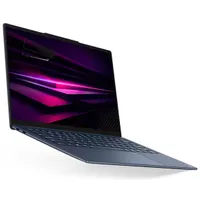
Lenovo supplied Windows Central with a review unit of the Yoga Slim 7x (Gen 11). It had no input, nor saw the contents of the review, prior to publication.
Does the Yoga Slim 7x (Gen 11) have premium features?

From a design standpoint, the Yoga Slim 7x (Gen 11) is rock-solid. Its aluminum chassis is rigid, it doesn't creak when twisted, and everything lines up perfectly. MIL-STD-810H certification proves its durability.
It's extremely thin, made to look more so with its wedged shape. The rounded edges hardly have enough space for a USB-C port, and at its thickest point, it measures just 0.55 inches (with the lid included). Weighing 2.73 pounds, it's easy to carry all day.
Not enough space for a varied selection of ports
Image 1 of 2

It's so thin, in fact, that Lenovo doesn't include any ports other than three USB4 (using the USB-C form factor).
No 3.5mm audio, no USB-A, and no HDMI means you'll most likely need a handful of adapters or a Thunderbolt docking station when using accessories.
A power button and a manual e-shutter toggle also reside on the side of the PC.
Superb audio quality and a high-res webcam

Lenovo fit two 2W tweeters and two 2W woofers into the laptop, half in a top-firing orientation flanking the keyboard, and the others on the underside of the chassis. Audio has plenty of volume, some decent bass, and Dolby Atmos tuning for extra control. I have no complaints, especially from a laptop this thin.
The webcam is a similar story. At 9.2MP, it provides clarity beyond what's found in standard 1080p fare, and I appreciate the manual e-shutter for extra privacy.

The webcam lives in a raised comms bar above the display, providing more space for additional features like a manual e-shutter and IR sensor for facial recognition through Windows Hello.
Beyond just unlocking your PC with biometrics, Lenovo has included Human Presence Detection (HPD) capabilities that can lock and unlock your PC automatically when you depart or approach. HPD also ties into battery saving and OLED care settings, of which there are plenty in Lenovo's onboard Vantage app.
I love the keyboard, but I wish for a haptic touchpad

The keyboard's travel is deep enough that I've typed tens of thousands of words without experiencing any fatigue. As usual for Lenovo, key spacing is perfect, keycaps are slightly cupped, and there's a bright backlight to help with working in the dark.
I've typed tens of thousands of words without experiencing any fatigue.
Now that I've used a few haptic touchpads on modern laptops, I've come around to them being the superior option. With no moving parts, they're more reliable and accurate than traditional mechanical fare.
Of course, they also cost more to implement, and in a value-conscious laptop like the Slim 7x, I see why Lenovo went with a standard touchpad. I love its size, and it's admittedly about as quality as mechanical pointers get. It's firm when clicked and points accurately.
Is the Yoga Slim 7x (Gen 11)'s 2.8K OLED display worth the upgrade?

The Yoga Slim 7x has a few different OLED touch displays with either a 1920x1200 (FHD+) or a 2880x1800 (2.8K) resolution. Aside from pixel count, the biggest differences involve brightness and refresh rate.
The FHD+ model I have in the review unit tops out at 400 nits (SDR) or 600 nits (HDR); what's advertised is accurate based on my testing with a colorimeter. Unfortunately, the FHD+ version is capped at a 60Hz refresh rate, and there's a fair amount of glare if you're working in a bright space.
The 2.8K display hits 120Hz, making it much easier on the eyes, and it also gets significantly brighter at 600 nits (SDR) and 1,100 nits (HDR). All screens have Dolby Vision, and they all have a glossy finish with anti-fingerprint properties.
Image 1 of 2

I ran a color gamut check on the FHD+ display, revealing 100% sRGB, 95% AdobeRGB, and 97% P3, making it suitable for specialized tasks like photo editing. And because it's OLED, you get perfect contrast without any backlight bloom.
Considering the 2.8K touch OLED upgrade is only $60 more, I recommend going for it no matter what. Battery draw from the extra pixels shouldn't be enough to notice, and your eyes will thank you for doubling the refresh rate.
Is the Yoga Slim 7x (Gen 11) powerful AND efficient?

The Qualcomm Snapdragon X2 Elite (X2E-88) System-on-Chip (SoC) is a marvel. With 18 cores, a turbo boost clock up to 4.7GHz, and 53MB of available cache, it has crushed everything I've thrown its way over the weeks.
It comes in just behind the Snapdragon X2 Elite Extreme (X2E-94) chip that we tested in the awesome ASUS Zenbook A16, but believe me, just because it's a lesser SKU doesn't mean it's not for you.
The X2 Elite (X2E-88) in the Slim 7x (Gen 11) trounces the Apple M5 chip in the MacBook Air in Geekbench, and it also destroys the Intel Core Ultra 7 355 chip that's available in the sibling Yoga Slim 7 Ultra Aura Edition. Testing in Cinebench reveals a similar story.
Image 1 of 2

The laptop's dual fans have mostly remained dormant. They ultimately only kick on if I'm editing high-res photos, and usually only if I'm charging the battery at the same time (which creates extra heat inside the chassis). Otherwise, this is a silent PC.
Does the Yoga Slim 7x (Gen 11) have good battery life?

Lenovo's Yoga Slim 7x (Gen 11) has the best battery life of any laptop I've personally tested. The battery has a decent 70Wh capacity, and the lower-res FHD+ display at 60Hz no doubt helps push efficiency; nevertheless, it's a laptop that I use all day off the charger.
The longest the PC has been active without plugging in is around 24 hours. Now, that wasn't full-time use to be sure.
Lenovo's Yoga Slim 7x (Gen 11) has the best battery life of any laptop I've personally tested.
A more accurate reading of active battery life using Windows Performance mode comes out to about 14 hours from a charge. This is all based on the Windows Battery Report tool that delivers a history of charges and rundowns.
I've been consistently picking up the PC in the morning and using it for work all day without worrying about plugging in. The only thing I've found to sap battery faster than normal is Google Meet video conferencing.
Should you buy the Lenovo Yoga Slim 7x (Gen 11)?

You should buy this if ...
✅ You're in search of a thin, light 14-inch laptop with high-end features in the $1,000 to $1,500 price range.
✅ You need a laptop with outstanding battery life and snappy performance.
You should not buy this if ...
❌ You know for certain that your workload has issues with Windows on ARM.
❌ You're in search of a laptop to be used primarily for gaming.

The use of a Snapdragon X2 Elite SoC pushes the Yoga Slim 7x (Gen 11) into the realm of remarkable efficiency and performance. You might have a personal issue with Windows on ARM, but for my workflow, it's no problem at all.
Combine this power and efficiency with a high-end build quality, premium features like Human Presence Detection, quad speakers, 9.2MP camera, and OLED display, and you have a lot of PC for the asking price.
The use of a Snapdragon X2 Elite SoC pushes the Yoga Slim 7x (Gen 11) into a realm of remarkable efficiency and performance.
It's not perfect — the glossy display finish can be annoying and the FHD+ model's 60Hz refresh rate is a drag — but these are fairly easy to remedy with a $60 upgrade to a brighter 2.8K display at 120Hz.
The Slim 7x (Gen 11) is a laptop I can see fitting in perfectly with students, home business pros, and casual users who simply want a laptop for around $1,199 (even less when it's on sale) that feels like it should cost a lot more.

Snapdragon X2 Elite
Lenovo
Yoga Slim 7x (Gen 11)
The Snapdragon X2 Elite SoC pushes the Yoga Slim 7x (Gen 11) into "easy recommendation" territory for those who don't plan to game or handle particularly heavy specialized workloads. Long battery life and stellar performance are standout perks.

Join us on Reddit at r/WindowsCentral to share your insights and discuss our latest news, reviews, and more.
