

惯性聚合 高效追踪和阅读你感兴趣的博客、新闻、科技资讯
阅读原文 在惯性聚合中打开

推荐订阅源

酷 壳 – CoolShell
酷 壳 – CoolShell
H
Hacker News: Front Page
P
Palo Alto Networks Blog
T
ThreatConnect
Apple Machine Learning Research
博客园_首页
T
True Tiger Recordings
P
Privacy & Cybersecurity Law Blog
B
Blog
IT之家
IT之家
Last Week in AI
Last Week in AI
F
Full Disclosure
Hacker News: Ask HN
Hacker News: Ask HN
C
Comments on: Blog
Microsoft Azure Blog
C
Cybersecurity and Infrastructure Security Agency CISA
Microsoft Security Blog
博客园 - 【当耐特】
N
News and Events Feed by Topic
NISL@THU
NISL@THU
腾讯CDC
雷峰网
雷峰网
Security Latest
Security Latest
李成银的技术随笔
M
Microsoft Research Blog - Microsoft Research
L
LangChain Blog
L
Lohrmann on Cybersecurity
cs.CL updates on arXiv.org
C
Check Point Blog
Y
Y Combinator Blog
Recent Announcements
博客园 - Franky
N
News | PayPal Newsroom
V
V2EX
A
About on SuperTechFans
The Register - Security
月光博客
月光博客
奇客Solidot–传递最新科技情报
奇客Solidot–传递最新科技情报
Google Online Security Blog
MyScale Blog
MyScale Blog
Cisco Talos Blog
Cisco Talos Blog
Vercel News
Vercel News
WordPress大学
WordPress大学
C
Cyber Attacks, Cyber Crime and Cyber Security
The Hacker News
The Hacker News
IntelliJ IDEA : IntelliJ IDEA – the Leading IDE for Professional Development in Java and Kotlin | The JetBrains Blog
爱范儿
爱范儿
A
Arctic Wolf
L
LINUX DO - 最新话题
freeCodeCamp Programming Tutorials: Python, JavaScript, Git & More

Captivate Unlimited Podcast Hosting & Analytics

Captivate & DAX US Launch Unified Monetization Suite for US Creators Apple Video Podcasting: Best Practices to Get The Most From The New Tech Apple Video Podcasting, powered by HLS: what is it and what does it mean for your podcast? Captivate Announced as Day One Launch Partner for Apple’s New HLS Video Release Introducing Captivate Assistant: The Most Useful AI Podcasting Assistant Yet; Grow Your Audience AND Save Time! 3 Low-Effort Ways to Promote Your Podcast (and Grow Listeners) this Autumn Captivate Unveils Ad Marketplace, Online Podcast Recording Platform and Integrated Audio Editing Tools Captivate Launches New Podcast Submission Process for Apple Podcasts Captivate Releases Sync V3 Make Money Podcasting: How to Successfully Monetize With Podcast Sponsorship And Advertisements Make Money Podcasting: How to Monetize Your Podcast Through Listener Donations World First: Captivate Podcast Hosting Platform Achieves IAB Tech Lab Podcast Measurement 2.2 Certification Captivate 2.5: Upgraded UI and Brand New Features to Make Your Podcast Even More Successful 8 Quick Ways to Build A Community Using Your Podcast GarageBand vs Audacity for Podcasting: Pros, Cons and Similarities Video: GarageBand For Podcasters – Tutorial, Tips and Tricks 7 Common Podcast Sponsorship Mistakes – Plus How to Avoid & Fix Them! 12 Best Podcast Logos & Artwork Examples (That Actually Engage Listeners) Video: Podcast Logos vs Cover Art (Roles and Differences Explained!) Video: How to Write a Podcast Script (And 5 Reasons Yours Doesn’t Work!) How to Write the Perfect Podcast Intro Script: Hook and Engage Listeners Video: How Podcasters Make Money (PLUS 5 Reasons You Don’t) - Captivate Unlimited Podcast Hosting & Analytics Is Apple Podcasts Free for Podcasters? Plus 8 Easy Steps to Upload your Podcast to Apple Ultimate Podcast Production Guide 2024 – How to Successfully Produce a Podcast How to Write a Perfect Podcast Episode Summary – Plus Tips, Benefits & Examples Changing Podcast Host Without Losing Subscribers, Listeners PLUS How to Move Your Analytics 80 Best Engaging & Interesting Podcast Interview Questions for Guests Captivate Launches Support For Apple Podcasts Subscriptions Spotify Launches 2023 Wrapped for Podcasters What is a Podcast? Plus 10 Reasons You Should Start One Today! What are Podcast Chapters? How do they Improve Listener Retention? YouTube Launches Its RSS Upload Tool for Podcasts – What Does This Mean for Podcasters? Podcast Branding 2024 Guide: How to Build a Podcast Brand & Benefits 43 Engaging Podcast Topics & Ideas Based on Show Format or Type – Including Examples 9 Best Ways to Promote a Podcast on Social Media – Plus FAQs Answered Podcast Downloads 2024 Guide: What is Good & How to Get More? Podcast Categories 2024 Guide – Get Discovered on Spotify, Apple and More How to Get on Podcasts – Plus Nailing your Pitch and Guest Interview How to Create Engaging and Powerful Podcast Taglines 2024 – Plus Examples Google Podcasts to be Discontinued in 2024 – Time to Say Goodbye How to Host Engaging and Powerful Podcast Interviews with Your Guests MP3 vs WAV – What is the Best File Format for Podcasts? How Much Money Do Podcasters Make in 2024? Plus Examples & How To Do It How to Use Podcasts for Marketing and Branding Podcast Headphones 2023 Guide – 6 Best Headphones for Podcasting Podcast Equipment Essentials and Setup for Beginners and any Budget – Plus Advanced Extras How to Analyze and Track your Podcast Analytics Formats & Types of Podcast Explained – 10 Examples Plus Pros and Cons Demystifying Podcast Advertising: Ultimate Guide – Plus Tips for Podcasters to get Advertisers How to Publish a Podcast to Spotify, Apple Podcasts and Any Directory – Where to Upload & Distribute Podcast RSS Feeds 101: A Beginner’s Guide – What They Are & How They Work What are the best podcast apps? Both free and paid! Podcast Keyword Strategy: How to Uncover High-Impact Keywords to Boost Your Reach Podcast Calls to Action (CTAs): Converting Listeners into Engaged Fans Apple Launches iOS 17 – New Features for Apple Podcasts & Podcasters How to Start & Build a Podcast with No Audience and From Scratch – (Tips & Examples) How to Get Quality Podcast Backlinks in 2023 Planning Podcast Episodes 2023 Guide – Templates, Outlines & Format Tips Patreon Alternatives – Best Podcast Subscription Platforms (is Apple Podcast Subscriptions the Best?) Make Money with Podcast Subscriptions & One-Off Donations Easily with Captivate The Easiest Way to Start a Video Podcast (& Why You Shouldn’t Wait) How to Start or Move your Podcast to YouTube – 5 Easy Tips Podcast Networks Explained – Everything You Need to Know! [2024 Guide] What is Podcast Hosting? Everything You Need to Know! YouTube Music for Podcasts: Boost Your Discoverability Today with New Features How to Find the Ideal Podcast Episode Length for Your Show Podcasting 2.0 Explained: RSS Enhancements for the Independent Podcaster How to Optimize Your Podcast Guest Appearance for Search Grow Your Audience Using a Podcast Avatar and 13 Other Techniques 4 Main Reasons Stopping Podcasters from Launching – Which Blocker is Stopping You? How to Edit and Record a Podcast in GarageBand Best Podcast Voice Tips and Advice by Voice Coach and Podcaster Nic Redman Making Your Podcast Hosting Even Better Value Best Podcast Tips & Advice from Podcasters 2022/23 for International Podcast Day How to Write the Perfect Podcast Script (plus Examples & Templates) Captivate are Platinum Sponsors of the APVA Awards 13 Best Podcast Recording Software 2023 (including remote) – Reviewed by Podcasters We Interviewed 11 Attendees about The Podcast Show 2022 Podcast Show 2022 Roundup – Interview with Captivate’s MD Mark Asquith Descript for Podcasters Tutorial: Everything you need to know Facebook Is Stopping Podcast Services – Why & What To Do Next? In-Depth Review of Alitu for Podcasters – How it makes recording and editing easier Captivate Supports Podchaser’s #Reviews4Good April 2022 – Raising Money for #ChefsForUkraine 2021 A Year in Review: Your Big Podcast Achievements and ours! What is Dynamic Ad & Content Insertion in Podcasting? Video: Captivate's AMIE Dynamic Ad Insertion Technology for Podcasters [Overview] - Captivate Unlimited Podcast Hosting & Analytics Recommended Podcasting Tools & Resources Video: How to Use the Free Podcast Guest Booking & Interview Management System - Captivate Unlimited Podcast Hosting & Analytics Free Interview Management & Guest Booking Platform for Podcasters Captivate Shareable Podcast Player V2 is Here! Introducing Cross-Promotional Feed Drops & Network Features for Every Captivate Podcaster Video: How to Grow Your Podcast with Captivate Growth Labs - Captivate Unlimited Podcast Hosting & Analytics Learn How to Grow & Monetize Your Podcast with Captivate Growth Labs Video: Get Listed on Apple Podcasts, Spotify + More - Captivate Unlimited Podcast Hosting & Analytics Video: How to Publish an Episode: Captivate Podcast Hosting Tutorial - Captivate Unlimited Podcast Hosting & Analytics Video: Dashboard Overview | Captivate Podcast Hosting Tutorial - Captivate Unlimited Podcast Hosting & Analytics Video: How to Create A Podcast | Captivate Podcast Hosting Tutorial - Captivate Unlimited Podcast Hosting & Analytics Captivate 2.0: A New Look, New Features and New Podcasting Possibilities! Podcast Intro & Outro – How to Make Yours Ear-Grabbing Podcast PLUS 4 Real-Life Examples! Write an Engaging Podcast Description that Turns Scrollers into Listeners (Plus Examples)
How to Record a Podcast Remotely 2024 Guide – Remote Podcast Setup
2023-09-04 · via Captivate Unlimited Podcast Hosting & Analytics

Reading Time: 8 minutes

These days, you don’t have to work for a big publication to get your dream interview – as long as you know how to record a podcast remotely, you can effectively connect with anyone on the planet. In this article, we’ll teach you what makes a great remote podcast setup, which software you should be using and how to prepare your guests.

What is meant by remote podcast recording?

In the post-pandemic era, the chances are we’re all more familiar than we’d like to be with doing everything remotely. Podcast recording is no different – recording with a guest or co-host remotely allows you to connect with people you otherwise may not have been able to, and entirely removes the need to be together in an expensive studio, reducing overheads and making podcasting more accessible.

Simply, remote podcast recording refers to recording a podcast episode with someone else who is not in the same room as you, using some kind of video or audio conference software. There are platforms built specifically for this purpose, or there are more low-tech methods of achieving it – we’ll discuss all below!

Can you record a high-quality podcast remotely?

You absolutely can record a high-quality podcast remotely! All you need is reliable software and a little know-how. 

The most important thing you’ll need to remember is to educate your guest on how to set their space up for quality audio – you’ll need to remind them to use a decent microphone, some headphones and to use a room with plenty of soft cushions and carpeting. 

What is the easiest way to record a podcast remotely?

The easiest way to record a podcast remotely is to use a dedicated remote recording solution – we actually ranked some of the best podcast recording software for you here, but let’s touch on some of the best remote options for you here.

All three of these options save files locally for all participants, meaning poor internet and buffering won’t ruin your recording – a true boon for anyone familiar with remote communication!

Riverside

Riverside, available in browser or as a mobile app, Riverside boasts a simple UI, super high quality audio and video recordings and the ability to save each participant as a separate track to make editing easier down the line. It also offers AI transcription and live streaming capabilities.

Price: $24/month for Pro Plan, which allows for 15 hours of video/audio recording. This should be enough for any podcaster!

Squadcast

Another solid option, Squadcast has a patented recording engine for uploading and storing recordings. It also integrates directly with Captivate’s Guest Booking feature, making it easy for you to invite guests to a session. It also offers super high quality audio and video options.

Price: Squadcast is available for $12/month, which offers 10 hours of recording each month, or $24/month for 30 hours.

It was also recently acquired by Descript, meaning any existing users of either service can use the other for free!

Zencastr

Entirely web based, Zencastr also allows for audio and video recording, automatic mixing and access to their live editing soundboard. They also offer up to 12 participants in each recording session.

If you join their Creator Network, which is a free and non exclusive ad-partnership, Zencastr’s free plan actually allows for unlimited audio and video recording – a great offer for any podcaster on a budget.

Price: If you don’t want to join the Creator Network, or if you want unlimited access to Zencastr’s live editing soundboard and recording masters, you’ll need to be on their $18/month plan.

How do you record a podcast remotely?

There are a number of ways to record a podcast remotely, the most intuitive solutions being the platforms listed above which have been built specifically for that purpose. Let’s take a look at what else you want to know about remote recording.

How do I record a podcast with someone far away?

To record a podcast with someone far away (or even just across the street), all you need is a means to contact them and a means to record that conversation. There’s a whole industry of remote recording options geared to this, but you can technically go as lo-fi as you want, provided you have those two key pieces.

How do I record a podcast with hosts in different locations?

When recording a podcast with two hosts remote from one another, you need something that’s reliable – the hosts are in it for the long haul, and they’ll need software they can trust and get along with. Don’t cut corners on this – you need to find a remote recording solution that works with your format. Your best bet is to use one of the options listed above.

Can you record remotely on Audacity?

Audacity doesn’t have an in-house remote recording solution – if you want this option as part of your DAW, you’ll likely need to a more premium option such as Descript or Riverside. What Audacity does well is simple, solo recording editing – it does it with a super easy to use UI, and it’s totally free for everyone.

Is Zoom a good way to record a podcast?

Zoom is an excellent option for remote podcast recording – in fact, they have a paid plan which can be used to record Zoom calls specifically for this purpose, which will set you back just under £10/month (£119/year). It’s great because so many of your guests will already be familiar with Zoom, so they’ll feel natural and comfortable using the platform.
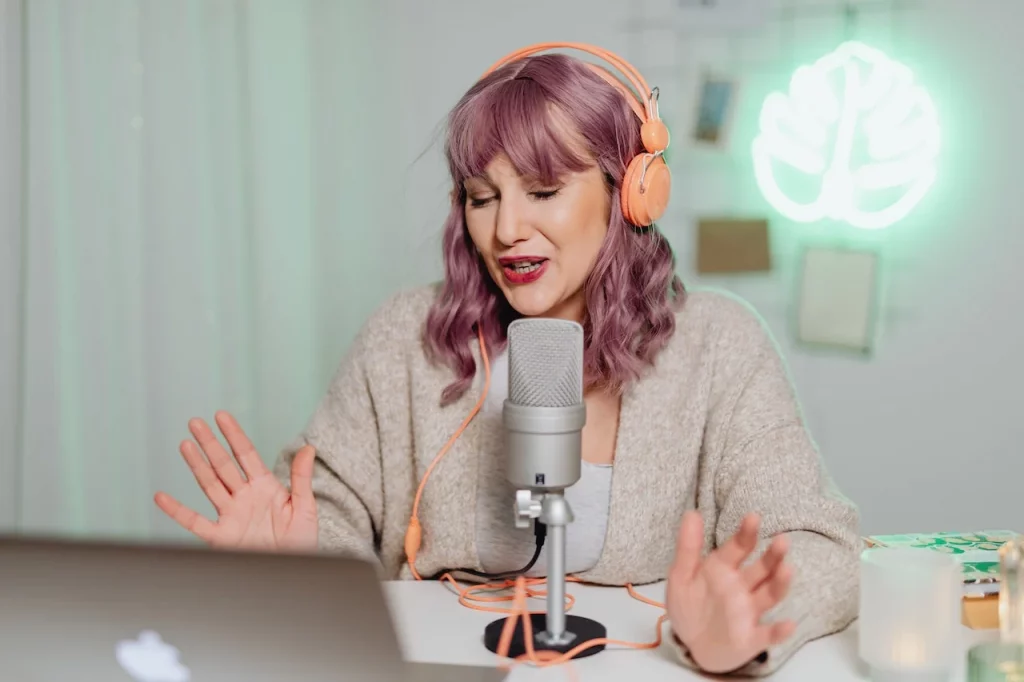
What do podcasters use to record remotely?

Woman recording a podcast witha. guest remotely

There are as many options for remote recording as there are podcasters, it’s about finding something that works within your workflow and your budget. Let’s take a look.

  1. Dedicated remote recording software

    As discussed above, purpose-built remote recording software is the most intuitive solution, and will save you a lot of time in the edit. Usually, though, these platforms aren’t free to use in their full capacity, so won’t be suitable for podcasters with a limited budget.

  1. Recording separate tracks locally

    A free solution would be to contact your guest through something like Zoom or a telephone call, make sure the call itself is playing through your headphones and then both you and your guest record your own side of the conversation into a free DAW such as Audacity or Garageband.

    This can be very difficult to match up in the edit, and there’s a lot that could go wrong – it also isn’t the most elegant solution to be presenting your guest with. One of the dedicated options we’ve listed above will automatically record local files for you!

  1. Video conferencing software

    As we touched on above, Zoom allows you to record your calls when you’re on their paid plan. This is a big bonus when it comes to remote recording, given that so many people are now familiar with Zoom’s UI thanks to, you guessed it… the pandemic!

    Zoom isn’t the only video conference software you can use for recording. You could also go with Skype, which is a bit more old-school and can be prone to freezing, or Google Meet, which is about as good as Zoom, it’s just down to your preference.

  1. Phone-in hardware

    Using a mixer such as the Rodecaster Pro, you can directly input your phone while receiving a call and record the audio on a separate channel – this is very similar to what radio programs use when accepting phone-ins.

    For anyone interested in podcasting hardware, this is a nifty and cool method to record conversations remotely.

Benefits of remote podcast recording

The explosion of remote recording has yielded some big benefits, especially for bedroom podcasters.

Flexibility

Gone are the days of scheduling conflicts laying waste to recording plans – you can now record with a guest in a different city anywhere across the world. You’re not reliant on transport or studios – the ability for both participants to record from wherever they are has made the whole process far more simple and convenient.

Time efficiency
Another article we think you'd like...

Reading Time: 9 minutes We’ll help you decide the ideal podcast episode length for your show, based on genre, topic, audience demographic etc.

Remote recording streamlines the whole podcast production process, giving you more time to focus on other important areas such as listener growth or monetization. You’re also more likely to get more guests to agree to come on the podcast, as time efficient remote recording makes it easier for guests to fit a podcast interview into their day.

Diversity of guest pool

Someone who would previously have never been able to meet you in a studio (or wherever you record podcasts) can now join you directly from their home or office, allowing you to interact with people you would never have been able to interview previously, from across the globe.

Comfort and ease

Guests will be far more likely to agree to an interview if they don’t have to put themselves out, which means better content for you. Being in their own home could also help to relax guests and make the interviews more candid and unique.

Accessibility

For someone with mobility issues, accessibility may have been a problem before they could join an interview remotely – this is yet another example of the widened pool you now have access to as an interviewer. Offering more accessible recording options to guests is essential to making sure your podcast is inclusive.

Preparing for remote podcast recording

The responsibility for good audio quality is shared between yourself and your guest, so make sure you’re both prepared for success.

  • Contact your guest(s) before recording and help them to set up effectively – they’ll want as good a quality mic as possible, they’ll want to be wearing headphones and make sure they’re not speaking into any hard or reflective surfaces.
  • Test your setup and equipment before recording – record a quick sample and ask your guest to do the same so you can listen back and make sure that everything sounds good. You don’t want to get to the end of an interview and realise it’s unusable.
  • Check your surroundings – ensure Alexa (or any other virtual assistant) is turned off, your laptop and phone notifications on silent, windows are shut and no one you live with is going to pop in and ask you what you’re making for dinner. Any background noise that you don’t want to be recorded needs to be eliminated.
  • Be in regular contact with your guests – make sure they’re totally prepared and feel comfortable ahead of their interview. It will result in a better episode and a better representation of you and your brand.

What to consider when recording a podcast online

You may need to speak more descriptively to your guest or spend some time speaking to them ahead of the interview, given that there’s no opportunity to build chemistry through body language or eye contact. Give the conversation the opportunity to flow as naturally as possible, and always be a reactive interviewer – if your guest says something interesting, follow them down that path, don’t just move on to your next pre-written question.

FAQs

  1. Which is the best choice for recording a podcast in an outdoor location?

    In terms of recording software, there aren’t any specifically geared for remote recording, but it’s a good idea to use a wind filter on your mic and choose a location away from traffic. 

  1. Can you record a podcast over the phone?

    You can record a podcast over the phone, with both participants recording their own half of the conversation, though this can be difficult to match up in the edit. It’s easier to use a dedicated remote recording solution.

  1. What remote recording option gives you the best audio quality?

    They all seem to refer to their audio qual with different measurements, so I can’t confidently say

  1. How can I remotely record a podcast for free?

    If you’re a member of Zencastr’s free Creator Network, you can use their remote recording services for free! Dedicated remote recording software such as Riverside and Zencastr also offer limited free plans, and you could use video conference software, something like Skype for free too!

  1. What is local recording?

    In this article, we’ve referred to two different types of local recording:

  • A platform like Riverside saves a file of the recording to the machine of each participant involved so that someone’s side of the conversation isn’t disrupted by lag. Platforms that offer this do it automatically.
  • Each participant of a podcast speaks over the phone and physically records only their own part of the conversation by making sure the others’ are played through their headphones, so only their replies are picked up by the microphone.
  1. Why is recording seperate audio tracks for remote guests important?

    Depending on the recording software you use, always look for an option to download mutiple audio tracks separately (usually in WAV or MP3 format), rather then in one file. Having seperate audio tracks makes the editing process easier, as any mistakes or unwanted background noise or interference can be removed.

Takeaway

Remote recording has opened up the world of podcast interviewing, making it sustainable, easy and accessible for the bedroom podcaster. There are ways of doing it  DIY-style, however these can often prove false economy, given that you’ll be spending a lot of time piecing them together in the edit.

The best option for most podcasters is to use a purpose built remote recording solution, such as Riverside, Zencastr or Squadcast. Each one has their own benefits and drawbacks, but they’re all quality platforms designed to make your remote recording experience easy for yourself and your guests.

Remote recording is the main way many podcasters operate now, and there’s a reason – don’t be afraid to take the plunge!

Ben Dodd

Ben is a content writer and podcast support expert for Captivate, and has been with the team since 2021. He has a first-class degree in Journalism, and uses these skills to help new and veteran podcasters alike level up their content: reviewing tech, crafting product guides and sharing cutting edge podcasting news. Ben is always on hand to help Captivate podcasters with anything they run into, from when they first import their show to advanced questions like how to grow your audience or where to start with monetization. He loves what he does, and is committed to helping podcasters grow their show using Captivate. He’s always been a podcast fan - current favourites include Steven West’s ‘Philosophize This’ and Bob Mortimer’s ‘Athletico Mince’.