





Reading Time: 8 minutes
What is podcast production, and how do you do it? Can you learn to produce a podcast with no previous experience? In this article, we’ll look at every stage of podcast production and teach you everything you need to know.
Podcast production is a catch-all term for the entire process of creating a podcast. It refers to everything from planning and resource gathering (pre-production) to the actual recording of the audio (production), and then editing, publishing and distribution (post-production). Conversationally, “podcast production” tends to refer more to recording and editing choices than any other aspect of the process, and these are interchangeably referred to as “production choices”, too.
Producing a podcast (read: making the right production choices for your podcast) is incredibly important, as each subtle choice informs the tone of the piece as a whole, letting the listener know what kind of content you’re really making.
For example, if you’re doing a comedy podcast, you’re not going to have an ominous, suspenseful musical sting – you’re going to have something lighthearted to match the cheerful and funny vibe you’re creating. Likewise, if your podcast is to do with interviewing those who’ve been through traumatic experiences, it wouldn’t make any tonal sense to have a whimsical catchphrase in which you ask your guest to participate.
Let’s be clear: ominous music and whimsical catch phrases are podcast industry staples, and they can be really useful tools when deployed well, but it’s important to think about what kind of podcast you’re making and what kind of production choices will work best for you.
A podcast producer is anyone who produces a podcast (if you record and edit, that’s you!), and podcast production refers to every aspect of podcasting, from pre-production (scoping out and planning, booking guests), all the way to post-production and editing.
If you have a computer, headphones and a microphone, you can create a podcast in as high a fidelity as your imagination can take you, using free software like Garageband or Audacity. So no, you definitely don’t need to hire a podcast producer in order to make a high quality podcast.
Our general advice, though, if you’re new to podcasting and you’ve never recorded or edited audio before, and you’re short on time with a bit of spare cash around, is to hire an external professional to edit your show for you. This is because there can be a lot to master with a new podcast, and if you’re learning to edit from scratch alongside planning your episodes, recording and promoting them then it’s very easy to get overwhelmed.
If you’re hiring an external podcast producer, whether that’s on Virtual Staff Finder or Fiverr, you can expect to pay them – the price will vary quite a bit depending on the person’s experience, the length of your episodes, the frequency of your uploading, etc etc. In the United States, the average cost is around $30 per hour. For those in the United Kingdom you’re looking at just under £30 per hour.
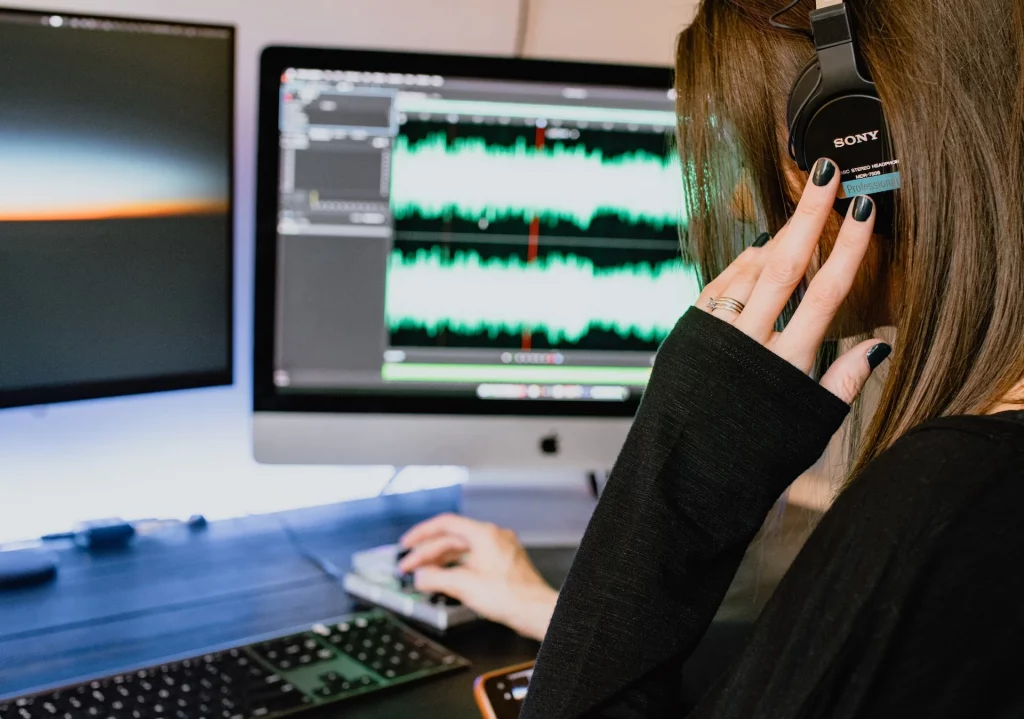
No, self producing a podcast doesn’t have to be difficult – it might be a bit of a learning curve if the skills are new to you, but we’re with you every step of the way. Captivate actually has a totally free, no obligation course you can take right now which guides you through every aspect of podcast production, from planning and pre-production all the way to distribution and promotion. Remember, if you’re just starting out – your first episodes might not be perfect, but they’ll be an important and impressive step on your journey towards being an audio editing legend.
Podcast production includes three main phases:
Let’s explore each one in more detail below.
The pre-production phase is all about planning – your goal is to remove any potential stress or obstacle when the microphone is turned on by being as prepared as you can be. If you’re starting a new podcast, the pre-production phase is where you decide:
You can watch our in-depth video tutorial on this phase here, for free.
You also need to get all your technology in order. You can read our full equipment guide here, but for brevity the main things you need are:
Once you have all of this ticked off, you’re ready to start…
Time for the real meat and potatoes – the actual recording of your podcast is known as the production phase. It’s a lot easier now that high quality microphones are available for around $80 and recording software can be accessed for free.
When recording, your main options are to record remotely – meaning all participants record at home, connected virtually through something like Zoom or Riverside, or to record in person. Have a think about what’s viable long-term – we’ve got a full breakdown of the best remote recording options for you here.
With editing, you have the choice of either doing it yourself using a DAW, or paying an external professional to do it for you. What’s best here depends entirely on your familiarity with editing software, whether you have the time or inclination to learn how to use it, as well as if you have the money to spare on paying someone to help you.
When you’ve finished editing your episode, or when you receive it back from your editor, you then upload it as an MP3 file to a podcast hosting company, such as Captivate. From there, we’ve made it nice and easy for you to distribute to every directory you want with a single click, as well as set up your podcast website.
How long it takes to produce your podcast depends on your skill level, familiarity with all the software and how much you need to edit your recording. If you’ve got a lot of music beds, cuts and inserts, it could take an hour or more, or you could get it down to a swift ten minutes if you’ve got minimal editing to do and your intro is ready to go. Remember, if you’ve not done it before, it will take you longer – don’t worry, recording and editing will become second nature as you build up your catalogue.
After your initial set up costs, usually just limited to buying a good microphone and a pair of headphones, you can produce great quality podcasts for free. Of the wealth of recording and editing software choices on the market, there are a good number of high quality options available completely free – Garageband and Audacity, to name two.
You don’t have to sink a lot of money into podcasting to create professional level content, and most of the tools are so intuitive that you can master them after editing a few episodes.
Included with your Captivate subscription is our intuitive research and planning solution, which allows you to save external links, make episode notes and then convert them into your show notes with a single click. It’s super easy to use and saves you some serious time on admin, which you can better spend on your recording and editing.
Reading Time: < 1 minute Podcast music can be confusing. In this video, we answer all your practical questions about podcast music as well as let you in on some trade secrets for first-class music production.
There are myriad DAWs out there, with some high quality options both for free and for a monthly subscription. Generally, if you want something specialised, you’ll need to pay for it – for example, Descript automatically creates transcripts for you, and Riverside is perfect for recording remotely with another person. If you just want something basic to record in your bedroom, something like Garageband will be perfect.
The right microphone can last you forever, and you can pick up a perfect one for less than $100. Read our full podcast hardware guide here for help in choosing one.
Just the same as a microphone, you can get a quality piece of kit that will last you as long as you need for around $70. We’ll help you decide what you need in our in-depth headphone guide here.
Your podcast host is where your podcast lives – from there, you distribute to directory apps like Apple and Spotify, create your podcast website and track your analytics. With Captivate, you can also insert dynamic advertisements and monetize your listeners through memberships and tipping. It’s our mission to earn you back your hosting costs within 28 days!
Once your podcast is recorded, edited and distributed, it’s time to start promotion! Do some research into your listener avatar to find out where your target demographic hangs out online and then build up your presence there.
It’s important to interact online in a meaningful way – chatting, replying to comments and having organic conversations with people in your niche – rather than just promoting an episode each time you release one. Building up a real presence will lend authority to your voice and encourage listeners to check out your content more so than just constant self promotion.
Alongside the topic you’ll be covering, you also need to decide on the best format for your podcast. Some of the most popular podcast formats include:
The best format for your podcast will be decided by what you can reliably do each week and what works with your topic – it will be personal to you, and you can change it if you find it’s not viable long term.
If you’re completely new to podcasting, the hardest thing to grasp will likely be the audio editing. We’ve got loads of resources and lessons in Growth Labs on the platform, to help you to get to grips, but it will take you a bit of time to become a natural if you’ve never done it before, and that’s OK!
The two main skills you’ll need to master to produce a great podcast for yourself are audio editing and clear and concise speaking. Both are equally important – podcasts are all about audio quality, and listeners will have no patience for low quality sound recording or poor oration.
If you’re working with an external podcast producer, what you pay them will depend on the length of your episodes, the number of episodes you’ve got and how much work needs doing to them. If you want to negotiate with the producer, it’s a good idea to check out average prices on somewhere like Fiverr so you know what kind of figures you’re dealing with.
You break into podcast production like any other skill in 2024 – by trying out the software and watching video tutorials! Listen to your favourite podcasts with a critical ear – what production choices do they use, and how do they accentuate their content? Don’t be a afraid to copy ideas: all creative work comes from inspiration from your heroes!
Podcast production sounds like a daunting skill to master, but in reality it’s never been more accessible. Armed with nothing but a microphone, some headphones and whichever recording solution suits you best, you can create a podcast that’s as professional sounding as those recorded in a fully kitted out studio.
If you’re brand new to podcasting and can afford the extra expense, it’s worth looking into hiring an external editor or producer – if you don’t think you have the time to learn how to edit audio from scratch, this is a good use of money to ensure you’re not overwhelmed by the number of new skills to learn.
If you’re self-producing, though, don’t be daunted – we have a free podcast course full of everything you could possibly need to know about podcasting, and guides on everything from what software to record with to what microphones to use. Podcasting has never been easier, more accessible and more productive break into.
Ben is a content writer and podcast support expert for Captivate, and has been with the team since 2021. He has a first-class degree in Journalism, and uses these skills to help new and veteran podcasters alike level up their content: reviewing tech, crafting product guides and sharing cutting edge podcasting news. Ben is always on hand to help Captivate podcasters with anything they run into, from when they first import their show to advanced questions like how to grow your audience or where to start with monetization. He loves what he does, and is committed to helping podcasters grow their show using Captivate. He’s always been a podcast fan - current favourites include Steven West’s ‘Philosophize This’ and Bob Mortimer’s ‘Athletico Mince’.
此内容由惯性聚合(RSS阅读器)自动聚合整理,仅供阅读参考。 原文来自 — 版权归原作者所有。
