


Reading Time: 5 minutes
Podcasting has never been more intuitive than with Captivate and now, life just got even better for you, the busy podcaster.
We’re all podcasters at Captivate: we’re obsessed with it, spending all our free time using Captivate ourselves for our own podcasts. That, plus feedback and ideas from our highly-engaged and passionate community, means we know exactly how to improve it as a platform for serious, growth-focused podcasters like you.
So we’ve done that. Again.
Watch our live reveal video here:
It’s not just a visual refresh, though: we’ve removed the limit on how many networks you can create – you can now have as many networks and sub-networks as you want, forever. (Remember that to host your clients, you’ll need to be on the business plan, though – fair is fair!)
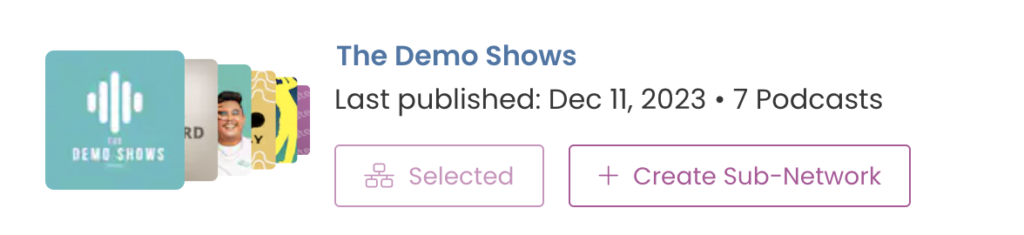
We’ve removed our network limit entirely for everyone who uses Captivate. You can create as many separate networks as you want, and you now have far more granular control over every aspect of all of them.
This is just another way we’re delivering the most value possible to our podcasters at all times.
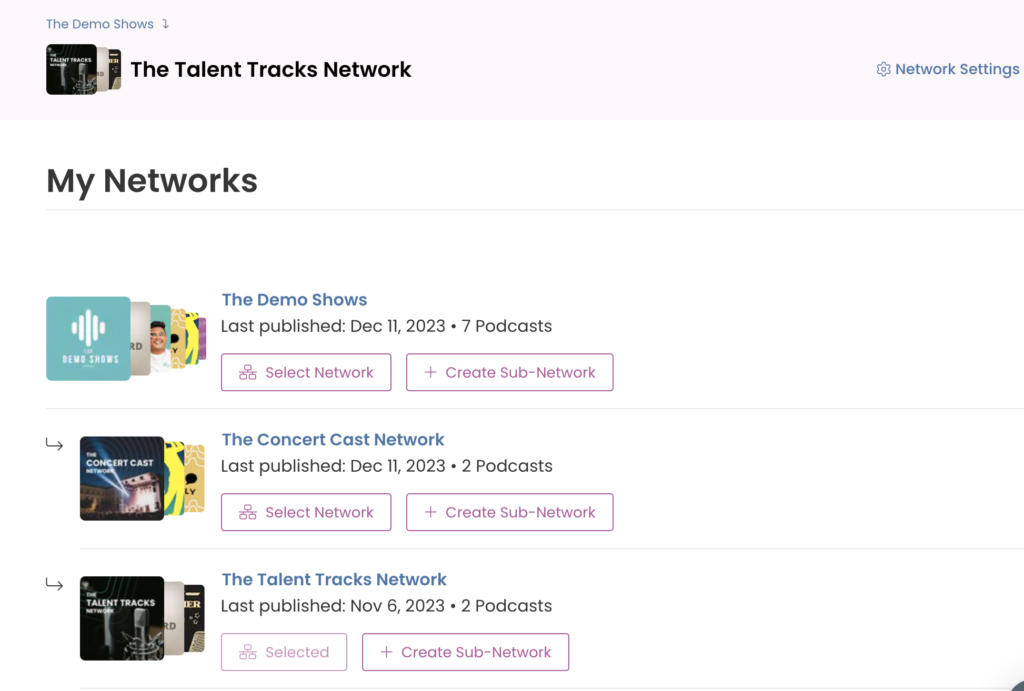
Subnetworks are brand new with Captivate 2.5. These can be created within any top-level network, and allow you to split podcasts into more specific groups while keeping them within the same organization.
Managing podcasts within networks is as simple as it always has been – only now, you can select a subnetwork for your podcasts as well.
Let’s look at an example of how you’d use them.
Top Level Network: Captivate Media Network
When you’re adding a new network team member to your network, you’ve got granular control of which subnetworks they’ll be added to. If you create a new subnetwork, they’ll automatically be added to that, so you don’t have to manually add all of your team members again.
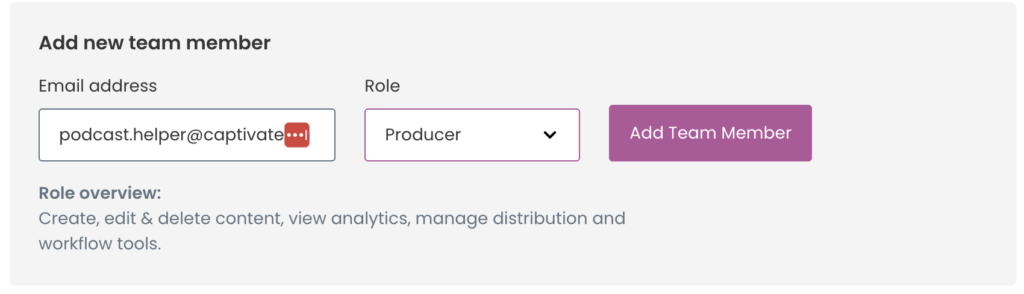
When you add a new team member to a podcast or a network, you now choose a role for them – this could be anything from Administrator to View Only.
Each role comes with a predetermined set of permissions, meaning all you have to do is select which one is most applicable to the new team member to control their level of access.
If you’re adding a team member to a network, you can select different permission levels for them at network level and podcast level – they could be View-Only for your organizational network, but able to publish and edit episodes at show level.

Hey podcasters, Garry here. I’m the Head of Design at Captivate and I wanted to give you a few words on some of the UX and UI changes we’ve implemented in this dashboard 2.5 release.
First of all, and the most obvious change, is the main left-hand navigation, which has seen a couple of fundamental upgrades. When we first launched Captivate our feature set wasn’t as sizeable as it is today so we needed a way to organise the navigation that works on two levels:
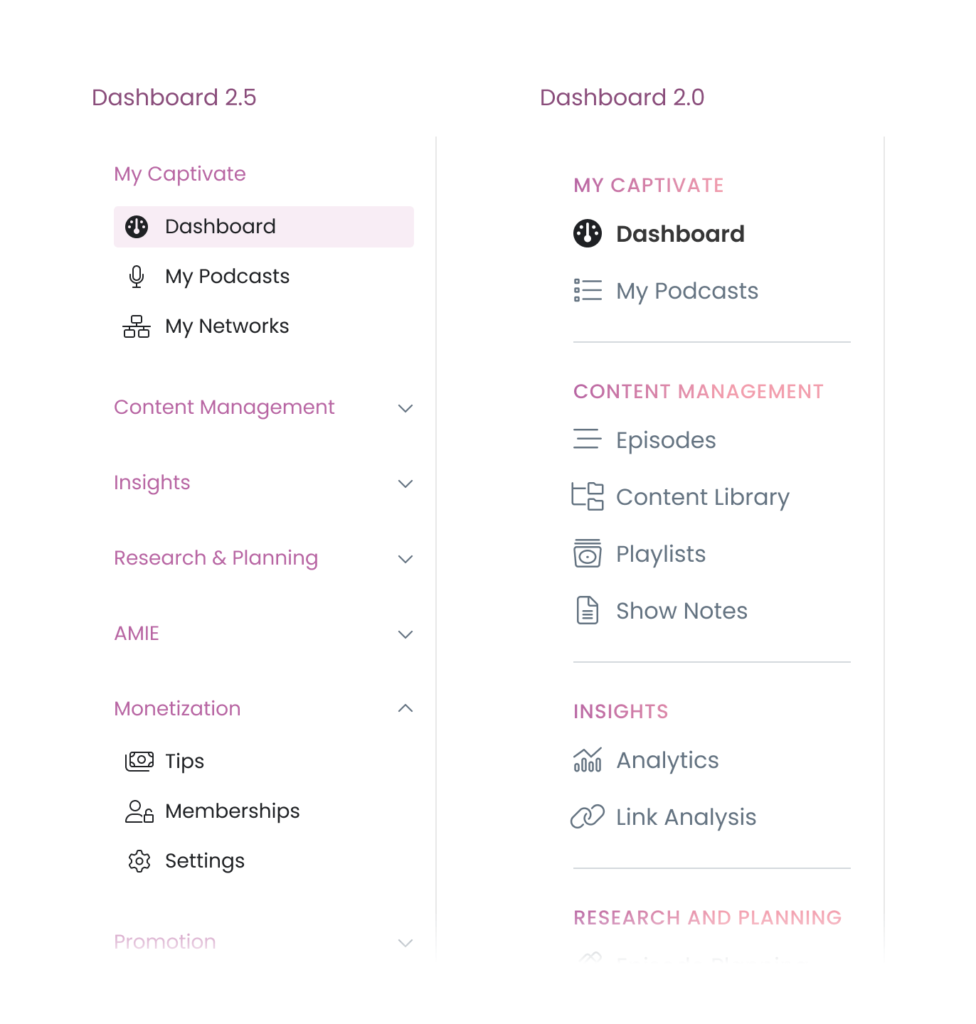
Another notable change is how your dashboard is framed. We’ve kept the hierarchy the same with your account level options at the very top and then whatever show (or network) you’re working in at the top of the main content area and, like the navigation, the dashboard homepage has had a design update to make things more consistent with some of the newer additions in this release, including:
Additionally in this same area, with the launch of Sub-Networks, we needed a way to show additional and/or contextual options to users who use and manage networks, while also showing a visual distinction between them. With the use of icons and colour, moving between and managing regular networks and sub-networks is clear and simple plus viewing regular podcast shows also looks great now, too!
Regarding your podcast networks, we’ve reworked how you and your team manage them. Launching Sub-Networks necessitated an easier path to getting your team members in and with the correct permissions assigned so now you can assign a role at both network and podcast levels.
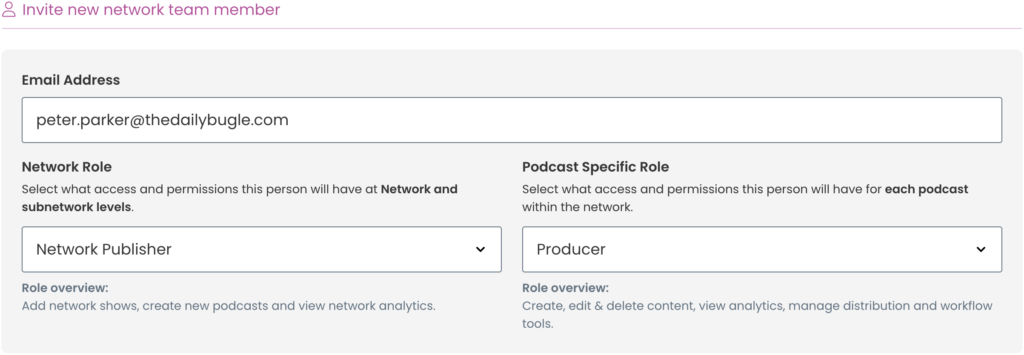
Adding and managing team members to your podcast is also now a breeze: assign roles to new team members and change roles easily for existing members.

Managing network and podcast team members, on the whole, is now more straightforward and quicker to manage.
One of our mantras at Captivate has always been “How do we save creators time so they can concentrate on making content?” Through experience as podcasters ourselves and lots of iteration, we arrive at the same conclusion: less friction at macro tasks = incrementally saved time.
With that in mind, we wanted a way for users to complete quick tasks or manage settings without having to click around various pages and sections. Enter stage right – Contextual Fly-Out Panels.
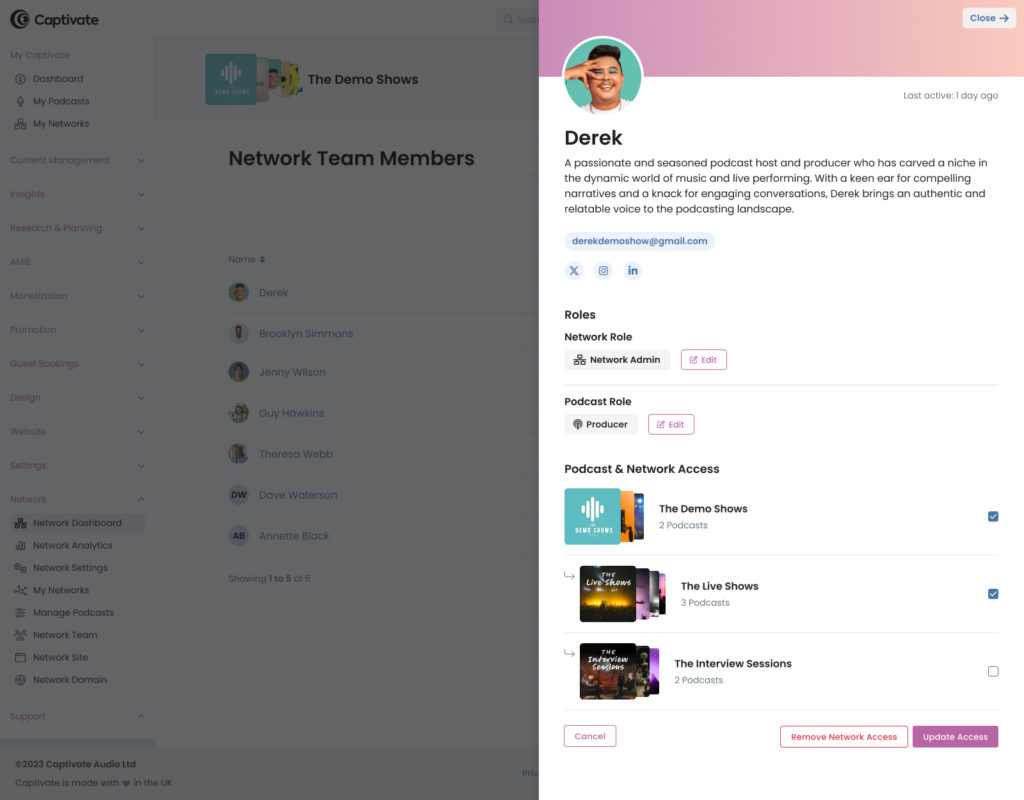
You’ll see these throughout the dashboard to manage things like Network Team Members, Podcasts within Networks and Sub-Networks etc. They will also make appearances in other areas in future updates launching soon to provide quicker access to the information you need.

Reading Time: 2 minutes Captivate & DAX US partner on a huge new monetization suite!
These UI updates & additions, along with a collection of other smaller visual refreshes, are a continuation of our commitment as designers, developers and podcasters to make Captivate not only the leader in helping podcasters grow their podcasts but also making that journey as frictionless as possible. As always, one of my main goals is to get our UI out of the way so you can get to creating content.
We’ll be building on this release to progress other sections of the dashboard so look out for release 2.6 onwards. I would love any feedback on this release so please get in touch or let me know on X – @garryaylott. Thanks!
Ben is a content writer and podcast support expert for Captivate, and has been with the team since 2021. He has a first-class degree in Journalism, and uses these skills to help new and veteran podcasters alike level up their content: reviewing tech, crafting product guides and sharing cutting edge podcasting news. Ben is always on hand to help Captivate podcasters with anything they run into, from when they first import their show to advanced questions like how to grow your audience or where to start with monetization. He loves what he does, and is committed to helping podcasters grow their show using Captivate. He’s always been a podcast fan - current favourites include Steven West’s ‘Philosophize This’ and Bob Mortimer’s ‘Athletico Mince’.
此内容由惯性聚合(RSS阅读器)自动聚合整理,仅供阅读参考。 原文来自 — 版权归原作者所有。
