本文版权归mephisto和博客园共有,欢迎转载,但须保留此段声明,并给出原文链接,谢谢合作。
上一篇,我们介绍了Hive的数据多种方式导入,这样我们的Hive就有了数据来源了,但有时候我们可能需要纯粹的导出,或者集群Hive数据的迁移(不同集群,不同版本),我们就可以通过这两章的知识来实现。
下面我们开始介绍hive的数据导出,以及集群Hive数据的迁移进行描述。
一:说明
将上篇中从其他表导入语法进行简单的修改,就可以将查询的结果写入到文件系统。
二:语法:
Standard syntax:
INSERT OVERWRITE [LOCAL] DIRECTORY directory1
  [ROW FORMAT row_format] [STORED AS file_format] (Note: Only available starting with Hive 0.11.0)
  SELECT ... FROM ...

Hive extension (multiple inserts):
FROM from_statement
INSERT OVERWRITE [LOCAL] DIRECTORY directory1 select_statement1
[INSERT OVERWRITE [LOCAL] DIRECTORY directory2 select_statement2] ...


row_format
  : DELIMITED [FIELDS TERMINATED BY char [ESCAPED BY char]] [COLLECTION ITEMS TERMINATED BY char]
        [MAP KEYS TERMINATED BY char] [LINES TERMINATED BY char]
        [NULL DEFINED AS char] (Note: Only available starting with Hive 0.13)
三:写入到本地
如果使用LOCAL,则数据会写入到本地
四:写入到集群
如果不使用LOCAL,则数据会写到指定的HDFS中,如果没写全路径,则使用Hadoop的配置项
fs.default.name(NameNode的URI)。五:实战
修改tmp文件夹权限(这里只是测试,所以使用最大权限)
进入Hive
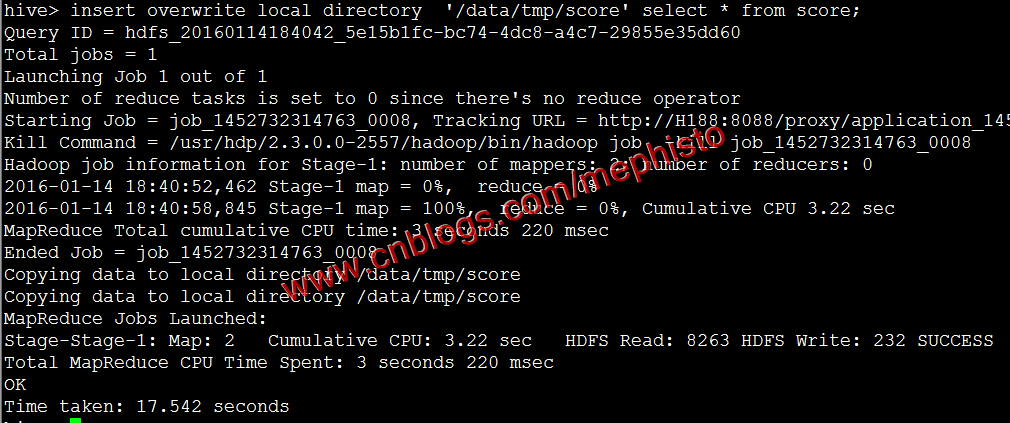
将上一篇中的score表数据导出到本地
insert overwrite local directory '/data/tmp/score' select * from score;
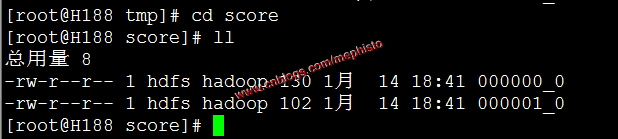
我们可以看到/data/tmp/score/目录下有文件。
这样我们就把hive的数据导出到本地了。
下面我们使用不带local参数的命令,将hive表数据导到hdfs中
insert overwrite directory '/data/tmp/score' select * from score;我们使用hdfs的ls命令查看
hadoop fs -ls /data/tmp/score
这里文件只有一个,和上面的不一样,但总的内容是一样的,上面同样的数据导出,有时候也只有一个文件。这里就不做考究了。
一:介绍
在官网里,我们可以看到EXPORT和IMPORT,该功能从Hive0.8开始加入进来。
二:Export/Import
导出命令根据元数据导出表或者分区,输出位置可以是另一个Hadoop集群或者HIVE实例。支持带有分区的表。导出的元数据存储在目标目录,数据文件存储在子目录。
导入导出的源和目标的元数据存储DBMS可以是不同的关系型数据库。
三:Export语法
EXPORT TABLE tablename [PARTITION (part_column="value"[, ...])]
  TO 'export_target_path'
四:Import语法
IMPORT [[EXTERNAL] TABLE new_or_original_tablename [PARTITION (part_column="value"[, ...])]]
  FROM 'source_path'
  [LOCATION 'import_target_path']
五:官方例子
简单导入导出
export table department to 'hdfs_exports_location/department';
import from 'hdfs_exports_location/department';
改名导入导出
export table department to 'hdfs_exports_location/department';
import table imported_dept from 'hdfs_exports_location/department';
分区导出
export table employee partition (emp_country="in", emp_state="ka") to 'hdfs_exports_location/employee';
import from 'hdfs_exports_location/employee';
分区导入
export table employee to 'hdfs_exports_location/employee';
import table employee partition (emp_country="us", emp_state="tn") from 'hdfs_exports_location/employee';
指定导入位置
export table department to 'hdfs_exports_location/department';
import table department from 'hdfs_exports_location/department'
       location 'import_target_location/department';
作为外部表导入
export table department to 'hdfs_exports_location/department';
import external table department from 'hdfs_exports_location/department';
一:介绍
虽然官方的Export/Import命令很强大,但在实际使用中,可能是版本的不同,会出现无法导入的情况,自己在这块也琢磨了下,总结出自己的一套带有分区的Hive表数据迁移方案,该方案在Cloudera和Hontorworks的集群中成功迁移过,Hive版本也不一致。
二:导出数据
由于Cloudera的发行版本CDH-5.3.3的Hive版本低于0.8所以用这个作为数据源。
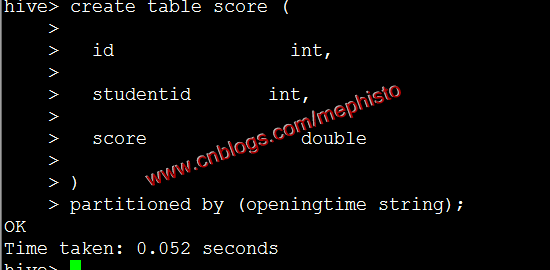
创建带分区表score
create table score (
  id                int,
  studentid       int,
  score              double
)
partitioned by (openingtime string);
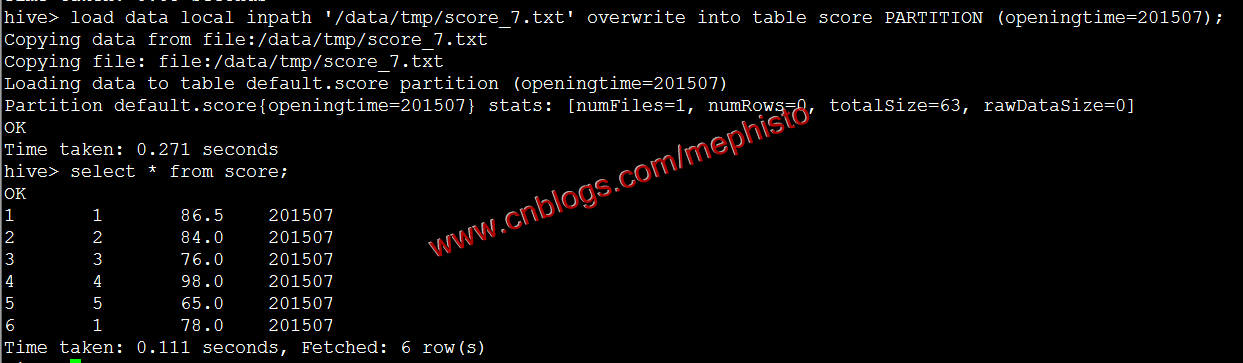
根据上一篇中导入数据的方式导入7,8月数据
load data local inpath '/data/tmp/score_7.txt' overwrite into table score PARTITION (openingtime=201507);
参考我们上面的导出到本地还是放在/data/tmp/score下
insert overwrite local directory '/data/tmp/score' select * from score;三:迁移数据
在另外一个集群新建/data/tmp目录
拷贝数据
scp /data/tmp/score/* root@h188:/data/tmp/score/查看
四:创建分区表和没有分区的临时表
被导入的集群是Hortonworks的HDP-2.7.1发行版本。
分区表就是我们最终的目标表,没有分区的临时表时过度用的。
进入Hive
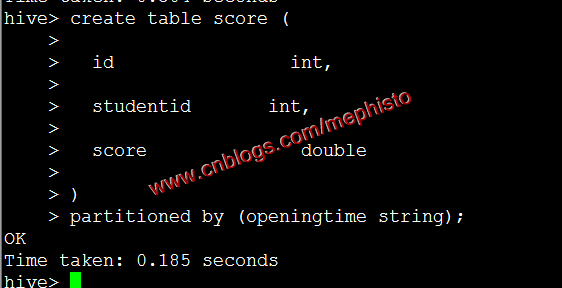
创建带分区的表
create table score (
  id                int,
  studentid       int,
  score              double
)
partitioned by (openingtime string);
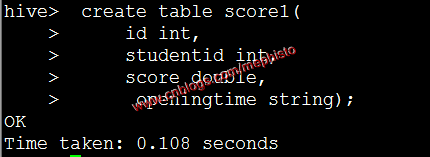
创建不带分区的临时表
 create table score1(
     id int,
     studentid int,
     score double,
     openingtime string
);
五:将数据导入临时表
load data local inpath '/data/tmp/score' into table score1;
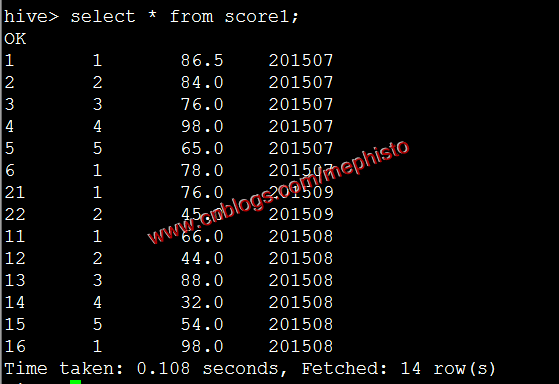
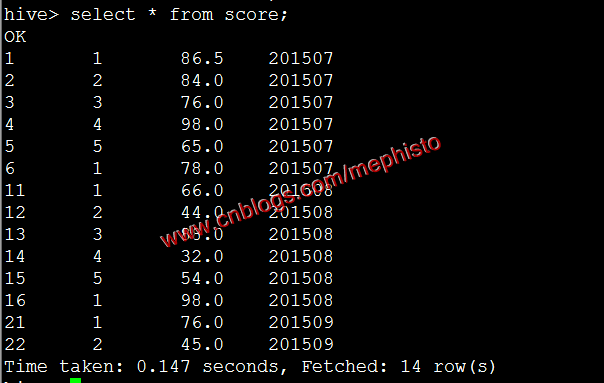
我们查下导进来的数据
六:从临时表导入到分区表
set  hive.exec.dynamic.partition=true;
set  hive.exec.dynamic.partition.mode=nonstrict;
set  hive.exec.max.dynamic.partitions.pernode=10000;
#导入
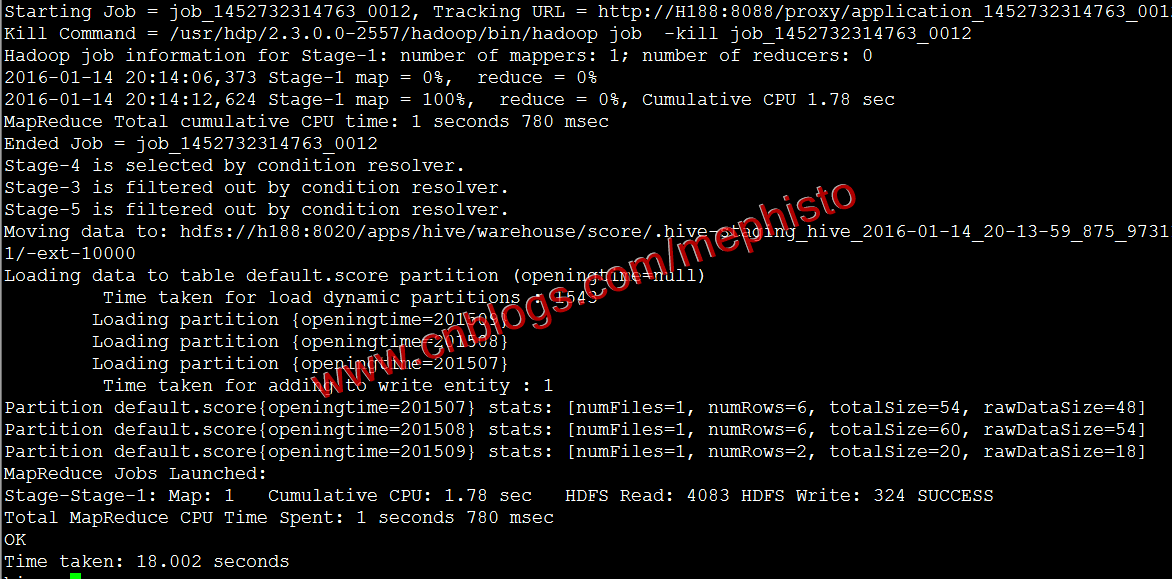
insert overwrite table score partition(openingtime) select * from score1;
查询
我们在hdfs中查看下hive的文件
hadoop fs -ls -R /apps/hive/warehouse/score
可以明显的看到根据openingtime分区了。
七:删除临时表
八:删除临时数据
这样我们的Hive集群数据迁移告一段落。
--------------------------------------------------------------------
到此,本章节的内容讲述完毕。
本文版权归mephisto和博客园共有,欢迎转载,但须保留此段声明,并给出原文链接,谢谢合作。
此内容由惯性聚合(RSS阅读器)自动聚合整理,仅供阅读参考。 原文来自 — 版权归原作者所有。