






金科玉律:不要在UI线程上执行耗时的操作;不要在除了UI线程之外的其他线程上访问UI控件!
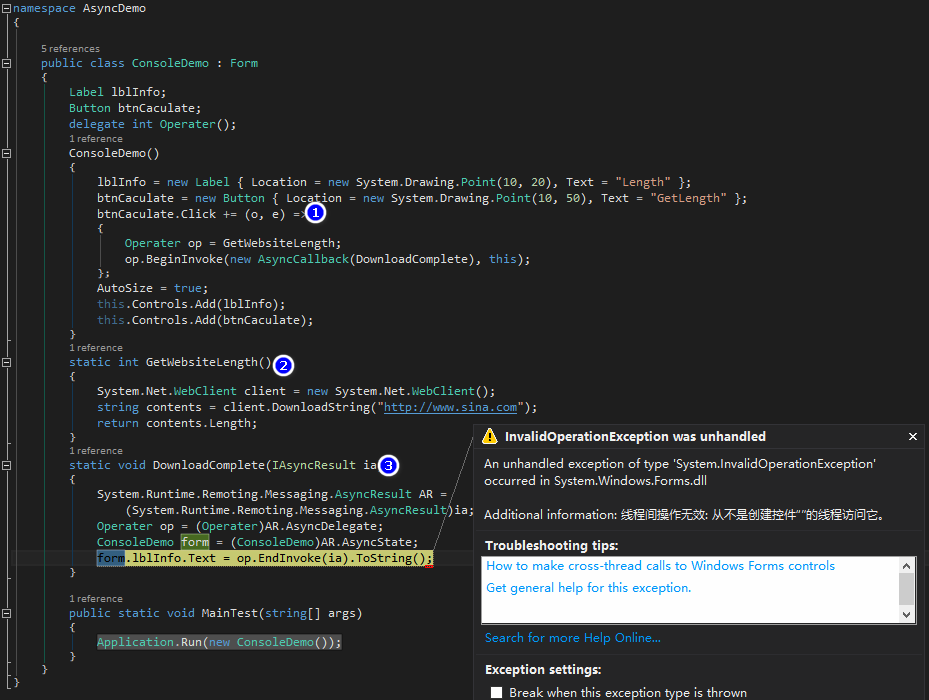
NET1.1的BeginInvoke异步调用,需要准备3个方法:功能方法GetWebsiteLength,结果方法DownloadComplete,呼叫方法BeginInvoke!
但很不幸,在UI线程之外访问UI线程控件!调用失败。线程同步必须在线程所属进程的公共区域保留同步区,以此实现线程间的通讯。
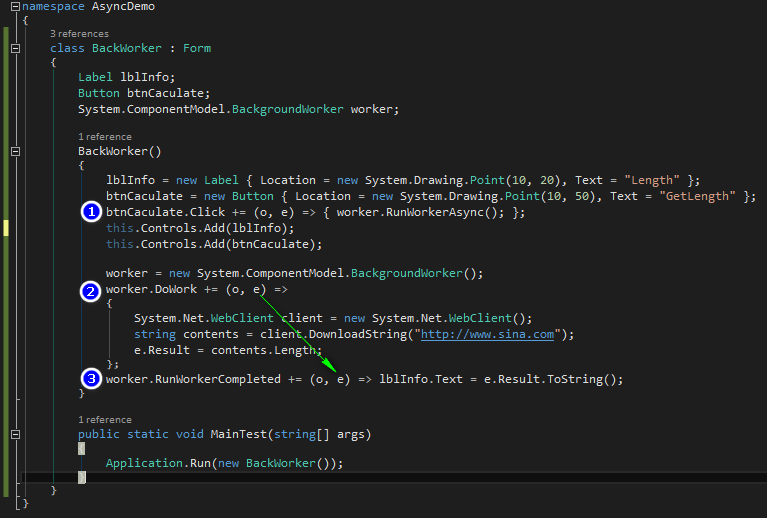
二、C#2.0引入了BackgroundWorker,从而极大的简化了线程间通讯。
三、C#4.0引入的async和await关键字,使得一切变得如此简单!
async和await关键字
using System;
using System.Windows.Forms;
using System.Collections.Generic;
using System.Linq;
using System.Text;
using System.Threading.Tasks;

namespace AsyncDemo
{
    class MyForm:Form
    {
        Label lblInfo;
        Button btnCaculate;
        public MyForm()
        {
            lblInfo = new Label { Location = new System.Drawing.Point(10, 20), Text = "Length" };
            btnCaculate = new Button { Location = new System.Drawing.Point(10, 50), Text = "GetLength" };
            btnCaculate.Click += DisplayWebsiteLength;
            AutoSize = true;
            this.Controls.Add(lblInfo);
            this.Controls.Add(btnCaculate);
        }

        async void DisplayWebsiteLength(object sender,EventArgs e)
        {
            lblInfo.Text = "Fetching...";
            using (System.Net.Http.HttpClient client = new System.Net.Http.HttpClient())
            {
                //string text = await client.GetStringAsync("http://flaaash.cnblogs.com");
                //lblInfo.Text = text.Length.ToString();

                Task<string> task = client.GetStringAsync("http://www.sina.com");
                string contents = await task;
                lblInfo.Text = contents.Length.ToString();
            }
        }
        static void Main(string[] args)
        {
            Application.Run(new MyForm());

        }
    }
}
BackgroundWorker
using System;
using System.Collections.Generic;
using System.Linq;
using System.Text;
using System.Threading.Tasks;
using System.Windows.Forms;

namespace AsyncDemo
{
    class BackWorker : Form
    {
        Label lblInfo;
        Button btnCaculate;
        System.ComponentModel.BackgroundWorker worker;

        BackWorker()
        {
            lblInfo = new Label { Location = new System.Drawing.Point(10, 20), Text = "Length" };
            btnCaculate = new Button { Location = new System.Drawing.Point(10, 50), Text = "GetLength" };
            btnCaculate.Click += (o, e) => { worker.RunWorkerAsync(); };
            this.Controls.Add(lblInfo);
            this.Controls.Add(btnCaculate);

            worker = new System.ComponentModel.BackgroundWorker();
            worker.DoWork += (o, e) =>
            {
                System.Net.WebClient client = new System.Net.WebClient();
                string contents = client.DownloadString("http://www.sina.com");
                e.Result = contents.Length;
            };
            worker.RunWorkerCompleted += (o, e) => lblInfo.Text = e.Result.ToString();
        }

        public static void MainTest(string[] args)
        {
            Application.Run(new BackWorker());
        }
    }
}
此内容由惯性聚合(RSS阅读器)自动聚合整理,仅供阅读参考。 原文来自 — 版权归原作者所有。