





>> 接上文 "示例 - 如何在Console应用程序中应用SpiderStudio生成的DLL?", 将其改成多线程:
代码:
using System;
using System.Collections.Generic;
using System.Linq;
using System.Text;
using www.utilities_online.info;
using System.Threading;
using System.Threading.Tasks;

namespace ConsoleApplication4
{
    class Program
    {
        static void Main(string[] args)
        {
            Thread t = new Thread(new ThreadStart(() =>
            {
                var xml = "<person><name>Mike</name><age>30</age></person>";
                var json = new XmlJsonConverter().Xml2Json(xml);
                Console.WriteLine(json.Replace("\r", ""));
            }));
            t.SetApartmentState(ApartmentState.STA); //一定要指定线程在单线程模式下运行
            t.Start();
            Console.WriteLine("线程已开始...");
            while (t.ThreadState != ThreadState.Stopped)
            {
                Thread.Sleep(1000);
            }
            Console.WriteLine("线程已停止.");
        }
    }
}
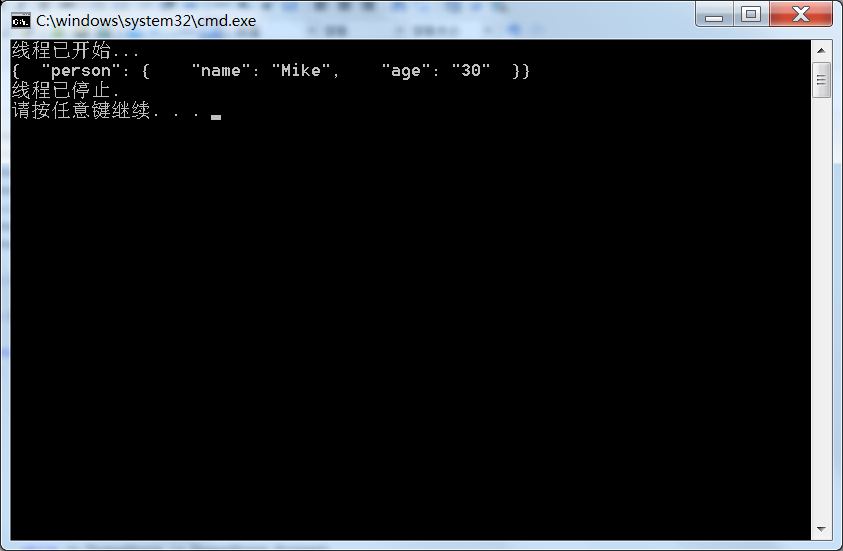
效果:
此内容由惯性聚合(RSS阅读器)自动聚合整理,仅供阅读参考。 原文来自 — 版权归原作者所有。