


4 / 5
Very good
Pros
Cons
Follow ZDNET: Add us as a preferred source on Google.
It's a fact of life that consumer-grade routers can be a bit… rubbish. Sure, you can solve many of your internet-related woes by buying a bunch of high-end gear and then connecting to a high-speed internet pipe, but most people don't have the cash or inclination to do that. Most people just want their reels to load faster.
Also: I retested Apple AirTags after 5 years - how they compare to Bluetooth tracker rivals
I've been in tech now for three decades, and one thing I've known since the dawn of time -- when internet bits flowed at speeds that seem glacial by today's standards through modems attached to beige desktop PCs -- is that one guaranteed way to speed up an internet connection is to reboot a router.
But who has time to flip a switch nowadays? I want my switches to flip for me. Well, now they can, thanks to Router Rebooter.
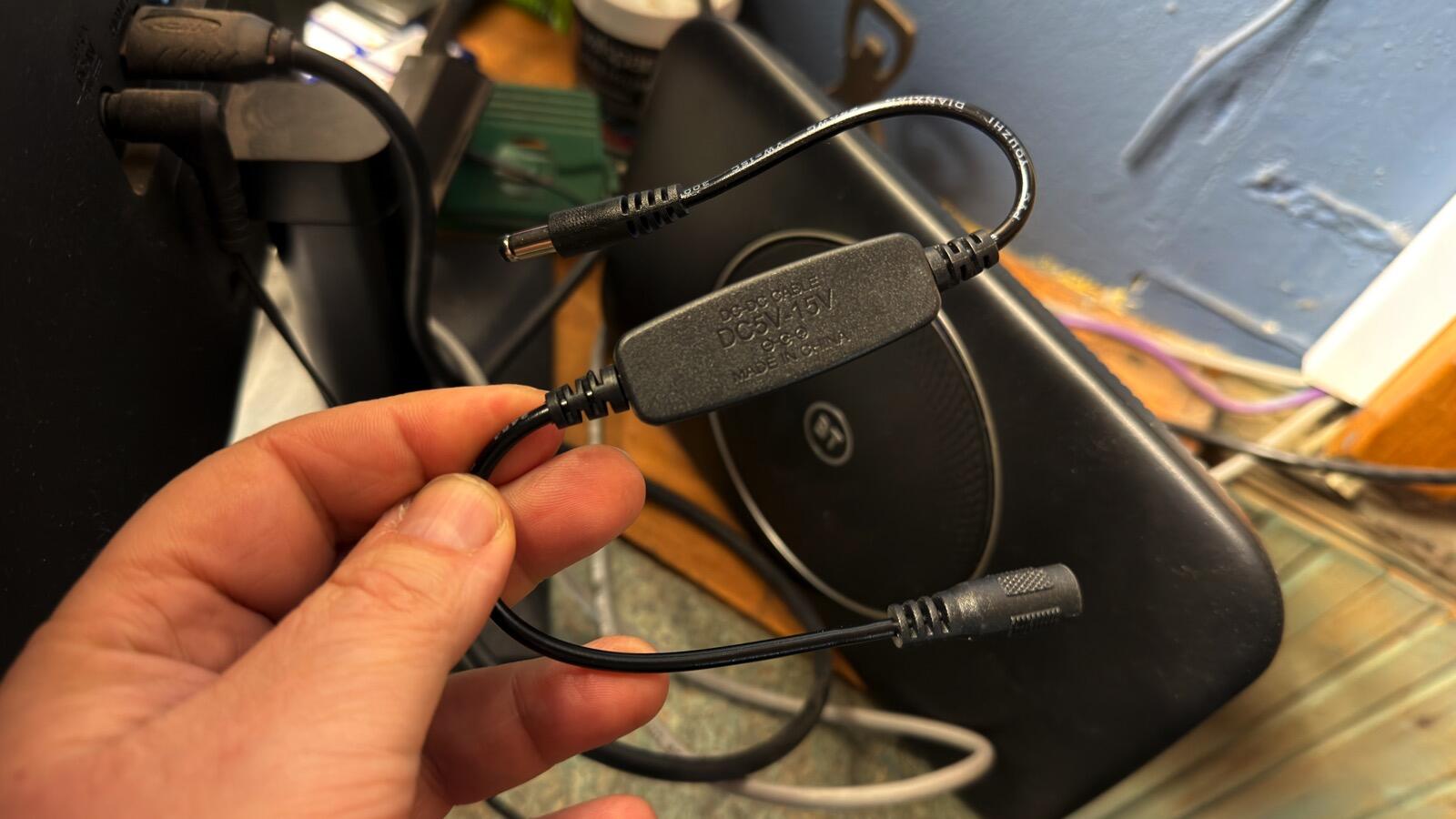
The Router Rebooter uses 5.5mm x 2.1mm DC jacks.
It's a small cable that sits inline with the router's DC power cable and cuts the power to the router every 24 hours.
Yes, it's that simple.
There are no buttons, dials, knobs, or an app to control the dongle. You plug the power cable's DC jack into one end of the Router Rebooter, plug the other end into the router, and it starts counting down. Within 24 hours, the dongle will shut off the router's power for 5 seconds.
Also: I spent two years testing wind power at home - here's why solar is still my preferred source
As for power, the dongle can handle voltages from 5V to 15V, so there's no problem there, since that is the range of DC power supplies used with consumer electronics.
The only possible bump in the road is the size of the DC jack. This Router Rebooter uses 5.5mm x 2.1mm DC jacks, which I've found is the most common size for routers. I tested this jack on a few different systems I have lying around, and it fitted perfectly.
I've installed the Rebooter in a few local businesses that suffer from low-quality Wi-Fi infrastructure, yet rely on this connection for card payments and other operations.
One such business uses a cheap provider-supplied router, and rebooting the device meant climbing behind a counter and freeing the router from a tangle of wires.
It's a mess, but it's a mess I can't touch until the end of the season. Until then, the Router Rebooter refreshes the internet connection daily, and frustration levels at the business have eased dramatically.
Even getting to this router requires agility.
So, why does rebooting a router speed up the internet connection?
Also: I bought an earwax camera for my toolkit and use it for everything but my ears
Well, like any computer, a router has limited memory and processing power. Over time, the device can become bogged down and glitchy. Rebooting clears its memory, ends all tasks, reloads its operating system, and forces the router to make a new connection with the internet service provider.
I couldn't resist taking the Router Rebooter apart to see what's inside.
Perfect for incorporating into projects.
The device inside is a simple circuit board. This setup got me thinking that anyone with solid electronics and soldering skills could solder this device directly to their modem's power cable, wrap it in shrink wrap, and do away with a separate dongle altogether. The circuit board could also be used inside a project.
For $8, you get two Router Rebooter dongles, a black one and a white one, which is a good deal because this approach gives you a spare device to tinker with, if you're that way inclined. This dongle is about as basic as they get, but if you want something more complicated, well, it's now a case of how much you want to spend.
I've tested a "smart" dongle with automatic internet monitoring that reboots when the internet goes down and can reboot daily or monthly, which is pretty good service. There are also IP-enabled dongles with a USB-C or DC jack on the end, including an app, cloud control features, and more, if you want extra functionality.
But for absolute simplicity with maximum function, it's hard to beat the Router Rebooter. I've bought a couple more to add to the remote cameras I use, which also benefit from daily reboots.
此内容由惯性聚合(RSS阅读器)自动聚合整理,仅供阅读参考。 原文来自 — 版权归原作者所有。