


惯性聚合 高效追踪和阅读你感兴趣的博客、新闻、科技资讯
阅读原文 在惯性聚合中打开

推荐订阅源

酷 壳 – CoolShell
酷 壳 – CoolShell
H
Hacker News: Front Page
P
Palo Alto Networks Blog
T
ThreatConnect
Apple Machine Learning Research
博客园_首页
T
True Tiger Recordings
P
Privacy & Cybersecurity Law Blog
B
Blog
IT之家
IT之家
Last Week in AI
Last Week in AI
F
Full Disclosure
Hacker News: Ask HN
Hacker News: Ask HN
C
Comments on: Blog
Microsoft Azure Blog
C
Cybersecurity and Infrastructure Security Agency CISA
Microsoft Security Blog
博客园 - 【当耐特】
N
News and Events Feed by Topic
NISL@THU
NISL@THU
腾讯CDC
雷峰网
雷峰网
Security Latest
Security Latest
李成银的技术随笔
M
Microsoft Research Blog - Microsoft Research
L
LangChain Blog
L
Lohrmann on Cybersecurity
cs.CL updates on arXiv.org
C
Check Point Blog
Y
Y Combinator Blog
Recent Announcements
博客园 - Franky
N
News | PayPal Newsroom
V
V2EX
A
About on SuperTechFans
The Register - Security
月光博客
月光博客
奇客Solidot–传递最新科技情报
奇客Solidot–传递最新科技情报
Google Online Security Blog
MyScale Blog
MyScale Blog
Cisco Talos Blog
Cisco Talos Blog
Vercel News
Vercel News
WordPress大学
WordPress大学
C
Cyber Attacks, Cyber Crime and Cyber Security
The Hacker News
The Hacker News
IntelliJ IDEA : IntelliJ IDEA – the Leading IDE for Professional Development in Java and Kotlin | The JetBrains Blog
爱范儿
爱范儿
A
Arctic Wolf
L
LINUX DO - 最新话题
freeCodeCamp Programming Tutorials: Python, JavaScript, Git & More

博客园 - macleo

Mac ida7.02 报错解决 - macleo 旗开得胜 buuoj.cn pwn rip bugku reverse robots (未解出) bugku 流量里的二维码 bugku USB 流量截取 - macleo bugku 做个游戏 [BSidesSF2019]zippy buuctf just_sqli bugku (未解决) - macleo superezpop bugku (未解出) virtual shop 2 bugku (未解决) - macleo Virtual Shop bugku - macleo easy-pop bugku (未解出) c-jwt-cracker 安装 jwt bugku just-work-type bugku HEADache bugku (未解决) bugku media(未解出) bugku ItIsMath (未解出)
pwntools 安装的解决
macleo · 2024-10-22 · via 博客园 - macleo

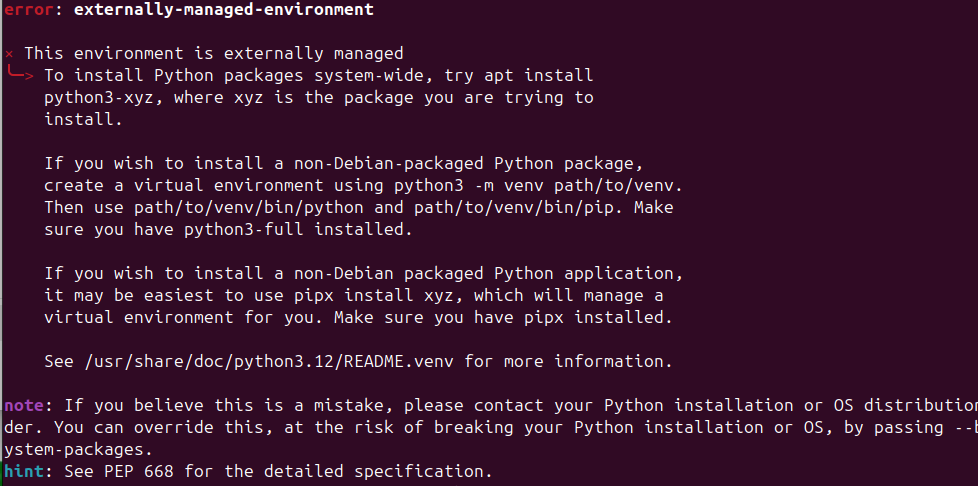
本地环境:ubuntu 24.04 安装pwntools 报错如下:
==============================================================

shusheng@ubuntu2404 :~$ python3 -m pip install --upgrade pwntools
error: externally-managed-environment

× This environment is externally managed
╰─> To install Python packages system-wide, try apt install
python3-xyz, where xyz is the package you are trying to
install.

If you wish to install a non-Debian-packaged Python package,
create a virtual environment using python3 -m venv path/to/venv.
Then use path/to/venv/bin/python and path/to/venv/bin/pip. Make
sure you have python3-full installed.

If you wish to install a non-Debian packaged Python application,
it may be easiest to use pipx install xyz, which will manage a
virtual environment for you. Make sure you have pipx installed.

See /usr/share/doc/python3.12/README.venv for more information.

note: If you believe this is a mistake, please contact your Python installation or OS distribution provider. You can override this, at the risk of breaking your Python installation or OS, by passing --break-system-packages.
hint: See PEP 668 for the detailed specification.

==============================================================

找到一篇 歪果仁的 解决了,安装venv 的虚拟环境

==============================================================

Here's how to create a virtual environment and install packages with pip:

  1. First, create the virtual environment with:
    python3 -m venv venv
  2. Source the activate file inside the bin directory using the source command:
    source venv/bin/activate

Your shell prompt should be updated with the virtual environment name. Now you'll be able to install any Python packages you wish.

===============================================================

之后顺利安装