








Over the last few months I wrote a series of blog posts that covered some of the new language features that are coming with the Visual Studio and .NET Framework "Orcas" release. Here are pointers to the posts in my series:
The above language features help make querying data a first class programming concept. We call this overall querying programming model "LINQ" - which stands for .NET Language Integrated Query.
Developers can use LINQ with any data source. They can express efficient query behavior in their programming language of choice, optionally transform/shape data query results into whatever format they want, and then easily manipulate the results. LINQ-enabled languages can provide full type-safety and compile-time checking of query expressions, and development tools can provide full intellisense, debugging, and rich refactoring support when writing LINQ code.
LINQ supports a very rich extensibility model that facilitates the creation of very efficient domain-specific operators for data sources. The "Orcas" version of the .NET Framework ships with built-in libraries that enable LINQ support against Objects, XML, and Databases.
LINQ to SQL is an O/RM (object relational mapping) implementation that ships in the .NET Framework "Orcas" release, and which allows you to model a relational database using .NET classes. You can then query the database using LINQ, as well as update/insert/delete data from it.
LINQ to SQL fully supports transactions, views, and stored procedures. It also provides an easy way to integrate data validation and business logic rules into your data model.
Visual Studio "Orcas" ships with a LINQ to SQL designer that provides an easy way to model and visualize a database as a LINQ to SQL object model. My next blog post will cover in more depth how to use this designer (you can also watch this video I made in January to see me build a LINQ to SQL model from scratch using it).
Using the LINQ to SQL designer I can easily create a representation of the sample "Northwind" database like below:
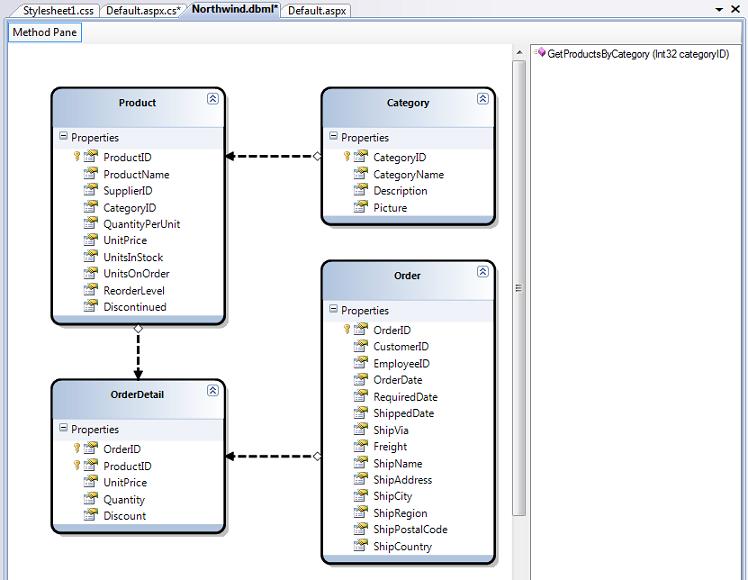
My LINQ to SQL design-surface above defines four entity classes: Product, Category, Order and OrderDetail. The properties of each class map to the columns of a corresponding table in the database. Each instance of a class entity represents a row within the database table.
The arrows between the four entity classes above represent associations/relationships between the different entities. These are typically modeled using primary-key/foreign-key relationships in the database. The direction of the arrows on the design-surface indicate whether the association is a one-to-one or one-to-many relationship. Strongly-typed properties will be added to the entity classes based on this. For example, the Category class above has a one-to-many relationship with the Product class. This means it will have a "Categories" property which is a collection of Product objects within that category. The Product class then has a "Category" property that points to a Category class instance that represents the Category to which the Product belongs.
The right-hand method pane within the LINQ to SQL design surface above contains a list of stored procedures that interact with our database model. In the sample above I added a single "GetProductsByCategory" SPROC. It takes a categoryID as an input argument, and returns a sequence of Product entities as a result. We'll look at how to call this SPROC in a code sample below.
Understanding the DataContext Class
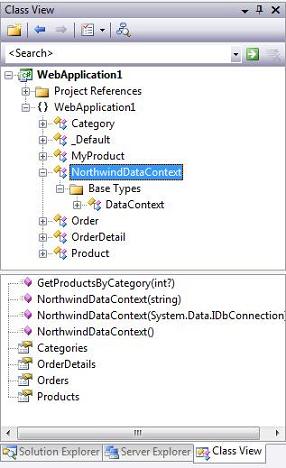
When you press the "save" button within the LINQ to SQL designer surface, Visual Studio will persist out .NET classes that represent the entities and database relationships that we modeled. For each LINQ to SQL designer file added to our solution, a custom DataContext class will also be generated. This DataContext class is the main conduit by which we'll query entities from the database as well as apply changes. The DataContext class created will have properties that represent each Table we modeled within the database, as well as methods for each Stored Procedure we added.
For example, below is the NorthwindDataContext class that is persisted based on the model we designed above:
Once we've modeled our database using the LINQ to SQL designer, we can then easily write code to work against it. Below are a few code examples that show off common data tasks:
The code below uses LINQ query syntax to retrieve an IEnumerable sequence of Product objects. Note how the code is querying across the Product/Category relationship to only retrieve those products in the "Beverages" category:
C#:

VB:

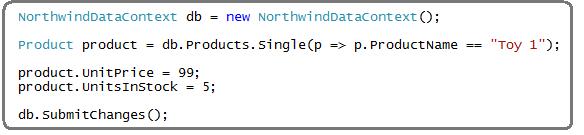
The code below demonstrates how to retrieve a single product from the database, update its price, and then save the changes back to the database:
C#:
VB:
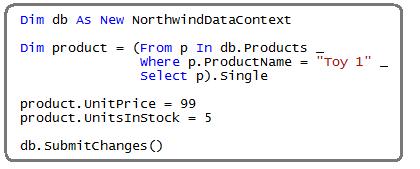
Note: VB in "Orcas" Beta1 doesn't support Lambdas yet. It will, though, in Beta2 - at which point the above query can be rewritten to be more concise.
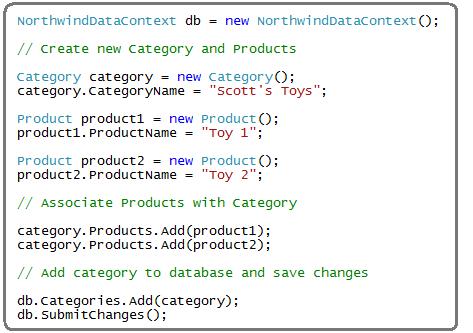
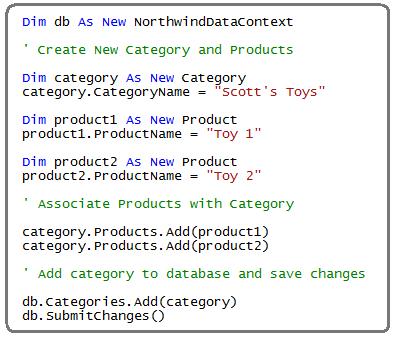
The code below demonstrates how to create a new category, and then create two new products and associate them with the category. All three are then saved into the database.
Note below how I don't need to manually manage the primary key/foreign key relationships. Instead, just by adding the Product objects into the category's "Products" collection, and then by adding the Category object into the DataContext's "Categories" collection, LINQ to SQL will know to automatically persist the appropriate PK/FK relationships for me.
C#
VB:
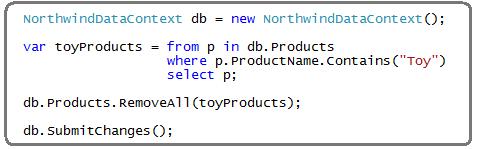
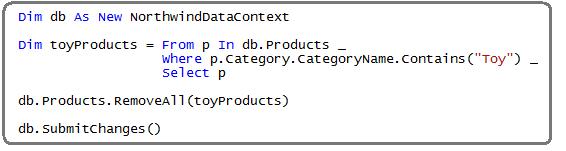
The code below demonstrates how to delete all Toy products from the database:
C#:
VB:
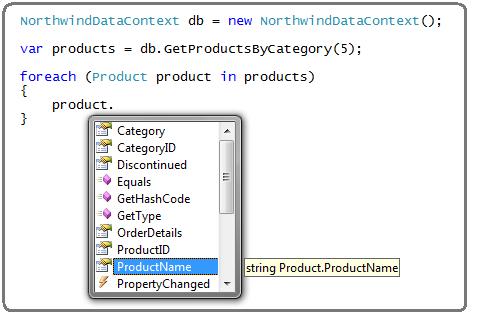
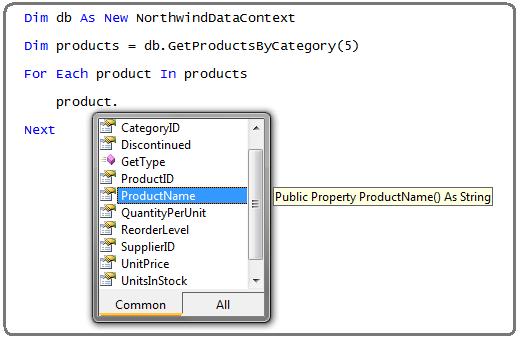
The code below demonstrates how to retrieve Product entities not using LINQ query syntax, but rather by calling the "GetProductsByCategory" stored procedure we added to our data model above. Note that once I retrieve the Product results, I can update/delete them and then call db.SubmitChanges() to persist the modifications back to the database.
C#:
VB:
The code below demonstrates how to implement efficient server-side database paging as part of a LINQ query. By using the Skip() and Take() operators below, we'll only return 10 rows from the database - starting with row 200.
C#:

VB:

LINQ to SQL provides a nice, clean way to model the data layer of your application. Once you've defined your data model you can easily and efficiently perform queries, inserts, updates and deletes against it.
Hopefully the above introduction and code samples have helped whet your appetite to learn more. Over the next few weeks I'll be continuing this series to explore LINQ to SQL in more detail.
Hope this helps,
Scott
http://weblogs.asp.net/scottgu/archive/2007/05/19/using-linq-to-sql-part-1.aspx
此内容由惯性聚合(RSS阅读器)自动聚合整理,仅供阅读参考。 原文来自 — 版权归原作者所有。