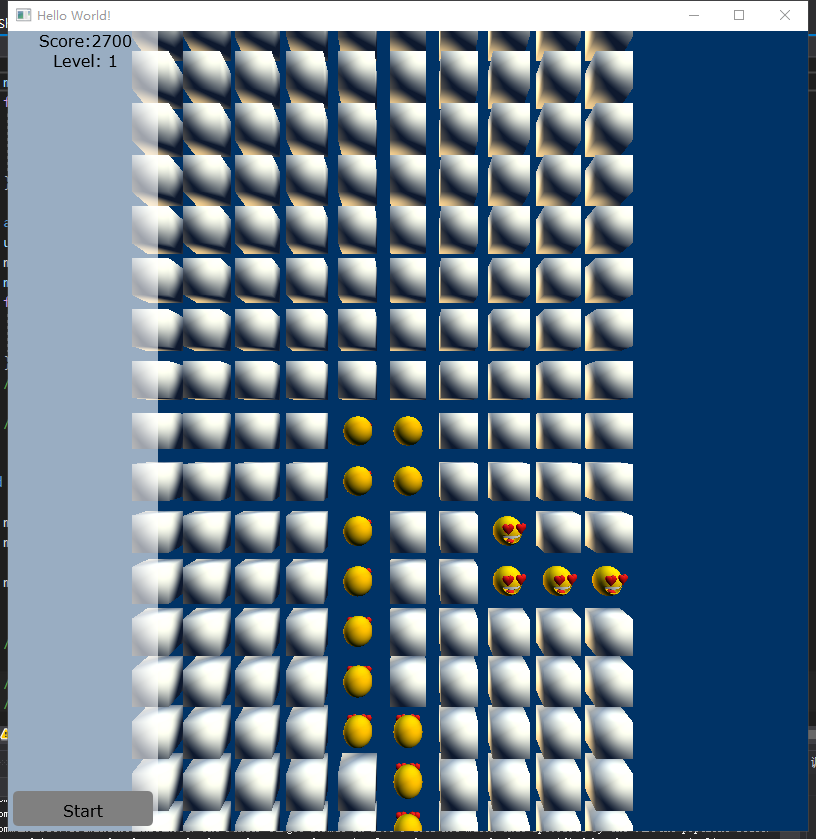
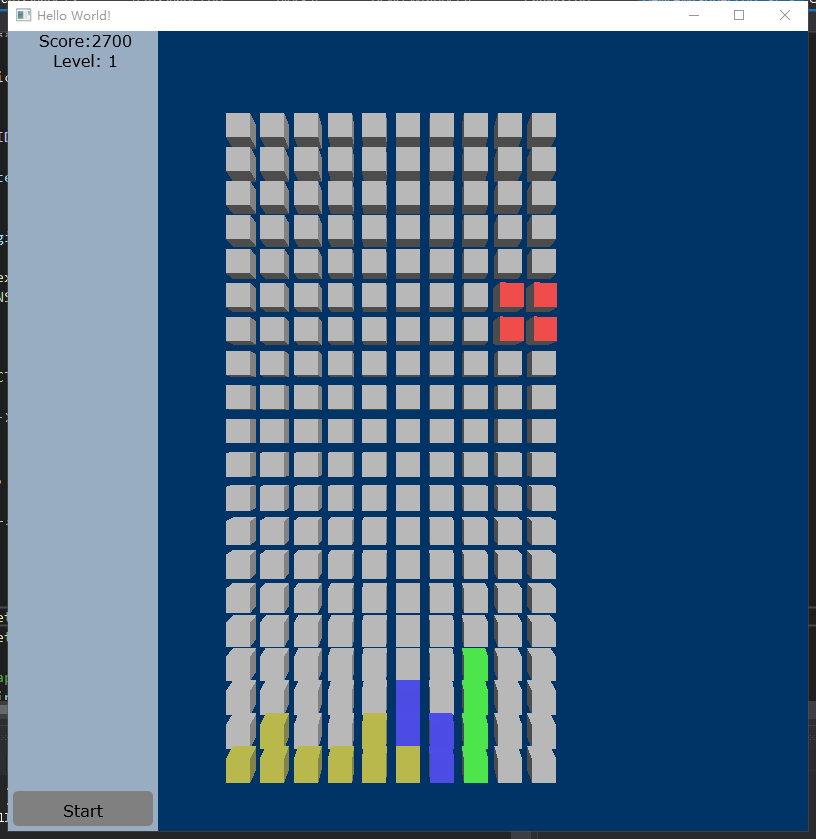
原理跟WPF版本的差不多,只是渲染的底层逻辑都要自己写。
UI部分使用了Direct2D和DirextWrite实现。
4月19日更新
增加复杂模型的渲染
//部分实现代码
	m_device->GetWrappedDevice()->AcquireWrappedResources(m_device->GetWrappedBackBuffer().GetAddressOf(), 1);
	m_device->GetD2DContext()->SetTarget(m_device->GetD2DRenderTarget());
	ID2D1SolidColorBrush* pWhiteBrush = NULL;
	HRESULT hr = m_device->GetD2DContext()->CreateSolidColorBrush(D2D1::ColorF(1, 1, 1, 0.6), &pWhiteBrush);
	ID2D1SolidColorBrush* pBlackBrush = NULL;
	hr = m_device->GetD2DContext()->CreateSolidColorBrush(D2D1::ColorF(D2D1::ColorF::Black), &pBlackBrush);
	ID2D1SolidColorBrush* pGrayBrush = NULL;
	hr = m_device->GetD2DContext()->CreateSolidColorBrush(D2D1::ColorF(D2D1::ColorF::Gray), &pGrayBrush);

	m_device->GetD2DContext()->BeginDraw();
	m_device->GetD2DContext()->SetTransform(D2D1::Matrix3x2F::Identity());
	m_device->GetD2DContext()->FillRectangle(D2D1::RectF(0, 0, 150, m_height), pWhiteBrush);
	m_device->GetD2DContext()->DrawText(
		L"Score:2700",
		10,
		m_device->m_textFormat.Get(),
		D2D1::RectF(5, 0, 150, 30),
		pBlackBrush
	);
	m_device->GetD2DContext()->DrawText(
		L"Level: 1",
		8,
		m_device->m_textFormat.Get(),
		D2D1::RectF(5, 20, 150, 30),
		pBlackBrush
	);
	m_device->GetD2DContext()->FillRoundedRectangle(D2D1::RoundedRect(D2D1::RectF(5, m_height - 40, 145, m_height - 5), 5, 5), pGrayBrush);
	m_device->GetD2DContext()->DrawText(
		L"Start",
		5,
		m_device->m_textFormat.Get(),
		D2D1::RectF(5, m_height - 30, 145, m_height - 5),
		pBlackBrush
	);
其中顶点数据与变换在程序中写,光照部分在着色器中实现。
//着色器代码
cbuffer SceneConstantBuffer : register(b0)
{
	matrix model;
	matrix view;
	matrix projection;
	float4 diffuse;
};

struct PSInput
{
	float4 position : SV_POSITION;
	float4 color : COLOR;
	float2 uv : TEXCOORD0;
	float3 worldNorm : TEXCOORD1;
	float3 worldPos : TEXCOORD2;
	float3 toEye : TEXCOORD3;
	float4 tangent : TEXCOORD4;
	float3 normal : TEXCOORD5;
};
Texture2D g_texture : register(t0);
SamplerState    g_sampler    : register(s0);


PSInput VSMain(float4 position : POSITION, float4 color : COLOR, float2 uv : TEXCOORD0, float3 normal : NORMAL)
{
	PSInput result=(PSInput)0;

	float4 pos = position;
	pos = mul(pos, model);
	pos = mul(pos, view);
	pos = mul(pos, projection);
	result.position = pos;
	result.color = diffuse;
	result.uv = uv;
	result.worldPos = pos.xyz / pos.w;
	result.worldNorm = normalize(mul(mul(normal.xyz, (float3x3)model), (float3x3)view));
	result.normal = normal;

	return result;
}

//
// lambert lighting function
//
float3 LambertLighting(
	float3 lightNormal,
	float3 surfaceNormal,
	float3 materialAmbient,
	float3 lightAmbient,
	float3 lightColor,
	float3 pixelColor
)
{
	// compute amount of contribution per light
	float diffuseAmount = saturate(dot(lightNormal, surfaceNormal));
	float3 diffuse = diffuseAmount * lightColor * pixelColor;

	// combine ambient with diffuse
	return saturate((materialAmbient * lightAmbient) + diffuse);
}

float4 CombineRGBWithAlpha(float3 rgb, float a)
{
	return float4(rgb.r, rgb.g, rgb.b, a);
}

float4 PSMain(PSInput input) : SV_TARGET
{
	//float3 diffuse = g_texture.Sample(g_sampler, input.uv).rgb;
	//return input.color;
	//return diffuse;
	//return g_texture.Sample(g_sampler, input.uv);
	float4 diffuse= g_texture.Sample(g_sampler, input.uv);

	float3 surfaceNormal = normalize(input.normal);
	float3 surfaceTangent = normalize(input.tangent.xyz);
	float3 worldNormal = input.worldNorm;

	float3x3 localToTangent = transpose(float3x3(surfaceTangent, cross(surfaceNormal, surfaceTangent) , surfaceNormal));
	float3x3 worldToTangent = mul((float3x3)model, localToTangent);

	//float3 tangentLightDir = normalize(mul(float3(0,0,1), model));
	float3 tangentLightDir = normalize(float3(0.5,1,1));

	float3 local1 = LambertLighting(tangentLightDir, worldNormal, float4(0.5, 0.5, 0.5, 1).rgb, float4(0.6, 0.6, 0.6, 1).rgb, float4(0.9, 0.9, 0.9,1).rgb, input.color.rgb);
	return CombineRGBWithAlpha(local1, input.color.a);

}
此内容由惯性聚合(RSS阅读器)自动聚合整理,仅供阅读参考。 原文来自 — 版权归原作者所有。