








2017-06-19 13:36 咒语 阅读(20407) 评论() 收藏 举报
不想用实体机,想不想弄个快速的Android虚拟环境,今天我们就来说说把Android模拟器(RemixOS)安到Hyper-v上的办法。
2. 在Hyper-v中创建第1代的虚拟机,50G硬盘,2G内存。别急着开机。
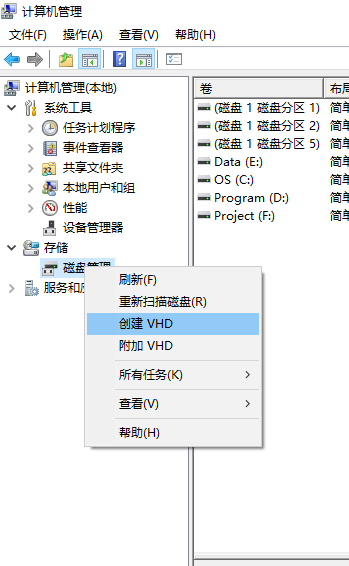
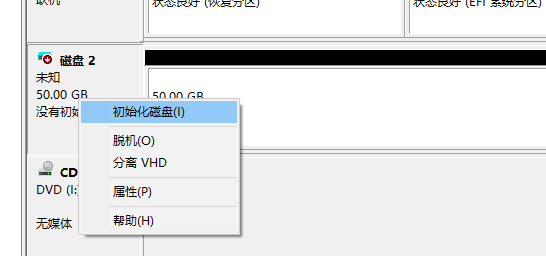
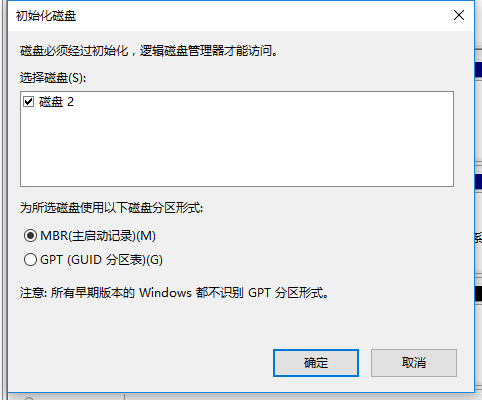
3. 在计算机管理中打开磁盘管理,附加上刚才的虚拟磁盘,以MBR格式初化 格式化成Fat32格式,然后分离磁盘。

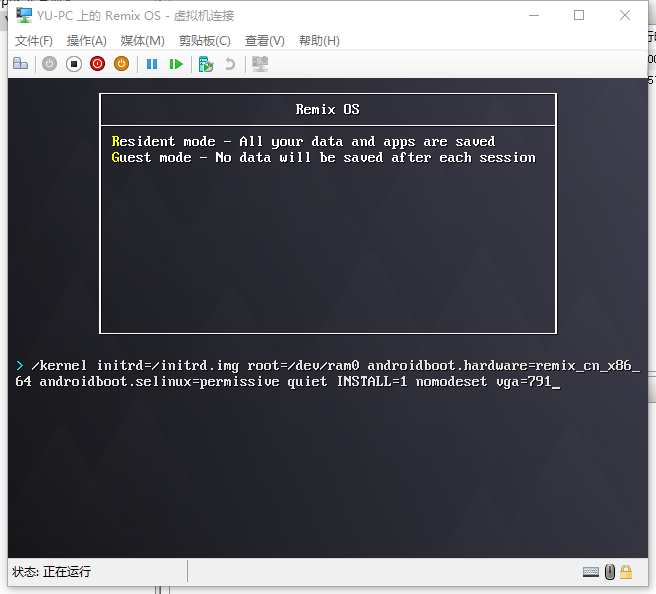
4. 通过VM机的光盘启动系统,但是不要选择上面的任何一项,直接按Tab键进去编辑。

5. 修改原来的启动code如下:
/kernel initrd=initrd.img root=/dev/ram0 androidboot.hardware=remix_x86_64 androidboot.selinux=permissive quiet INSTALL=1 nomodeset vga=791
关于不同的vga代码可以参考如下:
| Colour depth | 640x480 | 800x600 | 1024x768 | 1280x1024 | 1400x1050 | 1600x1200 |
| 8 (256) | 769 | 771 | 773 | 775 | ||
| 15 (32K) | 784 | 787 | 790 | 793 | ||
| 16 (65K) | 785 | 788 | 791 | 794 | 834 | 884 |
| 24 (16M) | 786 | 789 | 792 | 795 | ||
6. 选择:sda1
不要 format
选择安装GRUB (YES)
跳过安装EFI GRUB2 (SKIP)
选择YES: making system directory read-write.
选择YES: creating user data image.
输入data.img的大小,2014M
然后耐心等待。
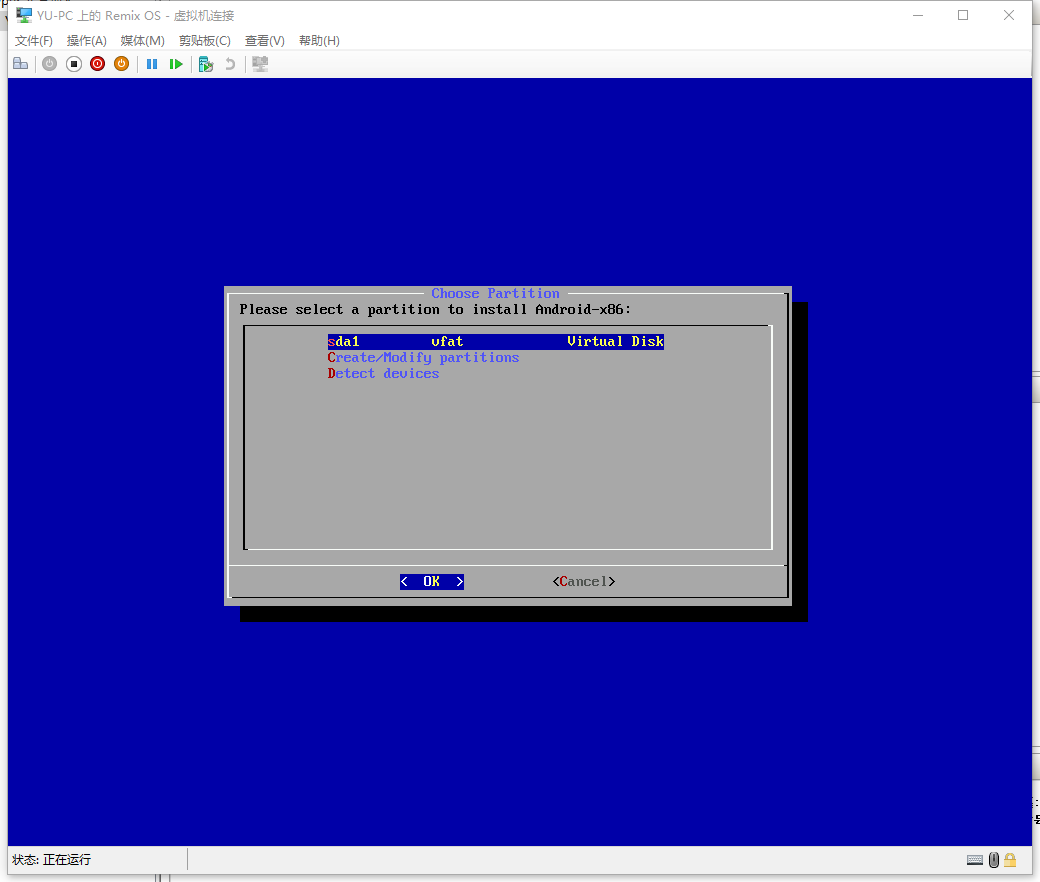
因为我是安在SSD上的。速度很快。
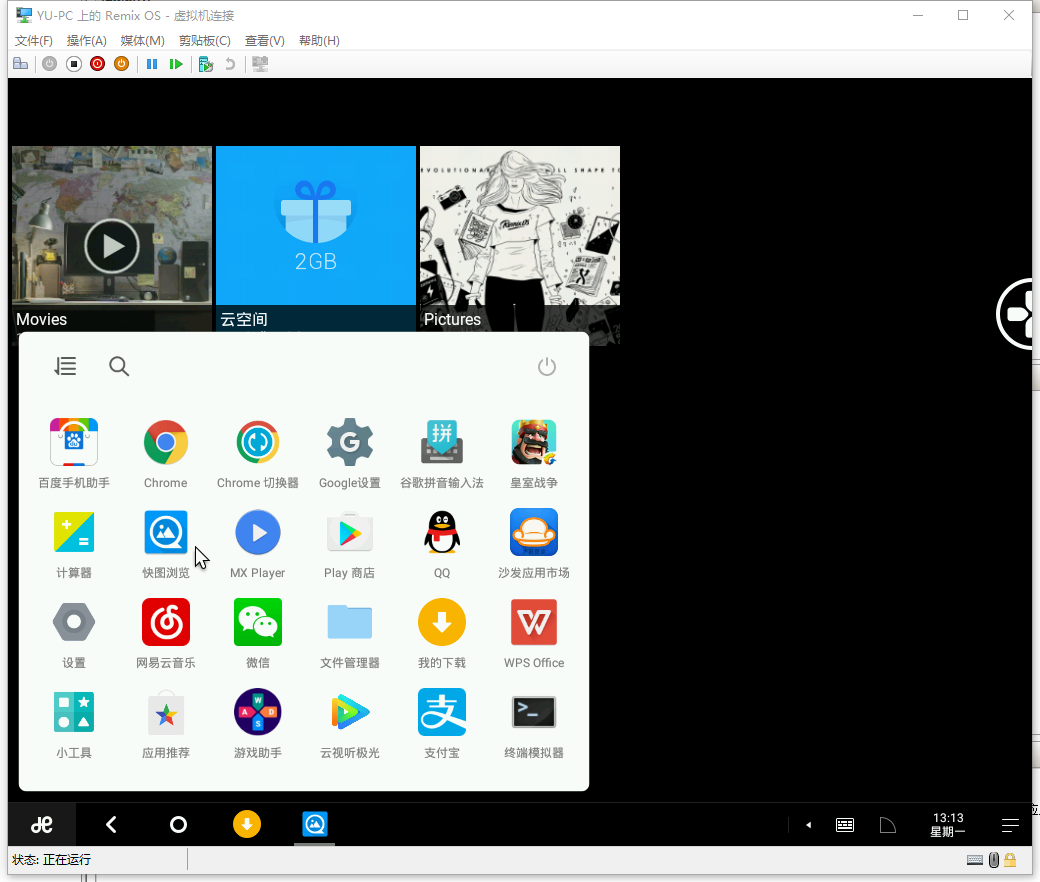
注意情况:
第一,要再次关机后,重新附加到磁盘管理器上,打开硬盘里\grub\menu.lst文件,把文件中的kernel791替换为kernel vga=791。改完后如下:
default=0
timeout=6
splashimage=/grub/android-x86.xpm.gz
root (hd0,0)title Remix OS 2016-10-24
kernel /android-2016-10-24/kernel vga=791 quiet root=/dev/ram0 androidboot.hardware=remix_cn_x86_64 androidboot.selinux=permissive nomodeset SRC=/android-2016-10-24
initrd /android-2016-10-24/initrd.imgtitle Remix OS 2016-10-24 (Debug mode)
kernel /android-2016-10-24/kernel vga=791 root=/dev/ram0 androidboot.hardware=remix_cn_x86_64 androidboot.selinux=permissive nomodeset DEBUG=2 SRC=/android-2016-10-24
initrd /android-2016-10-24/initrd.imgtitle Remix OS 2016-10-24 (Debug nomodeset)
kernel /android-2016-10-24/kernel vga=791 nomodeset root=/dev/ram0 androidboot.hardware=remix_cn_x86_64 androidboot.selinux=permissive nomodeset DEBUG=2 SRC=/android-2016-10-24
initrd /android-2016-10-24/initrd.imgtitle Remix OS 2016-10-24 (Debug video=LVDS-1:d)
kernel /android-2016-10-24/kernel vga=791 video=LVDS-1:d root=/dev/ram0 androidboot.hardware=remix_cn_x86_64 androidboot.selinux=permissive nomodeset DEBUG=2 SRC=/android-2016-10-24
initrd /android-2016-10-24/initrd.img
第二,你发现你的鼠标不能用,要一直按着拖才能操。这个太痛苦了。估计死的心都有了。那么。这个时候,就要先忍着打开控制终端,然后输入如下:
1. 获取ROOT权限: su
2. 删除一个东东: rmmod hid_hyperv
参考文档:http://trukhanov.com/2016/01/install-remixos-on-hyper-v-virtual-machine/
此内容由惯性聚合(RSS阅读器)自动聚合整理,仅供阅读参考。 原文来自 — 版权归原作者所有。