惯性聚合 高效追踪和阅读你感兴趣的博客、新闻、科技资讯
阅读原文 在惯性聚合中打开

推荐订阅源

Vercel News
Vercel News
博客园 - 司徒正美
C
Check Point Blog
G
Google Developers Blog
The GitHub Blog
The GitHub Blog
freeCodeCamp Programming Tutorials: Python, JavaScript, Git & More
有赞技术团队
有赞技术团队
P
Proofpoint News Feed
IT之家
IT之家
B
Blog
博客园_首页
量子位
MongoDB | Blog
MongoDB | Blog
博客园 - Franky
J
Java Code Geeks
H
Help Net Security
A
About on SuperTechFans
Apple Machine Learning Research
Jina AI
Jina AI
D
DataBreaches.Net
Y
Y Combinator Blog
大猫的无限游戏
大猫的无限游戏
云风的 BLOG
云风的 BLOG
Google DeepMind News

博客园 - 一叶浮萍

Visual Studio 2022 Net6.0 无法发现testcase, 也无法执行test case Microsoft.AspNetCore.Http.Abstractions 2.20 is deprecated 使用office365 world2016发布编辑备份你的博客 使用office365 world2016发布编辑备份你的博客 You are not late! You are not early! 在同一个服务器(同一个IP)为不同域名绑定的免费SSL证书 Vue.js Is Good, but Is It Better Than Angular or React? It was not possible to find any compatible framework version Git使用ssh key Disconnected: No supported authentication methods available (server sent: publickey) VS 2013打开.edmx文件时报类型转换异常 Echarts ecomfe 触摸屏 touch 在IE10下无法显示悬浮框 64位系统里注册32位软件 System.Data.Dbtype转换为System.Data.SqlDbType Bonobo Git Server (Simple git server for Windows.) 测试备忘 TortoiseGit bonobo gitserver记住帐号密码 TortoiseGit bonobo gitserver记住帐号密码 TITLE: BizTalk Server 2013 Administration Console 应用程序-特定 权限设置并未向在应用程序容器 不可用 SID (不可用)中运行的地址 LocalHost (使用 LRPC) 中的用户
VS增加插件 Supercharger破解教程
一叶浮萍 · 2017-02-17 · via 博客园 - 一叶浮萍

Supercharger效果预览及下载路径:
http://supercharger.tools/index.html
下载地址:
https://visualstudiogallery.msdn.microsoft.com/f58941e3-13c6-4e97-9235-195f6f380ea3
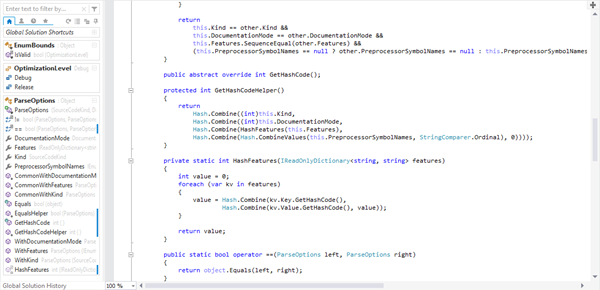
破解教程如下(评分可以查看代码)

本帖隐藏的内容

Supercharger 破解教程(supercharger暂时只支持vs2013和vs2015):
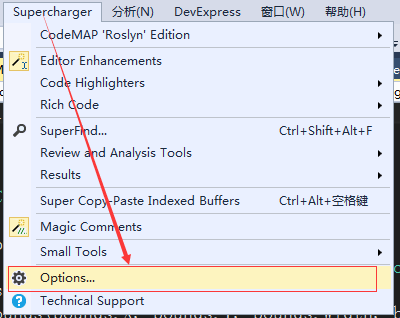
步骤:1、打开Supercharger的options;
 
2、点击Pricing & Registration
 
3、复制以下 license,  然后再按Paste & Use License Key;
tt4e2HN4X3gEhlQm2a0qCFCNM3PMTVcFUD8q7POTX3GaJpTmrUx/Z2cOufl+pyZIsB1QLtzlYYqcB739vTKP1G2sEYTw/cCegh1xpHYE2Cp4CvRc/N95/bQTPjLyajOLUJ0iHvUDj2A

点击后结果:

4、找到C:\Windows\System32\Drivers\etc下 的hosts 文件,用记事本打开编辑,将
127.0.0.1 supercharger.tools 黏贴到下图所示位置即可,保存关闭,重启vs。
 
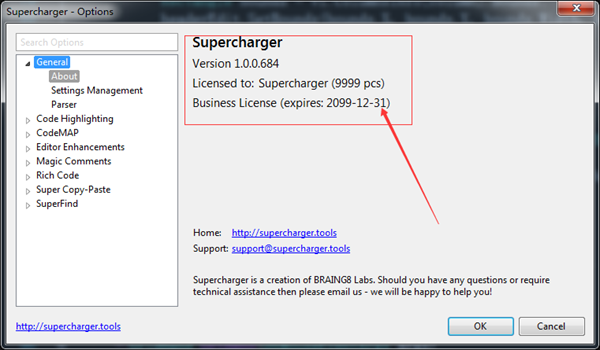
5、重启vs后再次打开Options,若是下图显示,则说明破解成功。