





Now 16% Off
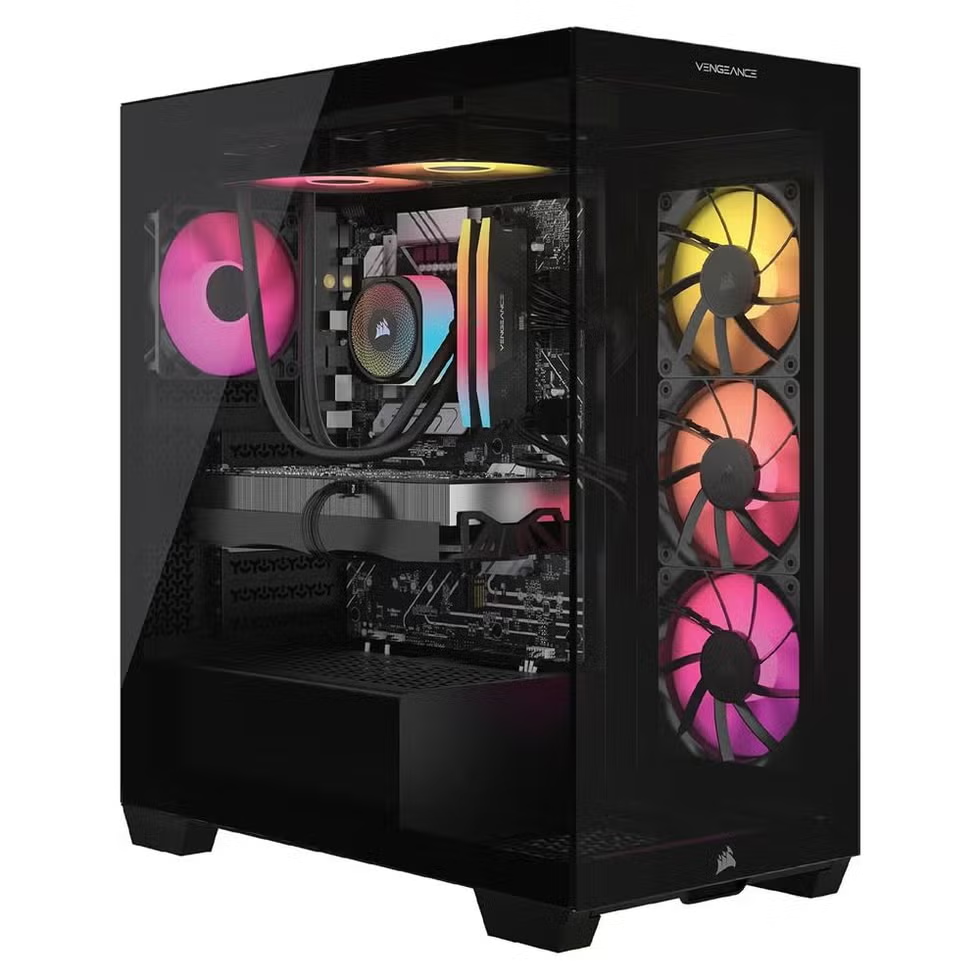
The Corsair Vengeance A7500 was one of 2025’s most lauded gaming PCs, thanks to strong specs in high-level configurations, ample cooling, and an upgrade-friendly design. I highlighted this fairly high-end AMD configuration with a Ryzen 7 9800X3D processor and a Radeon 9070 XT graphics card, both because it’s actually available and it offers a better bang for your buck than the maxed out Ryzen 9 CPU version. At $2,600 on Amazon or $3,000 direct from Corsair, you’re getting a heavy-duty gaming machine that should be able to hit 60 frames per second in 4K more often than not, and hit the highest possible settings on most games if you dump the resolution down.
Though there are limited configurations available now, Corsair has made versions of the A75 that are both more budget-friendly and more powerful. It’s unclear when and if we’ll see them return, but this is a design that is very upgradable, setting you up for a long PC gaming era.
| CPU | AMD Ryzen 7 9800X3D |
| GPU | AMD Radeon RX 9070 XT |
| Memory | 32GB |
| Storage | 1TB SSD |
| Cooling | Liquid cooling system, Case fans x 6 |
| Size (W x D x H) | 9.4 x 18.1 x 19.9 in. |
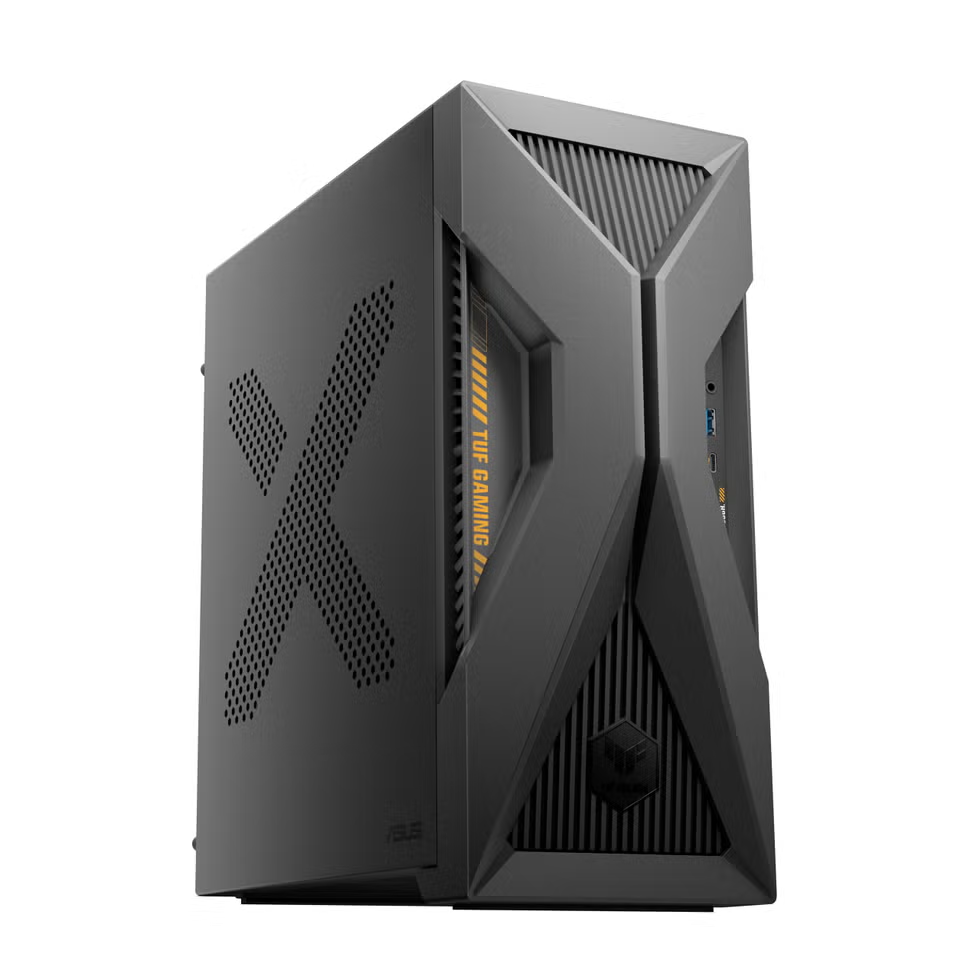
We frequently recommend Asus’s TUF line of gaming PCs here at Popular Mechanics because the machines tend to get heavy discounts over time, so they offer a great value. In the last couple of years, Asus has pivoted the TUF brand to straddle gaming and AI, while trying out experimental PC designs. (If you’re asking why a “budget” machine has an extremely high 32GB of RAM, that’s why.) The T500 falls into this category, but not for the usual reason: This unique system features a laptop CPU, rather than the full-size components found in most desktops.
As you might expect, that’s going to impact its performance a bit, but reports suggest it's fine for gaming so long as you stick to 1080p resolution. And, on the plus side, you get a very compact footprint that can fit on even the smallest desks.
Under normal circumstances, the T500 is a bit expensive for a 1080p-level system. Given the overall state of PC pricing, though, the math has changed a bit and works in the T500’s favor. For now, it’s a very solid basic option for new PC gamers who want to get into PC gaming but have limited time or interest in upgradability. (You can swap out the GPU, but that laptop processor isn’t going anywhere.)
In the future, though, who knows? In a world where Apple made hay by putting a mobile processor in the Macbook Neo, I expect more brands will experiment with installing laptop and mobile processors in desktops to create a new range of budget-friendly machines.
| CPU | Intel Core i5-13420H |
| GPU | Nvidia GeForce RTX 5060 |
| Memory | 32GB RAM |
| Storage | 1TB M.2 SSD |
| Cooling | 90mm Tower fan, heat pipes |
| Size (W x D x H) | 6.1 x 13.3 x 12.1 in. |
Advertisement - Continue Reading Below
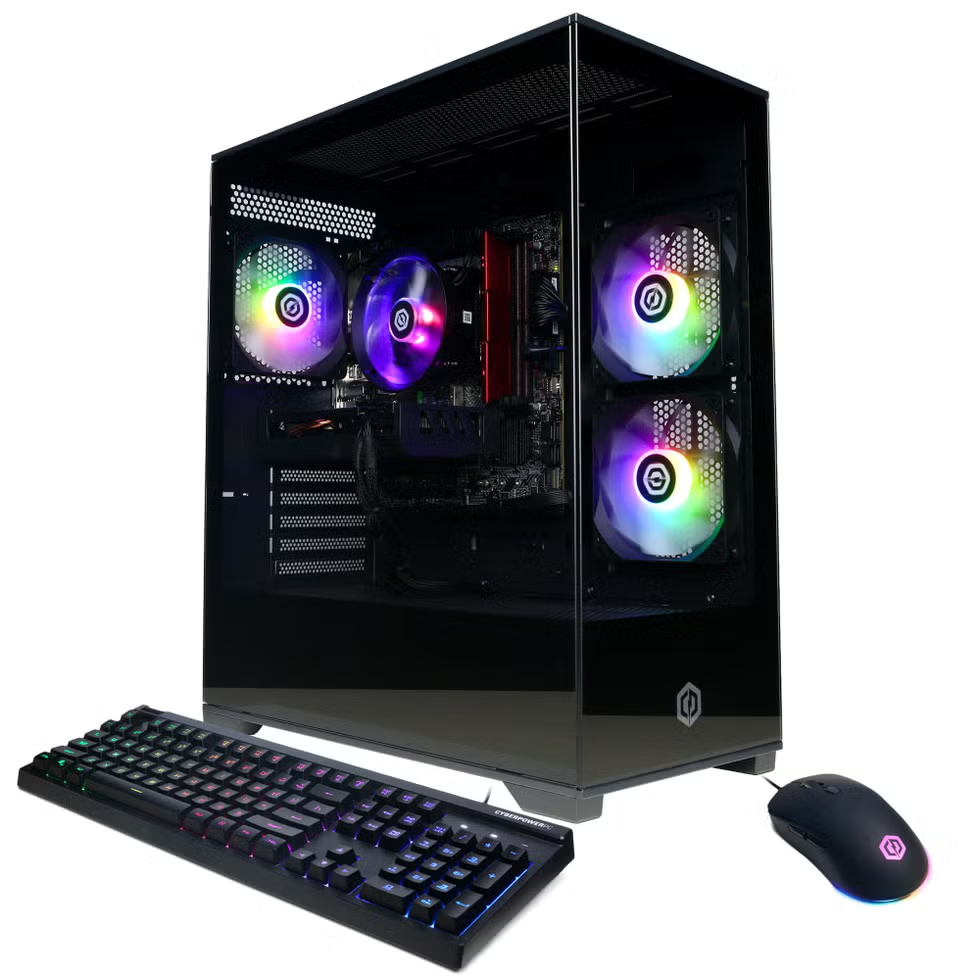
If you’re targeting 1080p and would prefer a more conventional desktop, CyberPower PC is ubiquitous on retailers like Amazon and Best Buy, touting a wide array of systems that lack the distinguishing features of high-end machines from brands like Alienware and Corsair. But they still look good and should run most games well.
The CyberPower PC Gamer Xtreme is a budget-grade gaming rig built around an Intel Core i5 CPU and Nvidia 5060 graphics card. That pair of processors will set you up very well for playing games in 1080p. And it still looks plenty flashy, thanks to a glass-paneled case that shows off its RGB-laden components, while making them easy to access when it’s time to upgrade.
Like the T500, the 1080p-focused configuration of the Gamer Xtreme feels a bit overpriced compared to what you could find three or four years ago. But right now this seems to be a pretty standard price-to-power ratio. From what I’ve seen (having never used one), CyberPower is the very epitome of a pre-built desktop. And that’s a great place to begin if you’re looking for a starter system.
| CPU | Intel Core i5-13400F |
| GPU | Nvidia GeForce RTX 5060 |
| Memory | 16GB RAM |
| Storage | 1TB NVMe SSD |
| Cooling | 120mm ARGB PWM Fan x 4 |
| Size (W x D x H) | Not listed |
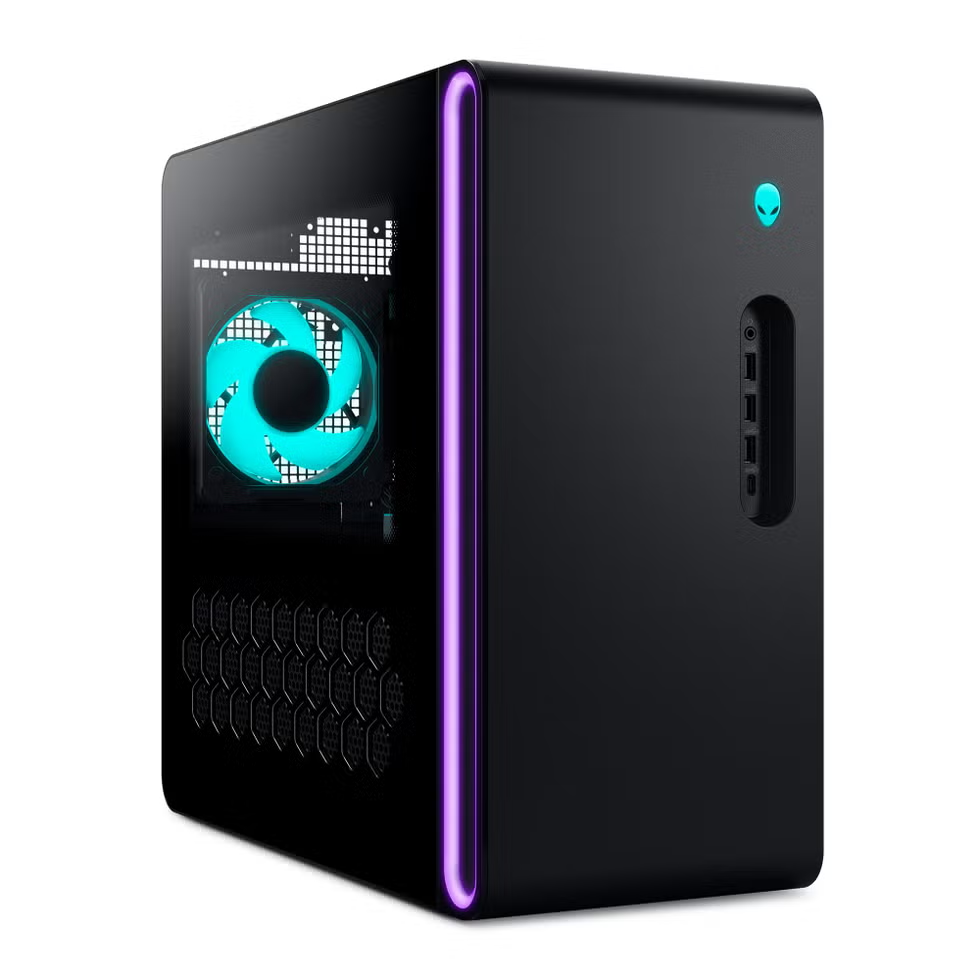
Alienware’s compact Aurora R17 feels like a swanky level up if you’re looking for a mid-range PC to run games in 1440p. In classic Alienware fashion, it has a very interesting design, with a half-glass and hex-shape vent holes on either side, which provides additional airflow to supplement an active system that pulls in air from the rear and exhausts it out of the top. Higher priced R17 configurations boost this by adding a liquid cooling system. I’ve seen some user reviews that recommend the air-cooled versions because they run quietly, which is part of why I chose this configuration.
There are many versions of the Aurora R17, spanning a few graphics cards and price points. The 5070 or 5070 Ti-based builds are this machine’s sweet spot, I suspect, because Alienware’s larger Area 51 desktop offers more robust features for players looking for a maxed-out system. But the slick case design and futureproof features like WiFi 7 support mean that this will probably not be the most budget-conscious buy either.
| CPU | Intel Core Ultra 7 265F |
| GPU | Nvidia GeForce RTX 5070 |
| Memory | 32GB RAM |
| Storage | 1TB NVMe SSD |
| Cooling | Air cooling system |
| Size (W x D x H) | 7.8 x 18.1 x 16.5 in. |
Advertisement - Continue Reading Below
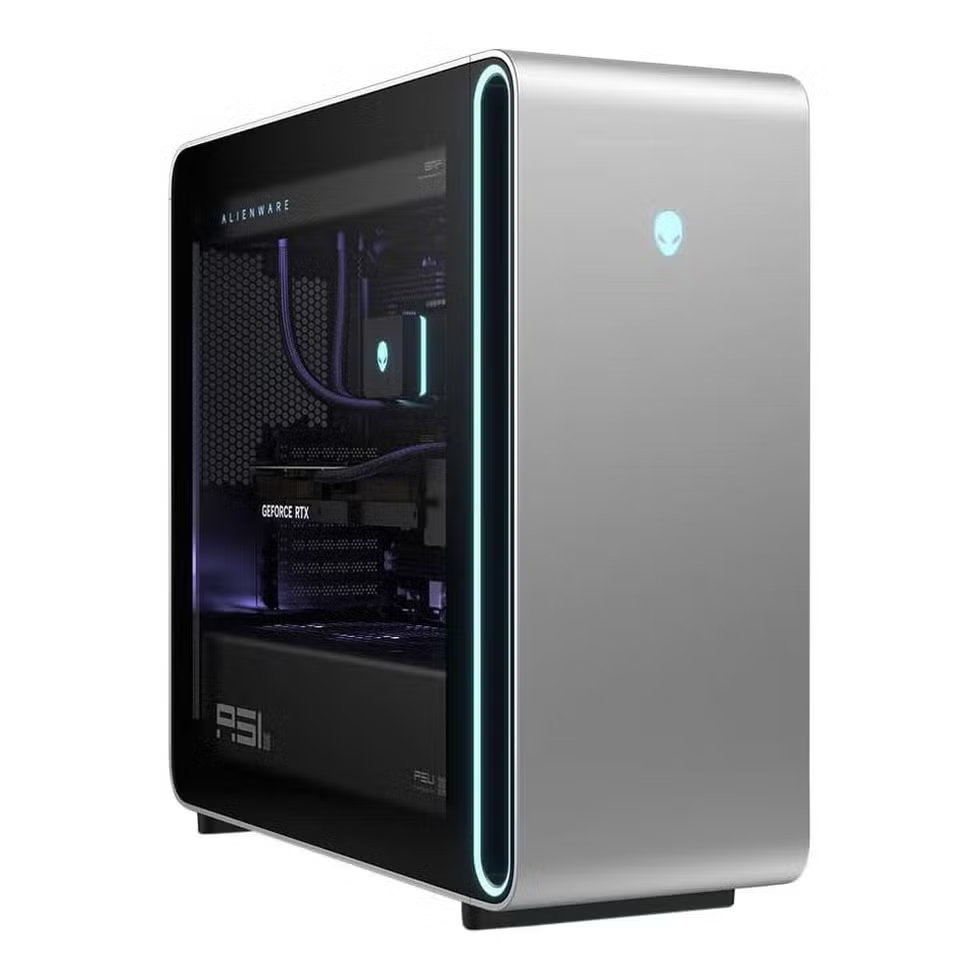
If you’re looking to bet the farm on a gaming PC that will run just about any game with every texture pack installed and every setting turned on for the foreseeable future, the Alienware Area 51 is pretty widely recognized as a top-tier flagship system. This configuration is fully kitted out with an Intel Core Ultra 9 CPU and an Nvidia 5080, plus 32GB of RAM and a 2TB SSD. Throw in an incredible array of ports, including three M.2 slots for extra Nvme hard drives, and it really feels like you’re getting everything you need and more.
The downside, of course, is that you will spend an arm and a leg for this system. This is the basic configuration, and it costs nearly $5,000 for 5080. That price feels exorbitant, especially for a 5080-based system instead of a 5090. But as I mentioned, that’s simply the cost of doing business these days.
| CPU | Intel Core Ultra 9 285K |
| GPU | Nvidia GeForce RTX 5080 |
| Memory | 32GB RAM |
| Storage | 2TB NVMe SSD |
| Cooling | 360mm All-in-one liquid cooling, 180mm fan x 2 |
| Size (W x D x H) | 9.1 x 24 x 22.4 in. |
Now 14% Off
As more and more players get into streaming and showing off their gaming setups, more and more players are setting up their PCs on their desks, rather than underneath. If you want to do that, you realistically need to be cognizant of your desktop’s size and weight: You can’t put a giant, heavy rig like the Alienware Area 51 on your desk and expect it to look good. (It might even break the desk, if you have a standing desk or something lightweight.)
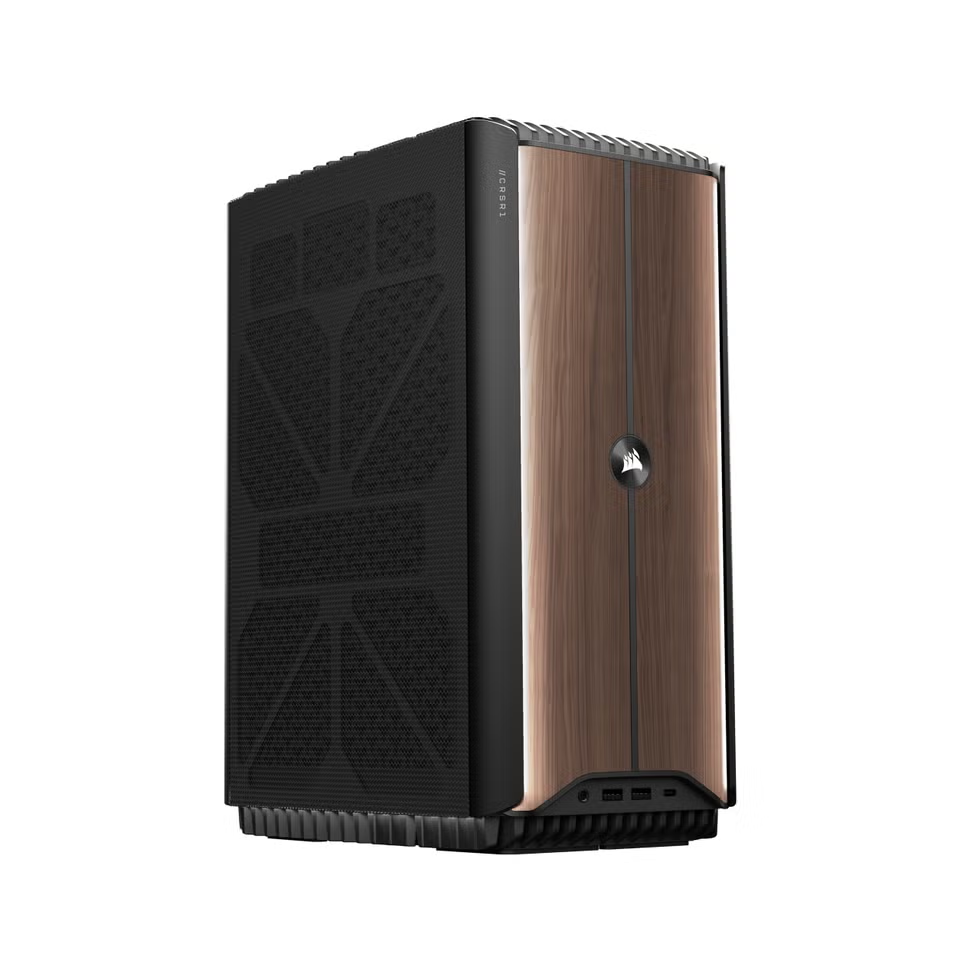
For desktops (and folks who are generally concerned about the physical size of their machines), he Corsair i500 is a mid-to-high-powered system that should look stellar on a desk or next to a TV. And, unlike the very compact Asus TUF T500, it gives you a pretty sturdy foundation for playing games in 1400p or even 4K in some cases.
This configuration is a little more out of sync than my other recommendations: I don’t know that you need a Core i9 and 32GB of RAM to support a 5070. That said, it is one of only two configurations with a 50-series card. I’d prefer to spend a little more and get a system that feels futureproof, rather than an older system that may leave you looking at upgrades in a few years. This is definitely a model designed to save space, not spare your wallet.
| CPU | Intel Core i9 14900F |
| GPU | Nvidia RTX 5070 |
| Memory | 32GB |
| Storage | 1TB |
| Cooling | Liquid cooling system, case fans |
| Size (W x D x H) | 7.2 x 11.8 x 15.4 in. |

Mike Epstein is a Senior Commerce Editor at Hearst Enthusiast Group, producing reviews for buying guides Popular Mechanics, Runner’s World, Bicycling, and Best Products. Prior to joining Hearst, he was a video game and technology critic for over 10 years, with bylines at IGN, Gamespot, Variety, Lifehacker, Kotaku, GamesRadar, Flavorwire and Digital Trends, among others. Now, he’s a jack of all trades, helping reviewers share everything they know about all kinds of technical gear, from snowblowers, to running shoes and bicycles, and every kind of gadget imaginable.

Will Egensteiner has been reviewing products for 10 years, testing and writing about everything from climbing gear to video game consoles to cars. He began his career as an intern at Popular Mechanics, then worked as an editor at Outside, spearheading the magazine's gear coverage and biannual Buyer's Guide. Now that he's back, he leads product reviews for PopMech, as well as Runner's World, Best Products, and Biography. His favorite stuff to review is still outdoors equipment, and he can tell you from memory what ePTFE stands for.
此内容由惯性聚合(RSS阅读器)自动聚合整理,仅供阅读参考。 原文来自 — 版权归原作者所有。