




Smart glasses have come a long way following the demise of Google Glass. Since then, the category has quietly progressed, with companies like Meta, Amazon, Snap, and Viture continuing to chase the dream of sci-fi face computers. Instead of clunky, conspicuous designs, modern smart glasses often resemble standard eyewear, blending seamlessly into everyday life. With all these advancements, it’s worth asking: What exactly are smart glasses, and how do they work?
Smart glasses are wearable devices that can incorporate a mix of augmented reality (AR), artificial intelligence (AI), speakers, and multimedia capabilities, with specific features varying by model. AR-enabled smart glasses, for instance, can overlay digital content directly in your field of vision. Unlike traditional screens, you look through these glasses, leaving your hands free to interact with virtual objects in your surroundings.
While smart glasses haven’t quite lived up to their initial hype, they continue to show promise in revolutionizing how we interact with the digital world, with Apple’s Vision Pro mixed reality headset setting the standard for what the future can be. From offering real-time information and assistance to delivering immersive entertainment experiences, today’s best smart glasses offer us a glimpse into a new era of wearable technology.
Our recommendations are the result of rigorous testing and comprehensive research. Hunter Fenollol, Test Editor at Popular Mechanics, spent a month testing various models and found the XREAL Air AR Glasses and TCL NXTWEAR S RayNeo XR Glasses to be his top picks. For this update, I performed an analysis of the market, evaluating the latest models against the criteria listed above. I also used my personal experience with smart glasses and consulted previous Popular Mechanics coverage. Finally, I reviewed expert opinions and user feedback from across the industry.
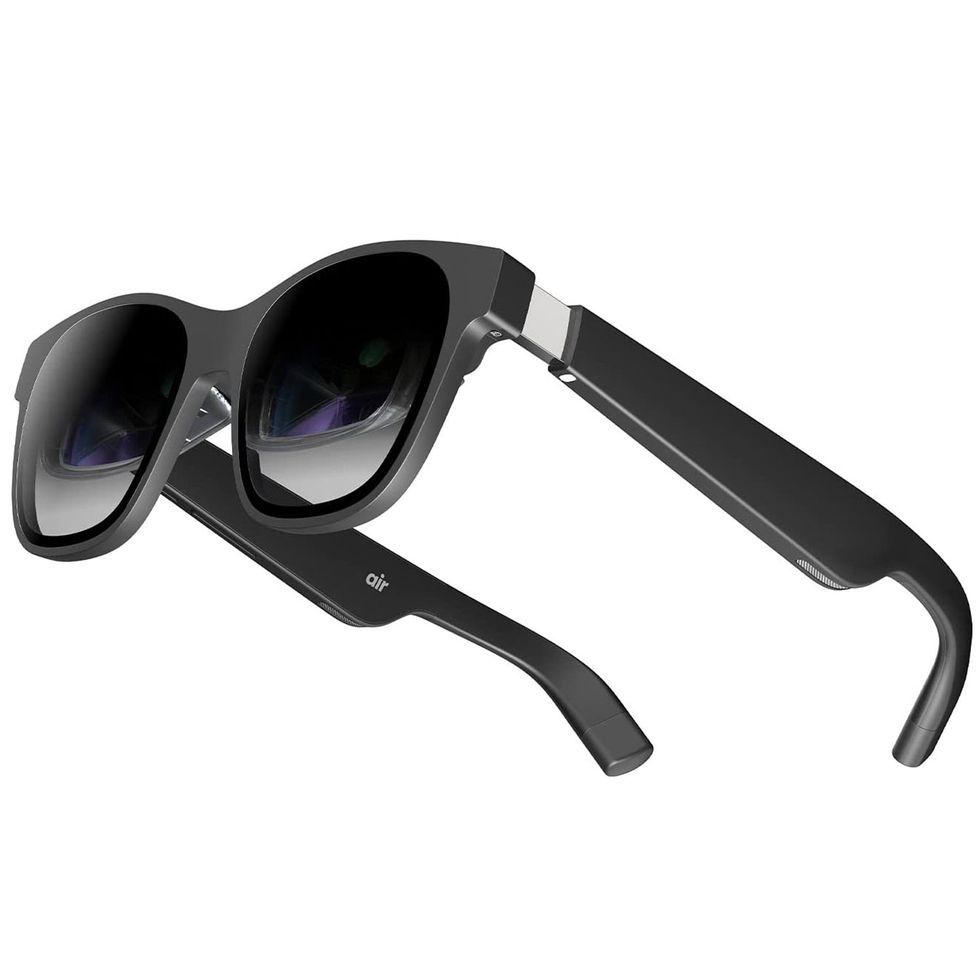
| Screen Size | Up to 201in. (AR mode) at 60Hz with 46 degree FOV |
| Resolution | 1920 x 1080 per eye |
| Battery Life | N/A |
| Connectivity | USB-C port with video output. Adapter required for iPhone/Xbox/PS5/Switch. |
| Weight | 79g |
The Xreal (formerly Nreal) Air Glasses are the most feature-packed AR glasses available. In addition to projecting a private 130-inch theater screen, they’re capable of running a full AR operating system on the go. This spatial computing interface is called Nebula. It is home to a suite of apps including Microsoft Office for work, virtual desktops for PC or Mac, and a variety of indie games in the AR Lab. The Air’s picture quality comes close to our top performer but isn’t quite as smooth when gaming due to the Air’s lower 60-hertz refresh rate. Still, they excel in value as they are the most affordable pair with the most expansive feature set.
Pop these round glasses over your eyes and connect the included USB-C cable to a device that supports USB-C video out—a phone or tablet—to beam its display up to a crisp, virtual 130-inch screen. But if you connect the USB-C cable to an Android phone or Mac with the Nebula app installed, you unlock the Air’s AR platform. Instead of a static screen, you’re greeted to a sprawling 200-inch canvas populated by app windows that float over your physical space.
You can stack and move these windows, which wrap around your entire vision like a curved monitor. Your smartphone serves as both a touchpad and motion controller to navigate this overlay. Built-in gyroscopes track your movements to aim the cursor, while the touchscreen lets you drag and click to select. When you have multiple apps open, simply swipe right to enlarge them or downward to bring them closer. You can stack as many as you please and turn your head to view content. I primarily worked across three virtual screens—Google Docs, email on Outlook, and live news.
Paired with the intuitive smartphone touch controls, the workspace is seriously immersive. That’s thanks to its 500-nit screen brightness, but, despite its higher pixel per space count (49 PPD to 45 PPD on the Rokid), I found in reality it’s slightly blurrier than the Rokid Max. In the single-screen theater projection mode, trivial textures in movies and game environments—cracks in a stone wall or ripples in a body of water—aren’t as distinguished. And with a slower 60-hertz refresh rate, fast moving games felt a bit less responsive, especially when it came to aiming or moving a cursor. That said, watching content and working on a screen feels identical, so this won’t matter if you don’t play the latest AAA games at max graphics settings. Even without the shaded light blocker clipped onto the glasses, they are bright enough to see the apps and text overlaid in a sunlit room. However, the Rokid’s higher 600 nits of brightness looks sharper in a well-lit room.
Overall, the Xreal Air is the best pair of smart glasses for most people. They look like a stylish pair of designer shades and render a full AR workspace to juggle windows and multitask. This wider range of functionality as a spatial computing platform for productivity tasks stands out from the competition, which simply places a theater-like screen at a fixed distance. And while its apps are limited, the number available grows each month.
While I didn’t get a chance to test the upcoming Beam adapter, this dongle is slated to add more wired and wireless connectivity for more devices, like home gaming systems. It also has a built-in 4870-Milliampere-hour (mAh) battery for video processing to upgrade the experience further. Plus, it has the ability to lock the digital screen into a fixed position within your space and track your head movements to eliminate shaking.
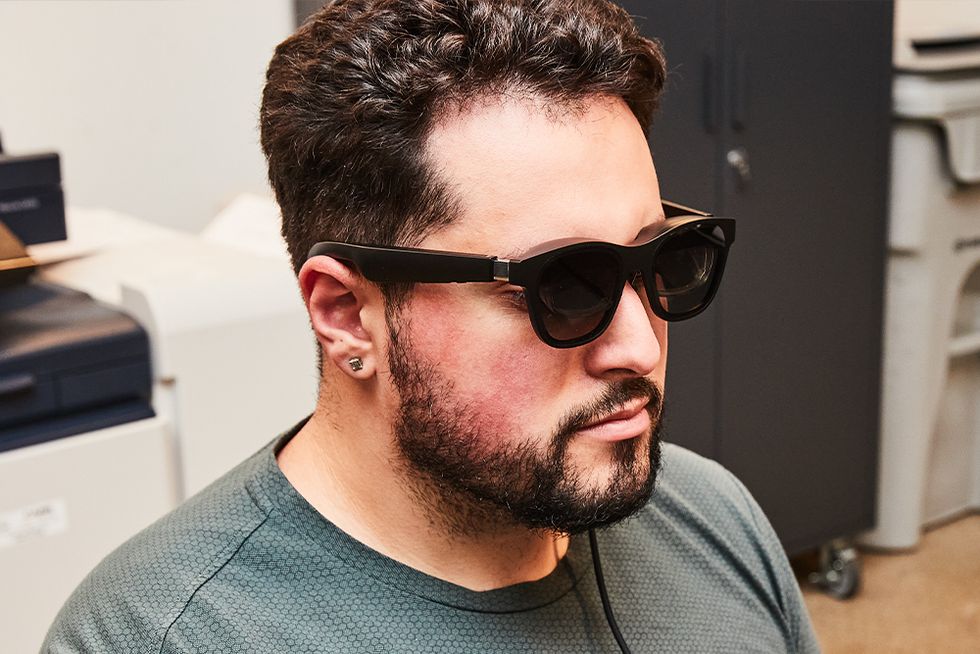
Test Editor Hunter Fenollol wears the Xreal Air AR glasses.

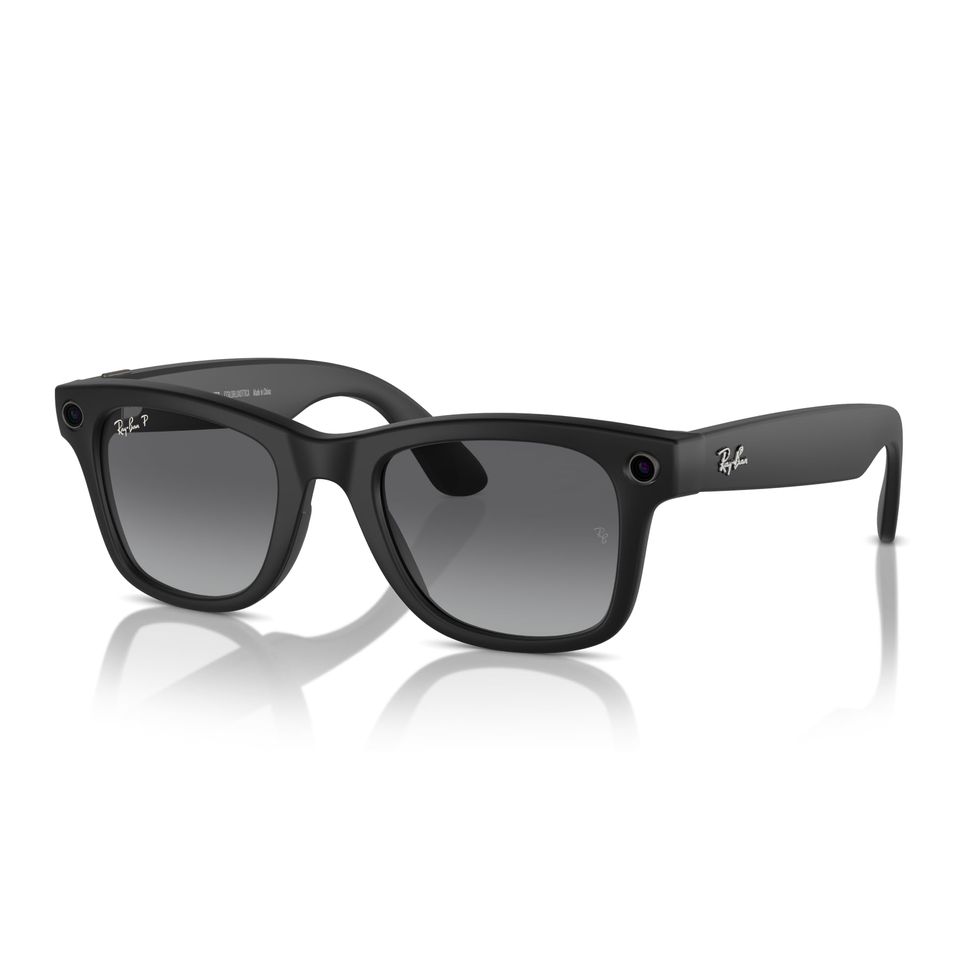
| Screen Size | N/A |
| Resolution | N/A |
| Battery Life | Up to 4 hours; Up to 36 hours with charging case |
| Connectivity | Bluetooth 5.2 |
| Weight | 48.6g |
With the ability to capture great photos and videos, as well as live stream, the Ray-Ban Meta Smart Glasses are tailor-made for today’s social media-obsessed world. And they look amazing, coming in dozens of configurations, with two frame styles, seven colors, and multiple lens options. They’re also among the smartest smart glasses available, with multimodal AI capabilities to, for example, translate a sign or tell you about the history of a building you’re looking at.
All things considered, the Ray-Ban Meta smart glasses feel most like what it would be like to be in a spy movie. They make it incredibly easy to share your point of view right to Instagram or save it to share later. Meta’s smart glasses are also great for making calls and listening to music, making them a well-rounded option if you don’t need AR features.

| Screen Size | 130-in. at 60Hz with a 45 degree FOV |
| Resolution | 1920 x 1080 per eye |
| Battery Life | N/A |
| Connectivity | USB-C |
| Weight | 89g |
Although the TCL NXTWEAR S smart glasses aren’t the most vibrant, their comfort is unmatched thanks to their sleek finish, which runs cool and has low blue light eye protection. These are perfect for binging movies or marathon gaming sessions. TCL nailed the basics in ways its rivals don’t, so these glasses are much easier to use. For example, you don’t have to forcefully snap the front sunglass shade over the frame because there is a slick magnetic attachment system to instantly pop off or swap out blockers. Although it sounds minor, the inclusion of physical buttons makes it so much easier to adjust volume and brightness or enter 3D movie mode, rather than gamble on a touch sensitive panel or multifunctional wheel. The NXTWEAR S is also the only pair of smart glasses we reviewed to use a Pogo USB connector. Much like Apple’s MagSafe system, this wire disconnects easily to reduce wire strain and improve convenience when traveling.
While its picture is equally as sharp as the others at 1080p, the limited brightness and refresh rate are especially noticeable compared to others while gaming. I needed to pay more attention in order to spot the torches of distant enemies and better anticipate an enemy attack in “Elden Ring.” However, I preferred watching movies on the TCL, as these are shot at under 30 FPS and the dimmer screen felt more lifelike with less strain on my eyes—an actor’s five o’clock shadow or pimple were just as sharp. TCL’s speakers created the best bass and most immersive 3D sound. You can even pair an additional device to them over Bluetooth so you can listen to your phone simultaneously.
Keep in mind that the glasses’ wayfarer design is narrower than the rounded shapes of the other two glasses, so you end up seeing more of your surroundings in your peripheral vision. I prefer this while I travel as it looks the most “normal” of the bunch (think a square pair of Ray-Bans) and is more compact. However, if you’re sitting in a busy room, this higher level of awareness can be distracting. These have the highest quality feel to them and are backed by the biggest of all three companies. But if you want a multi-window virtual workspace or will primarily be using these at home, then other models fill more of your vision and offer computing capabilities that the NXTWEAR S lacks.
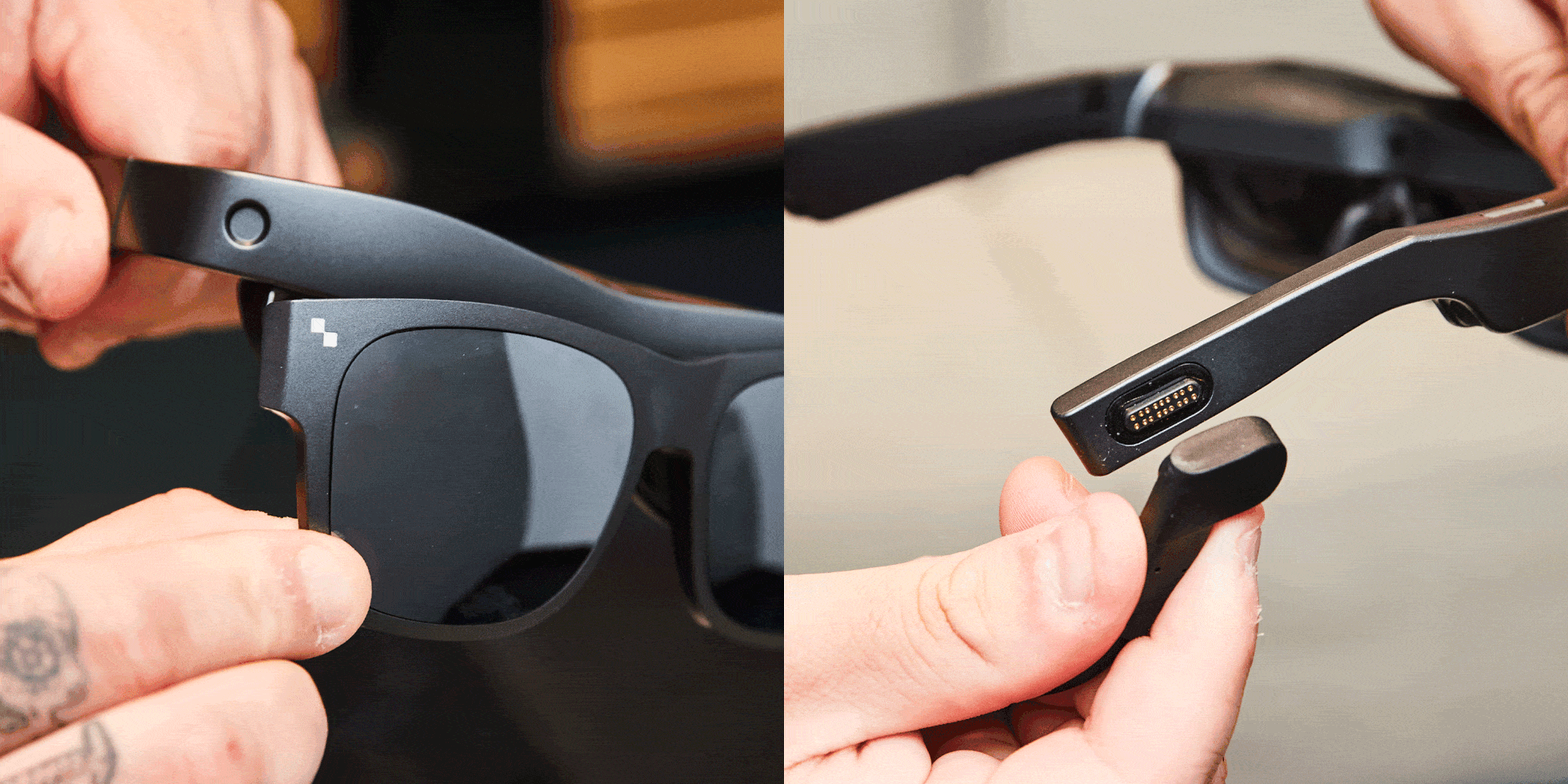
TCL’s glasses are the easiest to use thanks to their magnetic attachments and physical dials.


| Screen Size | N/A |
| Resolution | N/A |
| Battery Life | Up to 6 hours of continuous media playback |
| Connectivity | Bluetooth 5.2 |
| Weight | 40g |
The Amazon Echo Frames take a far more minimal approach to smart glasses, which isn’t a bad thing. They look just like regular glasses and are available in various shapes, sizes, and styles, making it easy to find a pair that suits you. Their clean, classic design features UV400 protection, IPX4 water and sweat resistance, polarized lenses, and an anti-reflective coating to reduce glare. But what elevates the Echo Frames is their open-ear audio performance.
Echo Frames feature open-ear audio architecture designed to improve sound quality when playing music, listening to podcasts, and taking phone calls. The sound is directed to your ears, so you can hear everything more clearly, and sounds are also minimized for others around you. The Echo Frames support an auto volume feature that will automatically adjust the volume based on the ambient noise around you. In other words, they’re a solid alternative to wireless earbuds, giving you a rich audio experience without anything in your ears.
In addition, the Echo Frames feature customizable buttons to control calls and notifications, turn the microphone on/off, start and pause music, and talk to Alexa. While they aren’t the most feature-packed option available, they offer solid audio capabilities in a sleek package.

| Screen Size | 135-in. at 120Hz with 46 degree FOV |
| Resolution | 1920 x 1080 per eye |
| Battery Life | Up to 4 hours |
| Connectivity | USB-C |
| Weight | 77g |
If you want a private theater experience beamed to your eyeballs, look no further than the Viture Pro XR. These smart glasses provide you with a 135-inch screen, making your favorite movies look fantastic wherever you go. The screen also boasts an impressive brightness and beautiful color reproduction thanks to the Micro-OLED tech, which is adjustable for those who suffer from myopia.
The Viture Pro XR supports spatial computing by connecting to your Mac or PC, with a multi-display option for separate workspaces. In fact, the glasses allow you to set up displays in several different configurations, from a single 21:9 ultrawide to a dual display setup with one vertical screen. Other features include an electrochromic film to block out ambient light and give you complete privacy, so someone sitting next to you won’t be able to snoop on what you’re watching.
When you imagine the ideal smart glasses, the Viture Pro XR comes pretty close. While they’re on the pricey side, their features and viewing experience justify the investment.
Although smart glasses have been around for a while, they haven’t quite kept up with the advancements seen in smartphones and other wearables. Still, we’re getting closer to the sci-fi future that pop culture has long promised. If you’re considering picking up smart glasses now, there are several factors to consider.
Display technology is the most important factor for smart glasses that support AR. Modern smart glasses use birdbath optics, which position the picture downward then reflect the visuals close to the wearer’s eye for a rich, full HD projection that seems to appear several feet in front of you. Paired with micro OLED displays for each eye, this creates a rich and vibrant image that frees you from the size limitations of physical screens and pops from your surroundings. Make sure any smart glasses you purchase have at least a 1080p resolution and a 45-degree field of view.
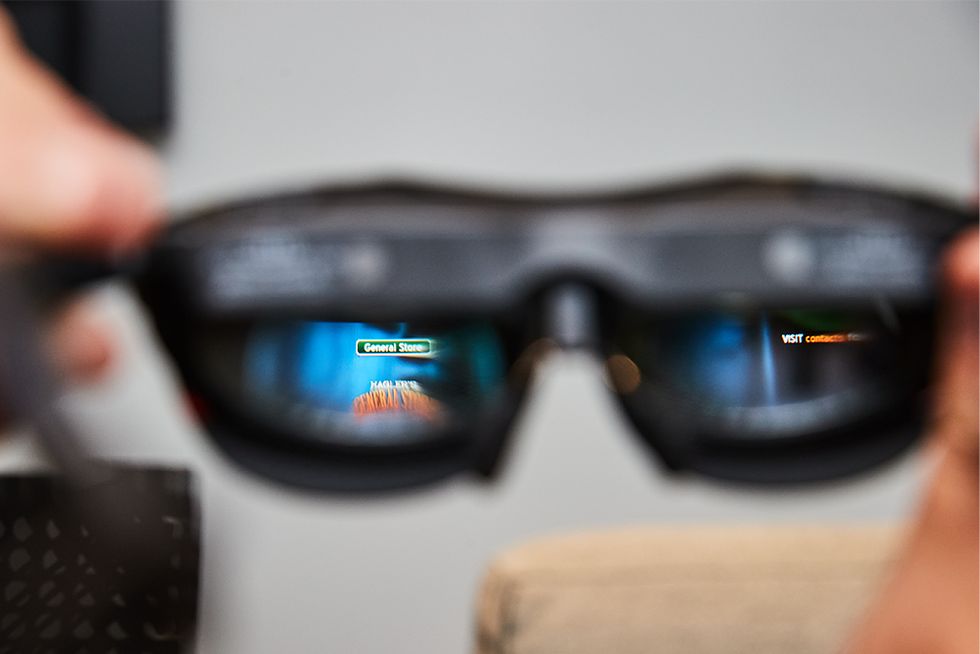
It’s impossible to properly capture how the screen appears through the lenses using a camera. You can see how text and images from the video game "American Fugitive" fill the glasses’ field of view.
Battery life remains the Achilles’ heel of smart glasses. Some of the most powerful AR models rely on an external power source, like a phone or battery. Other models, including the Ray-Ban Meta smart glasses, feature a built-in battery that can last roughly four hours on a single charge. Intensive features like AR or continuous video recording can deplete battery life quickly, so you’ll need to be cautious with your usage. If you plan to wear smart glasses throughout the day, prioritize models with extended battery life or fast-charging capabilities.
Next, you want to ensure the fit is comfortable enough for extended use. To do this, look for smart glasses with plenty of adjustability. Take note of different arm heights, the number of nose bridges included, and whether there is built-in diopter tuning for nearsightedness. A proper fit ensures there’s minimal (or no) blur and that you won’t lose any corners of your content. Modern smart glasses have come a long way from bulky and nerdy prototypes like Google Glass. Take into account if you like the design to find a pair that fits with your style.
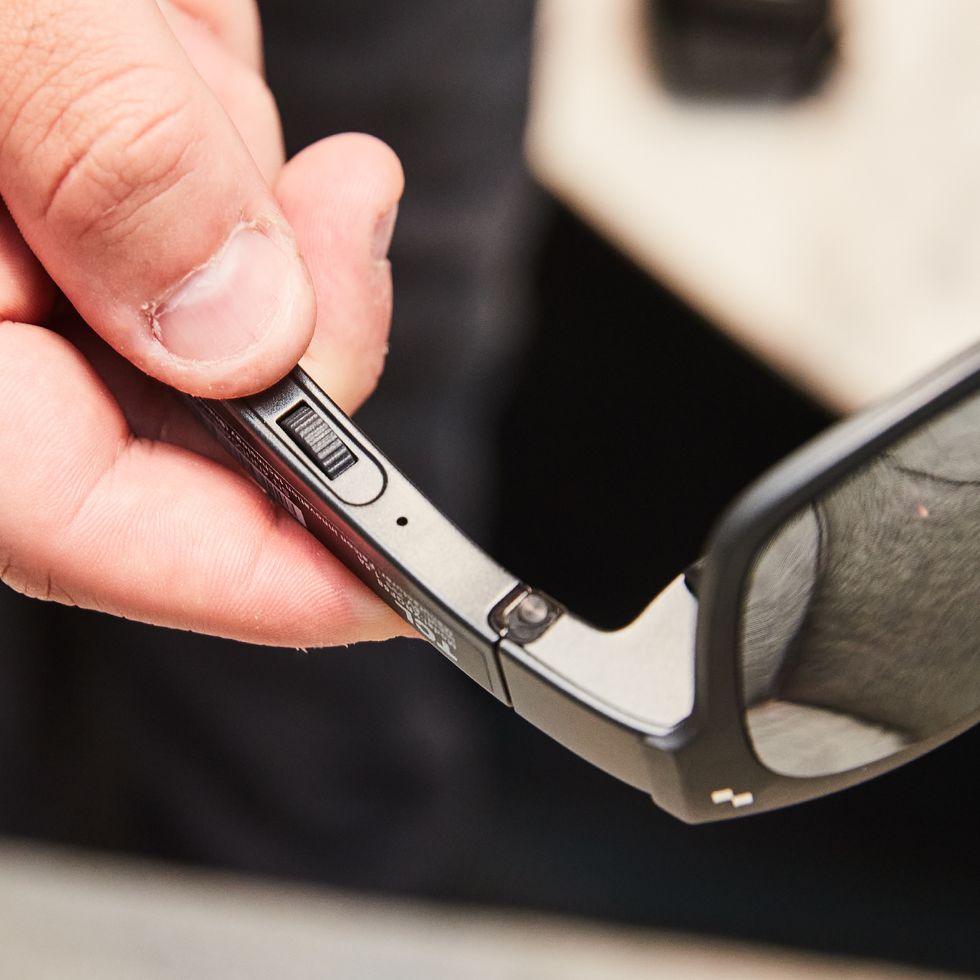
The physical buttons on the TCL NXTWEAR S provide easy adjustments and feedback.
As with any new device you add to your arsenal, it’s crucial to consider how well the smart glasses will integrate with your existing setup. Check if your preferred glasses are compatible with your smartphone and whether they offer dedicated apps for seamless control and customization.
Smart glasses of old were either bulky or had a distinct sci-fi appearance. In contrast, modern iterations boast more elegant designs that look increasingly similar to standard eyewear. Models from Meta and Amazon look no different from the eyeglasses and sunglasses millions of people wear everyday. Before buying a pair, finding a balance between technology and style will ensure you get the most out of your investment.
Brandon Russell is a freelance writer covering gear and technology. He started his journey as a news writer at a small newspaper and later began reviewing smartphones, movies, and video games. In his free time, he enjoys the slower, more intentional experience of using a 35mm film camera and making short videos about movies he grew up watching.
Hunter Fenollol, our resident expert of all things consumer tech, from smart home to VR gaming headsets, has years of knowledge creating product explainers, in-depth reviews, and buying guides to help you get the most from the latest electronics. Throughout college, he covered and reviewed the latest gadget releases for sites like Tom’s Guide, Laptop Magazine, and CNN Underscored. If he’s not elbow-deep in the latest hardware, you can find Hunter at one of Long Island’s many beaches, in Manhattan, or gambling away his paycheck.
此内容由惯性聚合(RSS阅读器)自动聚合整理,仅供阅读参考。 原文来自 — 版权归原作者所有。