


The Epson FastFoto FF-680W Photo Scanner offers an impressive balance of quality, speed, and user-friendliness. With the ability to scan one photo per second at 300 DPI or batch scan up to 36 photos, it can blow through shoeboxes full of photos in a matter of hours, streamlining the often tedious task of digitizing photo collections.
While the scanner is notable for its speed, you can bump the scanning resolution up to 600 DPI or use software interpolation to produce scans at 1,200 DPI. These higher resolutions give you more detailed scans, which are ideal for editing and larger prints. If you’re not comfortable editing photos yourself, the scanner’s software can automatically enhance your scans, including red-eye reduction, color restoration, de-skewing, and even straightening crooked images. This helps you achieve quality results without needing photo editing expertise.
One of the FF-680W’s most valuable features is its ability to scan both sides of a photo in a single pass, preserving any handwritten dates or notes scribbled on the backs of photos. This dual-scanning capability doesn’t slow down the process, and the software automatically keeps front and back images paired together. The scanner is also versatile when it comes to photo sizes, handling everything from Polaroids to standard 4-by-6 prints, larger 8-by-10 portraits, and even panoramic shots. Unfortunately, it can’t scan negatives, so you’ll need to rely on a lab, which can be expensive.
Beyond scanning photos, the FF-680W offers powerful document scanning, with optical character recognition (OCR) to convert scanned text into searchable, editable documents. This feature makes the scanner an excellent option for digitizing paperwork, receipts, and business cards. Whether you’re scanning photos or documents, the FF-680W delivers exceptional quality thanks to its 600 DPI optical resolution and fast scanning speeds.
| Scanner Type | Sheet-fed |
| Scanning Resolution | 600 DPI optical, 1,200 DPI interpolation |
| Scanning Speed | 1 second for 4x6-in. print at 300 DPI |
| Negative Support | No |
| OS Compatibility | PC, Mac, Android, iOS |
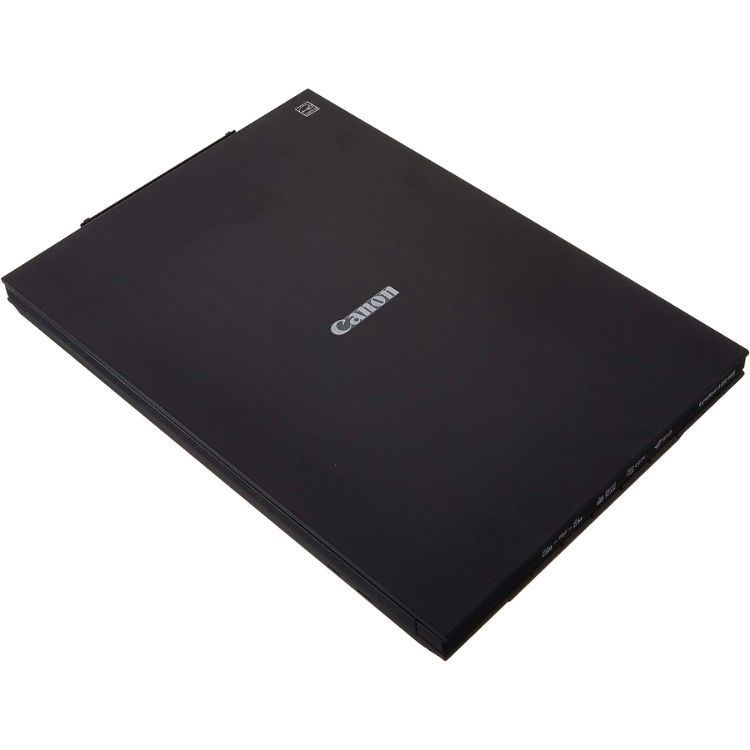
Digitize your entire photo collection for a reasonable price with the Canon CanoScan Lide 400 Slim Photo Scanner. This compact scanner takes up minimal space on your desk while producing high-quality backups, with an optical resolution of 4800 DPI, which is significantly more than our best overall pick. The higher resolution gives you the flexibility to create larger prints of your scans.
The Lide 400 Slim offers an array of features beyond simply scanning your photos or documents. For instance, the scanner’s software can help remove dust, enhance colors, and correct grain—features that can instantly breathe new life into old photos. Canon says it can scan 4-by-6 color photos in as little as eight seconds at 300 DPI, so it's relatively quick, though not as fast as the FastFoto FF-680W above.
Making things even quicker is the Lide 400’s “Send to Cloud” feature, which automatically uploads your photos to the service of your choice, including Dropbox. The scanner’s versatile design includes a kickstand that lets you position it vertically to save desk space when scanning. Canon claims the scanner maintains consistent quality regardless of orientation.
There are five buttons on the front, including an auto-scan function that detects what you’re scanning and saves it in the appropriate format (PDF, JPEG, TIFF, or PNG). Like pricier models, it can also convert scanned text into editable PDFs, so it's useful for both photos and documents. Unfortunately, the scanner lacks wireless and mobile connectivity, so you have to connect it to a computer via the included USB cable. Additionally, despite being a flatbed scanner, you can’t use it to scan negatives.
Despite that limitation, for under $100, the Lide 400 delivers impressive value for occasional scanning needs.
| Scanner Type | Flatbed |
| Scanning Resolution | 4,800 DPI |
| Scanning Speed | 8 seconds for 4x6-in. print at 300 DPI |
| Negative Support | No |
| OS Compatibility | PC and Mac |
Advertisement - Continue Reading Below
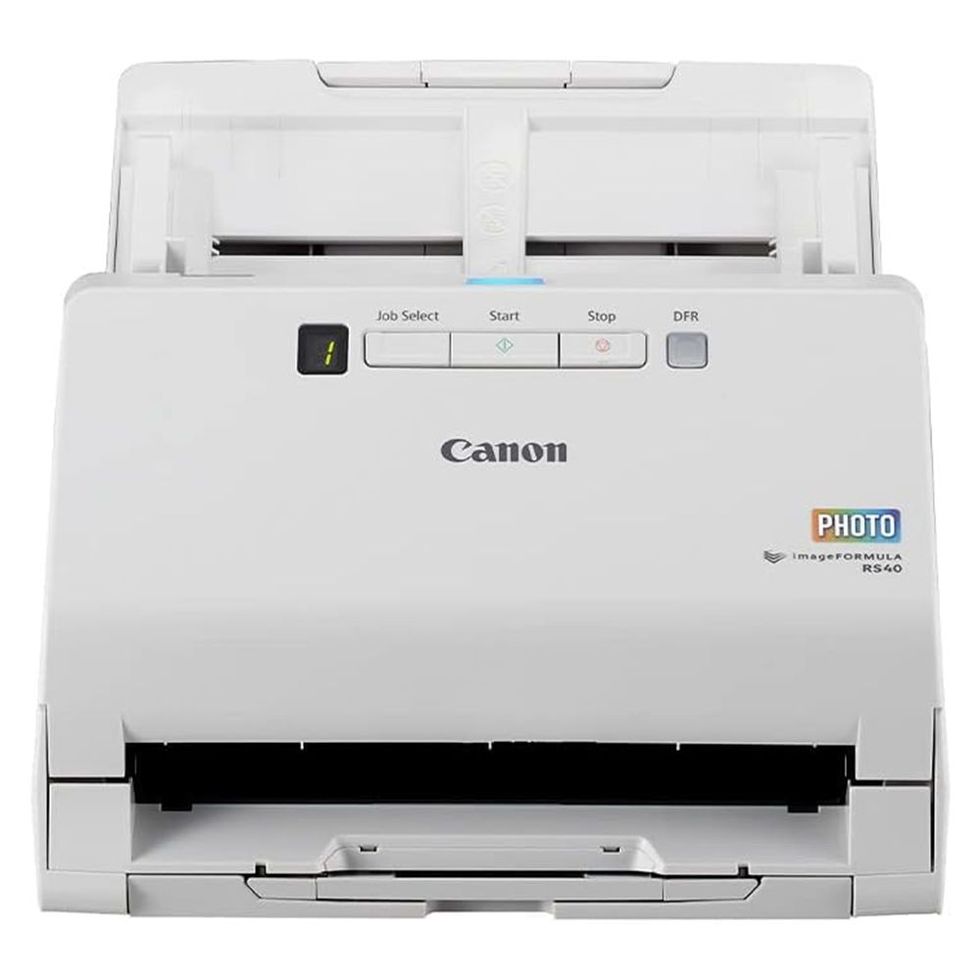
The Canon ImageFormula RS40 Photo Scanner is another excellent sheet-fed option that offers wide compatibility, allowing you to start scanning quickly right out of the box. It can handle media of various sizes and types, including instant photos, receipts, and 8-by-10 photos. As such, it's an excellent all-purpose scanner for both backing up photos and important documents.
It's possible to batch scan up to 40 photos at once, with speeds of up to 30 photos per minute. For those keeping score, that comes out to one photo every two seconds. While it’s not quite as fast as our top pick, the RS40 remains an excellent alternative for quickly digitizing old photo albums. It can batch scan photos in multiple sizes too, and a carrier sheet helps protect old and delicate photos as they go through the scanner. An optical resolution of 600 DPI ensures scans are crisp and detailed, while software interpolation bumps that up to 1,200 DPI.
Canon software transforms faded photos into vibrant ones, reduces red-eye, and saves your scans to a computer or preferred cloud service, including Google Drive and Dropbox. Combined with the fast batch scanning and intuitive controls, the RS40 offers one of the most straightforward and hassle-free ways to digitize your photo collection. The process essentially involves you loading your photos, pressing scan, and letting the scanner do the rest.
The RS40 isn’t just for photos—it’s equally capable as a document scanner, handling everything from business cards to legal-size papers. It can process items as large as 8.5 by 14 inches, saving them in various formats, including searchable PDFs, Microsoft Word files, Excel spreadsheets, TXT documents, JPGs, and TIFFs. It’s built to handle substantial scanning projects without breaking a sweat.
Similar to the Lide 400, the RS40 doesn’t offer wireless support, so you’ll need to connect it to a computer. The good news is it works well with both Windows and Mac, though using your smartphone is out of the question.
| Scanner Type | Sheet-fed |
| Scanning Resolution | 600 DPI optical, 1,200 DPI interpolation |
| Scanning Speed | Up to 30 pages per minute |
| Negative Support | No |
| OS Compatibility | Windows and Mac |
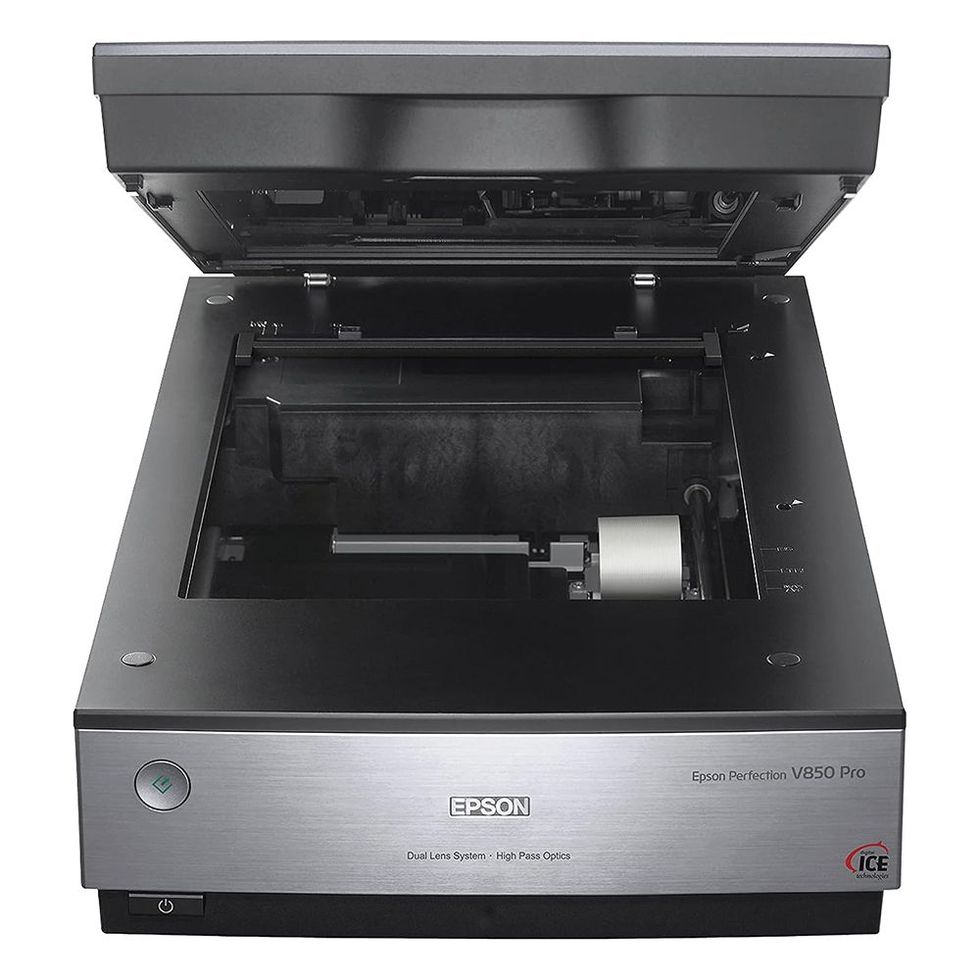
Film photography has experienced a revival over the last decade. As a result, many newcomers are experiencing the joy of developing and scanning their film at home, and the Epson Perfection V850 Pro is one of the best ways to digitize negatives or slides. With its dual-lens system and 6,400 DPI optical resolution, this professional-grade scanner captures every grain of your film with impressive clarity and detail.
The V850 Pro comes with everything you need to start scanning, including eight film holders to accommodate various formats, including 35mm strips and large-format sheets. Its dual-lens system automatically switches between lenses depending on what you’re scanning, using a high-resolution lens for film and a second lens optimized for prints and documents. The film holders are for batch scanning negatives, so it's possible to digitize an entire roll of film quickly.
The V850 Pro’s software can automatically remove dust and scratches on film or remove tears and folds on photos. Additionally, there are controls to fine-tune colors, contrast, and other parameters to achieve a specific look without needing to spend time in editing software.
With the ability to produce professional-grade scans, the V850 comes with an appropriately premium price tag, and you have to be serious about your photography to pick this one up. It’s also quite large, measuring in at 19.8 by 12.1 by 6 inches and weighing 14.6 pounds. With lab scanning becoming more expensive by the day, the V850 Pro is a long-term investment, but its scan quality and features are worth it.
| Scanner Type | Flatbed |
| Scanning Resolution | 6,400 DPI optical, 12,800 DPI interpolation |
| Scanning Speed | Full color: 10.8 msec / line; monochrome 10.8 msec / line |
| Negative Support | 35mm slides (12 frames), 35mm film strips (18 frames), medium format (1 frame, up to 6x10 cm), 4x5 film (1 frame) |
| OS Compatibility | Windows, Mac, Android, iOS |
Advertisement - Continue Reading Below


If you plan to scan, print, and copy, the Epson EcoTank Photo ET-8550 is an all-in-one solution that's an excellent alternative to dedicated devices. You get high-quality scans at 4,800 DPI and a flatbed space of 8.5 by 14 inches, allowing you to scan everything from Polaroids to legal-size documents. The printer also excels at printing photos and is capable of producing borderless prints up to 13 by 19 inches.
The scanning capabilities of the ET-8550 rival those of high-end dedicated scanners. With its 4,800 DPI optical resolution, the scanner captures the finest details in documents and photos, while its 48-bit color depth ensures accurate colors and smooth tonal transitions.
File format options include JPEG, PDF, and TIFF, supporting both single- and multi-page document scanning. For added convenience, you can send scans directly to your computer or mobile device, or save them to an SD card or USB drive. Conversely, you can print directly from an SD card or thumb drive.
The ET-8550 has a 4.3-inch color touchscreen panel for simple navigation of menus and settings like initiating scans, adjusting copy settings, and monitoring ink levels, all without connecting to a computer. Speaking of ink, the ET-8550’s EcoTank design eliminates the hassle of traditional cartridges in favor of large, easily refillable tanks. Each tank holds enough ink for thousands of prints: up to 6,200 color prints or 4,500 black-and-white.
For a high-quality scanner that can do more, the ET-8550 delivers excellent value. Its 4,800-DPI scanning resolution and 48-bit color depth rival dedicated scanners, while its printing capabilities make it a versatile workhorse for both home and office use. It has a high initial cost, but if you utilize every feature, it’s well worth the price.
| Scanner Type | Flatbed |
| Scanning Resolution | 4,800 DPI |
| Scanning Speed | N/A |
| Negative Support | No |
| OS Compatibility | Windows, Mac, Android, iOS |

With an optical resolution of 7,200 DPI, the Plustek OpticFilm 8200i SE delivers detailed scans from 35mm slides and negatives, but keep in mind it doesn’t scan prints. The 3.6D dynamic range ensures excellent tonal reproduction, capturing subtle details in both shadows and highlights. Meanwhile, its 48-bit color produces accurate colors across the entire image. This level of color reproduction is particularly important when digitizing color slides and negatives, where subtle variations have a big impact on the final image.
The scanner features a dedicated infrared channel that detects dust and scratches on film, which SilverFast SE Plus 9 software can then automatically remove during the scanning process. The software includes two powerful features that enhance scan quality: NegaFix and Multi-Exposure. NegaFix is a specialized tool for converting color negatives to positives, with built-in profiles for over 120 different film types. These profiles automatically adjust color balance and exposure based on specific film characteristics (e.g., Portra 400), helping preserve the unique color qualities of different film stocks.
Multi-Exposure performs two separate scanning passes of the same image at different exposure levels. These passes are then combined to create a single image with enhanced dynamic range, particularly improving detail capture in both highlight and shadow areas. This technique can increase the effective dynamic range and reduce noise in darker areas of the scan, resulting in cleaner, more detailed images.
Again, the 8200i SE can’t scan your photos, and it doesn’t support scanning medium-format or large-format films. That said, it produces high-quality results from slides and negatives, and it’s available at a relatively affordable price, especially compared to the Epson Perfection V850 Pro.
| Scanner Type | Film scanner |
| Scanning Resolution | 7,200 DPI |
| Scanning Speed | 20 to 40 seconds at 3,600 DPI |
| Negative Support | 35mm and slide film |
| OS Compatibility | Windows, Mac |
Advertisement - Continue Reading Below

The ClearClick QuickConvert 2.0 does something none of my other recommendations can: It works without a computer. With a rechargeable battery and an SD card for storage, you can toss it in a bag, set it up on a kitchen table at a family member’s house, and start digitizing that person’s photo albums without any cables or software. It’s the only scanner on this list designed to go where the photos are, rather than the other way around.
Unlike a traditional flatbed, the QuickConvert 2.0 scans from above, which means you can digitize photos straight out of an album without removing them from their pages. Alternatively, a detachable tray holds loose 4-by-6-inch prints in place during scanning. For slides and negatives, ClearClick includes holders for 35mm, 110, and 126 film formats, which is nice to have if you’re exploring analog photography.
Each scan takes about two to three seconds at 14 megapixels (22 megapixels interpolated), and a 5-inch LCD lets you preview shots before saving. You can even connect the scanner to a TV via the included HDMI cable, allowing everyone to preview photos on a larger screen while deciding which ones to keep. After a scanning session, transfer your files to a computer via USB or pop the SD card into a card reader.
The QuickConvert 2.0 won’t match the image quality of dedicated flatbed scanners like the CanoScan Lide 400 or Perfection V850 Pro, and you can’t scan anything larger than 4 by 6. It also lacks an automatic document feeder, so you’ll need to load one photo at a time, making the process relatively tedious depending on the size of your collection. But this is a very approachable (and affordable) option for anyone who wants a simple, portable way to digitize a manageable stack of family photos, old slides, and negatives without dealing with a computer.
| Scanner Type | Portable top-down |
| Scanning Resolution | 14 megapixels (22 MP interpolated) |
| Scanning Speed | 2-3 seconds per photo |
| Negative Support | 35mm slides and negatives, 110 and 126 negatives |
| OS Compatibility | No computer required; USB transfer to PC and Mac |

If you have a shoebox of old family photos and want to digitize them without dedicating an entire weekend to the task, the Plustek ePhoto Z300 makes scanning easy thanks to a compact footprint and high-speed scanning. This sheet-fed scanner weighs just over 3 pounds, takes up minimal desk space, and will scan a 4-by-6-inch print at 300 DPI in just two seconds. it offers auto-crop and de-skew features, which can straighten out scans that go through slightly crooked. Plustek’s editing software can also enhance faded colors.
With the Z300, you manually feed it one photo at a time, and the scanner’s CCD sensor captures it at up to 600 DPI. There is no automatic document feeder here, though, so you’ll need to load and remove each photo yourself. On the plus side, it can scan larger photos and documents, up to letter size, so it also works well as a basic document scanner for receipts and paperwork.
That said, the Z300’s speed and simplicity come with a few trade-offs. Bumping the resolution to 600 DPI for sharper scans slows down the scanning process. If you’re not in a rush, I’d argue that the extra time is worth it: A 4-by-6 photo scanned at 300 DPI is good enough to share on social media, but may look fuzzy if you crop in to focus on a face or some background detail. At 600 DPI, you should have enough resolution to enlarge a section of that same print or make edits in Adobe Photoshop without losing clarity. Even at 300 DPI, though, the Z300’s output will make standard-size prints look good on a smartphone.
| Scanner Type | Sheet-fed |
| Scanning Resolution | 600 DPI |
| Scanning Speed | 2 seconds for 4x6 in. |
| Negative Support | No |
| OS Compatibility: | PC and Mac |
Brandon Russell is a freelance writer covering gear and technology. He started his journey as a news writer at a small newspaper and later began reviewing smartphones, movies, and video games. In his free time, he enjoys the slower, more intentional experience of using a 35mm film camera and making short videos about movies he grew up watching.
Mike Epstein is a Senior Commerce Editor at Hearst Enthusiast Group, producing reviews for buying guides Popular Mechanics, Runner’s World, Bicycling, and Best Products. Prior to joining Hearst, he was a video game and technology critic for over 10 years, with bylines at IGN, Gamespot, Variety, Lifehacker, Kotaku, GamesRadar, Flavorwire and Digital Trends, among others. Now, he’s a jack of all trades, helping reviewers share everything they know about all kinds of technical gear, from snowblowers, to running shoes and bicycles, and every kind of gadget imaginable.
此内容由惯性聚合(RSS阅读器)自动聚合整理,仅供阅读参考。 原文来自 — 版权归原作者所有。