惯性聚合 高效追踪和阅读你感兴趣的博客、新闻、科技资讯
阅读原文 在惯性聚合中打开

推荐订阅源

V
Visual Studio Blog
OSCHINA 社区最新新闻
OSCHINA 社区最新新闻
N
Netflix TechBlog - Medium
博客园 - 叶小钗
大猫的无限游戏
大猫的无限游戏
S
SegmentFault 最新的问题
V
V2EX
IT之家
IT之家
J
Java Code Geeks
Hacker News - Newest:
Hacker News - Newest: "LLM"
cs.AI updates on arXiv.org
GbyAI
GbyAI
D
Docker
S
Secure Thoughts
Recent Announcements
Webroot Blog
Webroot Blog
Application and Cybersecurity Blog
云风的 BLOG
云风的 BLOG
博客园_首页
cs.CV updates on arXiv.org
Cyber Security Advisories - MS-ISAC
Security Archives - TechRepublic
酷 壳 – CoolShell
酷 壳 – CoolShell
让小产品的独立变现更简单 - ezindie.com
N
News | PayPal Newsroom
S
Security @ Cisco Blogs
I
InfoQ
Last Week in AI
Last Week in AI
SecWiki News
SecWiki News
钛媒体:引领未来商业与生活新知
钛媒体:引领未来商业与生活新知
W
WeLiveSecurity
T
Troy Hunt's Blog
Recent Commits to openclaw:main
H
Hackread – Cybersecurity News, Data Breaches, AI and More
Attack and Defense Labs
美团技术团队
T
The Blog of Author Tim Ferriss
Google DeepMind News
Martin Fowler
Martin Fowler
B
Blog
CTFtime.org: upcoming CTF events
Scott Helme
Scott Helme
T
Tor Project blog
Know Your Adversary
Know Your Adversary
有赞技术团队
有赞技术团队
Hugging Face - Blog
Hugging Face - Blog
Recorded Future
Recorded Future
C
Cyber Attacks, Cyber Crime and Cyber Security
AI
AI
G
Google Developers Blog

博客园 - 天际翔龙

一个苹果证书如何多次使用——导出p12文件[多台电脑使用] Log4net系列一:Log4net搭建之文本格式输出【转】 SMMS 2016 啟用深色主題 c#代碼小集 ZenCoding[Emmet]語法簡介【轉】 vscode: Visual Studio Code 常用快捷键【轉】 C#枚举Enum[轉] Android 杂记 c#同步調用異步(async)方法【記錄用】 DDD基本概念 server2012/win8 卸载.net framework 4.5后 无法进入系统桌面故障解决【转】 Entity Framework中AutoDetectChangesEnabled為false時更新DB方法 git常用命令备忘录 MSSQL日誌傳輸熱備份注意事項 c#生成唯一编号方法记录,可用数据库主键 唯一+有序 Angular 隨記 使用dumpbin命令查看dll导出函数及重定向输出到文件【轉】 UML类图与类的关系详解【转】 知識隨記
解决genymotion-arm-translation.zip无法拖拽安装的问题[转]
天际翔龙 · 2017-12-19 · via 博客园 - 天际翔龙

1、问题由来

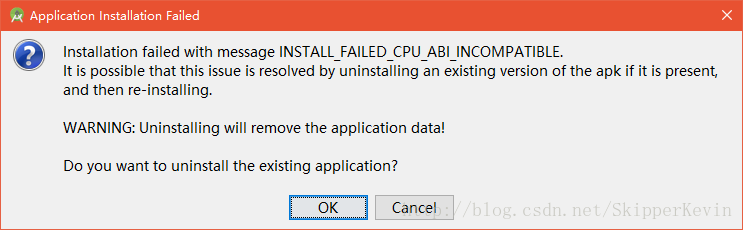
适用情况一:当我们启动了Genymotion模拟器后,在AndroidStudio运行app时,弹出如下错误: 
INSTALL_FAILED_CPU_ABI_INCOMPATIABLE

错误一

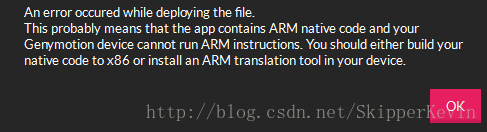
适用情况二:直接拖拽安装apk文件时,模拟器弹出如下错误:

错误二

这是由于Genymotion是基于X86的,它并不支持ARM架构,这时候我们需要往模拟器中拖拽安装Genymotion-ARM-Translation_v1.1.zip或者Genymotion-ARM-Translation_v2.0.zip来解决。

但是问题又来了,在Win10或者某些情况下我们不具备管理员权限, 
所以出现了不能拖拽的情况,或是拖拽变为copy的情况拖拽变为copy但无效的情况

 或者 

都会导致我们的安装不能顺利进行。

2、解决办法

我们利用android-sdk-windows中自带的adb.exe在控制台手动安装Genymotion-ARM-Translation_vX.X.zip(任何版本)。

1)首先我们右键Genymotion图标,以管理员身份运行。

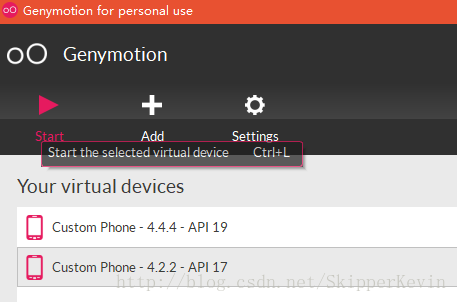
然后正常启动一个设备。

启动设备

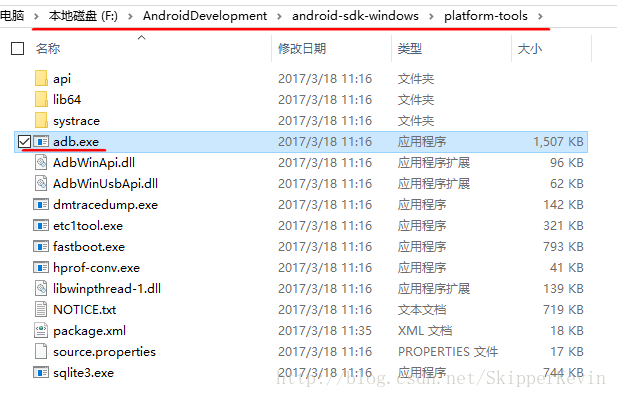
2)在你的android-sdk-windows目录中找到adb.exe所在路径,如图:

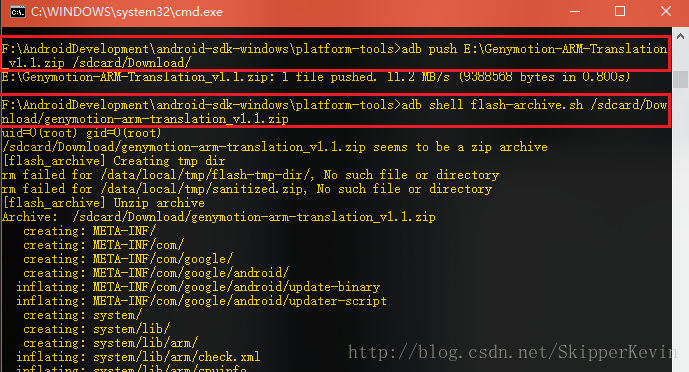
然后启动windows的cmd控制台,进入adb所在目录:

执行命令:

adb push E:\Genymotion-ARM-Translation_v1.1.zip /sdcard/Download/
  • 1

(注:存放Genymotion-ARM-Translation_v1.1.zip的路径里不要含空格)

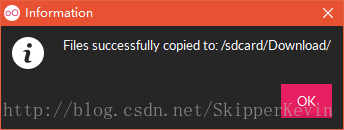
这句话是将Genymotion-ARM-Translation_v1.1.zip文件导入到模拟器的/sdcard/Download/目录下。出现“1 flie pushed”表示导入成功。

接下来执行命令进行安装:

adb shell flash-archive.sh /sdcard/Download/Genymotion-ARM-Translation_v1.1.zip
  • 1

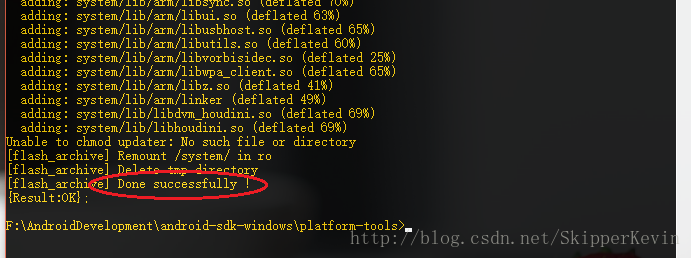
最终出现“Done successfully !”,恭喜你安装成功。

3)重启模拟器,OK,之前不能安装的apk现在又可以愉快地安装了!

转自:http://blog.csdn.net/SkipperKevin/article/details/70885620