





Welcome to the overview of the RubyMine 2026.1 release. RubyMine continues to evolve as a powerful IDE for Ruby and Rails development, bringing improvements to AI-assisted coding, code insight, and remote development.
Any agent, integrated
Improved performance and developer productivity
First-class Ruby and Rails support
RubyMine is evolving as an open platform that allows you to bring the AI tools of your choice into your professional development workflows.
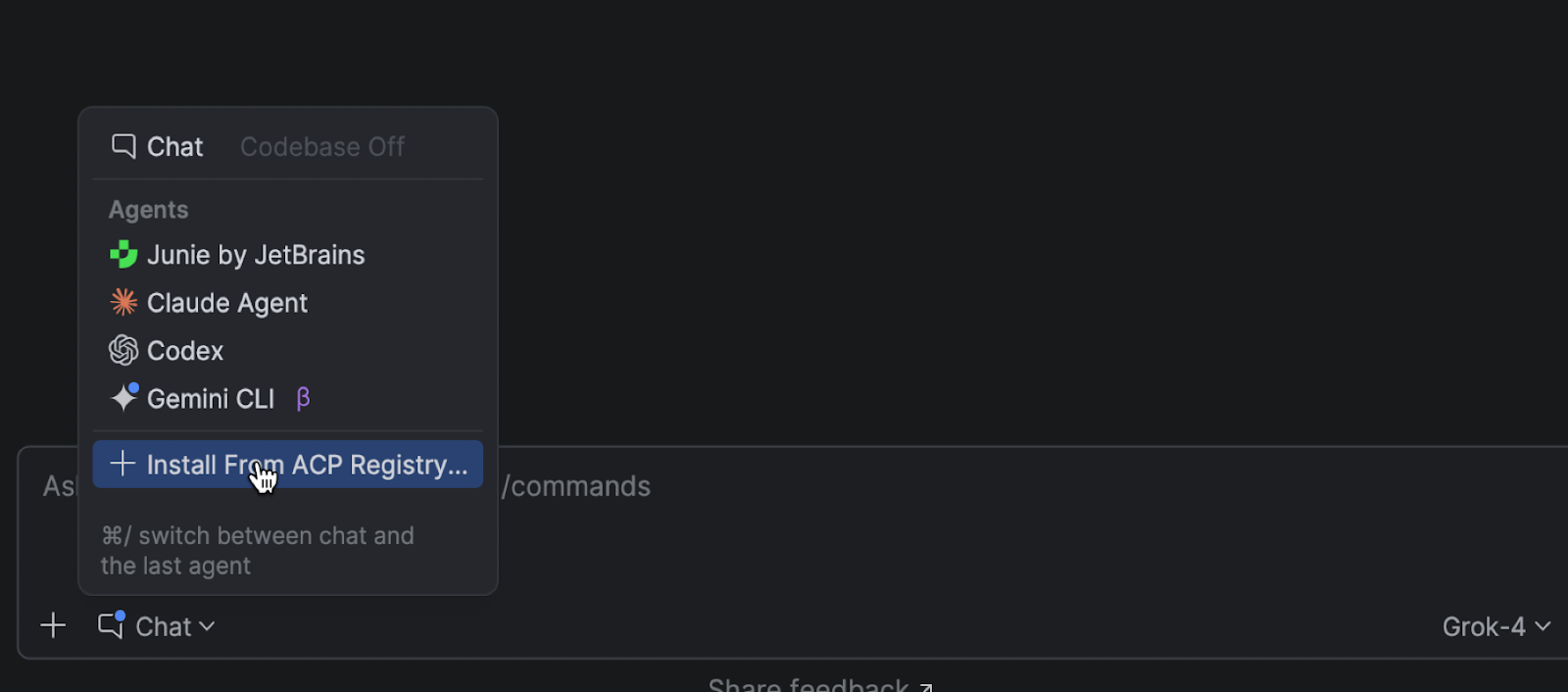
In addition to Junie and Claude Agent, you can now choose more agents in the AI chat, including Codex. Also, Cursor and GitHub Copilot, along with dozens of external agents, are now supported via the Agent Client Protocol. With the new ACP Registry, you can discover available agents and install them in just one click.
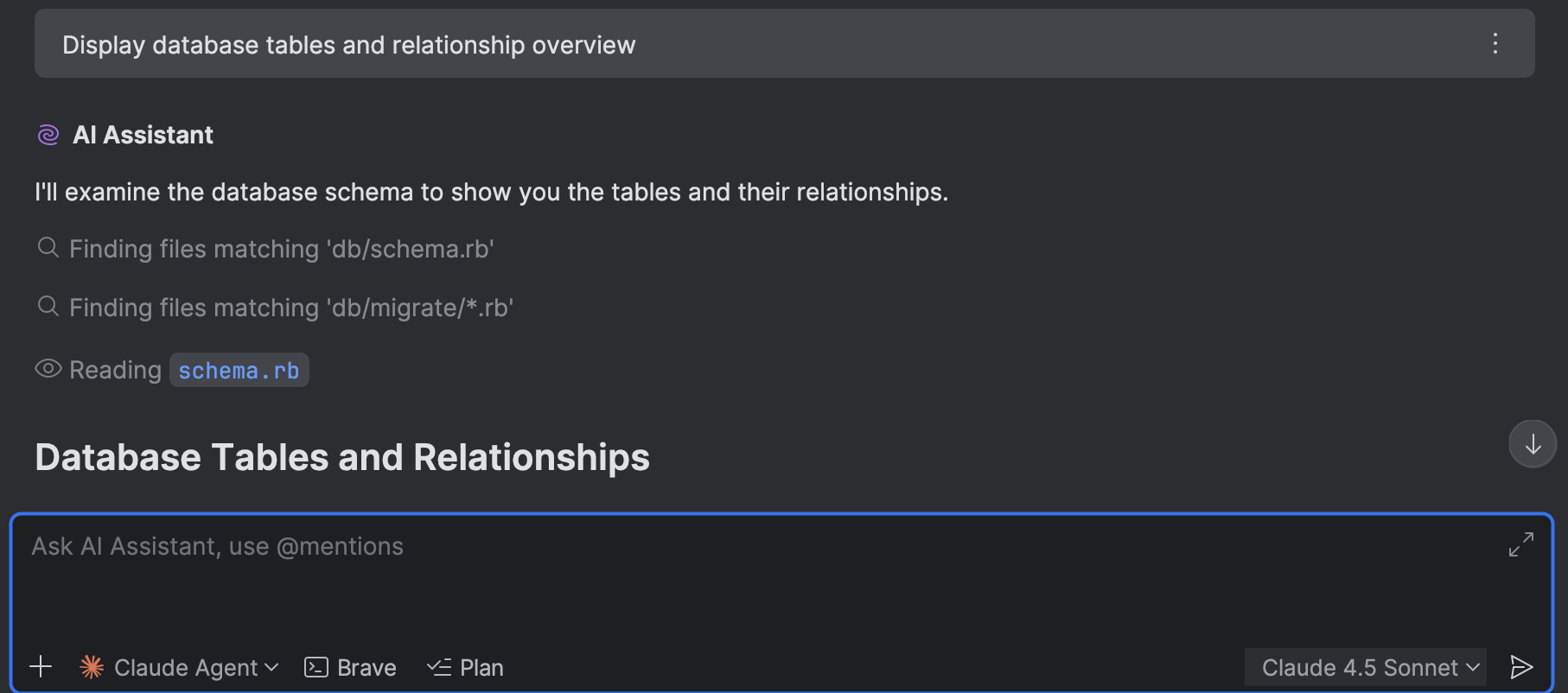
The AI chat integration for Codex and Claude Agent now offers full, native support for your connected databases. With that, you can now query, analyze, and modify your database state using natural language right from the IDE.
The same functionality is available for external agents via an MCP server.
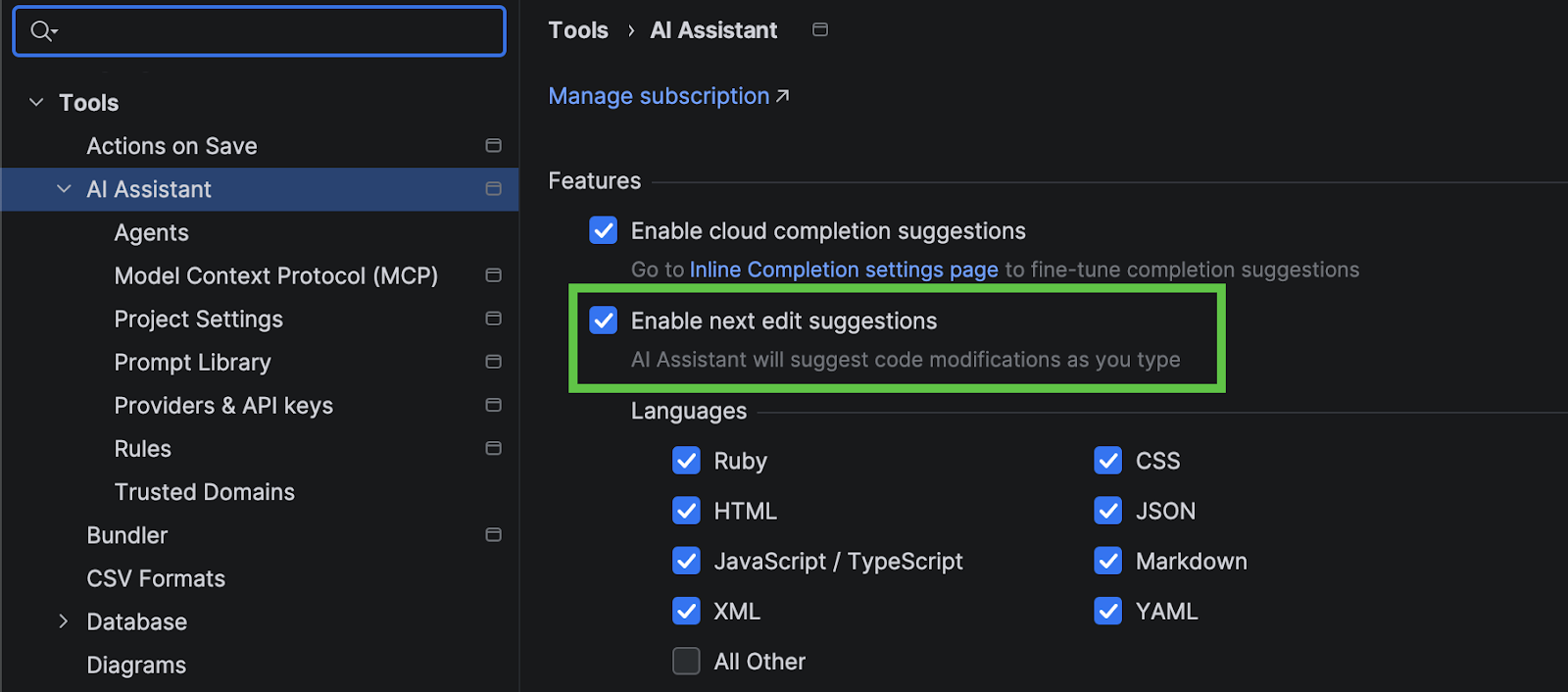
Next edit suggestions are now available without consuming AI quota of your JetBrains AI Pro, Ultimate and Enterprise subscriptions. These suggestions go beyond what is offered by traditional code completion for your programming language. Instead of updating only what's at your cursor, they intelligently apply related changes across the entire file, helping you keep your code consistent and up to date with minimal effort.
This natural evolution of code completion delivers a seamless Tab Tab experience that keeps you in the flow.
Improved accuracy and performance with symbol-based modeling
Beta
RubyMine 2026.1 introduces a new, currently experimental, symbol-based language modelling engine.
This approach changes how RubyMine understands classes, modules, and constants (support for methods is planned for future releases).
Our internal benchmarks show significant performance improvements.
Qualified first-element constant completion is about 40% faster, while the overall time for constant completion improved by roughly 50%. Type-matched completion for exceptions became dramatically faster – by about 95%. In addition, the performance of Find Usages improved by around 60% in large projects and by about 15% in typical cases.
Note: These numbers are based on internal benchmarks and representative projects. Actual results may vary depending on your codebase, hardware, and cache state.
Other improved areas:
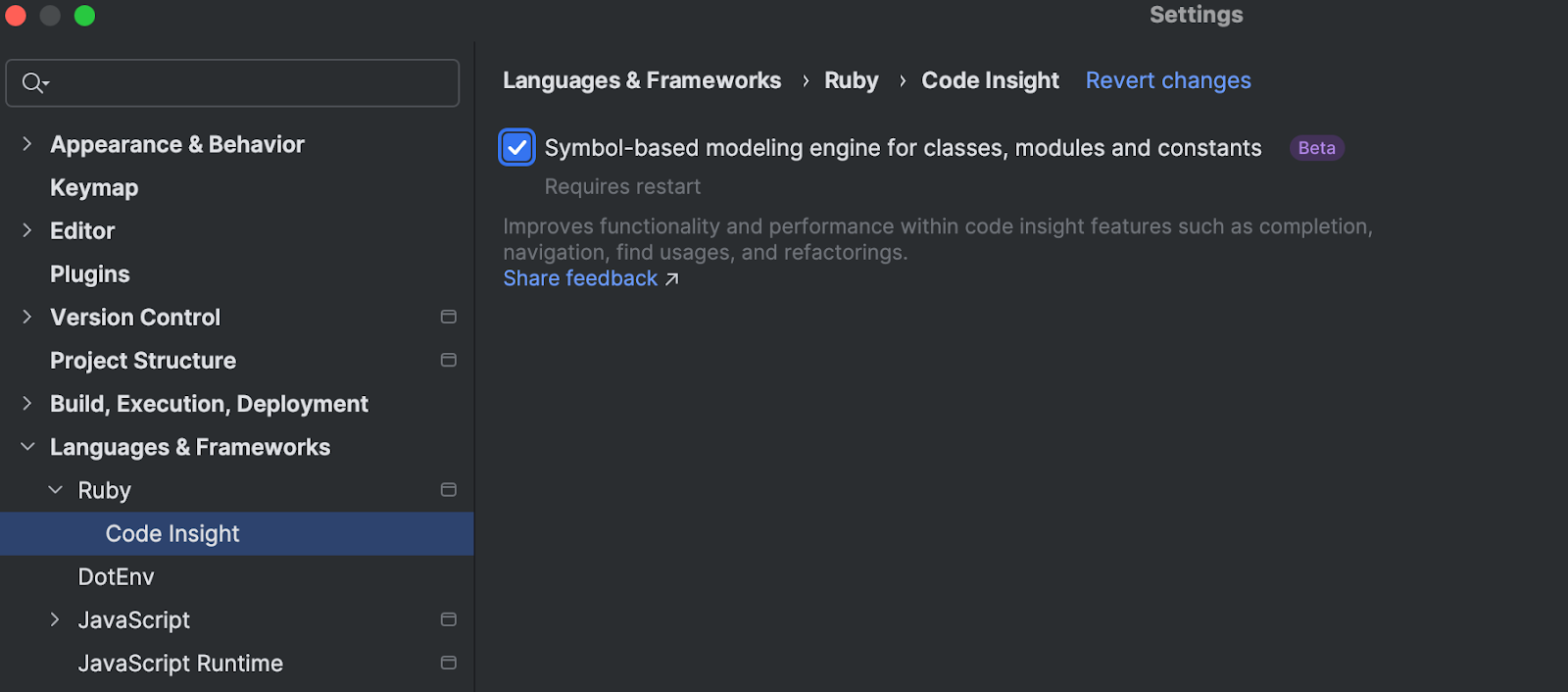
Since this option is still in Beta, it is disabled by default. You can turn it on by going to Settings | Language & Frameworks | Ruby | Code Insight. We encourage you to try this option and share your feedback.
Find more details in our docs.
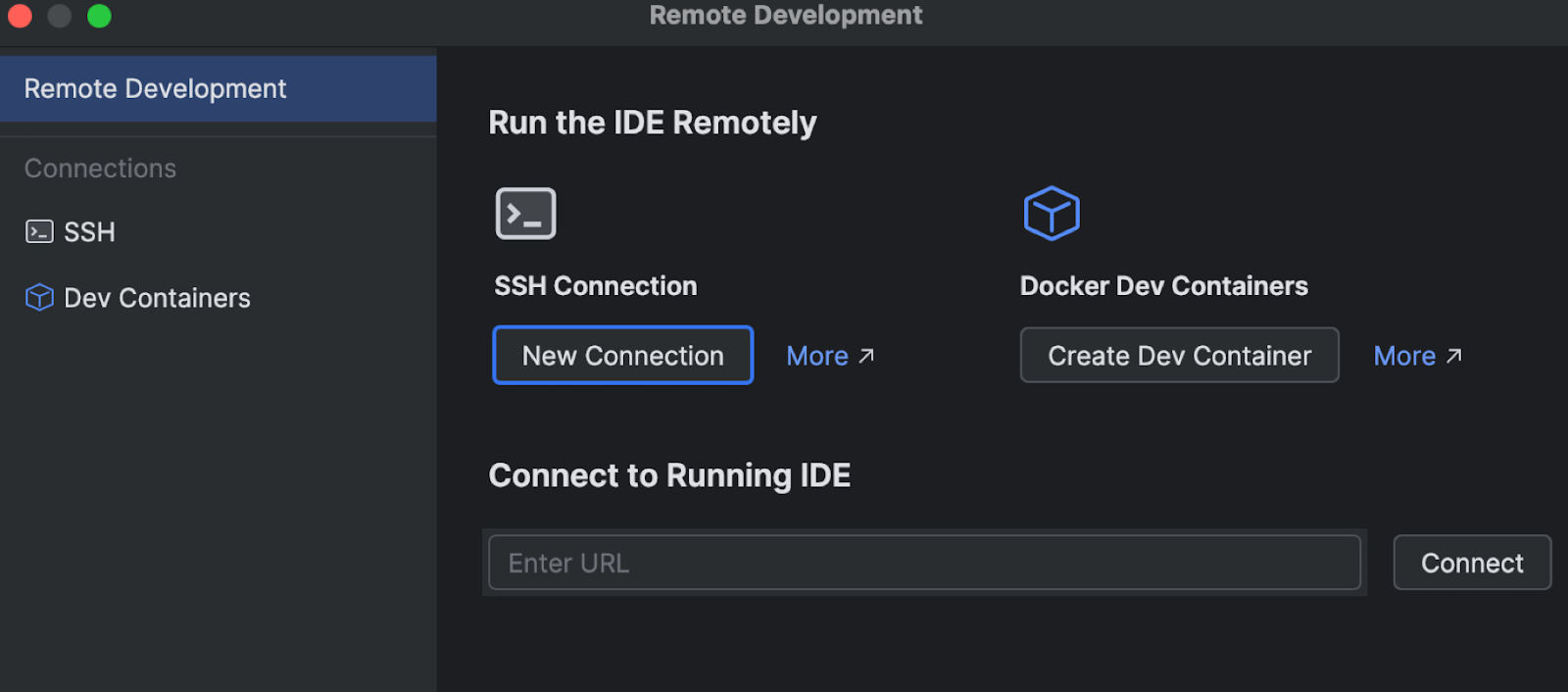
In 2026.1, remote development is moving out of Beta and into Stable, offering a more robust and fully featured remote workflow. You can connect via SSH, Dev Containers, or WSL 2, and the IDE backend runs on the remote machine while the UI is responsive on your local device.
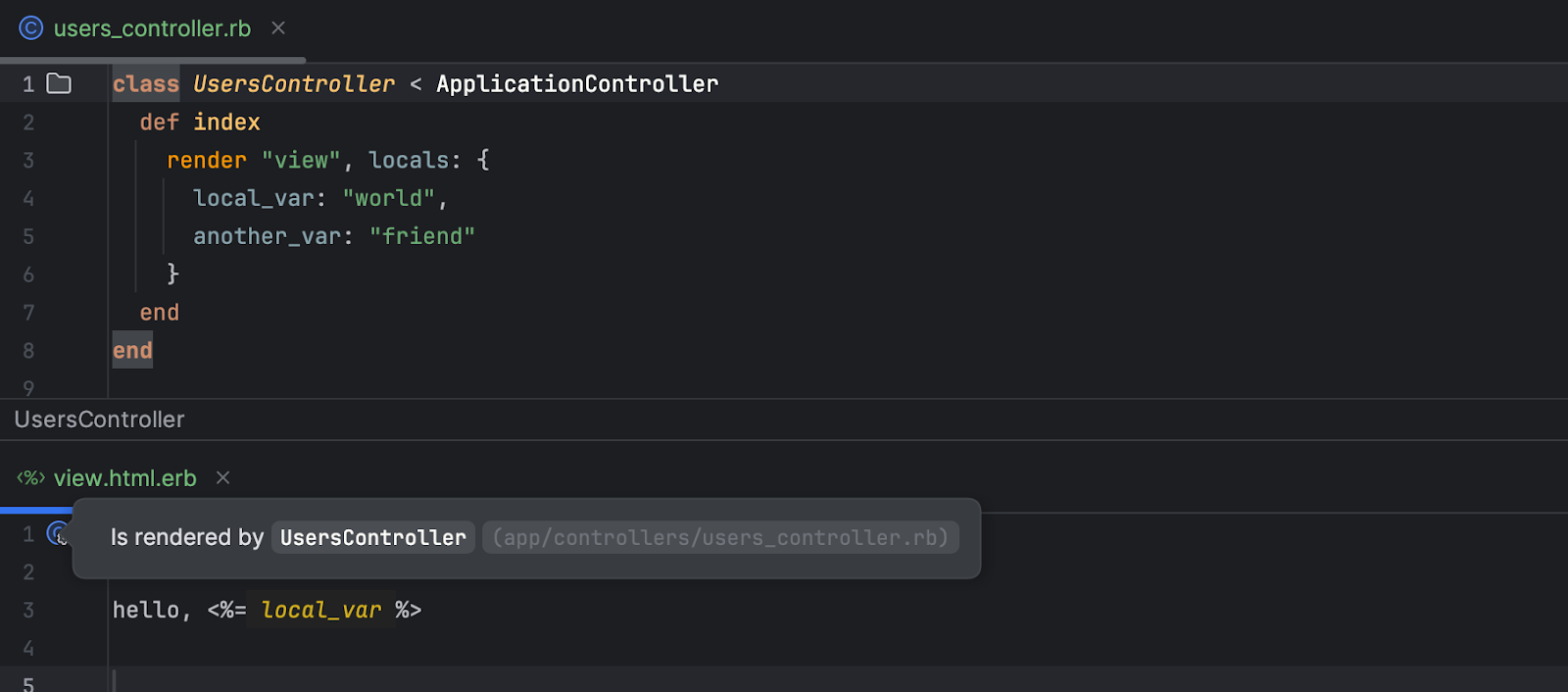
render
RubyMine now recognizes local variables passed via render in Rails views. Variables provided through the locals: option are no longer marked as unresolved and appear in code completion.
This works consistently across views, layouts, partials, and templates (ERB and HAML), improving code insight and reducing false warnings in Rails projects.
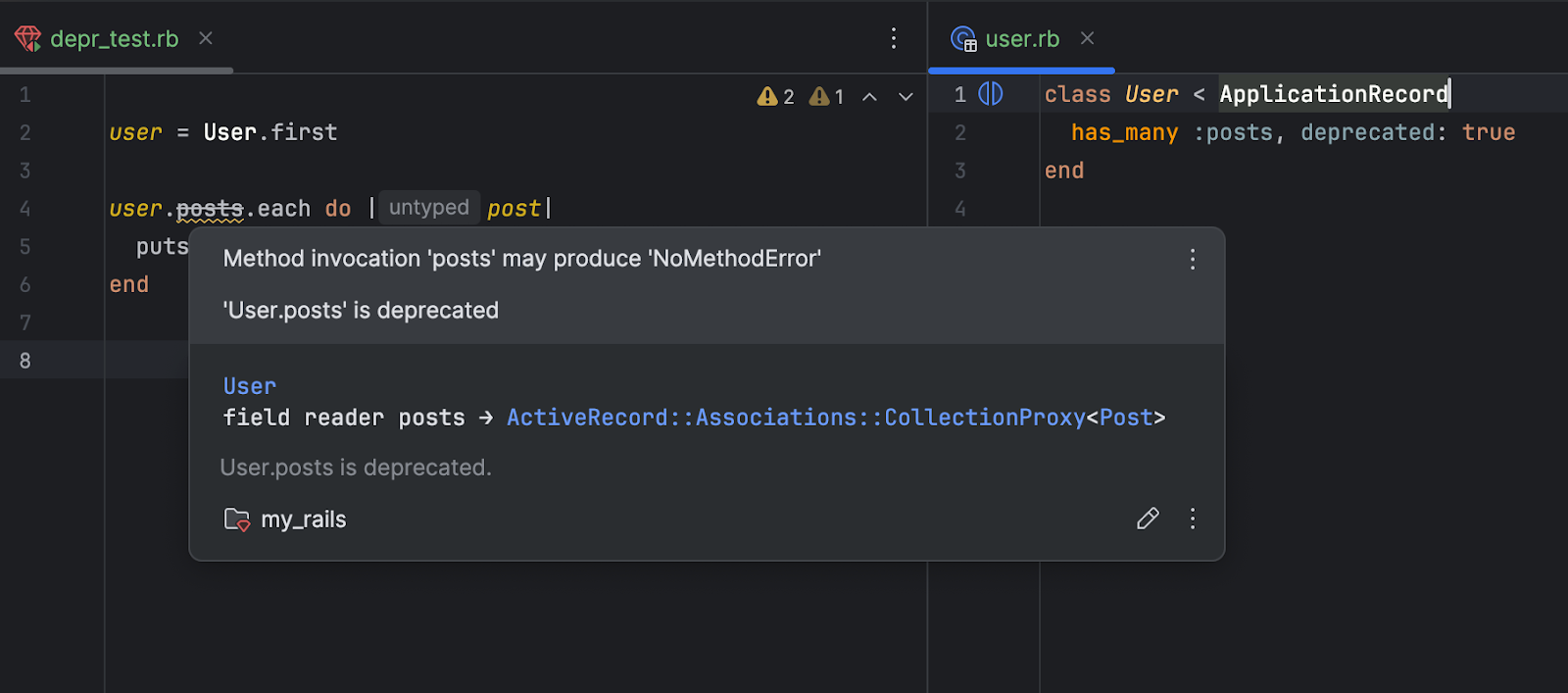
RubyMine now makes it easier to spot outdated Rails code.
When you mark a Rails association as deprecated (for example, has_many :posts, deprecated: true), the IDE highlights all its usages throughout your project and shows a clear deprecation notice in the Quick Documentation popup.
This helps you identify and update deprecated APIs early, keeping your Rails codebase clean and up to date.
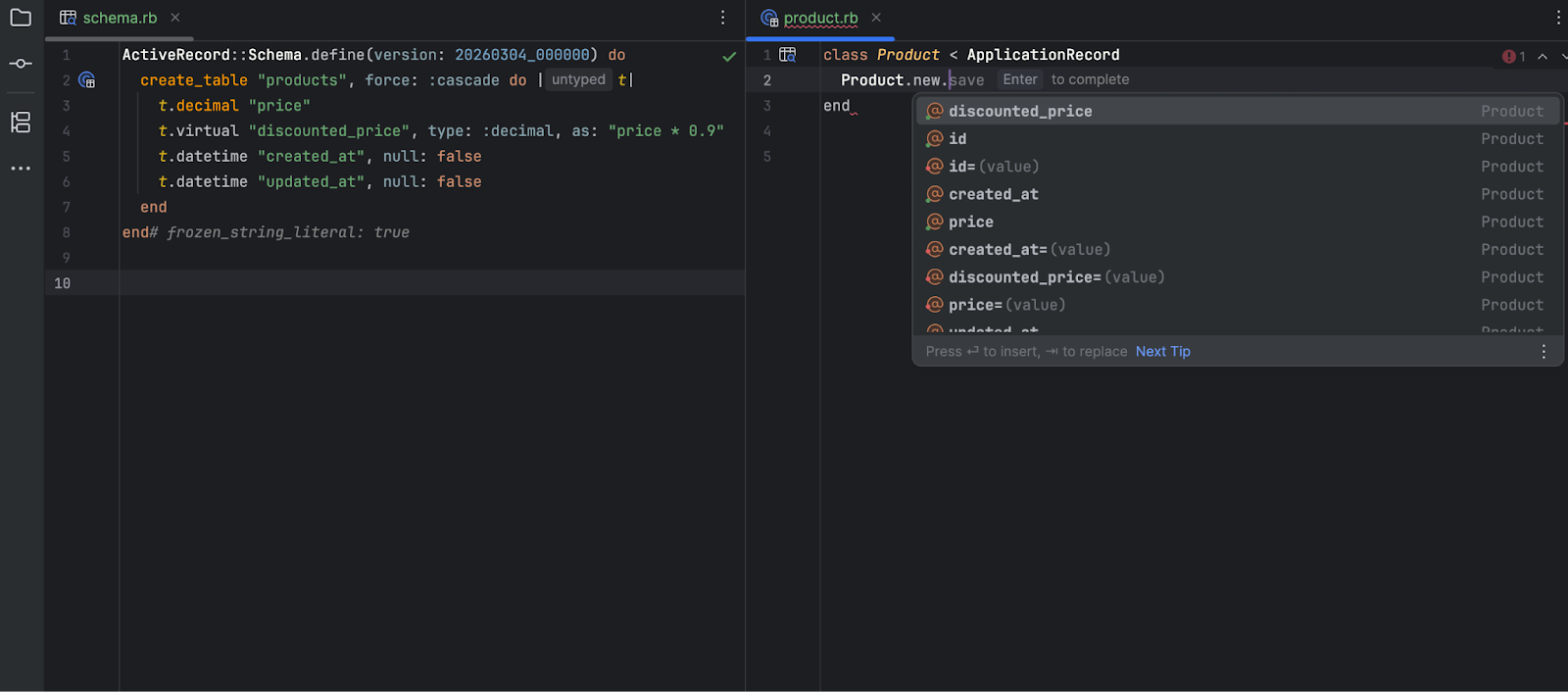
In RubyMine 2026.1, you can now use PostgreSQL 18 (or later versions) virtual (non-persisted) generated columns in your Rails projects just like any other attribute.
RubyMine fully recognizes these columns in your models, so code completion, type hints, and navigation to the column definition in schema.rb all work out of the box.
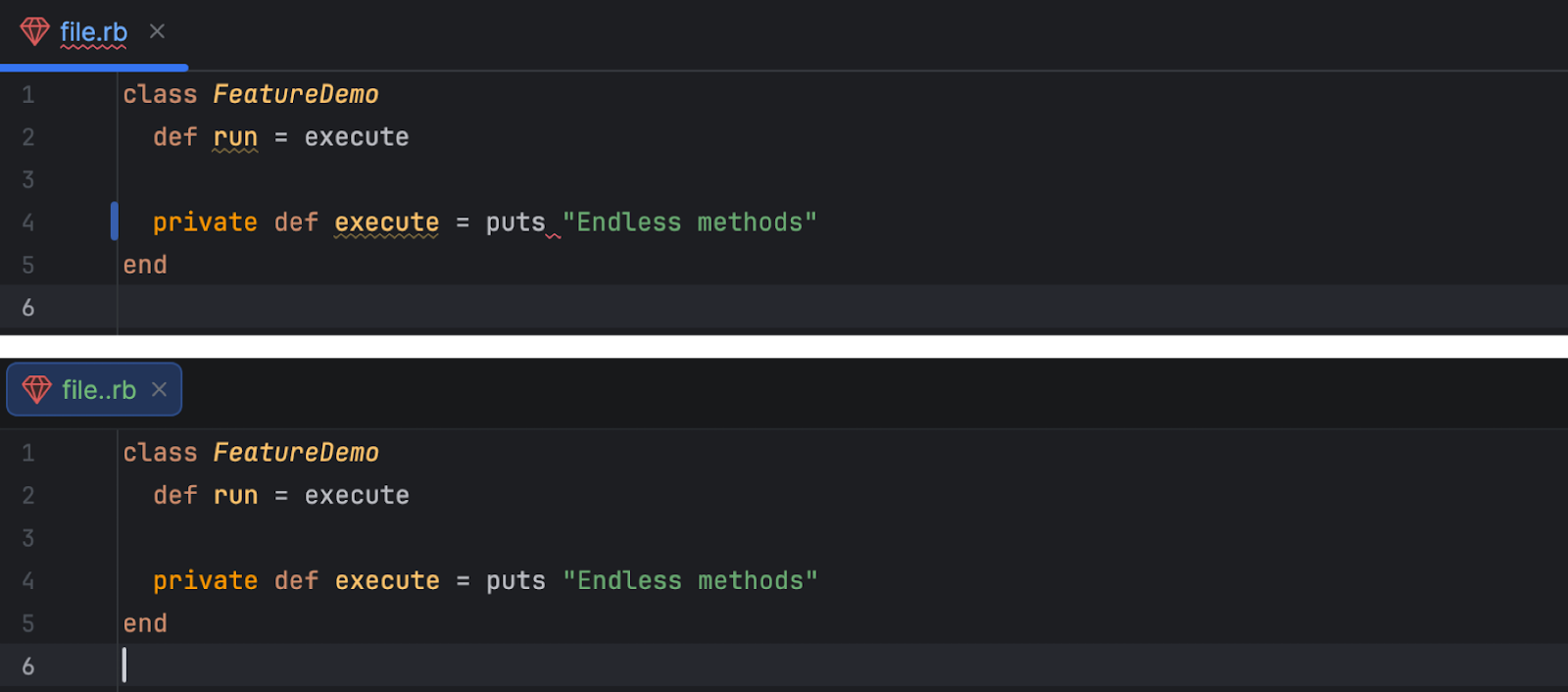
private and public
RubyMine 2026.1 correctly handles Ruby 4.0 endless methods with access modifiers. Now, code like private def hello = puts "Hello" is handled without a parsing error.
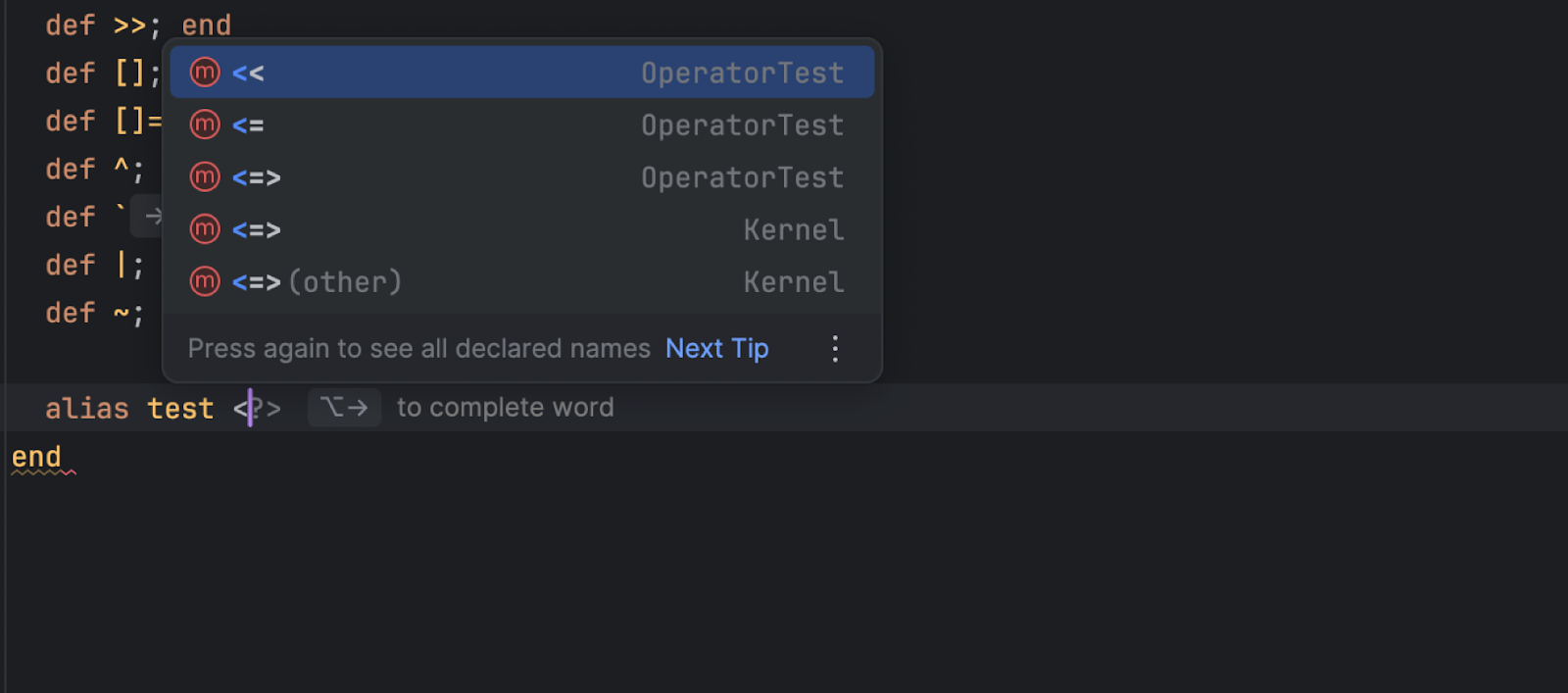
You can now type all Ruby/RBS operators (=, !, +, *, and others) in the completion popup without closing it.
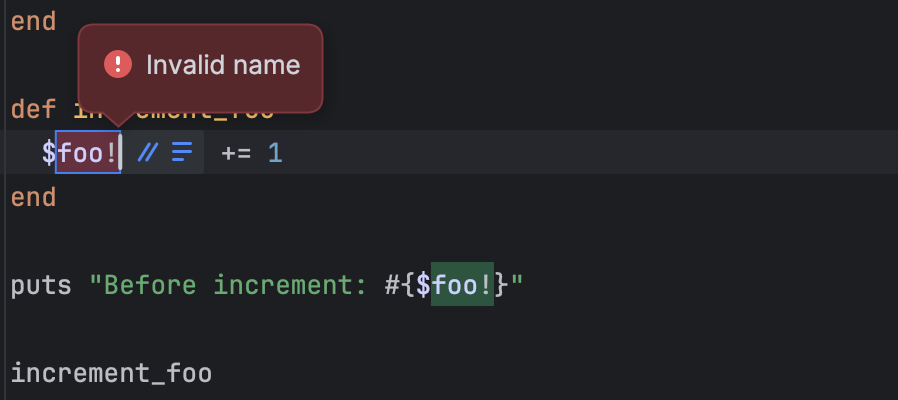
RubyMine now validates global variable names when renaming. Invalid names, like $foo!@#, are no longer allowed, preventing broken code or red highlighting. The IDE ensures renamed variables follow Ruby's syntax rules, making refactoring safer and more reliable.
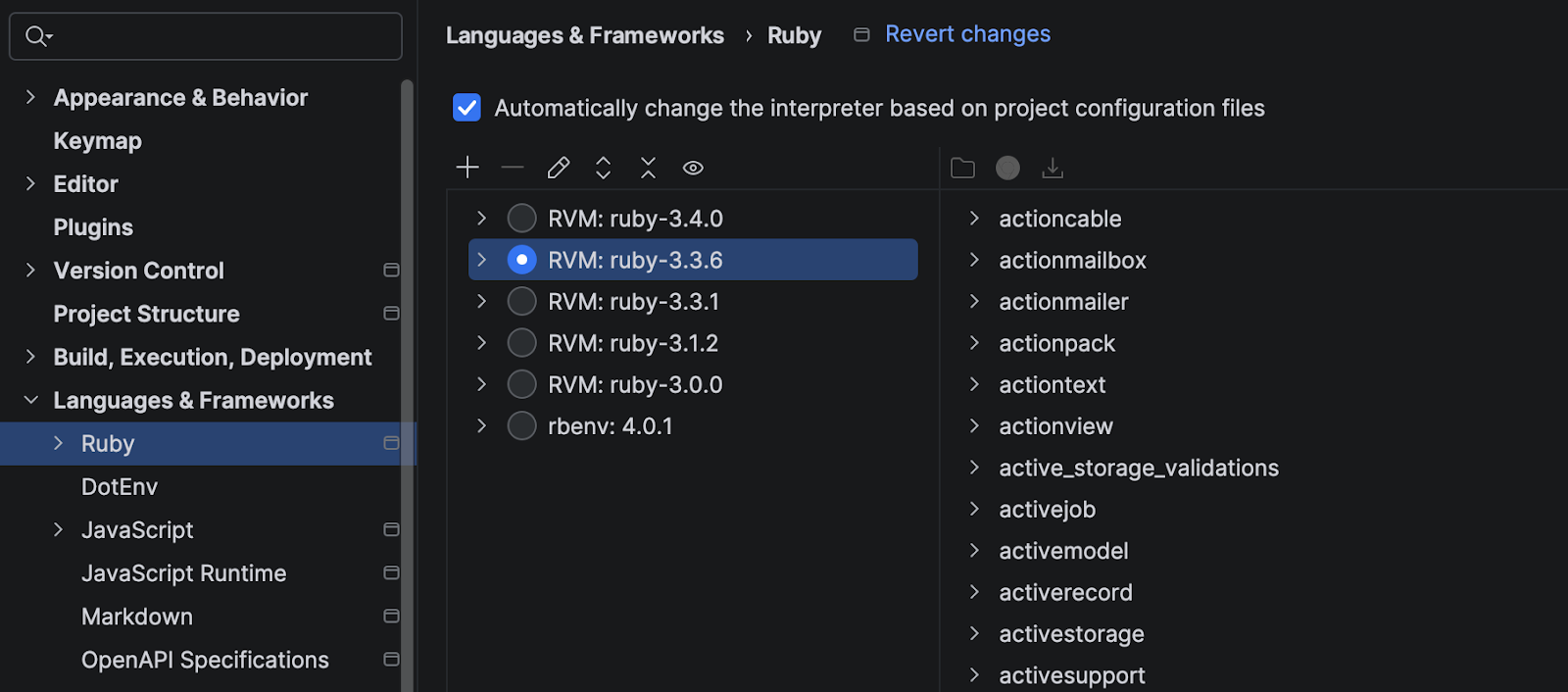
When you open a new project in RubyMine 2026.1, the IDE can automatically pick the Ruby interpreter based on your project's configuration files, such as .ruby-version or .tool-versions.
Depending on what RubyMine detects, the behavior may vary:
If you prefer manual configuration, you can disable this option in Settings | Languages & Frameworks | Ruby.
Find more details in our docs.
In RubyMine 2026.1, you can use a diff viewer for failed RSpec and minitest tests.
When a test fails, just click Click to see difference in the test results. RubyMine opens a side-by-side comparison of the expected and actual values, so you can immediately see what doesn't match and fix the issue faster.
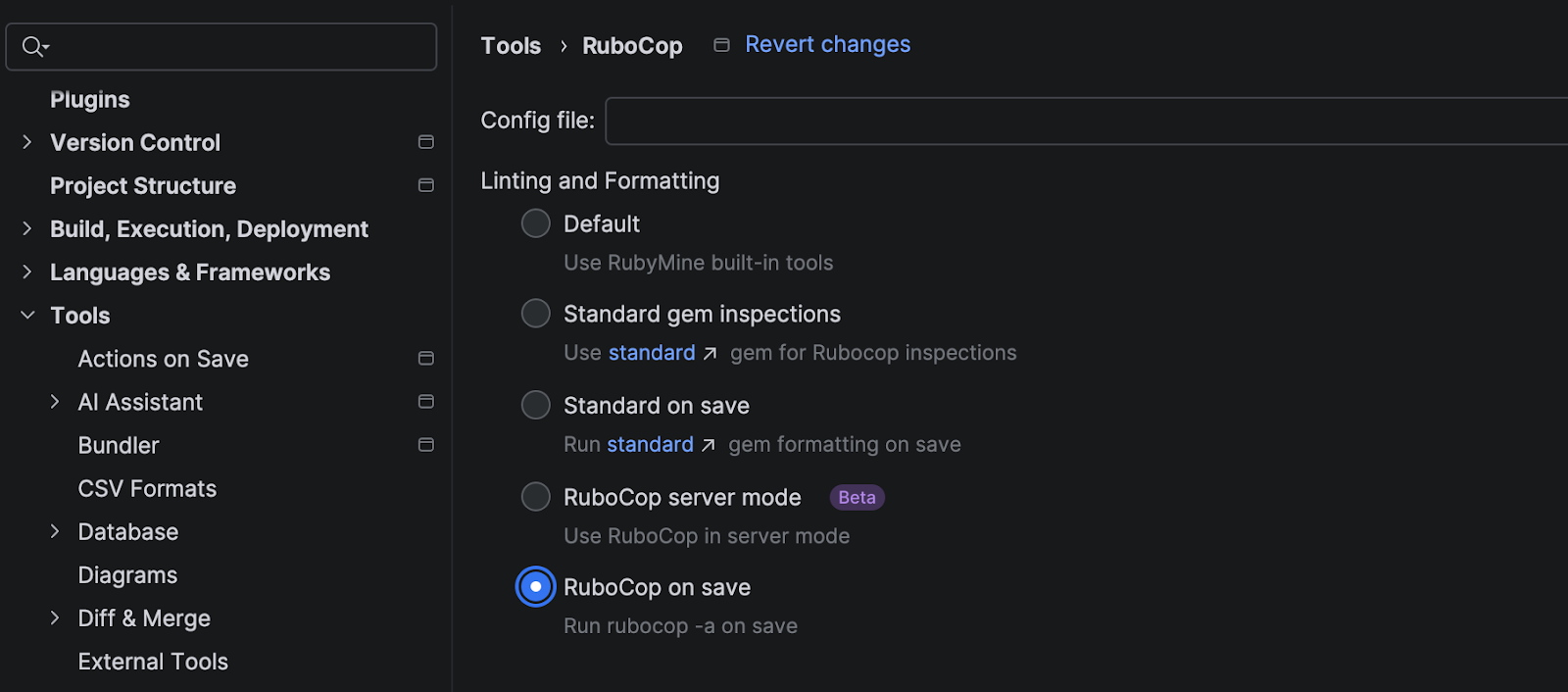
RubyMine 2026.1 introduces a redesigned RuboCop and the standard gem integration with a new Linting and Formatting section in Settings | Tools | RuboCop. Users can now choose from mutually exclusive options via radio buttons: Default, Standard gem inspections, Standard on save, RuboCop server mode, or RuboCop on save.
The redesign clarifies configuration, prevents conflicts between the standard gem and RuboCop, and ensures tighter integration with RubyMine's formatting actions.
Find more information about the new options in our docs.
As of version 2026.1, Code With Me will be unbundled from all JetBrains IDEs. Instead, it will be available on JetBrains Marketplace as a separate plugin. 2026.1 will be the last IDE version to officially support Code With Me, as we gradually sunset the service.
Read the full announcement and timeline in our blog post.
此内容由惯性聚合(RSS阅读器)自动聚合整理,仅供阅读参考。 原文来自 — 版权归原作者所有。