

惯性聚合 高效追踪和阅读你感兴趣的博客、新闻、科技资讯
阅读原文 在惯性聚合中打开

推荐订阅源

H
Hackread – Cybersecurity News, Data Breaches, AI and More
S
Schneier on Security
罗磊的独立博客
Recorded Future
Recorded Future
Hacker News - Newest:
Hacker News - Newest: "LLM"
G
Google Developers Blog
博客园_首页
OSCHINA 社区最新新闻
OSCHINA 社区最新新闻
T
The Blog of Author Tim Ferriss
Know Your Adversary
Know Your Adversary
L
Lohrmann on Cybersecurity
C
Cybersecurity and Infrastructure Security Agency CISA
博客园 - 三生石上(FineUI控件)
M
MIT News - Artificial intelligence
B
Blog
T
Tor Project blog
D
Docker
Engineering at Meta
Engineering at Meta
Apple Machine Learning Research
Spread Privacy
Spread Privacy
cs.CL updates on arXiv.org
Scott Helme
Scott Helme
MyScale Blog
MyScale Blog
量子位
T
The Exploit Database - CXSecurity.com
小众软件
小众软件
aimingoo的专栏
aimingoo的专栏
IT之家
IT之家
AWS News Blog
AWS News Blog
Google Online Security Blog
NISL@THU
NISL@THU
D
DataBreaches.Net
Help Net Security
Help Net Security
让小产品的独立变现更简单 - ezindie.com
Cloudbric
Cloudbric
美团技术团队
W
WeLiveSecurity
H
Hacker News: Front Page
宝玉的分享
宝玉的分享
The Cloudflare Blog
Cyber Security Advisories - MS-ISAC
爱范儿
爱范儿
N
News and Events Feed by Topic
V
Visual Studio Blog
C
CERT Recently Published Vulnerability Notes
T
Tailwind CSS Blog
MongoDB | Blog
MongoDB | Blog
F
Fortinet All Blogs
B
Blog RSS Feed
S
Security Affairs

Ruby on Rails: Compress the complexity of modern web apps

Safer to_i coercion, custom to_fs formats, and more! This Week in Rails: May 16, 2026 This Week in Rails: May 8, 2026 This Week in Rails: May 1, 2026 Active Record gets better every week Great big Rails World 2026 update: CFP, Corporate Support tickets, workshops Query command for database queries and more Explicit query: and body: kwargs for integration tests and more! Speedup ActiveRecord::LogSubscriber#sql_color and more! This Week in Rails: March 27, 2026 Rails Versions 8.0.5 and 8.1.3 have been released! Rails Versions 7.2.3.1, 8.0.4.1, and 8.1.2.1 have been released! This Week in Rails: March 20, 2026 Validate URI scheme in Action Text and more This Week in Rails: March 6, 2026 Planning Center is the newest Rails Foundation Contributing member Action Text gets Markdown conversion, editor links in devcontainers, and more! BARRA seeks Rails developer Joe Agliozzo is looking for a Rails developer The rise of lighttpd as the alternative web server When longer is better and more is more Snowdevil: First e-tailer on Rails Natural selection for frameworks in Ruby vs Java Address book tutorial in Portuguese Becoming a better programmer with Rails 10 Things Every Java Programmer Should Know About Ruby Really Getting Started in Rails Off the Treadmill, Onto the Rails Rails 0.9.5: A world of fixes and tweaks Rich clients with Rails and XUL Pedrosa on Rails vs WebWork: 'Language DOES matter' 'Ruby on Rails is unbelievably good' Celebrating six months anniversary! Speeding up CGI access to Gem Rails CD Baby leaves PHP behind for Ruby on Rails "I think Ruby on Rails is way over hyped" Programmer needed for JSP to Rails conversion Beyond the 10,000th gem install of Rails 'That application is so stupid' Matz takes note of Ta-da and Rails Rails tutorial on O'Reilly's ONLamp Welcome Slashdotters! Ta-da goes international with UTF-8 Make your Ta-da list today Rails 0.9.4.1: Cleaning up the mess Rails 0.9.4: Caching, filters, SQLite3... An unusual high presence of Macs Having problems running tests under 1.8.2? It\'s all about the applications But what does Rails go web services with XML-RPC prototype Rails runs through XP Cincinnati RedHanded out-evangelizes the evangelizer Rails on Lighttpd with FastCGI Have a codefest and collect cash from RubyCentral Jamis Buck is working on Basecamp S5 Presents competes with SoapBX 3,000 people are doing 10,804 things... Using the Rails to impress potential employers Brian discovers the default logging goodness SoapBX: Presentations powered by S5, Textile, Rails Road Map: The rails leading to 1.0 Tracks: A Getting Things Done implementation Nicholas presents the Directors Rails 0.9.3: Optimistic locking, dynamic finders, 1.8.2 Ruby on the German Rails 43things in 5,204 lines of Ruby on Rails Watch for huge requests on default FCGI How the redesign of the website came to be Are you watching the health of your software? "Some amazing web apps appear on Ruby on Rails" Learning Ruby on Rails with 43things The Robot Co-op takes 43things.com live! Giving up on Java for lack of love Setting up EliteJournal on TextDrive without a vhost Celebrating 219 applied patches since 0.7 Escaping Java but not its thinking "Simple design that even my grandma can understand" Rails logo remixed by Olivier Hericord Rake 0.4.14 includes fix for Ruby 1.8.2 Splitting off the research patches Running rake tests with Ruby 1.8.2 Marten opens Epilog for Trac'ing Drew McLellan predicts Rails celebrates more than 10,000 downloads Variations on a railed theme Securing your Rails: Keep it secret, keep it safe Available for hire? Collaboa and EliteJournal joins the Trac Playing Active Records on MS SQLServer and DB2 Open sourcing the Rails logo Rails: Technology of the Year #1 Reacting to customer requests in real time Extracting missing content from wiki backups Ruby on Rails has its web presence overhauled 43 things makes The Seattle Times 5.gets David Heinemeier Hansson Ruby 1.8.2 finally sees the light of day Rails 0.9: Fast development, breakpoints, validations Rails 0.9.1: Small, but important bugfix for Action Pack
Upgrading to Snow Leopard
David Heinemeier Hansson · 2009-08-30 · via Ruby on Rails: Compress the complexity of modern web apps

Last Friday, Apple released their new OS version: Snow Leopard. Upgrading to SL is very easy and even gives you back quite a lot of HD space. However a few things have changed in the OS and you need to understand what is going on so you won’t get frustrated with the updating process and won’t be wasting time fighting with the system.
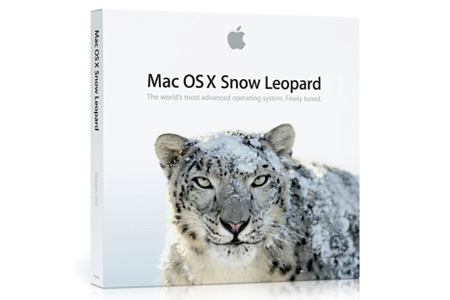
Snow Leopard

The key change for us Ruby developers, is the fact that, in Snow Leopard, all the interpreted languages (including Ruby) are now running in 64-bit by default (obviously, only if you have a 64-bit machine). For pure Ruby applications and libraries this shouldn’t pose any problems. But if you are migrating from a Leopard environment where you compiled C extensions for 32-bit only, these gems won’t properly load in Snow Leopard. Same thing goes for libraries you might have compiled in 32-bit mode and that you might want to use on your migrated system.

Something else you need to know: Snow Leopard now comes bundled with Ruby 1.8.7 instead of 1.8.6. This should not be a problem since Rails has been running on Ruby 1.8.7 for a long time and Rails 3 will require Ruby 1.8.7 and prefer Ruby 1.9.2.

Here is a quick rundown of common tasks you might have to do to migrate properly.

Install Snow Leopard developer tools

On the Snow Leopard DVD, under “Optional Installs”, install “Xcode.mpkg”. Use all default options.

Passenger

$ sudo gem install -r passenger
$ sudo passenger-install-apache2-module Press Enter when prompted. Passenger will compile and install its Apache module. Press Enter when prompted the second time too.

$ cd /etc/apache2

Open httpd.conf in your text editor (if you use TextMate, try running mate httpd.conf from the command line) and look for a line like “LoadModule passenger_module” and some lines following that have “passenger” in them too. Delete them. If you don’t see them them, move your cursor to the end of the file.

Then insert these lines:

LoadModule passenger_module /Library/Ruby/Gems/1.8/gems/passenger-2.2.4/ext/apache2/mod_passenger.so
PassengerRoot /Library/Ruby/Gems/1.8/gems/passenger-2.2.4
PassengerRuby /System/Library/Frameworks/Ruby.framework/Versions/1.8/usr/bin/ruby

MySQL

To avoid weird issues with MySQL, it’s strongly recommended to upgrade to the 64-bit version. Start by shutting down mysqld if it’s running. (Depending on how you installed MySQL, you might be able to use the preference panel, or use sudo /opt/local/share/mysql5/mysql/mysql.server stop if you installed it using MacPorts)

Now install the Mac OS X 10.5 (x86_64) version of mysql from here

When the disk image opens, first install “mysql-5.1.37-osx10.5-x86_64.pkg”. Use all default options.

Next install “MySQLStartupItem.pkg”. Use all default options.

Next install “MySQL.prefPane”. Double-click to install it. Choose to replace the existing preference pane when prompted. (Apparently the preference pane is still 32-bit.) At this point you can click “Start MySQL Server” to start the server and verify it works.

Unmount the MySQL disk image.

Since you are upgrading from Leopard, your mysql gem is compiled for 32-bit only and therefore needs to be recompiled. However, it’s not that simple, the mysql gem is a bit of an exception. Under Snow Leopard when you do a gem install for a C extension it tries to build the extension for two architectures: i386 (32-bit) as well as x86_64 (64-bit). The problem is that the binary from mysql.com is not universal and therefore we need to force the C extension to be only compiled in 64-bit.

$ sudo env ARCHFLAGS="-arch x86_64" gem install mysql -- --with-mysql-config=/usr/local/mysql/bin/mysql_config

note: You shouldn’t have to set the ARCHFLAGS to compile any other gems.

MacPorts

You should be all set. However, if you are relying on any libraries you compiled on Leopard, you probably will have to recompile them. MacPorts users shouldn’t think that it will be automatically done for them.

You have different options to upgrade your ports.

The easiest way is to upgrade MacPorts:

$ sudo port selfupdate
$ sudo port sync
$ sudo port upgrade --force installed

Other native gems

Check this script to get a precise list of gems requiring to be reinstalled and some help with the upgrade process. Basically, you just need to reinstall the few gems using C extensions.