



选项模式在 ASP.NET Core 中使用类来提供对相关配置设置的强类型访问。通过将配置设置隔离到单独的类,应用程序遵循封装和关注点分离的原则。封装确保依赖于配置的类仅依赖于其使用的设置;关注点分离则确保应用的不同部分的设置互不依赖或耦合。此外,选项模式还提供了验证配置数据的机制。
下面是代码文件:
Program.cs
using Microsoft.Extensions.Options;

var builder = WebApplication.CreateBuilder(args);

builder.Services.AddOptions<Setting>().BindConfiguration("Setting");

var app = builder.Build();

app.Services.GetService<IOptionsMonitor<Setting>>()?.OnChange((setting, name) =>
{
    app.Logger.LogInformation(setting.Value);
});


app.MapGet("/opt1", (IOptions<Setting> option) =>
{
    app.Logger.LogInformation("opt1");
    return option.Value;
});
app.MapGet("/opt2", (IOptionsSnapshot<Setting> option) =>
{
    app.Logger.LogInformation("opt2");
    return option.Value;
});
app.MapGet("/opt3", (IOptionsMonitor<Setting> option) =>
{
    app.Logger.LogInformation("opt3");

    return option.CurrentValue;
});
app.Run();


class Setting
{
    public string Name { get; set; }
    public string Value { get; set; }
}
appsettings.json
{
  "Logging": {
    "LogLevel": {
      "Default": "Information",
      "Microsoft.AspNetCore": "Warning"
    }
  },
  "AllowedHosts": "*",
  "Setting": {
    "Name": "key",
    "Value": "1234567890"
  }
}
OptionDemo.http
@OptionDemo_HostAddress = http://localhost:5064

GET {{OptionDemo_HostAddress}}/opt1
Accept: application/json

###

GET {{OptionDemo_HostAddress}}/opt2
Accept: application/json

###

GET {{OptionDemo_HostAddress}}/opt3
Accept: application/json

###
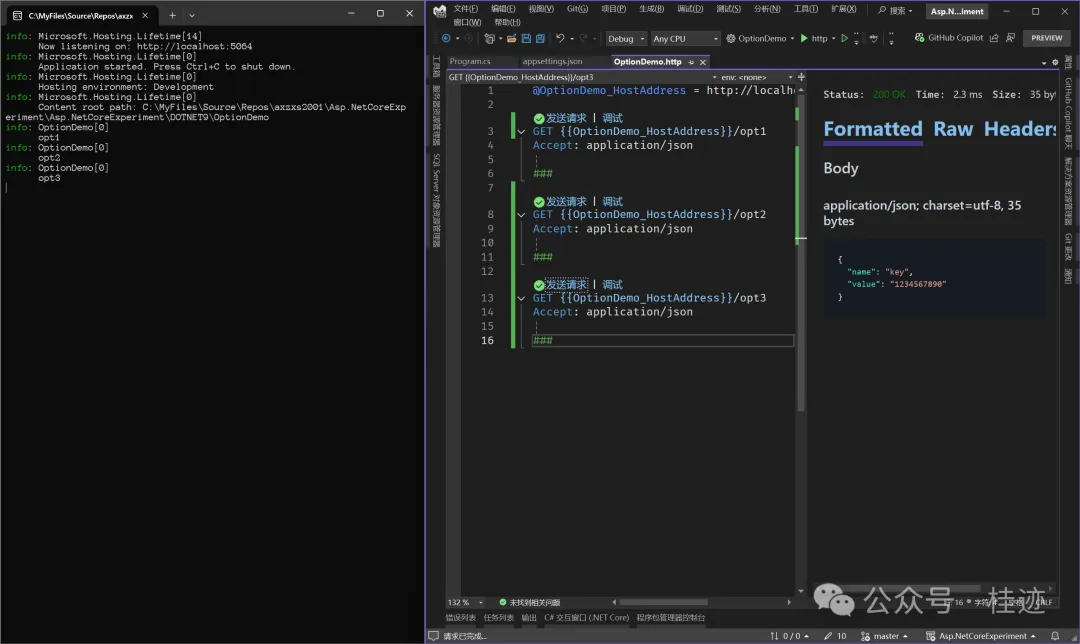
打开OptionDemo.http,点击Opt1,Opt2,Opt3的“发送请求”,结果如下:
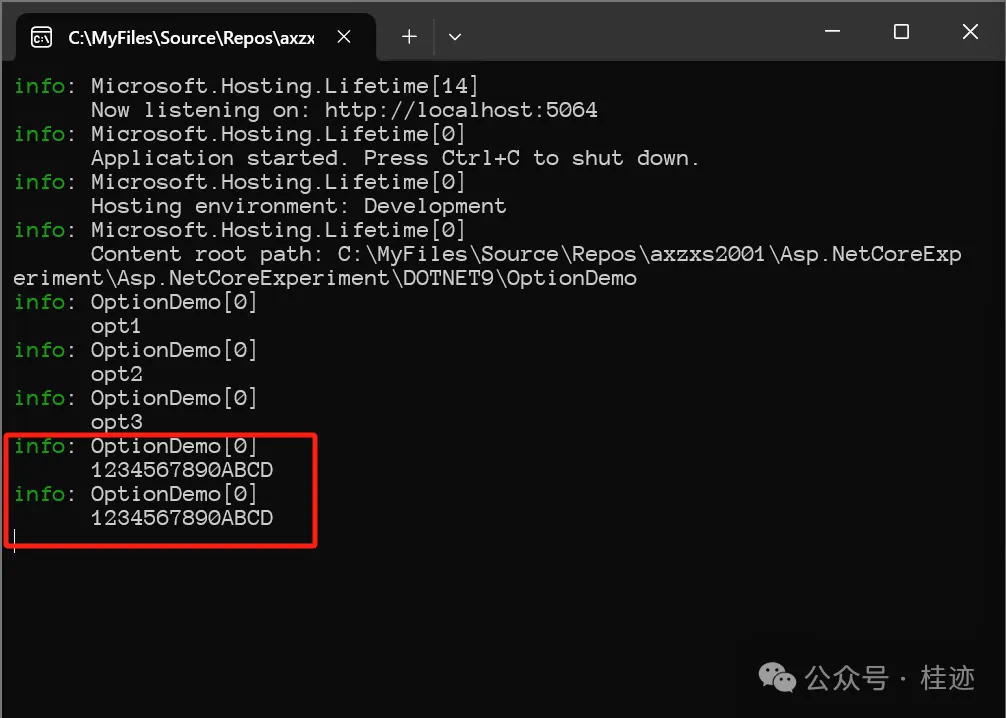
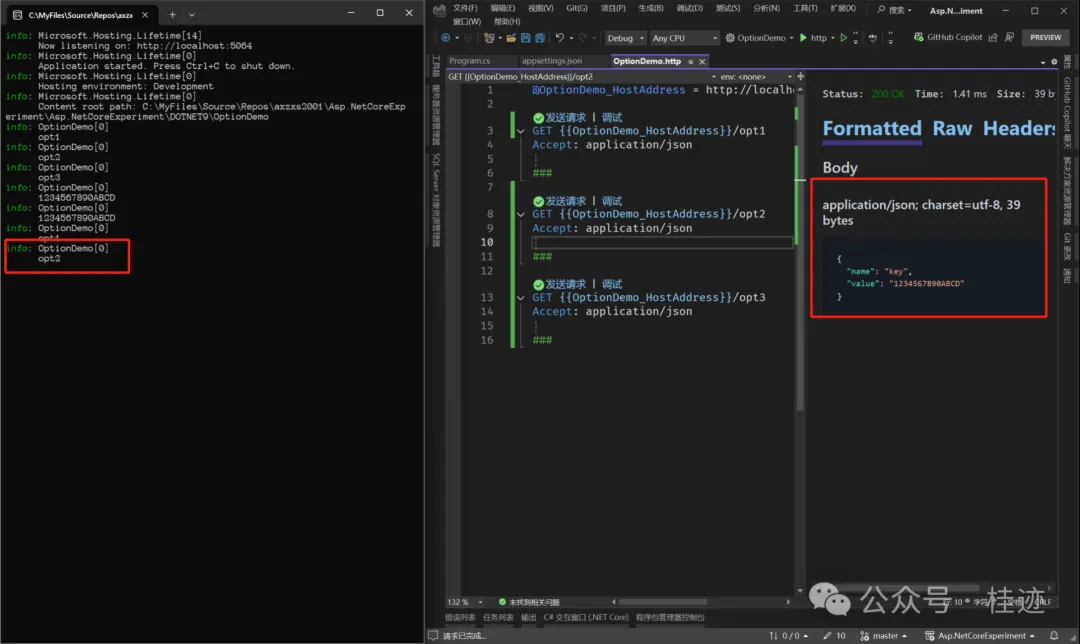
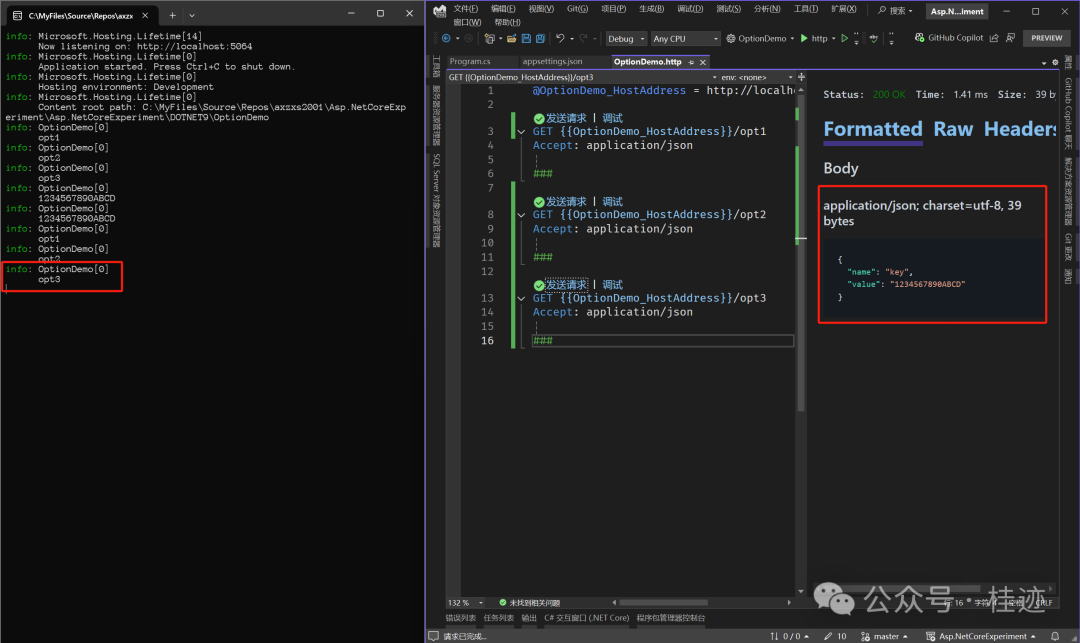
把 appsettings.json中的Setting的Value改成“1234567890ABCD”,结果如下:
请求Opt1结果:

请求Opt2结果:
请求Opt3结果:
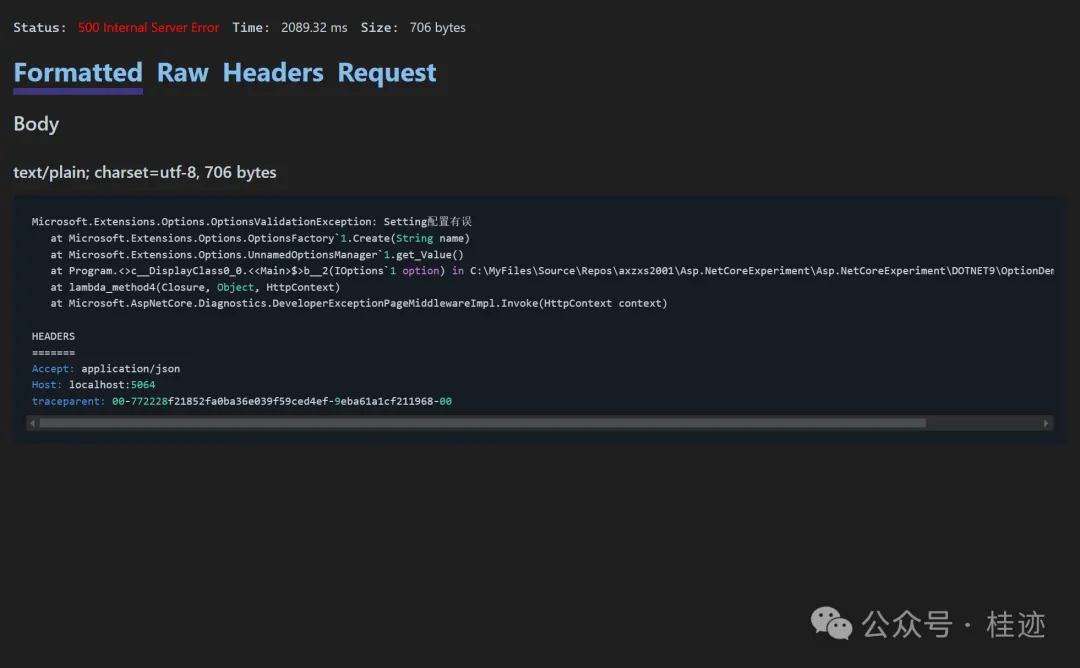
可以通过Validate()方法对Options进行验证,目前有两种验证点,一个是服务启动时,即有ValidateOnStart方法;另外一种是在使用这个Options时,即不写ValidateOnStart方法。
builder.Services.AddOptions<Setting>()
    .BindConfiguration("Setting")
    .ValidateOnStart<Setting>()
    .Validate(setting =>
    {
        return !string.IsNullOrWhiteSpace(setting.Name) && !string.IsNullOrWhiteSpace(setting.Value);
    }, "Setting配置有误");
触发错误如下:
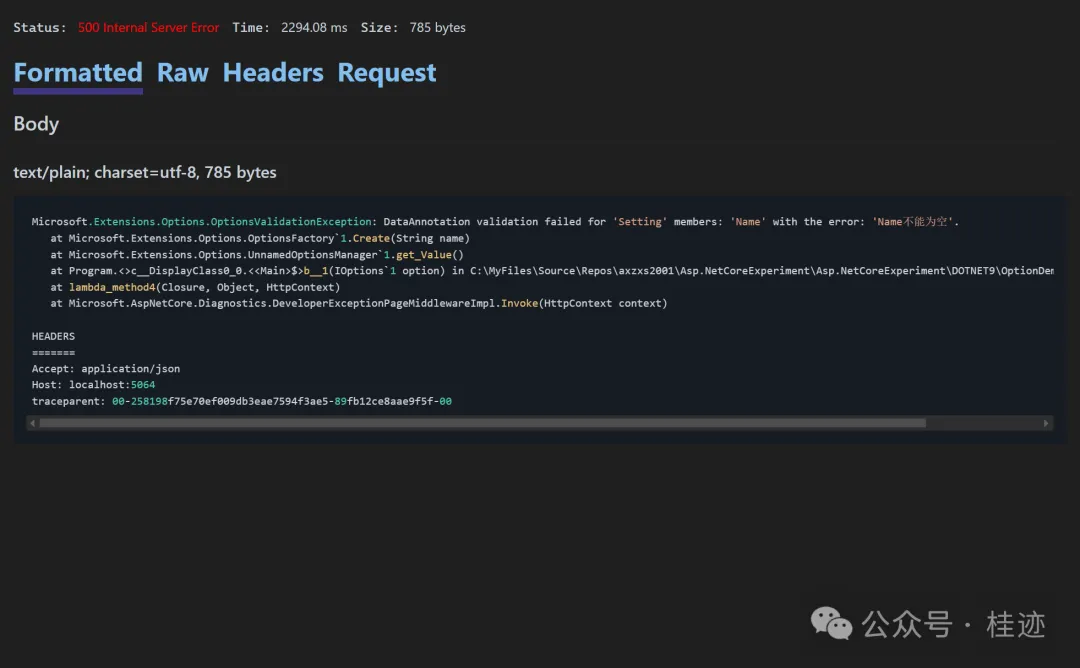
利用Validate是自定义验证,当然也可以利用DataAnnotations进行验证,代码如下:
builder.Services.AddOptions<Setting>()
    .BindConfiguration("Setting")
    .ValidateDataAnnotations();
触发错误如下:
文章来源微信公众号
想要更快更方便的了解相关知识,可以关注微信公众号

****欢迎关注我的asp.net core系统课程****
《asp.net core精要讲解》 https://ke.qq.com/course/265696
《asp.net core 3.0》 https://ke.qq.com/course/437517
《asp.net core项目实战》 https://ke.qq.com/course/291868
《基于.net core微服务》 https://ke.qq.com/course/299524
此内容由惯性聚合(RSS阅读器)自动聚合整理,仅供阅读参考。 原文来自 — 版权归原作者所有。