






今天在.NET项目中,使用基于策略角色的鉴权时,遇到一个401的问题,场景如下:
Program.cs代码如下:
using Microsoft.AspNetCore.Authentication.JwtBearer;
using Microsoft.AspNetCore.Mvc;
using Microsoft.Extensions.Options;
using Microsoft.IdentityModel.Tokens;
using System.IdentityModel.Tokens.Jwt;
using System.Security.Claims;
using System.Text;

var builder = WebApplication.CreateBuilder(args);

var authConfig = new AuthConfig();
builder.Configuration.Bind("AuthConfig", authConfig);
builder.Services.AddSingleton(authConfig);
builder.Services.AddAuthentication(JwtBearerDefaults.AuthenticationScheme).AddJwtBearer(JwtBearerDefaults.AuthenticationScheme, opt =>
{
    opt.TokenValidationParameters = new TokenValidationParameters
    {
        ValidateIssuerSigningKey = true,
        IssuerSigningKey = new SymmetricSecurityKey(Encoding.ASCII.GetBytes(authConfig.SecurityKey)),
        ValidateIssuer = true,
        ValidIssuer = authConfig.Issuer,
        ValidateAudience = true,
        ValidAudience = authConfig.Audience,
        ClockSkew = TimeSpan.Zero,
        RequireExpirationTime = true,
        ValidAlgorithms = new[] { SecurityAlgorithms.HmacSha512 }
    };
});
builder.Services.AddAuthorization(opt =>
{
    opt.AddPolicy("rolevalidate", policy => policy.RequireRole("user"));
});

var app = builder.Build();
app.UseAuthentication();
app.UseAuthorization();

app.MapPost("/login", ([FromServices] AuthConfig config,  [FromBody] UserModel userModel) =>
{
    if (userModel.UserName != "gsw" || userModel.Password != "111111")
    {
        return new { result = false, message = "用户名或密码错误!", token = "" };
    }
    else
    {
        var token = new JwtSecurityTokenHandler().WriteToken(new JwtSecurityToken(
            issuer: config.Issuer,
            audience: config.Audience,
            claims: new[] {
               new Claim(ClaimTypes.Role, "user")
            },
            notBefore: DateTime.UtcNow,
            expires: DateTime.UtcNow.AddSeconds(config.Expires),
            signingCredentials: new SigningCredentials(new SymmetricSecurityKey(Encoding.ASCII.GetBytes(config.SecurityKey)), SecurityAlgorithms.HmacSha512)
            ));
        return new { result = true, message = "", token = token };
    }
}).AllowAnonymous();

app.MapGet("/index", () =>
{
    return "登录成功!";
}).RequireAuthorization("rolevalidate");

app.Run();

public class AuthConfig
{
    public string Issuer { get; set; }
    public string Audience { get; set; }
    public int Expires { get; set; }
    public string SecurityKey { get; set; }
}
public class UserModel
{
    public string UserName { get; set; }
    public string Password { get; set; }
}
appsettings.json内容如下:
{
  "Logging": {
    "LogLevel": {
      "Default": "Information",
      "Microsoft.AspNetCore": "Information"
    }
  },
  "AllowedHosts": "*",
  "AuthConfig": {
    "Issuer": "https://www.demo.com",
    "Audience": "https://www.demo.com",
    "Expires": 86400,
    "SecurityKey": "1234567890abcdefg1234567890abcdefg1234567890abcdefg1234567890abcdefg"
  }
}
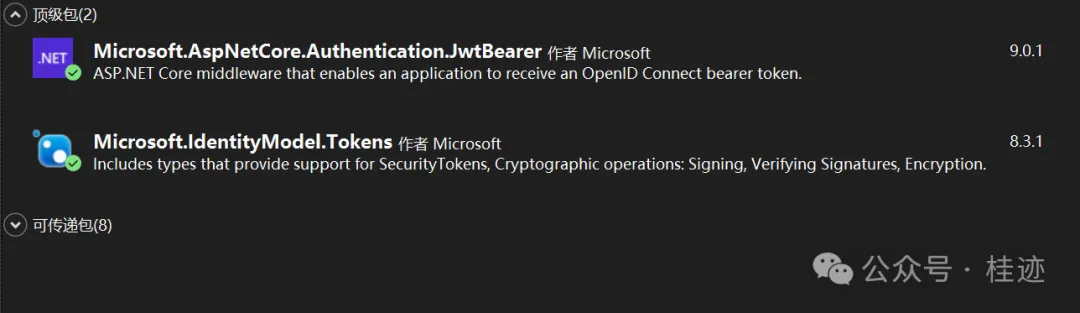
引入的Nuget包如下(Microsoft.IdentityModel.Tokens包是因为觉得可传递包比较旧,升上来的):
测试开始,先登录,成功返回Token:
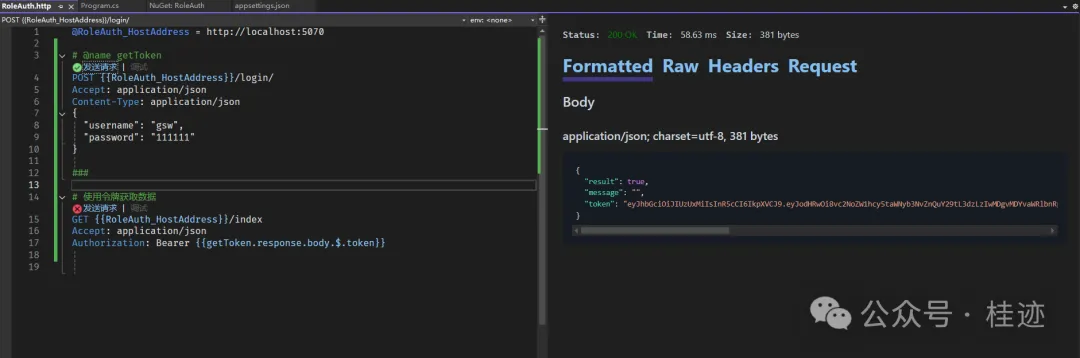
然后访问/index,遇到了401的报错。

一开始以为在注AddAuthentication和AddAuthorization的姿势不对,重写尝试了一段时间,总是不成功。逐渐感觉到不是这里的原因,于是想通过日志,把失败的原因找出来,方便深入分析,于是开启Microsoft.AspNetCore.Authentication.JwtBearer的日 志,在appsettings.json的LogLevel下,添加如下配置:
"Microsoft.AspNetCore.Authentication.JwtBearer": "Information"
再次请求/index,错误日志如下:
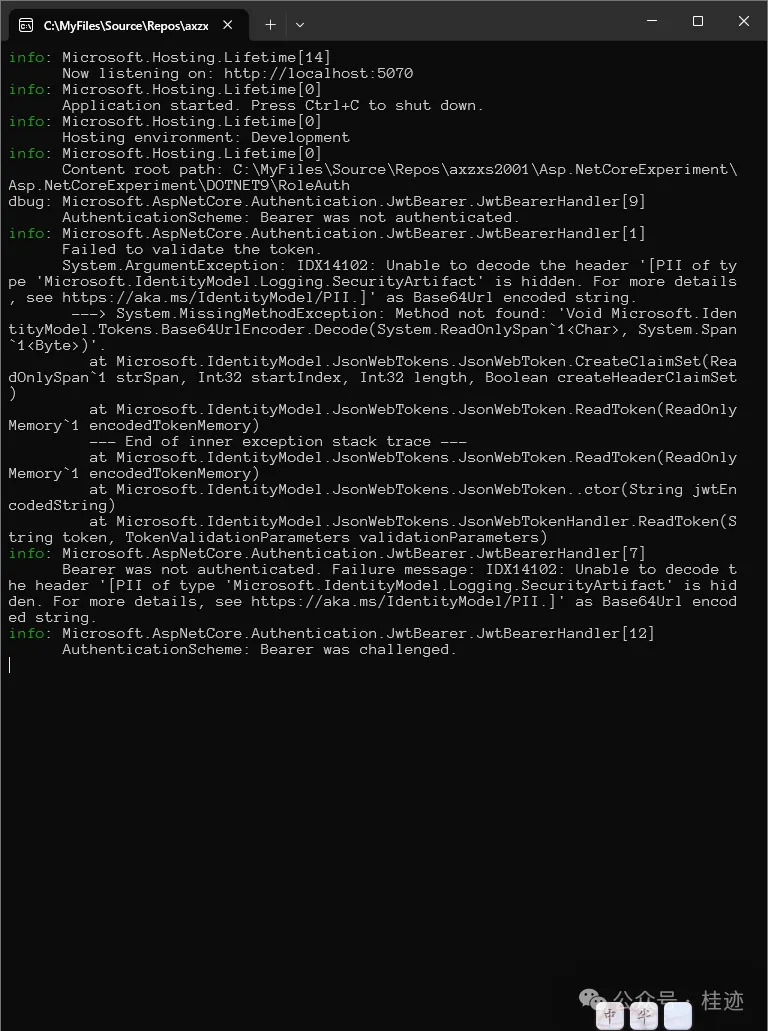
最后定位到可能是Microsoft.IdentityModel.Tokens的问题,于是删除安装的版本,相当于给它降级,因类可传递的版本是8.0.1。
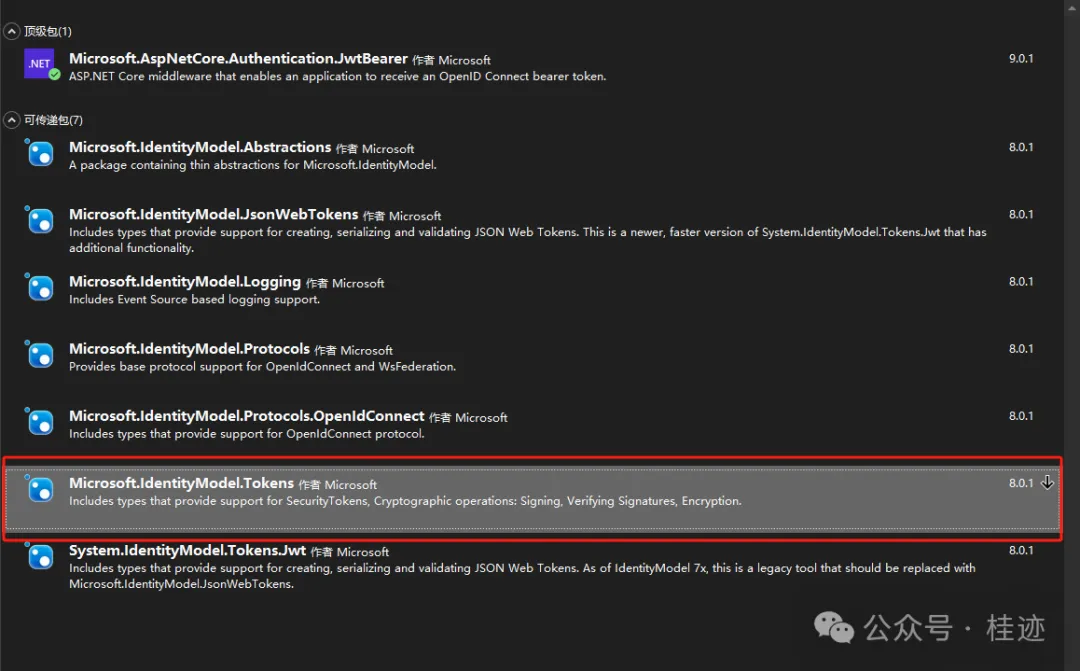
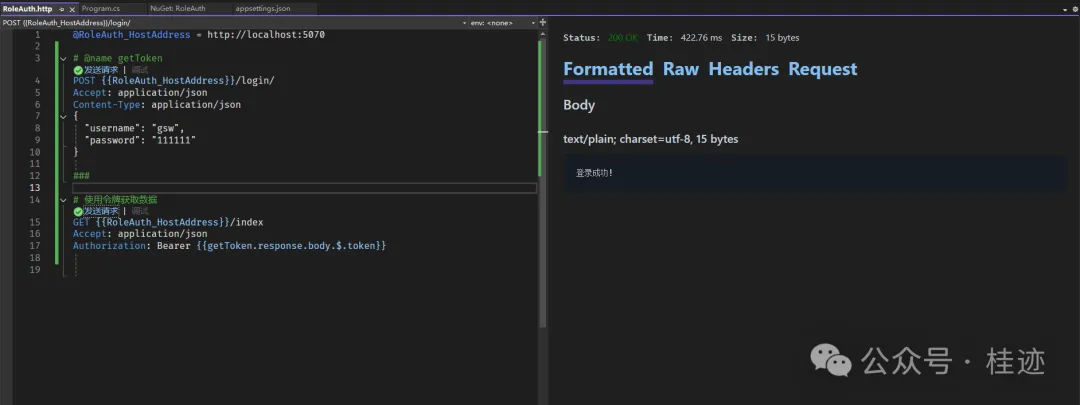
再次测试,正常通过!
文章来源微信公众号
想要更快更方便的了解相关知识,可以关注微信公众号

****欢迎关注我的asp.net core系统课程****
《asp.net core精要讲解》 https://ke.qq.com/course/265696
《asp.net core 3.0》 https://ke.qq.com/course/437517
《asp.net core项目实战》 https://ke.qq.com/course/291868
《基于.net core微服务》 https://ke.qq.com/course/299524
此内容由惯性聚合(RSS阅读器)自动聚合整理,仅供阅读参考。 原文来自 — 版权归原作者所有。