


SemanticKernel已经支持deepseek-r1了,官方的Blog地址是https://devblogs.microsoft.com/semantic-kernel/using-deepseek-models-in-semantic-kernel,同时给出了接入的Demo,遗憾的是deepseek不支持API的充值,没有办法测试。
办法总比困难多,正好微软现在支持在Azure部署deepseek-r1了,具体部署方法官方有具体的方式方法,见下面的url:https://azure.microsoft.com/en-us/blog/deepseek-r1-is-now-available-on-azure-ai-foundry-and-github/
与此同时,Azure上的给Demo如下:
var apiKey = File.ReadAllText("C:/gpt/deepseekkey.txt");
var handler = new HttpClientHandler()
    {
        ClientCertificateOptions = ClientCertificateOption.Manual,
        ServerCertificateCustomValidationCallback =
                (httpRequestMessage, cert, cetChain, policyErrors) => { return true; }
    };
using (var client = new HttpClient(handler))
{
    var requestBody = @"{
              ""messages"": [
                {
                  ""role"": ""user"",
                  ""content"": ""你是谁?""
                }
              ],
              ""max_tokens"": 2048
            }";

    client.DefaultRequestHeaders.Authorization = new AuthenticationHeaderValue("Bearer", apiKey);
    client.BaseAddress = new Uri("https://DeepSeek-R1-iwztj.eastus2.models.ai.azure.com/chat/completions");

    var content = new StringContent(requestBody);
    content.Headers.ContentType = new MediaTypeHeaderValue("application/json");

    HttpResponseMessage response = await client.PostAsync("", content);

    if (response.IsSuccessStatusCode)
    {
        string result = await response.Content.ReadAsStringAsync();
        var ent = System.Text.Json.JsonSerializer.Deserialize<ChatCompletionResponse>(result, new System.Text.Json.JsonSerializerOptions { PropertyNameCaseInsensitive = true });
        foreach (var choice in ent.Choices)
        {
            Console.WriteLine("Result: {0}", choice.Message.Content);
        }
    }
    else
    {
        Console.WriteLine(string.Format("The request failed with status code: {0}", response.StatusCode));
        Console.WriteLine(response.Headers.ToString());

        Console.WriteLine("错误");
    }
}

public class ChatCompletionResponse
{
    public List<Choice> Choices { get; set; }
    public long Created { get; set; }
    public string Id { get; set; }
    public string Model { get; set; }
    public string Object { get; set; }
    public List<PromptFilterResult> PromptFilterResults { get; set; }
    public Usage Usage { get; set; }
}

public class Choice
{
    public ContentFilterResults ContentFilterResults { get; set; }
    public string FinishReason { get; set; }
    public int Index { get; set; }
    public Message Message { get; set; }
}

public class ContentFilterResults
{
    public FilterStatus Hate { get; set; }
    public FilterStatus SelfHarm { get; set; }
    public FilterStatus Sexual { get; set; }
    public FilterStatus Violence { get; set; }
}

public class FilterStatus
{
    public bool Filtered { get; set; }
    public string Severity { get; set; }
}

public class Message
{
    public string Content { get; set; }
    public string ReasoningContent { get; set; }
    public string Role { get; set; }
    public object ToolCalls { get; set; }
}

public class PromptFilterResult
{
    public int PromptIndex { get; set; }
    public ContentFilterResults ContentFilterResults { get; set; }
}

public class Usage
{
    public int CompletionTokens { get; set; }
    public int PromptTokens { get; set; }
    public object PromptTokensDetails { get; set; }
    public int TotalTokens { get; set; }
}
结果如下:
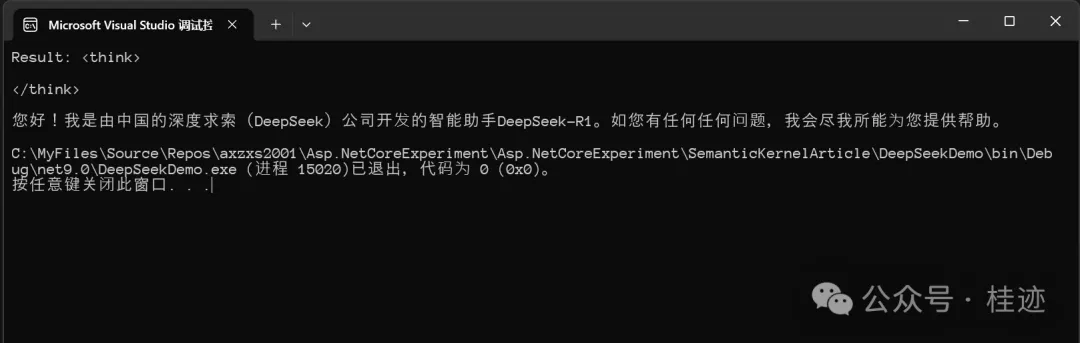
换成SK的对接方式如下:
var apiKey = File.ReadAllText("C:/gpt/deepseekkey.txt");
var chatCompletionService = new OpenAIChatCompletionService(
    endpoint: new Uri("https://DeepSeek-R1-iwztj.eastus2.models.ai.azure.com/"),
    apiKey: apiKey,
    modelId: "deepseek-chat"
);
var chatHistory = new ChatHistory();
chatHistory.AddUserMessage("你好,你是谁?");
var reply = await chatCompletionService.GetChatMessageContentAsync(chatHistory);
Console.WriteLine(reply);
结果如下:
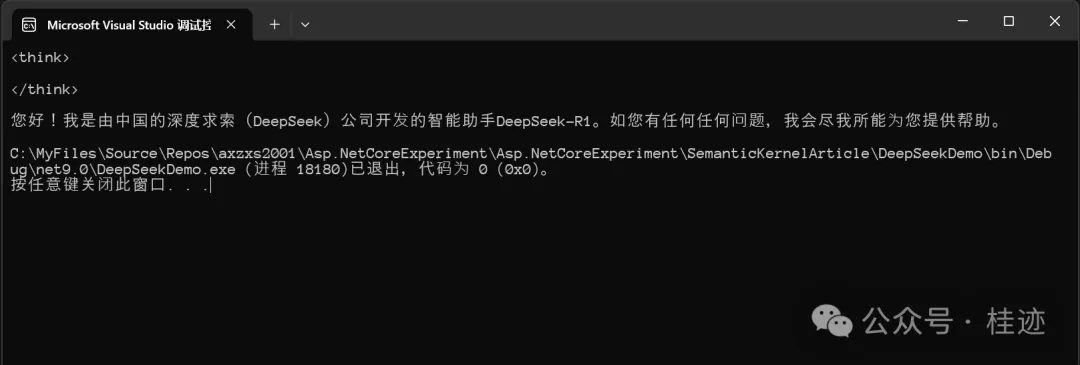
文章来源微信公众号
想要更快更方便的了解相关知识,可以关注微信公众号

****欢迎关注我的asp.net core系统课程****
《asp.net core精要讲解》 https://ke.qq.com/course/265696
《asp.net core 3.0》 https://ke.qq.com/course/437517
《asp.net core项目实战》 https://ke.qq.com/course/291868
《基于.net core微服务》 https://ke.qq.com/course/299524
此内容由惯性聚合(RSS阅读器)自动聚合整理,仅供阅读参考。 原文来自 — 版权归原作者所有。