







微软在去年12月12日首次展示了Phi-4模型,该模型拥有140亿参数,但表现极为强大。在多项测试中表现优异:
总结来看,Phi-4在参数量相对较小的情况下,展现出极高的性能与竞争力。
今天Phi-4正式发布,于是满怀激情的再试一把(之前试过提前发布的版本)。下面把试用的过程分享出来。
用ollama下载Phi-4:
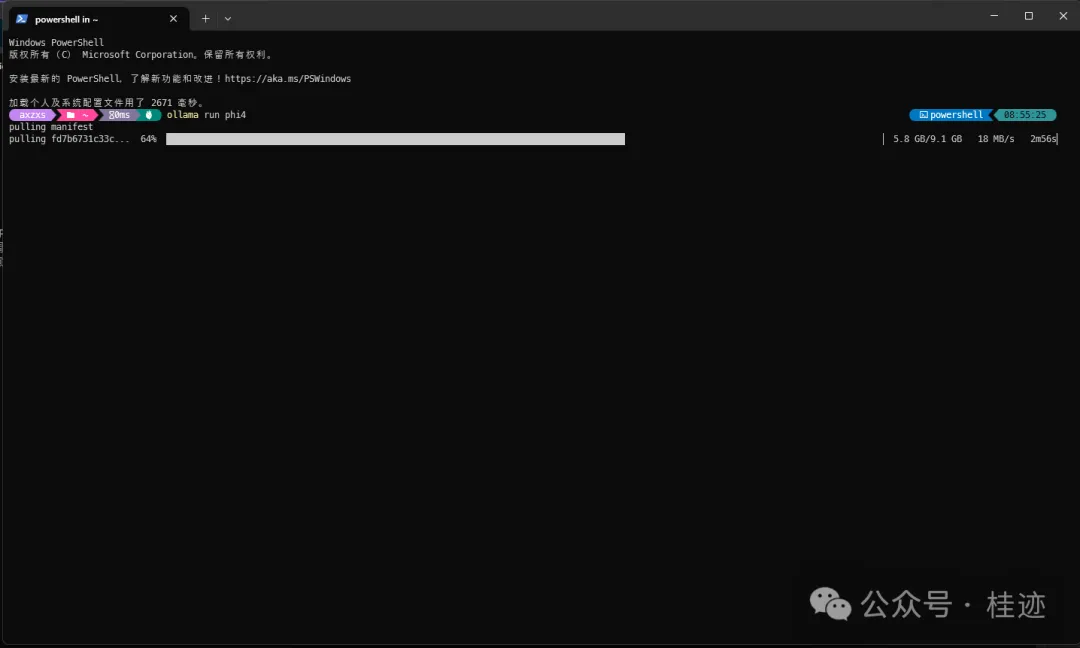
用SemanticKernel+ollama跑案全:
using Microsoft.Extensions.DependencyInjection;
using Microsoft.Extensions.Logging;
using Microsoft.SemanticKernel;
using Microsoft.SemanticKernel.ChatCompletion;
using Microsoft.SemanticKernel.Connectors.Ollama;
using Microsoft.SemanticKernel.Connectors.OpenAI;
using OllamaSharp;
using OpenAI.RealtimeConversation;
using System;
using System.ComponentModel;
#pragma warning disable SKEXP0001
#pragma warning disable SKEXP0010
#pragma warning disable SKEXP0070
await Call();

async Task Call1()
{
    var ollamaApiClient = new OllamaApiClient(new Uri("http://localhost:11434"), "phi4:latest");
    var builder = Kernel.CreateBuilder();
    builder.Services.AddScoped<IChatCompletionService>(_ => ollamaApiClient.AsChatCompletionService());
    var kernel = builder.Build();
    var chatService = kernel.GetRequiredService<IChatCompletionService>();
    while (true)
    {
        Console.Write("用户:");
        var input = Console.ReadLine();
        if (string.IsNullOrWhiteSpace(input))
        {
            break;
        }
        var response = chatService.GetStreamingChatMessageContentsAsync(input);
        var content = "";
        var role = AuthorRole.Assistant;
        Console.ForegroundColor = ConsoleColor.Green;
        Console.Write("助手:");
        await foreach (var message in response)
        {
            Console.Write($"{message.Content}");
            content += message.Content;
            role = message.Role.Value;
        }
        Console.WriteLine();
        Console.ResetColor();
    }
}
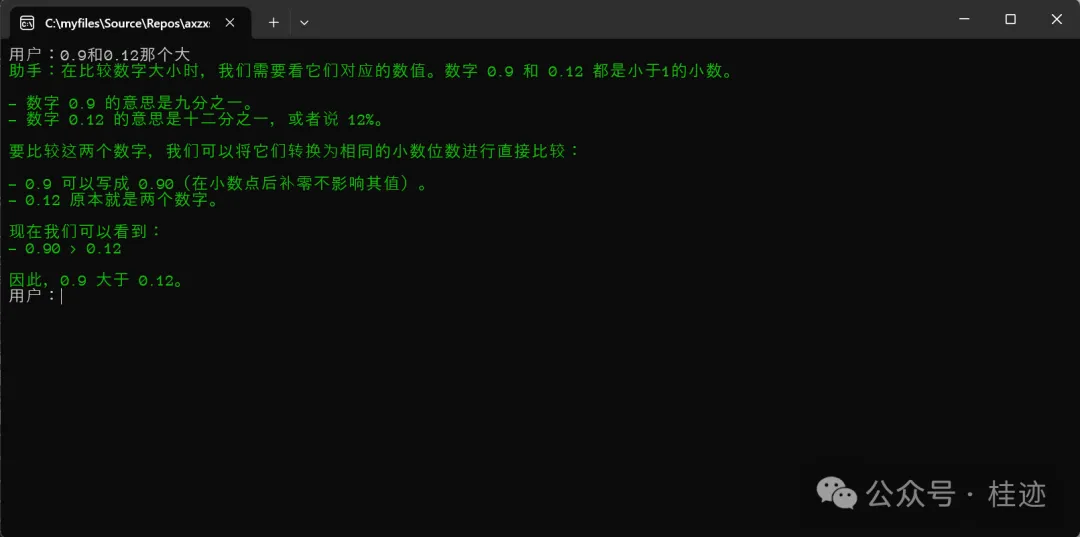
先试一个常见的逻辑题:
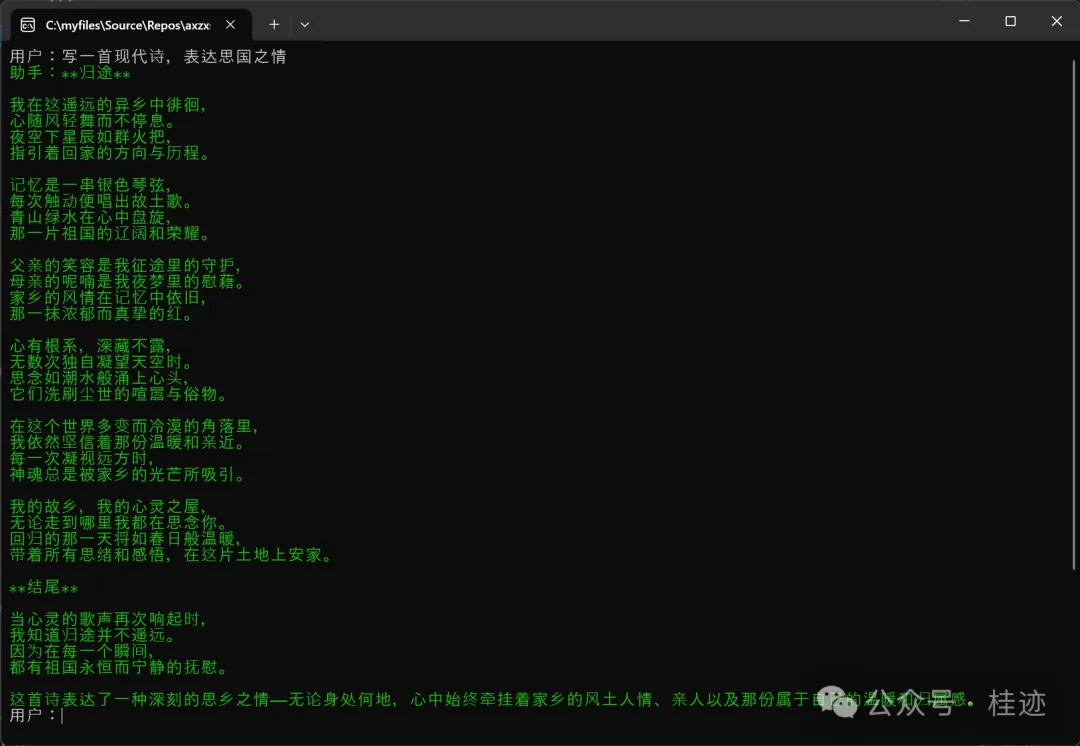
再来个文雅的内容生成题:
再来一个翻译:
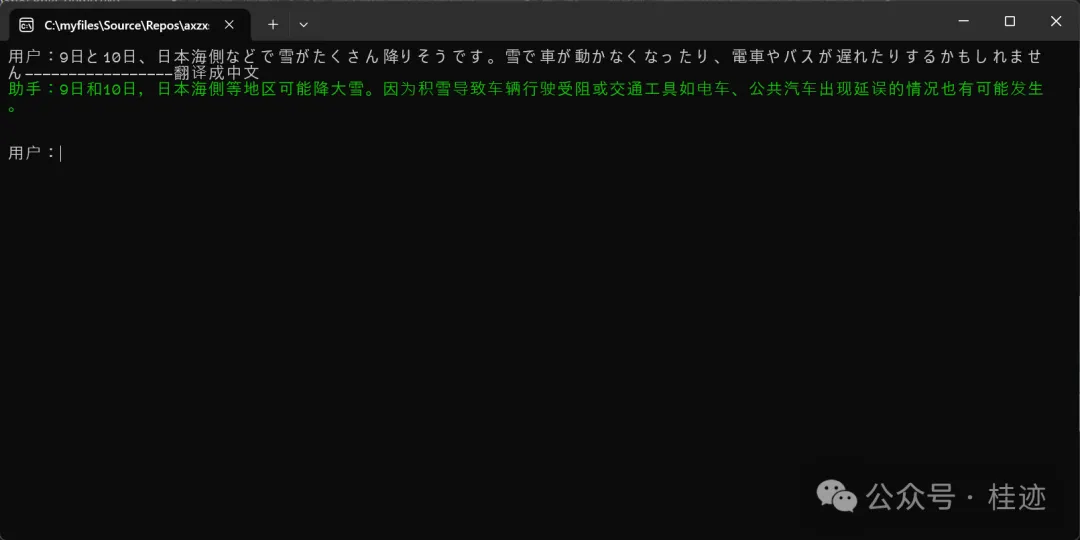
为了对比,把Google的翻译拿上来作对比:

最后再和CahtGPT 4o作个对比:
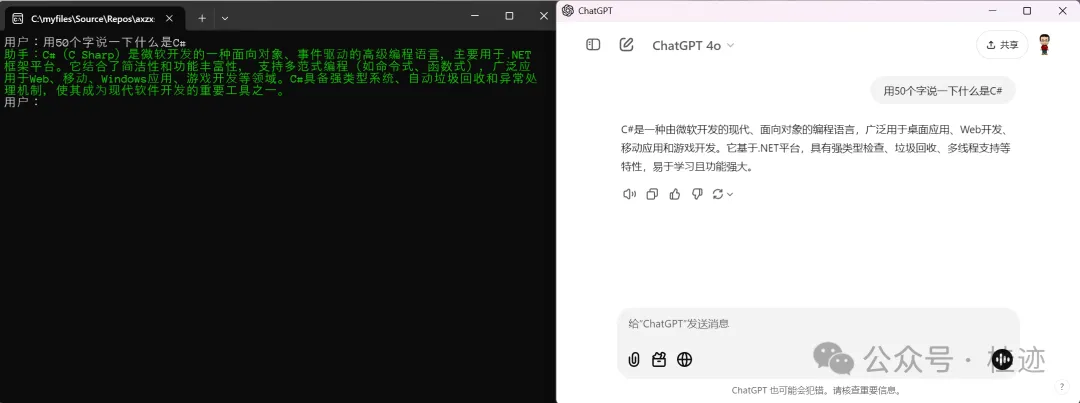
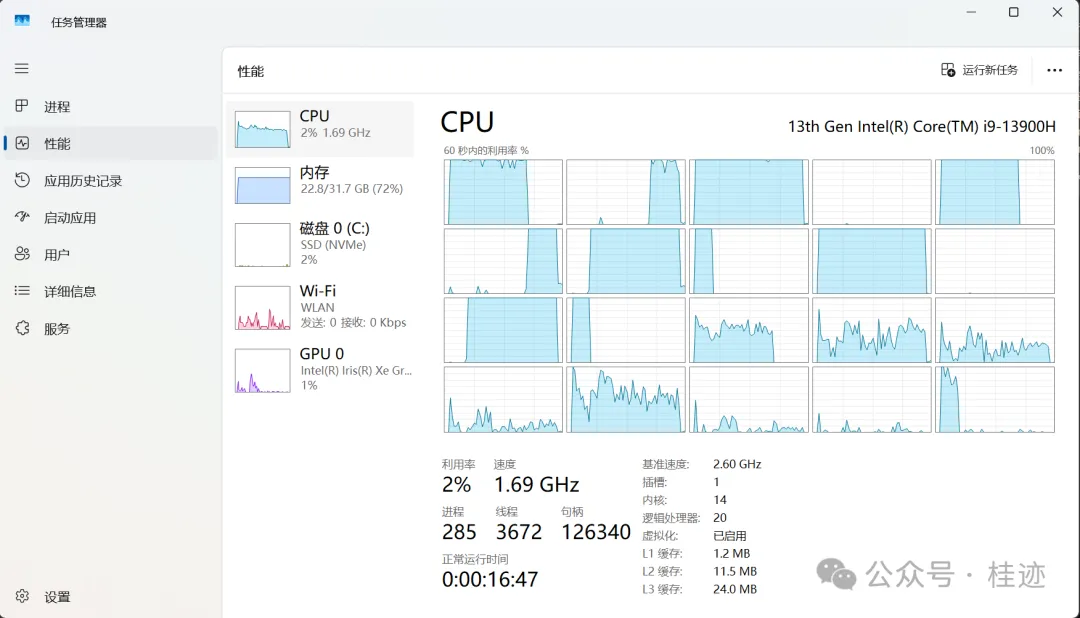
总体体验下来,作为一个SLM人是十分满意的,用在生产中是相当可以的,不过现在还不支持function calling,另外上面的测试都是在自己的笔记本上跑的,速度是能接受的,如果跑生产,上个显卡,应该就能提速,按理这都不是事。我给phi4打85分,等有了function calling就完美了。
文章来源微信公众号
想要更快更方便的了解相关知识,可以关注微信公众号

****欢迎关注我的asp.net core系统课程****
《asp.net core精要讲解》 https://ke.qq.com/course/265696
《asp.net core 3.0》 https://ke.qq.com/course/437517
《asp.net core项目实战》 https://ke.qq.com/course/291868
《基于.net core微服务》 https://ke.qq.com/course/299524
此内容由惯性聚合(RSS阅读器)自动聚合整理,仅供阅读参考。 原文来自 — 版权归原作者所有。